
Sławomir Pawlak
Product Marketing Manager
I’m here to make a Text partner out of you. Product Marketing Manager at Text, I design data backed co-marketing that lifts partner revenue, deepens client trust, and scales service. 8 years leading B2B SaaS growth & partnerships. Ready to team up? Let’s talk.
The same customer writing in three times about the same problem is one of the oldest messes in support. You end up with three tickets, three half-answers, and no single place that holds the whole story. Ticket merging fixes that. When a customer has several tickets about the same issue, agents can now pull them into one master thread instead of working several parallel conversations.
What merging a ticket actually does
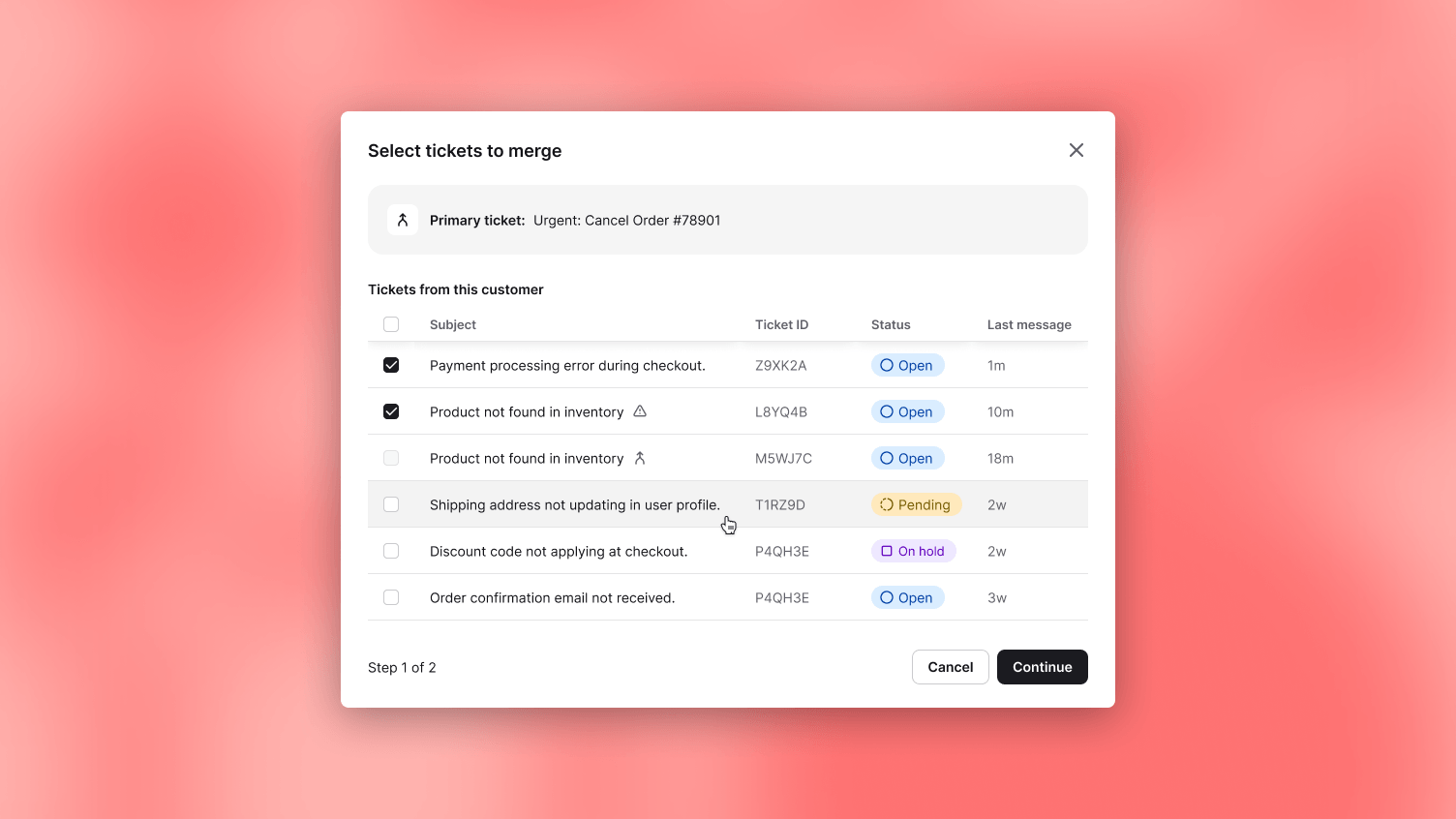
Open the ticket you want to keep, click the ... menu, and choose to merge in two steps. The ticket you are viewing becomes the master.
The tickets you merge into it close and turn read-only, reachable from the master ticket whenever you need them. Future replies to those old email threads route to the master, so the customer keeps replying wherever they already were and the agent still sees everything in one thread. Tags, followers, and other recipients from the sub-tickets move onto the master, and the full sub-ticket history stays linked rather than lost.
What to check before you merge
A few rules are worth knowing up front. Merging is irreversible for now, so it is worth a second look before you confirm. You can only merge tickets that belong to the same customer. Only the custom fields on the master ticket carry over. Merging is available to admins and to members with edit access to both the master ticket and the ones being merged in. And a master ticket cannot be merged into another master.
Why a scattered customer costs you
Three tickets for one customer is not just untidy. It is three agents each seeing a third of the picture, re-asking questions the customer already answered, and missing the thread where the customer mentioned they were about to buy or about to leave.
Service is where buying decisions happen, and that only works when the agent can see the whole relationship at once. A merged thread puts the customer's full context in front of whoever picks it up: every message, every tag, every follower. The agent stops untangling duplicates and starts handling the customer. Less time spent reconciling tickets is more time spent on the conversation where the order, the upsell, or the save actually happens.
Available now
Live in Text App for admins and members with the right edit access. Open any ticket and look in the ... menu. Read more in our help center.