
Justyna Polaczyk
Content Writer
Justyna was a journalist and business analyst before choosing content marketing, fully on purpose. Customer journeys are her obsession, and she helps shape how Text talks about them. She treats writing like a craft, which mostly means rewriting until someone other than the author cares. Fair warning: she has opinions about storytelling. Most of them strong.
Your support team is probably spending most of their day on conversations that don't require a human. Ours was too.
This is the story (or a playbook) of how we used our own AI Agent and custom skills to fix it. We filtered noise, collected customer data, and started qualifying sales leads without the need to expand our team.
Custom skills turned our AI Agent from a bot that answers questions into one that takes action. Keep reading for the exact skills we built, the mistakes we made, and the shortcuts our automation specialists figured out — so you can skip straight to the part where it works.
122,000 chats a month vs one (skilled) AI Agent
Our support team has one of the widest job descriptions you'll find anywhere. On any given day, they're answering customer questions, helping close deals, and writing prompts for an AI Agent. They push new features to their limits before anyone else gets to try them, running automation workflows on a live inbox that once hit six figures in a single month. They're support heroes, salespeople, QA testers, and AI trainers… and sometimes all before lunch.
We build customer service software used by e-commerce brands, SaaS companies, and anyone who talks to customers at scale.
"My goal is to get the AI Agent to a place where our human agents only step in when something truly requires their expertise," says Maciej Kosnik, Automation Specialist on our AI First Customer Service team. "We want our people spending time on work that actually needs a human brain, not answering the same pricing question for the two hundredth time."

The AI Agent runs the show. Our team supervises.
Right now, our AI Agent handles 74% of everything that comes through the door, start to finish, without a human touching it. The industry average is 59%. In our busiest month, that meant only 32,000 out of 122,000 conversations ever needed a human. The other 90,000 were handled by the agent on its own.
That number changed how our entire support operation works. We restructured the team around it.
Our support agents used to sit in a queue, picking up chats one by one, answering the same questions over and over. Now they operate as AI supervisors. They monitor conversations the agent is handling, step in when something goes wrong or gets too complex, and focus their energy on the cases that genuinely need a human: billing disputes, account cancellations, sensitive data requests, technical edge cases.
The agent does the heavy lifting. The humans make sure it's doing it right. And month over month, we're expanding how much of the workload the agent carries.
Metric | Number |
Peak monthly chat volume | 122,000 |
Legitimate conversations | ~80,000 |
AI Agent resolution rate | 74% (vs. 59% industry avg.) |
Anti-spam skill triggers (first 2 weeks) | 17,000 |
What custom skills changed
The AI Agent was already carrying most of the load. But there were gaps where it needed to do more than answer a question. Custom skills gave it the ability to act on what it learned during the conversation. You describe what you want in plain language, the AI generates an execution plan, and the agent starts executing.
Here's what we built and what it changed.
Filtering noise before it reaches the team
Out of 122,000 conversations in our busiest month, over 40,000 had nothing to do with our product. Misrouted visitors, bots, spam, people who confused us with someone else's live chat. All of that used to land on agents.
Custom skills let us build filters that handle this automatically. The agent evaluates the conversation, figures out whether it's relevant, and either helps the visitor or closes the loop without involving a human.
One skill that works for almost any business: language detection. If you're running a multilingual store, the agent can detect what language the customer is writing in and either respond in that language or route them to the right team. No manual sorting, no customers waiting in the wrong queue.
We took a simpler approach because our situation called for it. Our data showed that the vast majority of non-English traffic on our license was spam, so we built a one-sentence skill: "When the customer is not writing in English, tell them to write in English." It fired 17,000 times in its first two weeks, and agents never saw any of it.
"It took me thirty seconds to build and it's probably our most effective skill," Kosnik says. "The logic is identical for everyone. What you do with it depends on your business."
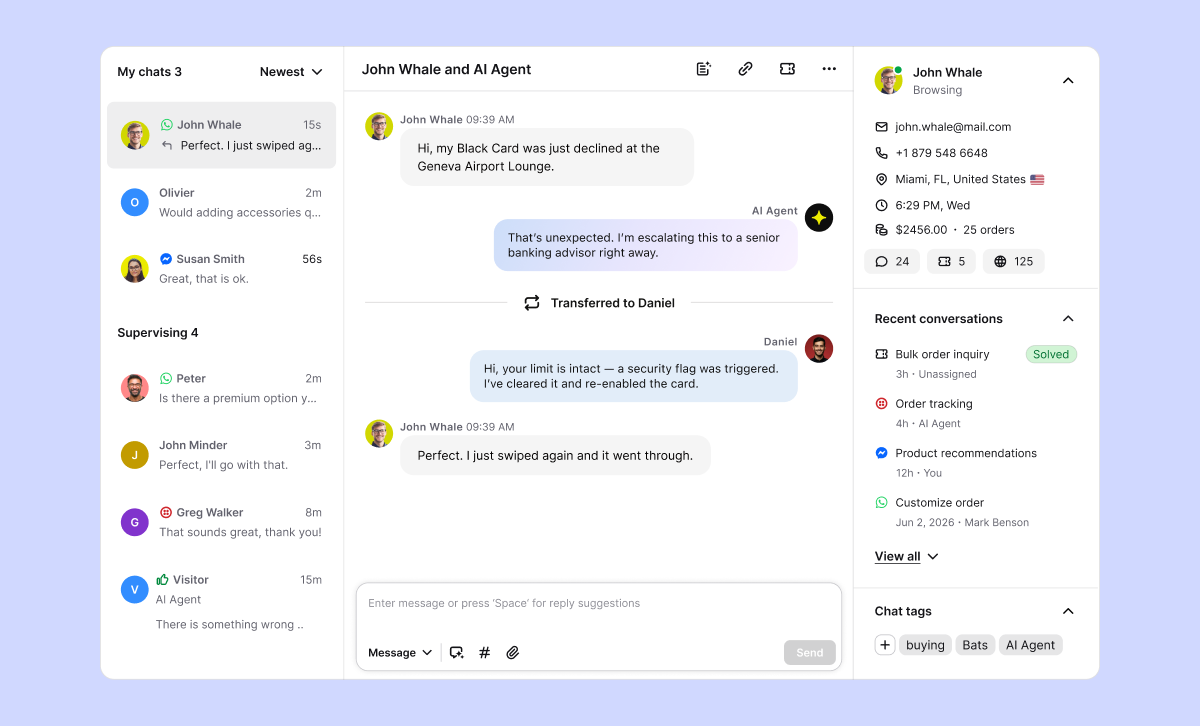
Customers wanted to buy. Nobody was listening.
Not every chat is a problem to solve. Some visitors want to buy — they're asking about demos, pricing tiers, or whether the product fits their use case. Before custom skills, those conversations got the same treatment as everything else: the bot answered from the knowledge base, and the sales opportunity quietly disappeared.
The skill we built: The AI Agent recognizes sales intent and runs a full qualification flow right inside the chat. It collects the visitor's name and email, asks whether they're a new prospect or an existing customer, and finds out what they're trying to achieve. If the agent can answer all their questions about the product, it tries to close the sale right there in the conversation. If the visitor needs more, it sends them a link to book a demo and creates a ticket automatically so the sales team can pick it up without chasing anyone down.
What happened: "The customer doesn't realize they're being qualified," says Kosnik. "They think they're having a helpful conversation, and by the end they've booked a call and we've captured everything in a ticket, ready for sales."
This was also the most complex skill to build, but the result is a complete sales intake with zero human involvement.
No name. No email. No context. Every single transfer.
Our AI Agent was already handling transfers, but there was a gap. When a customer needed a human, the handoff came without context — no name, no email, no summary of what they needed. The agent on the other end had to start from scratch every time.
We needed the AI Agent to step up from passing conversations along to actually preparing them.
The skill we built: When someone requests a transfer, the AI Agent doesn't fall back to a generic "what do you need help with?" It uses what it already knows from the conversation. If the chat was about a feature outside the customer's plan, the agent might ask whether they're considering an upgrade or if there's something else they're trying to achieve. The questions build on the conversation instead of restarting it.
The agent also checks whether it already has the customer's email from a previous session. If it doesn't, it asks, and it gives a reason: to pull up the account, to make sure the team can follow up. Only after collecting context does it route the chat to the right team, with everything attached.
What happened: Agents now pick up transferred chats already knowing who they're talking to and what the person needs. The back-and-forth that used to eat up the first two minutes of every transfer is gone. "People share their email when the bot gives them a reason — 'so we can follow up' or 'to pull up your account,'" Kosnik explains. "That context is what makes it work. A static form just says 'email' with a blank field. No reason, no response."
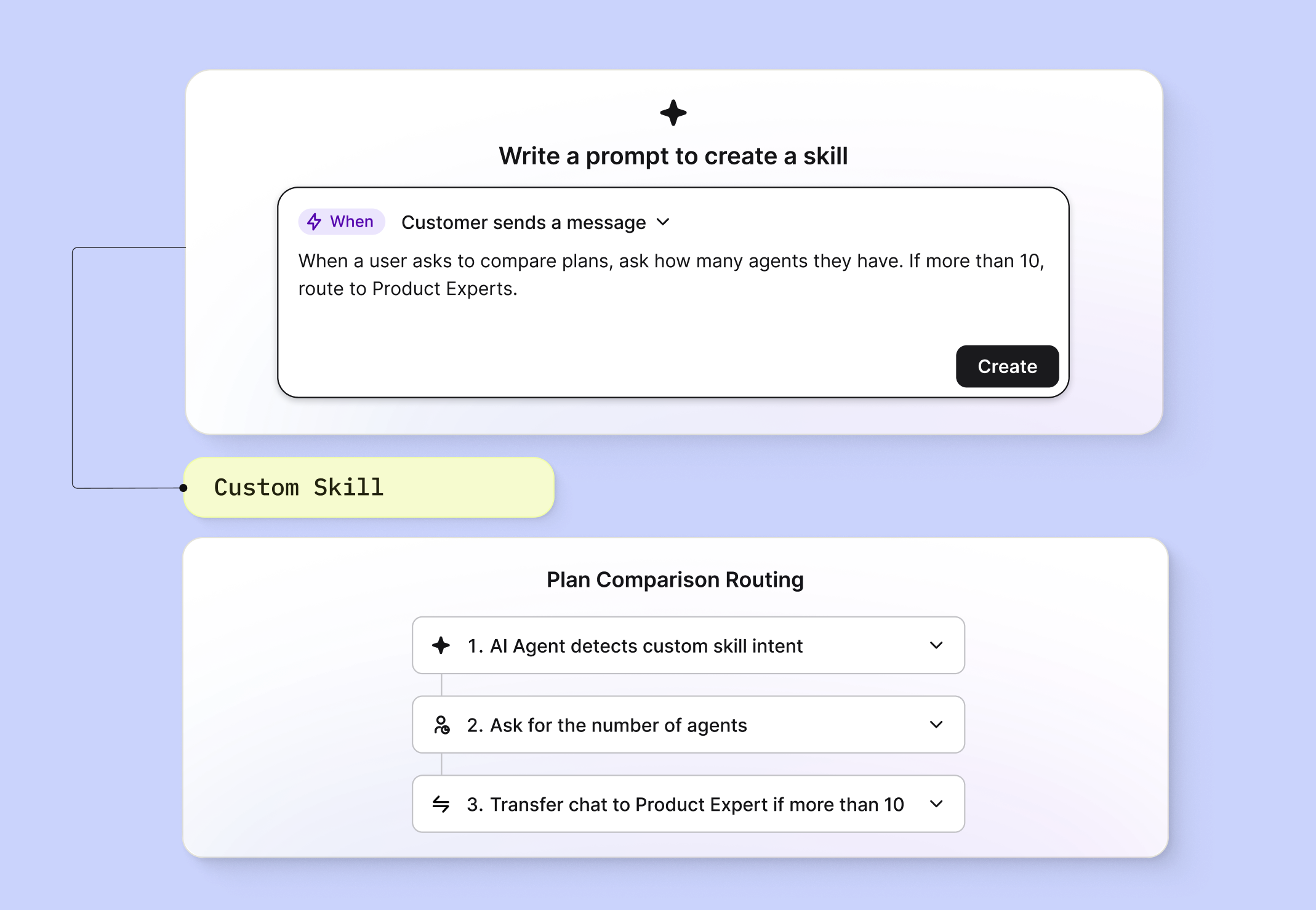
Read this before you write your first prompt
Start with the simplest possible win
The language detection skill was one sentence and took thirty seconds. The sales qualification skill took a week. "Start with something so simple it almost feels too easy," Kosnik says. "You'll learn how the system thinks. Then you'll build the complex stuff faster because you're not learning the tool and solving the problem at the same time."
Use AI to write prompts for AI
Kosnik drafts his complex skills using Claude or ChatGPT first, then refines the output before pasting it into the skill builder. "A bot writes better instructions for another bot than I do," he says. For simple skills you won't need this, but the moment you're chaining multiple actions together, it saves serious time.
Be precise with your wording
Here's an example. Kosnik once wrote "transfer to agent" expecting the bot to route chats to the support team. The bot read it literally — "an agent," singular — picked one random person from the roster, and started funneling every single conversation to them. The fix was simple: "transfer to the support team" instead of "transfer to agent." One word changed, problem solved. But the lesson is: the AI does exactly what you ask, not what you meant.
Assume everything will be taken at face value
If a frustrated customer writes "sure, just close the chat and never help me again," the bot might do exactly that. Kosnik saw it happen — a sarcastic remark taken as a genuine instruction. When you're building skills, imagine the most literal interpretation of every trigger and write your prompts to account for it.
Iterate, don't overengineer
You don't need to build the perfect skill on the first try. Start with a basic version, see how it behaves with real conversations, and refine from there. Small tweaks, fast. Kosnik adjusts wording, adds conditions, tightens steps, and tests again — sometimes multiple times a day. "I'd rather ship something simple today and improve it five times this week than spend a week building something I think is perfect," he says.
Every skill we build goes straight back to our product team. By the time a feature reaches your account, it's already survived ours. We've done the debugging, we've made the mistakes, and we've written the prompts that work.
Ready to build yours? We're here to help, 24/7.