

Choosing the right help desk shapes how your team works every day. Vision Helpdesk has been on the market for years, offering core ticket management features and satellite help desk options. However, as customer expectations evolve, many teams feel that the platform isn’t keeping pace. Slow performance, a dated interface, limited reporting, and the absence of built-in live chat often make support workflows more challenging than they need to be.
That’s why more companies are exploring modern Vision Helpdesk alternatives, platforms that bring cleaner design, faster onboarding, stronger automation, AI support, and true multichannel communication. Many teams are switching to these alternatives to improve efficiency and customer satisfaction.
These tools help teams stay responsive without adding complexity, and they integrate more naturally with the systems you already rely on. Most alternatives offer a core ticketing system, automation, and reporting features, ensuring a solid foundation for customer support.
Before selecting a replacement, it's helpful to know what matters most: reliability, automation, collaboration, and the ability to serve customers wherever they reach you.
In this article, you’ll learn:
- How the best Vision Helpdesk alternatives improve performance, automation, and team efficiency
- Why built-in live chat and AI-powered support now matter more than ever
- What real users say about the switch, and how it impacts daily workflows
- Why modern help desks outperform legacy systems in speed, usability, and ROI
- How to compare tools, evaluate features, and choose an alternative that fits your team’s scale and goals
Let’s get started and turn proactive customer support into your new unfair advantage.
Pros and cons of Vision Helpdesk
Vision Helpdesk has been a part of the help desk software landscape for a long time, and it continues to appeal to teams that want a straightforward ticketing system with options for managing multiple brands.
Its satellite help desk model is especially useful for companies supporting several business units or customer bases under one umbrella. You can separate departments, assign teams, and keep workflows organized without having to juggle multiple accounts.
But despite these strengths, many users find that the platform struggles to meet modern support expectations. The interface is often described as cluttered and unintuitive, making it difficult for new agents to get up to speed and slowing down daily work. Vision Helpdesk has a cluttered and hard-to-navigate interface, making onboarding a challenge for new agents. Agents require more clicks to complete simple tasks, and new hires face a steeper learning curve compared to those using cleaner, more streamlined tools. This friction becomes more noticeable as ticket volumes grow.
Performance is another recurring concern. Users frequently report lag, delayed ticket updates, and occasional bugs that interrupt workflows. Users have reported frequent bugs and lag that disrupt ticket handling and slow response times in Vision Helpdesk. These issues may seem small individually, but collectively they slow teams down and impact overall response time, one of the most critical metrics in customer support. Frequent bugs and lag disrupt ticket handling, further compounding these challenges.
A major limitation is the lack of a built-in live chat tool. Vision Helpdesk requires teams to integrate an external chat solution in order to provide real-time support. That adds cost, complexity, and an extra step for agents who prefer to manage everything in a unified workspace. In contrast, most modern help desk platforms now include live chat as a core feature.
Reporting and analytics also seem to be lagging behind. Vision Helpdesk provides basic dashboards, but detailed insights often require manual exports or third-party tools. For teams that want to track performance trends, agent productivity, CSAT, or multichannel metrics, this becomes a roadblock. The absence of customizable filters and deeper analytics means teams spend more time trying to extract actionable insights.
Mobile support is another weak spot. The mobile app lacks many features available on desktop and doesn’t deliver the smooth experience teams expect in 2026. For managers or agents who work remotely or need to check urgent updates on the go, this creates unnecessary limitations.
Finally, integrations are a common source of frustration. Vision Helpdesk supports a limited set of native integrations; however, connecting it to popular CRMs, ecommerce systems, or collaboration tools like Microsoft Teams often requires additional configuration or workarounds. As more businesses rely on connected systems to create a seamless customer journey, these integration gaps become harder to overlook.
Why do teams look for Vision Helpdesk alternatives?
The decision to move away from Vision Helpdesk rarely hinges on just one issue. Instead, teams typically reach a point at which several minor limitations begin to affect daily workflows, customer response times, and overall efficiency.
As support operations expand, with more agents, channels, and conversations, Vision Helpdesk often struggles to keep up with the pace and complexity of modern customer service.
One of the biggest motivators is the platform’s limited automation. Vision Helpdesk offers only basic workflows, which means agents still spend too much time categorizing tickets, manually assigning tasks, or handling repetitive requests that newer, AI-equipped help desks resolve instantly. This makes it harder for growing teams to stay efficient without increasing headcount.
Integration challenges add another layer of friction. Many companies rely on connected data from CRMs, ecommerce platforms, messaging apps, and internal collaboration tools. When Vision Helpdesk doesn’t sync well or requires additional workarounds, it breaks the unified customer view that support teams now expect.
Some of the most common reasons teams start comparing alternatives include:
- Slow or outdated UI that makes it difficult for new agents to onboard quickly
- No built-in live chat, forcing teams to rely on external tools
- Limited automation and no AI-powered routing or suggestions
- Basic reporting that lacks deeper insights and customization
- Weak mobile app performance compared to desktop
- Integrations that require extra setup or don’t fully sync data
- Difficulty managing multichannel support across chat, email, social, and in-app messaging
Teams also point to the platform’s insufficient multichannel capabilities. Customers expect seamless support whether they're messaging via website chat, replying via email, or reaching out via social channels. Vision Helpdesk often requires additional tools to address these gaps, leading to context switching and increased overhead for agents.
And then there’s reporting. As businesses scale, they need metrics that show what’s working, where bottlenecks form, and how support impacts retention. With Vision Helpdesk, managers often find themselves manually exporting data or building custom dashboards elsewhere, a signal that the tool isn’t meeting their analytical needs.
All these challenges contribute to why companies are turning to newer, AI-first help desk platforms that offer real-time automation, multichannel support, cleaner design, and better scalability. These alternatives provide teams with a faster and more flexible foundation for delivering consistent, high-quality customer service.
Key features of the best Vision Helpdesk alternatives
Modern help desk platforms go far beyond basic ticket tracking. The strongest alternatives streamline customer conversation management, improve ticket management, and automate everyday workflows.
Instead of relying on manual processes, these tools introduce automation capabilities such as automated ticket assignment, ticket prioritization, and real-time ticket status updates, making it easier for support teams to stay organized and manage support without extra effort.
Many alternatives also offer a forever-free plan, giving businesses room to explore the platform before committing. Whether you're comparing lightweight options or enterprise tools like Salesforce Service Cloud, the goal is the same: greater control over support operations and a smoother experience for both agents and customers.
Below is a more fluid, narrative look at the capabilities teams rely on when upgrading from Vision Helpdesk.
Unified ticketing across channels
A unified inbox is one of the biggest upgrades teams notice immediately. Instead of switching between tools or manually merging conversations, everything, email, chat, social messages, and contact forms, lands in one clean workspace. Agents receive a complete context without needing to search for past customer interactions, and customers enjoy smoother, more consistent communication.
Built-in live chat software for real-time support
Because Vision Helpdesk doesn’t offer native live chat, most teams end up stacking additional tools just to talk to customers in real-time. Alternatives solve this with built-in, customizable chat widgets that blend seamlessly into the help desk. Conversations seamlessly transition into tickets when necessary, and agents can easily switch from chat to email follow-ups with a single click. Customers get instant support, and your team doesn’t have to juggle platforms.
Automation and smart routing
Support teams rely heavily on automation to stay efficient. The best alternatives include smart routing that assigns tickets based on skills, workload, or SLAs, reducing response times and preventing queue bottlenecks. Automation also handles repetitive tasks, such as categorizing requests, tagging conversations, and escalating urgent cases. With stronger routing and automated workflows, agents spend less time sorting and more time helping.
AI agents and self-service management
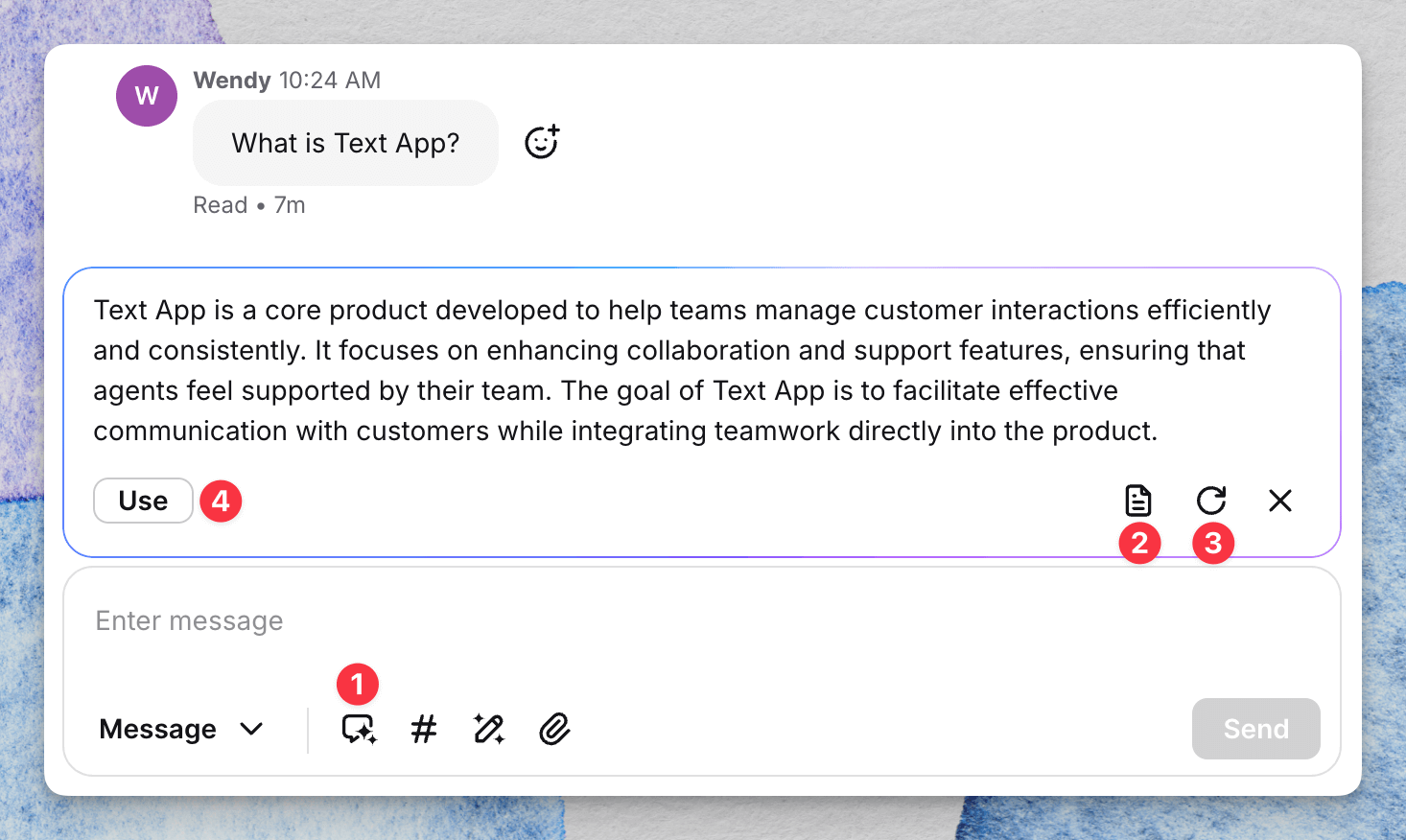
AI has become a major differentiator among modern help desk tools. Many alternatives now offer AI agents that can answer common questions, complete simple tasks, and guide customers to helpful resources before a human gets involved. Some platforms, such as the Text® App, train their AI using your knowledge base and historical conversations, which makes responses more accurate and personalized. Customers get faster resolutions, and your team handles fewer repetitive tickets.
Knowledge base and community tools
A self-service layer is essential for reducing ticket volume. Alternatives often come with built-in knowledge bases that make it easy for customers to find answers independently. Some also offer internal versions for agents and community forums where customers can help each other. When these tools are connected to the help desk, agents can insert articles directly into conversations or update documentation based on recurring questions.
Collaboration and internal communication
Support rarely happens in isolation. Modern alternatives include features such as internal notes, collision detection, and shared queues, allowing agents to work together efficiently. These tools make handoffs smoother and prevent multiple agents from responding to the same customer at once. For managers, shared dashboards offer a clearer view of workloads and team activity.
Advanced reporting and analytics
One of Vision Helpdesk’s major limitations is its basic reporting capabilities. Alternatives provide teams with richer insights into performance trends, customer satisfaction, agent workloads, and channel efficiency. These analytics help identify slowdowns, improve staffing decisions, and highlight opportunities to enhance the customer experience. Many platforms also allow for custom reporting, enabling managers to track the metrics that matter most.
Integrations with CRM, ecommerce, and other tools
A connected tech stack is essential, and stronger alternatives integrate seamlessly with popular tools like Salesforce Service Cloud, HubSpot, Shopify, and Microsoft Teams. These integrations automatically fill in client context, reduce manual data entry, and make cross-team collaboration easier.
Clean, modern interface for customer experience
Beyond features, usability matters. The best Vision Helpdesk alternatives focus on speed, clarity, and intuitive design. A clean interface lowers the learning curve for new agents, reduces friction for experienced ones, and makes support operations feel noticeably smoother from day one.
These combined capabilities help teams deliver faster, more accurate, and more scalable customer service, something Vision Helpdesk struggles to match as businesses grow and customer expectations rise.
Top Vision Helpdesk alternatives in 2026
The help desk landscape in 2026 is more competitive than ever, with platforms offering smarter automation, cleaner interfaces, and deeper integrations than Vision Helpdesk can currently match.
Below are the leading alternatives, each with its own strengths, ideal use cases, and standout capabilities.
These options help teams scale more quickly, simplify workflows, and deliver a smoother support experience across all channels.
Text App
Text App is an AI-first customer service platform designed for teams that want speed, clarity, and automation in one unified workspace. It seamlessly integrates live chat, ticketing, AI agents, and omnichannel messaging, reducing the need for add-ons or external tools.
The interface is clean and intuitive, making onboarding fast and keeping workflows organized. What sets it apart is its AI engine, which utilizes virtual agents trained on your company’s knowledge base and real client conversations.
They can resolve routine questions, escalate complex cases, and provide personalized, accurate responses, thereby reducing repetitive tickets and improving response times. For teams seeking a modern, lightweight, and scalable alternative to Vision Helpdesk, the Text App is a strong fit.
Zendesk
Zendesk remains a top choice for large teams that need enterprise-grade capabilities. With robust automation, deep integrations, and support for every major communication channel, it’s designed to handle complex workflows and high ticket volumes. Its reporting is comprehensive, and its app marketplace is one of the largest in the industry. However, its advanced features can feel overwhelming for smaller teams, and pricing tends to increase quickly as usage grows.
Freshdesk
Freshdesk provides a balance between affordability and functionality. It offers an approachable interface, solid automation, and built-in multichannel support, including email, chat, phone, and social. The platform is popular among small and mid-sized teams that want an easy transition from legacy tools. Its free plan, along with flexible upgrade tiers, makes it a budget-friendly alternative to Vision Helpdesk.
Zoho Desk
Zoho Desk is best for companies already invested in the broader Zoho ecosystem. It offers tight CRM integration, customizable workflows, and strong automation features. The interface is straightforward, and the platform includes standard help desk essentials, such as SLAs, ticket views, and multi-department routing. It’s especially appealing to teams looking for an affordable, all-in-one business suite.
Help Scout
Help Scout focuses on simplicity and human-centered support. Its shared inbox looks and feels like email, which makes it easy for teams to adopt. Help Scout is often recommended for its straightforward interface and a balance of usability and power. The platform features a knowledge base, workflow automation, and live chat capabilities through its Beacon widget. While not as feature-heavy as enterprise tools, it’s ideal for small teams, nonprofits, and companies that prioritize customer-friendly communication.
HappyFox
HappyFox combines ticketing and IT service management into a single system. It offers workflow automation, asset management, and multi-channel support. With its clean interface and wide range of customization options, it’s well-suited for support teams that handle both technical and customer-facing requests. Its pricing aligns more with mid-size and enterprise organizations.
Jira Service Management
Jira Service Management is built for internal IT teams and engineering-driven organizations. It offers incident management, change tracking, asset management, and deep integrations with Jira Software. It isn’t designed for customer-facing support like other tools, but it excels in ITSM and internal service workflows.
ServiceNow
ServiceNow is the heavyweight option for enterprise service operations. It delivers end-to-end workflow automation for IT, HR, finance, and customer service. Its configurability is unmatched, but the platform requires significant resources to implement and maintain. It’s best suited for large organizations handling complex service processes across multiple departments.
LiveAgent
LiveAgent stands out for its built-in live chat, fast performance, and customizable chat widget. It brings email, chat, calls, and social media into one system, making it a solid pick for teams that prioritize real-time support. Its pricing is competitive, and its interface is easier for new teams to adopt than that of heavier enterprise tools.
Gorgias
Gorgias is the go-to help desk for ecommerce companies using Shopify, Magento, or BigCommerce. It pulls order, shipping, and customer data directly into support conversations, enabling quick resolutions. Automation templates, macros, and channel consolidation make it ideal for stores that want fast, efficient responses across chat, email, and social.
These platforms represent the strongest alternatives to Vision Helpdesk in 2065, each offering a more modern, flexible, and scalable approach to customer service. The right choice will depend on your team size, budget, industry, and preferred workflow; however, all of them address Vision Helpdesk’s biggest limitations with clearer design, deeper intelligence, and improved overall support experiences.
Additional integrations and collaboration tools
Modern Vision Helpdesk alternatives don’t just simplify support; they connect your entire tech stack, enabling teams to work faster with complete customer context. Integrations with collaboration tools like Microsoft Teams and Slack make it easy for agents to share updates, escalate issues, and coordinate on urgent requests without leaving their workspace. This real-time cross-team visibility is especially valuable for companies where support, sales, and product teams need to stay aligned.
A strong integration ecosystem also enables the direct integration of CRM and ecommerce data into the help desk. Platforms like the Text App, Zendesk, Gorgias, and Zoho Desk integrate customer profiles, order history, subscription details, and past conversations, providing agents with everything they need in one view. This unified context reduces resolution times and removes the back-and-forth between systems that slows down support in Vision Helpdesk.
Advanced routing options add another layer of efficiency. Whether it’s round-robin distribution for balanced workloads, skill-based routing for complex issues, or AI-assisted automation to categorize and assign conversations faster, the best alternatives help teams handle higher ticket volumes with less manual work. These routing features replace many of the manual triage steps that Vision Helpdesk struggles to automate.
Finally, modern platforms incorporate self-service capabilities, knowledge bases, AI assistants, and automated suggestions that reduce the need for additional tools. Instead of relying on separate apps for documentation, chatbots, or workflow automation, these platforms consolidate these features into a single workspace. The result is a simpler, more connected support environment that minimizes add-ons, reduces costs, and keeps teams focused on delivering fast and consistent customer experiences.
Choose an alternative with a smoother learning curve
Choosing a Vision Helpdesk alternative is ultimately about finding a platform that feels faster, clearer, and better aligned with the way your team works today. Vision Helpdesk covers the basics, but as businesses grow, they often need stronger automation, better analytics, native live chat, and smoother integrations, features that modern tools deliver out of the box.
For teams seeking an AI-first, unified workspace that combines live chat, ticketing, automation, and multichannel support, the Text App is a future-ready option. It’s clean, fast to adopt, and designed to reduce repetitive work, allowing agents to focus on genuine customer conversations. Zendesk is a strong fit for enterprises that require deep customization, while Freshdesk and Help Scout offer an affordable option for smaller teams.
If you’re deciding where to go next, shortlist two or three tools and spend time inside each interface. The right choice should simplify your workflows, not add to them, and it should scale naturally with your support demands.
Ready to see a modern alternative in action? Try the Text App and experience how AI-driven support can streamline your entire customer service operation.
FAQ
Is Text App a good replacement for Vision Helpdesk?
Yes. Text App offers built-in live chat, AI agents, unified ticketing, and smoother automation, features that directly address Vision Helpdesk’s biggest limitations.
What’s the best alternative for enterprise organizations?
Zendesk and ServiceNow are ideal for large, complex support environments that require advanced workflows, deep integrations, and extensive customization.
Does Vision Helpdesk have a built-in live chat tool?
No. Vision Helpdesk requires external chat integrations, which is why many teams switch to platforms that offer native live chat within a single workspace.
What should I look for when comparing help desk alternatives?
Prioritize clean UI, multichannel support, built-in automation, strong reporting, and seamless integrations with your existing CRM, ecommerce tools, and collaboration apps.
How do these alternatives improve the way you manage tickets?
Tools such as Text App, Zendesk, and Freshdesk centralize all conversations in a single workspace, automate routing, and provide agents with full customer context. This makes it easier to organize, prioritize, and resolve tickets without switching between multiple apps.
Do Vision Helpdesk alternatives integrate with Microsoft Teams?
Yes. Many top alternatives, including Text App, Zendesk, and Freshdesk, offer native Microsoft Teams integrations
Get a summary with