

Chats
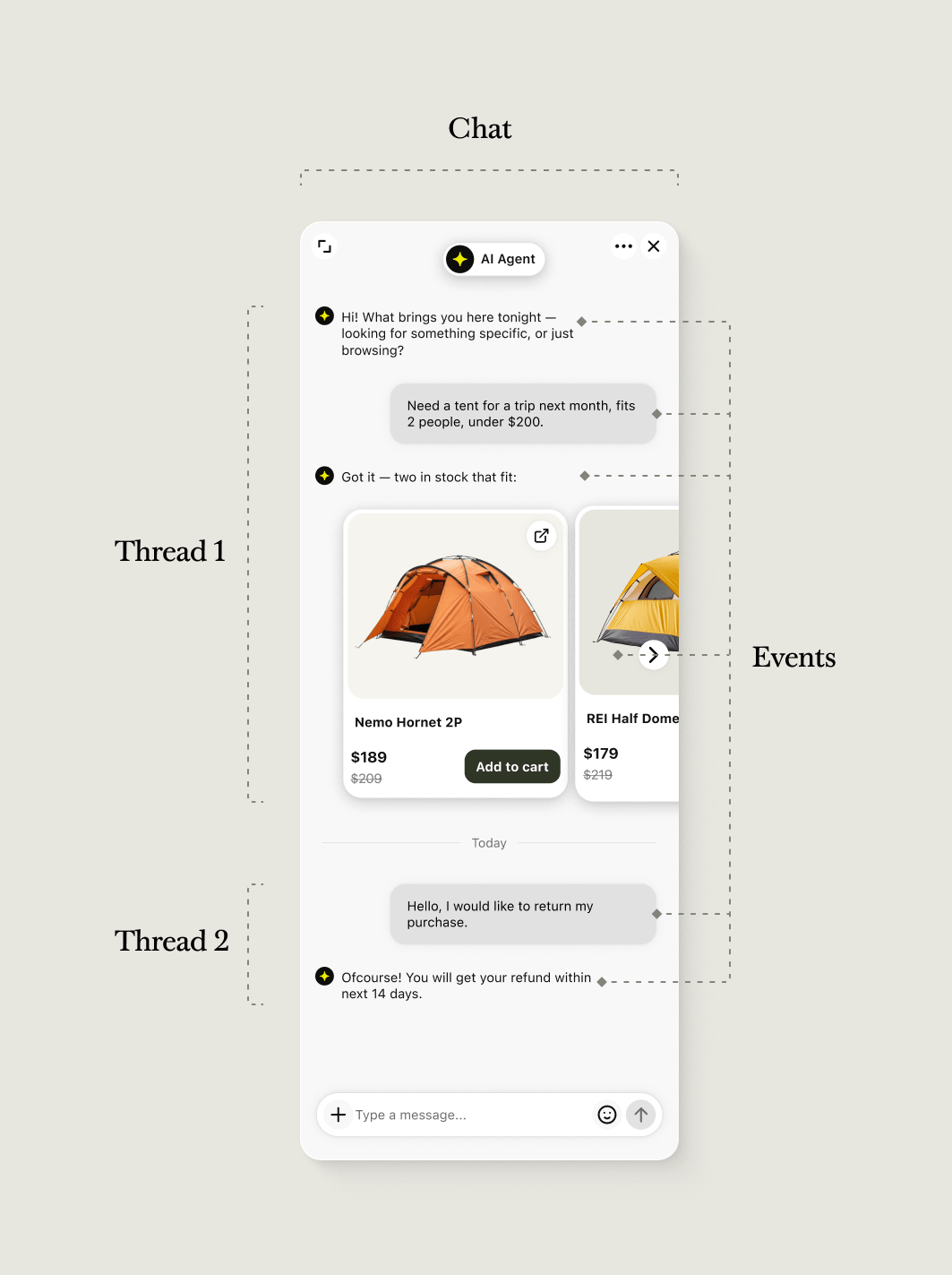
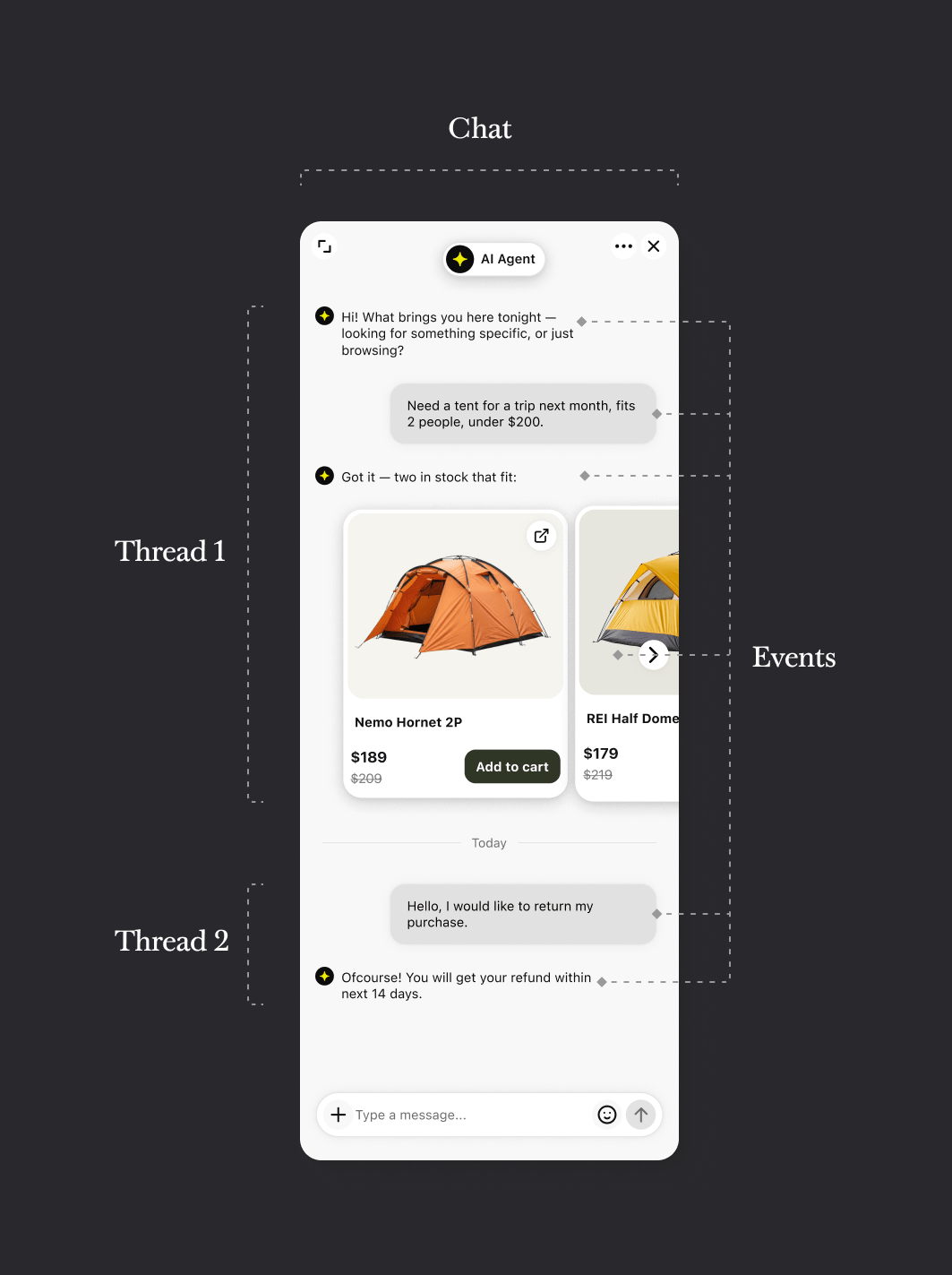
A chat is the persistent, ongoing record of a relationship between a customer and your team. It doesn’t disappear when a conversation ends — it stays in history, ready to be continued. A few things to know about chats:- A customer can only have one active chat at a time on a given account. If they come back after a previous chat was closed, the same chat is resumed.
- A chat includes the list of users participating, when each user last saw it, and all of its threads.
Threads
A thread is a single conversation session within a chat. When a chat starts, the first thread opens. When the chat is closed, the thread closes. When the customer comes back, a new thread opens inside the same chat. This is what makes Text conversations feel continuous from the customer’s side, while still giving your team clean, distinct session records for reporting and routing.Events
An event is the smallest unit of content in a conversation. Every message sent, every system notification, every file shared — these are all events inside a thread. Each event records its type, content, author, and timestamp.Chat lifecycle
A chat moves through a simple set of states during its life.1
Chat started
A new chat is created — either by a customer opening the widget, or
triggered by your systems via the API. The first thread opens automatically.
2
Chat active
An agent (or bot) is handling the conversation. Events are being exchanged.
The thread is open.
3
Chat deactivated
The current thread closes. The chat itself stays in history. The customer
hasn’t gone anywhere — the next time they reach out, the chat will be
resumed.
4
Chat resumed
The customer returns. A new thread opens inside the same chat. The full
history from previous threads is still there.
Opening, closing, and resuming chats
Opening, closing, and resuming chats
Three methods manage the chat lifecycle:
start_chat— creates a new chat and its first thread, returningchat_id,thread_id, andevent_id.resume_chat— reopens a closed chat and starts a new thread, returning the newthread_id.deactivate_chat— closes the current thread while leaving the chat itself in history.
APIs for the two sides of the conversation
Choose your API depending on which side of the conversation you’re building on.Agent Chat API
For anything acting on the agent side — sending messages, closing chats,
building bots, pulling chat history.
Customer Chat API
For building a custom chat experience from the customer’s side — a branded
widget, a mobile app, or a bridge to another channel.
Keep exploring
Agent Chat API data
structures
Customer Chat API data
structures