

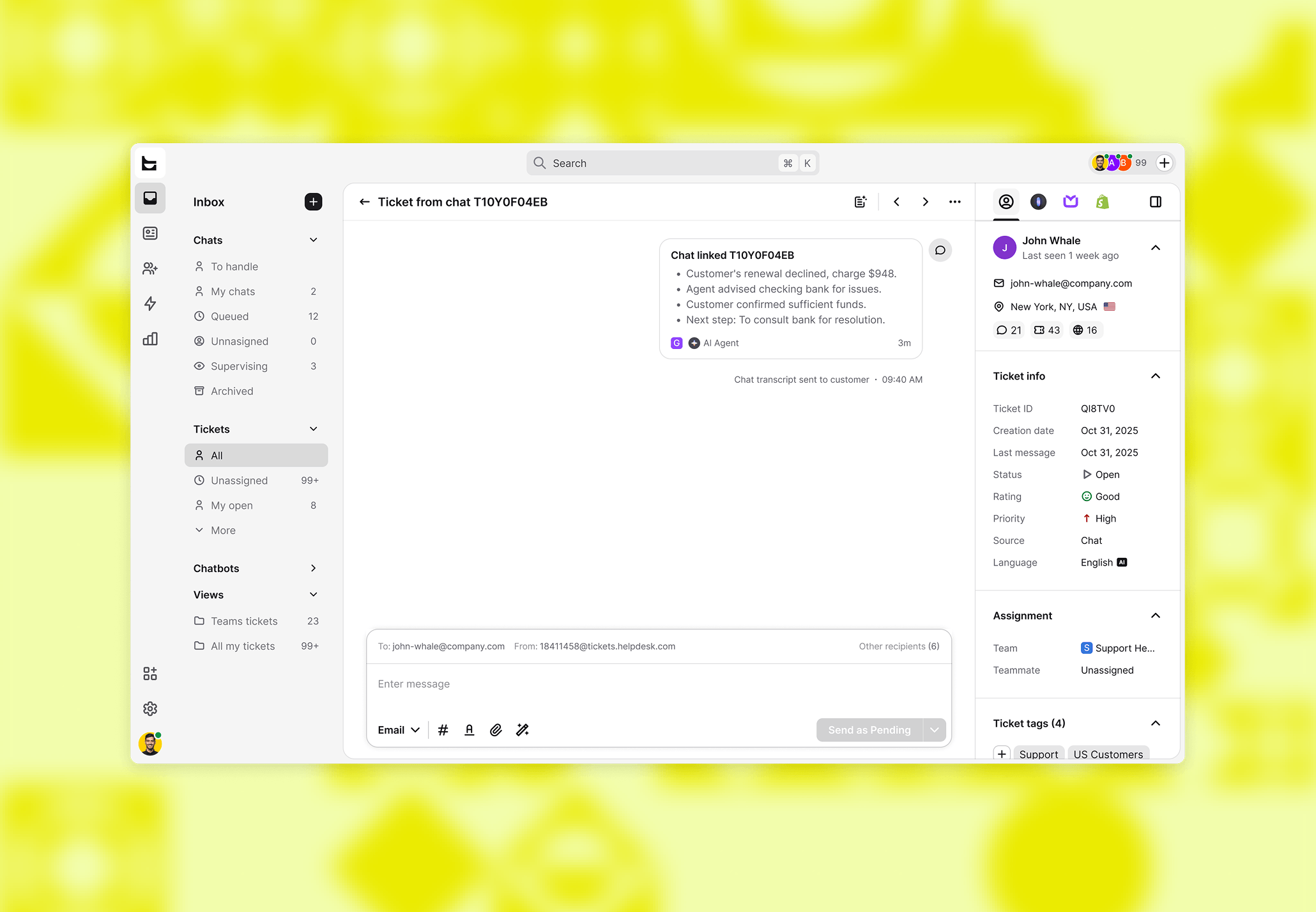
When a ticket gets created from a chat, the ticket now shows a chat card at the top of the feed. The card has the conversation summary and a link that takes you straight back to the original chat. One click, full context. For tickets that started as sales conversations, that context is the difference between closing a follow-up and missing it.
The context stays with the ticket
A lot of support workflows look the same: a customer starts a chat, the issue needs follow-up, someone creates a ticket. From that point on, the ticket lives on its own. The agent working the ticket sees a ticket. The chat that started it? Gone, or buried somewhere in the archives. Whatever the customer said about their cart, their purchase question, or the product they were comparing gets lost.
The chat card fixes that. It sits at the top of the ticket feed and shows the chat summary along with basic info about the original conversation. Click it and you're in the chat. You don't have to search the archives or figure out which entry matches.
The transcript problem is fixed too
There was a secondary annoyance here. When a ticket sent a transcript to the customer, the entire chat transcript used to show up as a long, unformatted message inside the ticket feed. It cluttered the feed and made the ticket harder to read.
That's been replaced. The transcript goes to the customer via email now, and a short system message in the ticket feed confirms it was sent. The feed stays clean, the customer still gets the record.
Context is what separates "handled" from "handled well"
For ecommerce teams, the chat that creates a ticket often carries the buying signal. Maybe the customer asked about sizing, or mentioned they were comparing two products, or had a cart question that turned into a defect report. An agent who can see that context handles the ticket differently than one who just sees the issue text.
This pairs with the custom fields release from earlier this month. A ticket can now carry structured metadata (order ID, priority tier, region) and show the full original conversation. The agent sees both what the system knows and what the customer said.
Get a summary with