

This month: the widget gets bigger and smarter, your AI agent starts tracking sales, and language barriers get a lot smaller. December closes out the quarter with changes your customers will notice the moment they visit your site.
Customer List is now live for everyone
After internal testing in November, the Customer List is now available to all Text users. It's a single, searchable view of every customer across your chats, tickets, and omnichannel conversations, and it's the first CRM-like feature in Text.
The system automatically merges contacts that share the same email or identifiers, so you see one unified profile instead of scattered records. You can sort, filter, and use Spotlight search to find anyone instantly. Hover over a contact to preview their conversation and ticket history without opening anything.
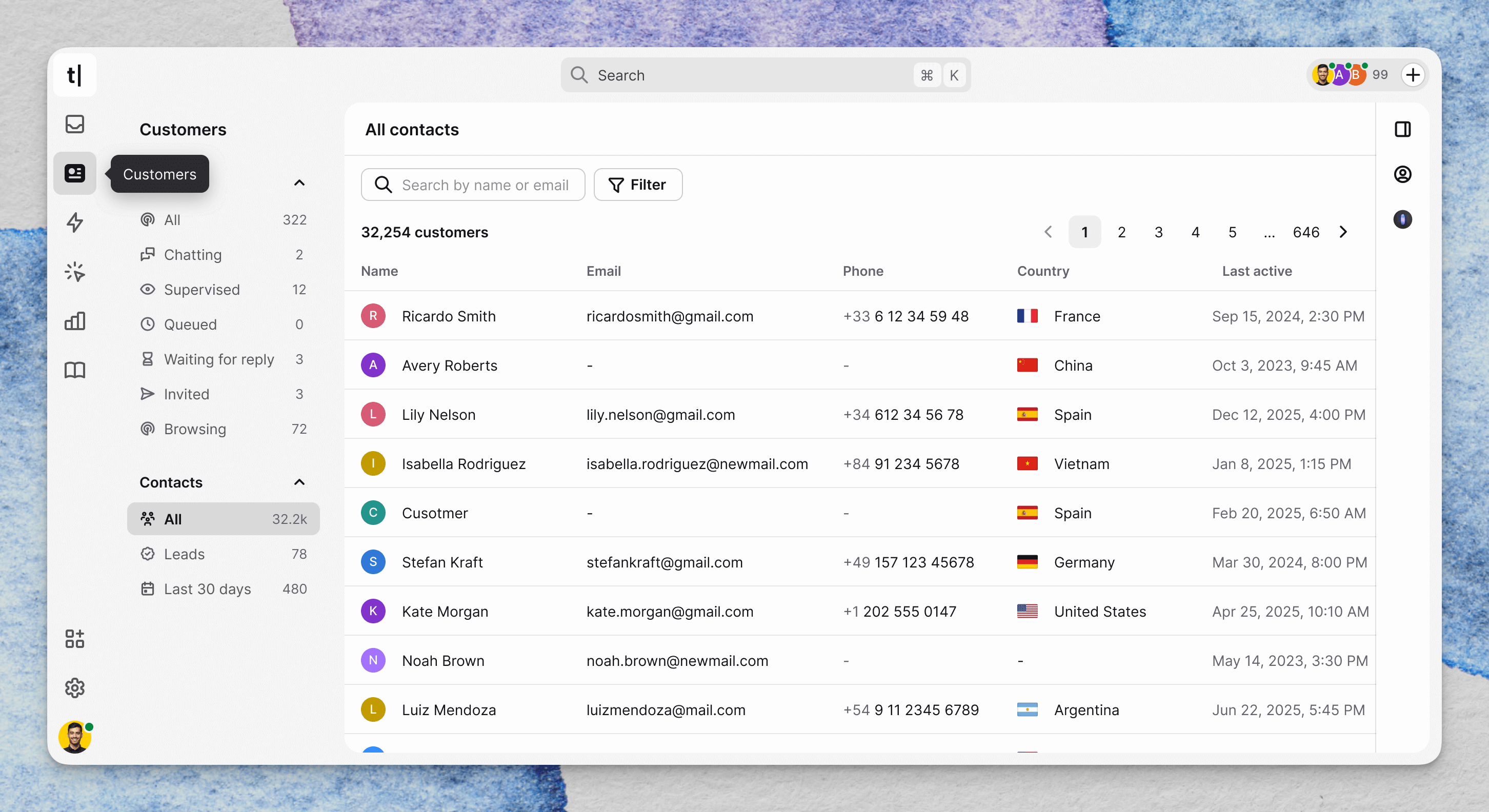 This is the foundation for what's coming next: using your customer data not just for support, but for proactive outreach, lead tracking, and revenue opportunities.
→ Explore the Customer List | Find it in the Customers tab in your main navigation
A bigger widget — and a smarter way to start conversations
We made two changes this month that fundamentally improve how your customers experience the chat widget.
More room for richer conversations. The widget on your Chat page is now larger and more immersive. As AI agents handle more complex interactions (product recommendations, troubleshooting flows, multi-step processes), they need more space. The updated design gives conversations that space, with a simplified top bar and refreshed message styling.
"Select to chat" on the minimized widget. When a visitor selects text on your website, whether it's a product name, a pricing detail, or an error message, the minimized widget responds by becoming an obvious entry point to start a conversation.
It captures intent at exactly the right moment, without pop-ups or timers. The visitor was already paying attention to something specific; now they can instantly ask about it. This is the first intent-based trigger in this space, and we're planning to add more signals over time.
Both changes are live automatically, no configuration needed.
→ Visit your Chat Page to see the updated widget in action
AI agent "Sold": see when conversations drive purchases
For teams using Shopify (or BigCommerce for migrated customers), there's a new section in the AI agent inbox: Sold.
 It surfaces every closed chat handled by the AI agent where at least one order was placed during the conversation. This gives you a clear view of how your AI agent contributes to revenue, beyond just ticket deflection.
There's also a new "Sale in chat" filter in Archives, so you can find these conversations across your full history, not only the ones handled by AI.
 If you connected Shopify last month, this is the natural next step: first you see carts and orders in real time, now you can measure how those conversations convert.
Get a summary with