

March brought the biggest AI agent upgrade in Text App's history. You can now run multiple agents, each with its own expertise. They can execute custom actions, not just answer questions. And you decide when they step in. Here's everything that shipped and what to try first.
Custom Skills: your AI agent goes from answering to acting
Until now, your AI agent could answer questions from its knowledge base. That's powerful, but it's still reactive. Custom Skills let your AI agent take action, executing a defined sequence of steps the moment it detects the right situation.
A skill triggers when the AI agent recognizes:
- A specific intent in the customer's message ("I want to return my order")
- The page the visitor is viewing (a pricing page, a checkout page)
- The visitor's location or time zone
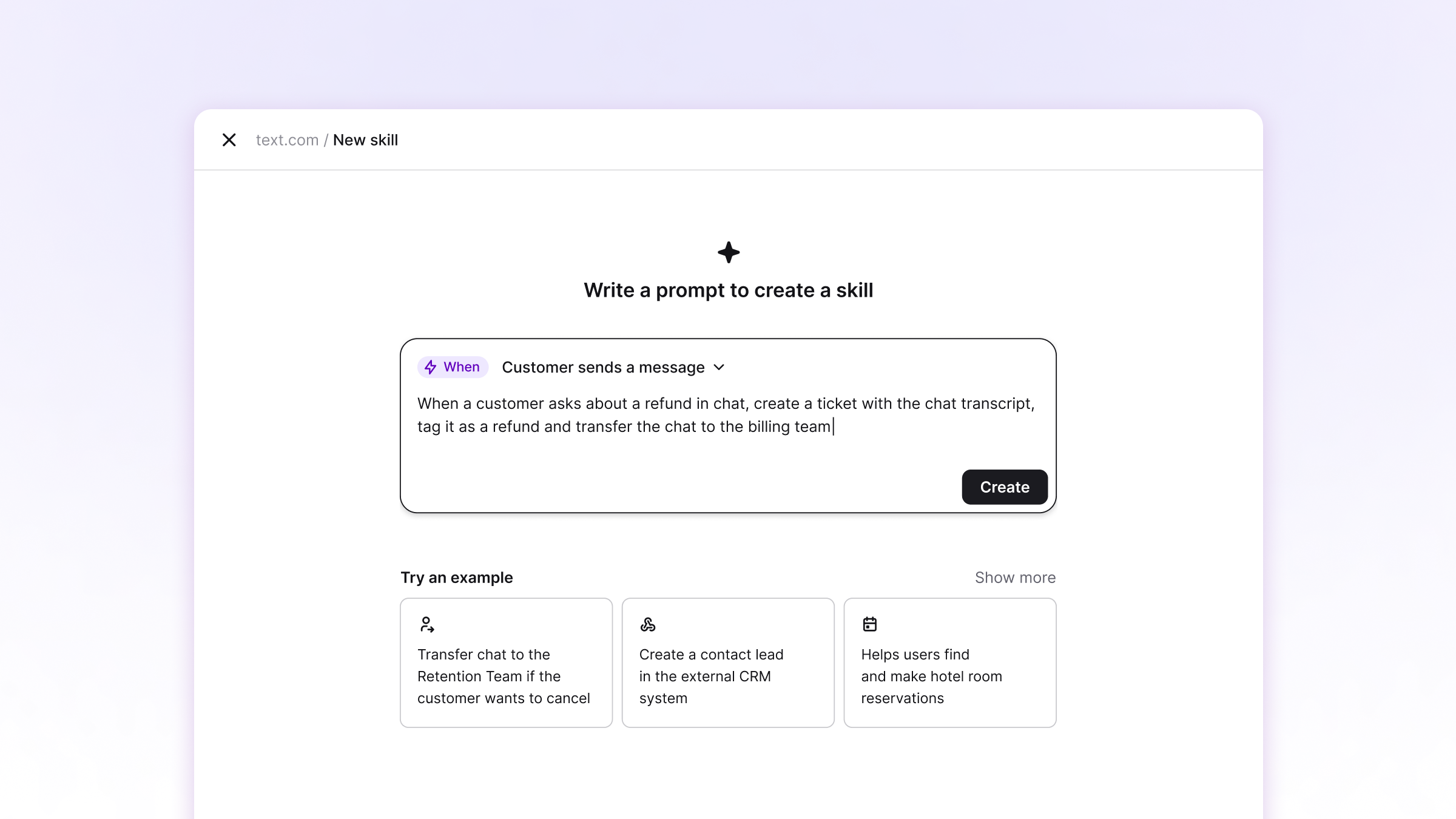 From there, you define what happens: tag the chat, create a ticket, send a discount code, collect an order number, transfer to the right team - or any combination.
Skill examples people are already running:
- A shopper views a product three times → the AI offers alternatives or a discount
- A customer reports a defect → the AI collects the order number and creates a support ticket
- A chat wraps up successfully → the AI asks for a review
- It's after hours → the AI captures the request and queues a follow-up
You don't have to build from scratch. There is a skill template gallery for common use cases: coupons, bookings, after-hours support, abuse detection, and more. Pick a template, customize it, and publish.
Multiple AI agents: one workspace, specialized roles
Your AI agent no longer has to be a generalist. Text App now supports multiple AI agents per organization, up to 10 on Growth and 50 on Enterprise.
Each agent is fully independent:
- Its own knowledge base - train each agent on exactly what it needs to know
- Its own skills - different automated actions per agent
- Its own identity - name, tone of voice, response length, and supported languages
- Its own team - route specific conversation types to the right agent
The setup is simple: create a new agent, assign it a knowledge base and skills, add it to a team, and it's live. Your sales team gets an agent trained on products and pricing. Your support team gets one trained on troubleshooting and policies. Your onboarding team gets one that guides new users through setup.
Choose when AI steps in
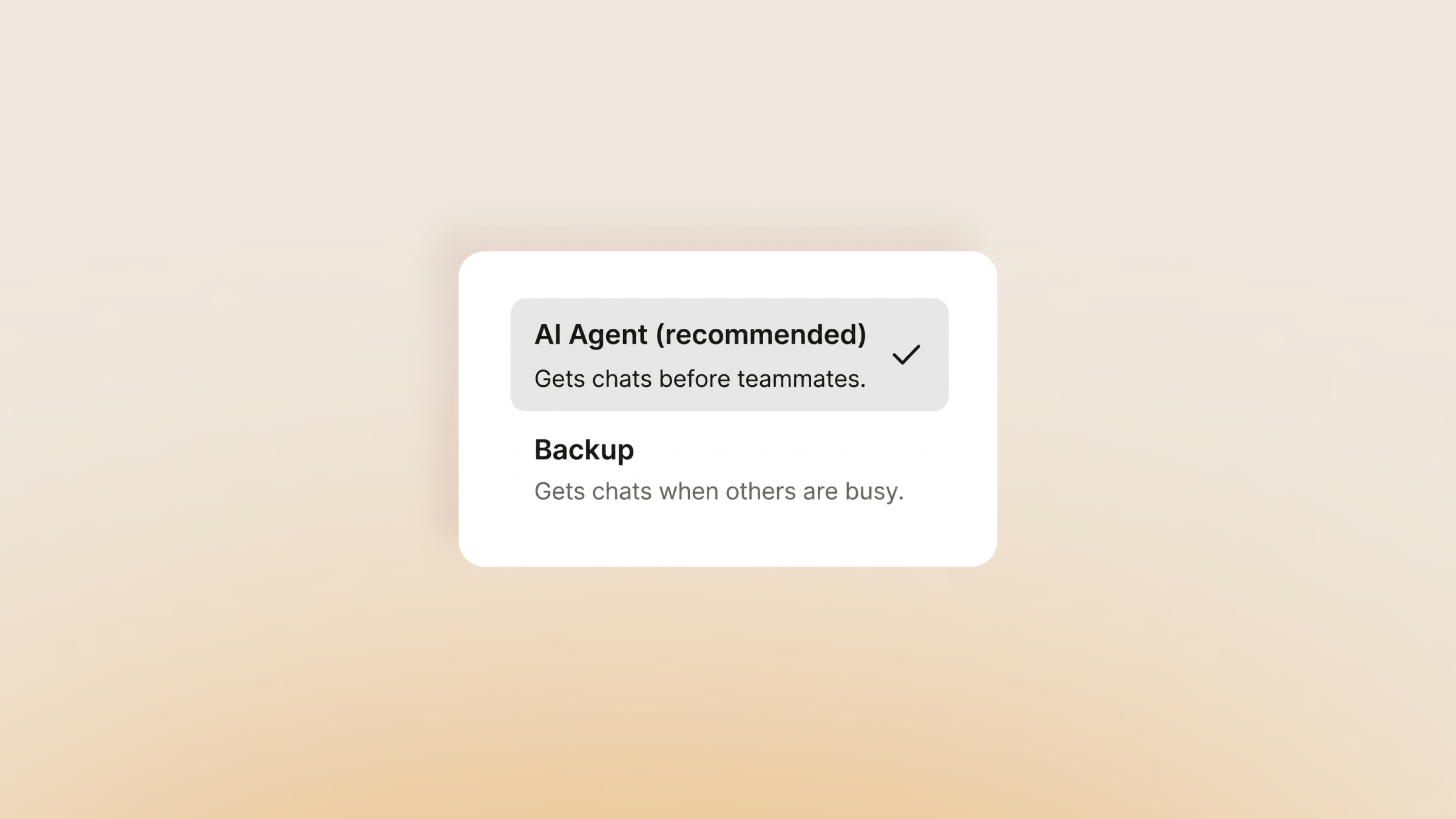
With multiple agents and skills in play, you need control over the human-AI balance. A new priority setting lets you decide per team:
- AI first (default) - the AI agent handles incoming chats; human agents see what's left
- AI as backup - the AI agent only steps in when human agents are busy or offline
Different teams, different strategies. Your sales team might want humans first. Your support team might let AI handle the front line. Now both can run side by side.
Reorganized navigation
We've restructured the app to reflect how teams work today, with AI agents as part of the team rather than a separate tool.
A new "Team" section in the navigation groups AI Agents (including Copilot), Teammates, and Teams in one place. Campaigns have moved into the Customers section - next to Real-time traffic and Contacts - setting the stage for upcoming features where Text App will suggest engagement actions based on your customer data.
March marks a turning point for AI agents in Text App. They're no longer a single, general-purpose assistant - they're a configurable team that can be specialized, prioritized, and given real actions to execute. If you've been waiting for AI agents to feel production-ready for your business, now is the time to revisit your setup.
Get a summary with