

April's biggest updates are about what your AI agent does with a conversation once it starts. It can now recommend products, the app can flag revenue opportunities in real time, and routing rules control which conversations reach which teams. We also shipped WordPress, Webflow, and Salesforce integrations, rebuilt the tickets experience, and brought selling tools to mobile.
Product Recommendations: your AI agent learns to sell
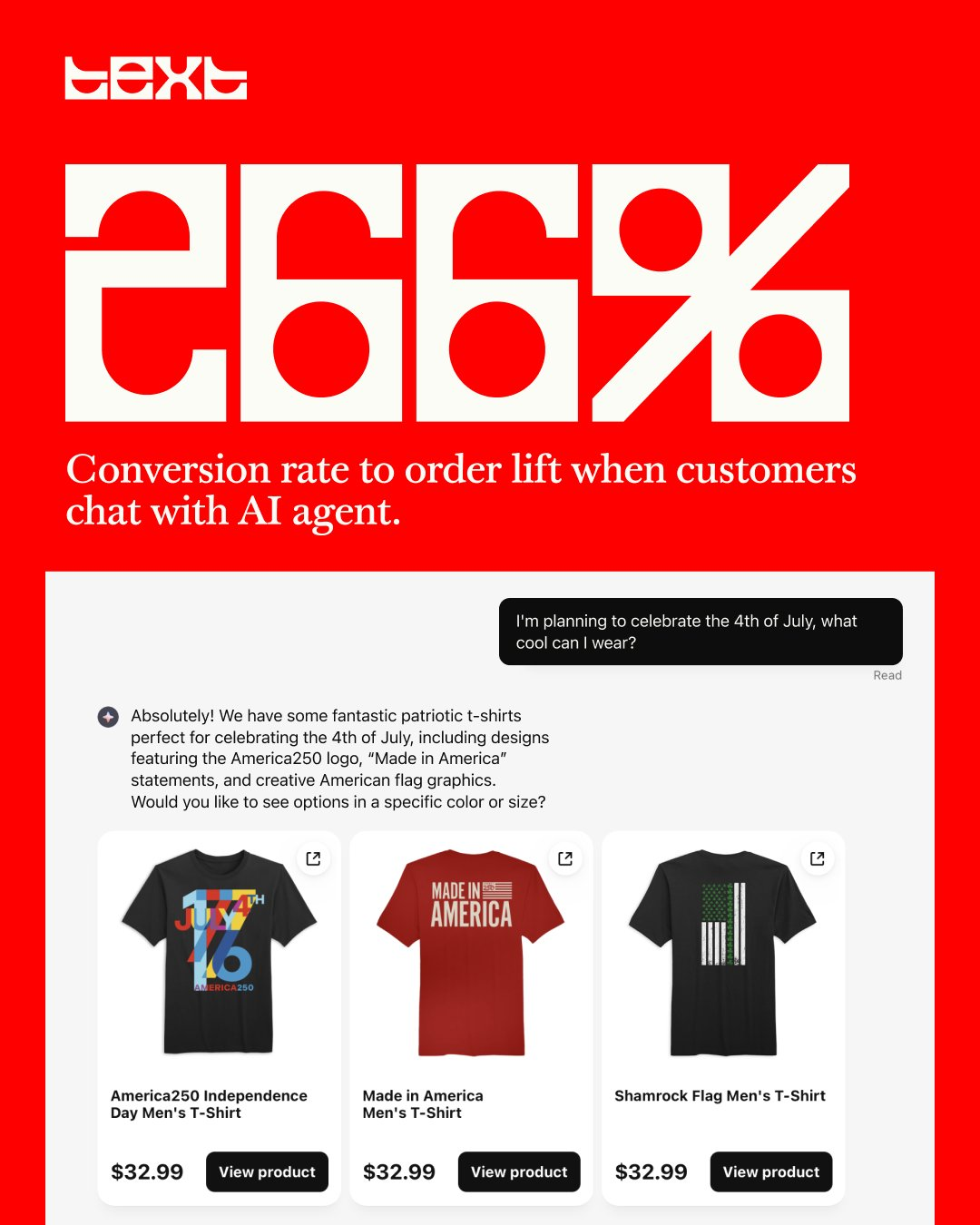
Your AI agent can now browse a store's product catalog and recommend relevant items during a conversation, presented as interactive product cards the customer can click through.
A visitor asks about the best clothes for the 4th of July. Instead of linking to a category page, the AI agent searches the catalog, picks the best matches, and shows them as cards with images and prices right in the chat. The customer clicks, the product page opens. No copy-pasting URLs, no "let me transfer you to sales."
This works today for Shopify merchants. The AI agent connects to your product catalog and handles the rest: understanding what the customer is looking for, matching it against what you sell, and presenting it in a way that actually drives clicks.
Our data backs it up. Across stores with the AI agent enabled, customers who chat are converting to orders at 266% higher rates than those who just browse.
Product cards also show up in the Inbox after the fact, so your team can see exactly what was recommended and whether the customer engaged with it.
→ Learn more about Shopify integration
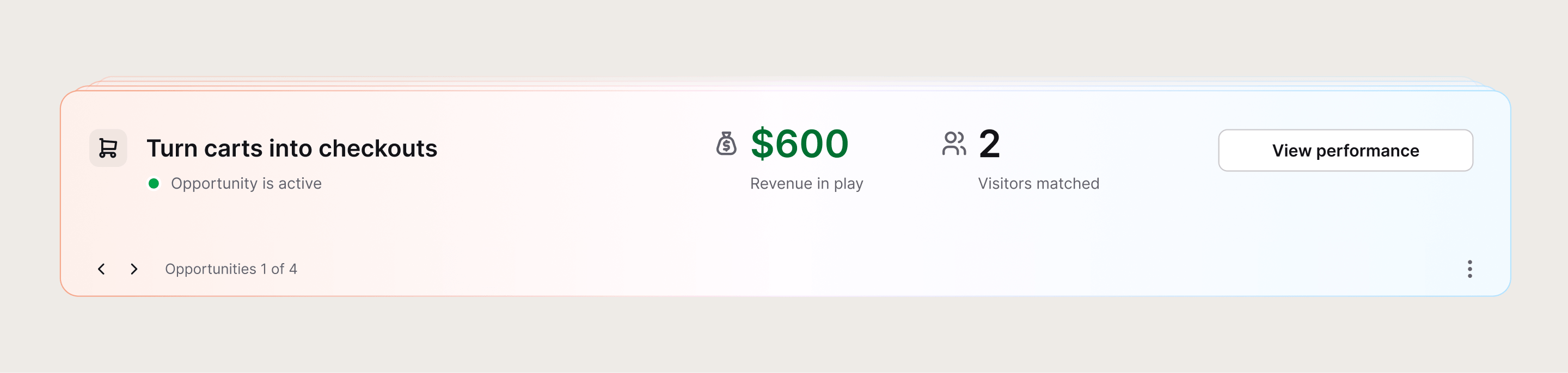
Opportunity detection: Text spots the revenue you're about to lose
We're testing a new system with a first group of Shopify customers that watches visitor behavior in real time and flags moments where money is on the table.
Three opportunities are live in this early rollout:
- Product comparison signals a visitor weighing options
- Purchase questions surface when someone is close to buying but hesitating
- Returning carts catch visitors who came back to something they left behind
Each opportunity shows up with a customer count and estimated revenue at stake. And each one comes with a ready-to-run campaign attached. One click to activate, no setup.
The idea is to move from "here's a tool, go build something" toward "here's what's happening on your site right now." Six new sales campaigns ship alongside this feature, three of them wired directly to opportunity detection
Chat routing rules: the right conversation, the right team
With multiple AI agents and specialized teams in play (from March's update), you need a way to control which conversations go where.
Chat routing rules let you define that logic. Route by topic, by customer type, by page, by whatever makes sense for how your teams are organized. The setup lives in the app and there's a help center article if you want to walk through the details.
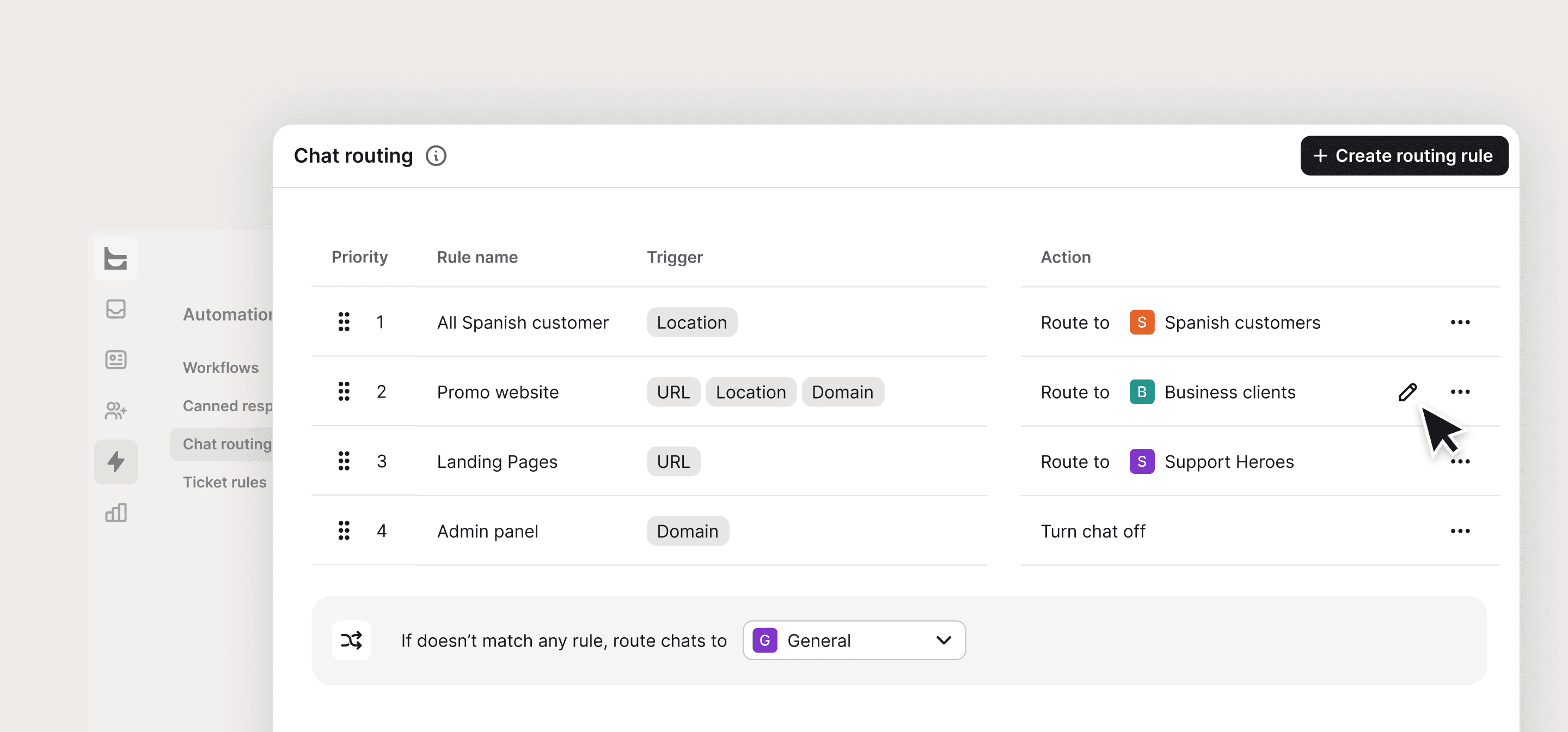 This is one of those features that's quiet on the surface but changes how the product works day to day. Your sales team gets sales conversations. Your support team gets support conversations. Your AI agent handles the first line for both. The result is that more conversations reach someone equipped to convert them.
→ Set up chat routing rules
Custom skills: now you can see what happened
In March we shipped custom skills, letting your AI agent take action beyond answering questions. April adds visibility into what those skills actually did.
Supervisors can now open any AI agent conversation in the Inbox and see exactly when a custom skill was triggered, which steps it executed, and how the conversation progressed from there. If the skill tagged the chat, created a ticket, or collected information, that's all visible in the thread.
If you're going to let an AI agent tag chats, create tickets, or offer discounts on your behalf, you need to be able to check what it actually did. Now you can.
Order after chat: proving the sale you drove
Text now tracks orders that happen after a conversation ends, not just during it. This shows up as "Order after chat" in archived conversations, using a 30-day attribution window.
The thing is, 80% of chat-related sales happen after the conversation is over. Someone asks a question, gets an answer, leaves, thinks about it, comes back later and buys. Until now, that sale was invisible. The agent who handled the original question never got credit, and the business never connected the conversation to the revenue.
Now that sale shows up in the archive, tied to the conversation that started it.
→ Learn more about sales reports
Salesforce joins Workflows
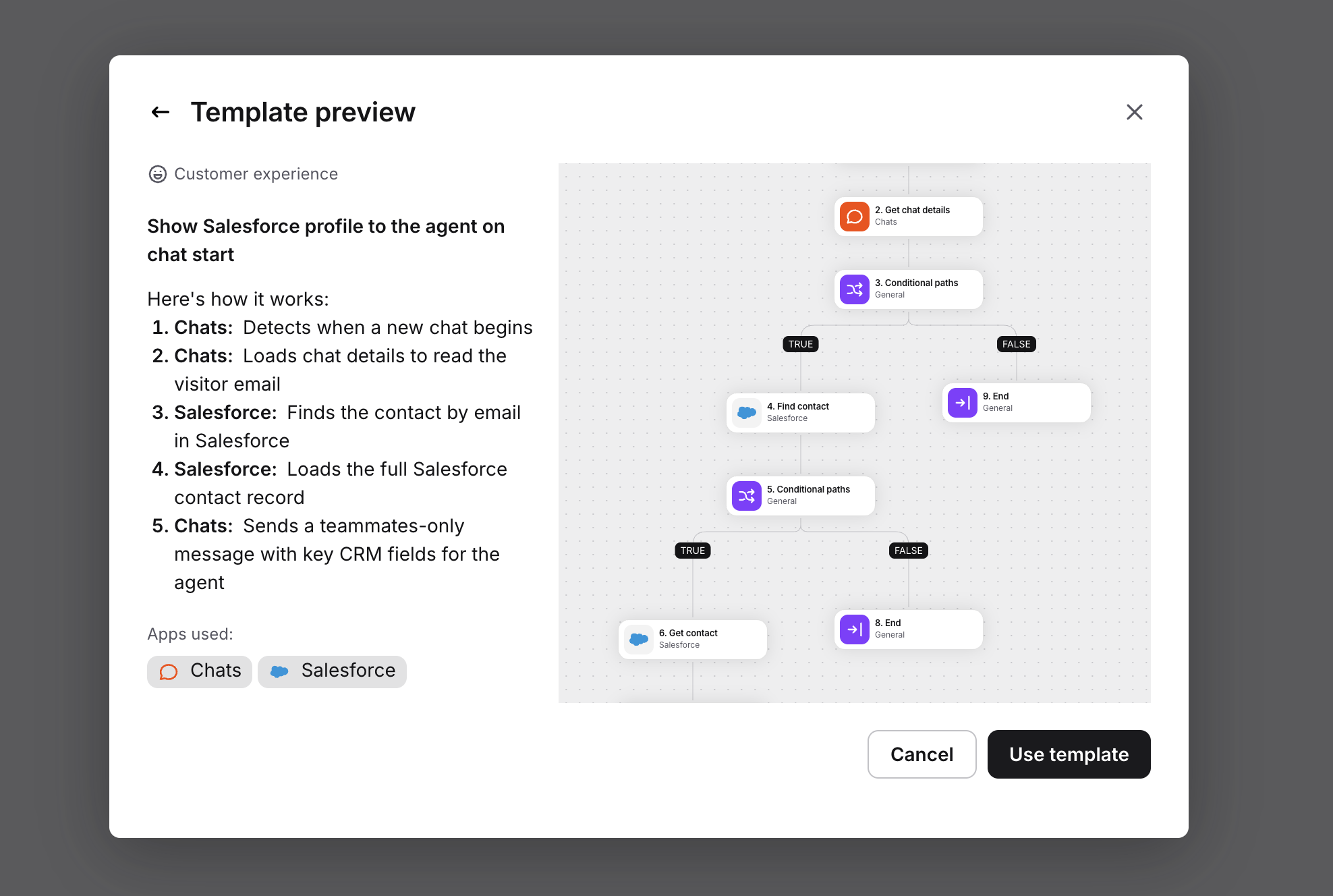
Workflows can now pull data from Salesforce and push actions back into it. If a customer starts a chat, you can automatically look up their Salesforce contact, enrich your CDP records, or update a deal, all as part of an automated flow. Your sales pipeline and your conversations stay connected without anyone copying data between tabs.
This is the first CRM integration for Workflows, and it landed at the end of April. For teams already running Salesforce, it means the intent signals Text picks up in conversations can flow directly into where deals get tracked and closed.
 →
→ Tickets get a redesign
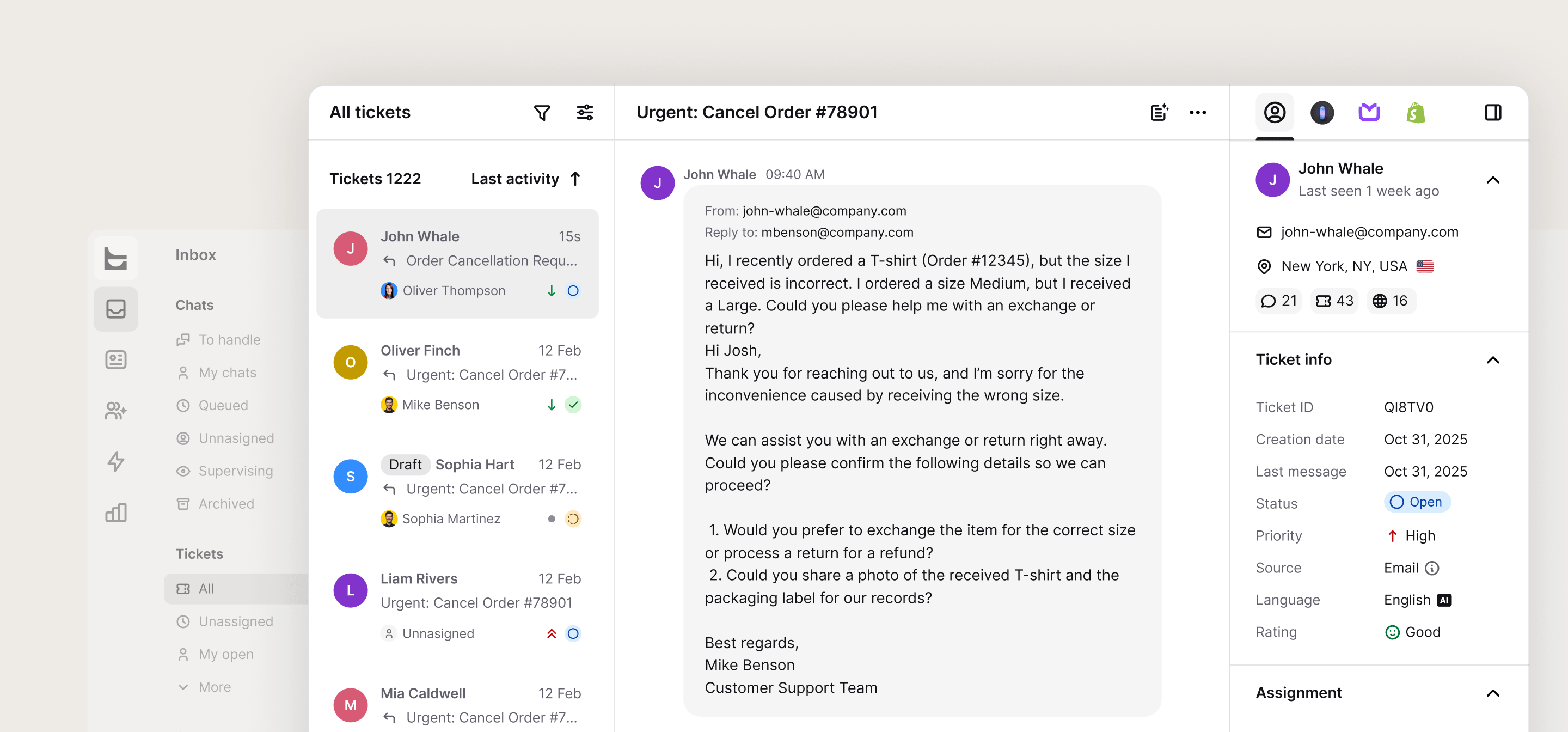
Three changes shipped across the month that add up to a pretty different tickets experience in Text. The goal across all of them: less time navigating, more time acting on what customers need.
The default view is now a column layout that matches the chat experience. Fewer clicks to read a ticket, better scanning, bulk actions built in. If you prefer the old table view, it's still there as a toggle.
Ticket cards now appear inside chat threads. When a ticket gets created from a conversation, a card shows up in the chat feed with the ticket's key data and a direct link. Your team stays in the conversation context instead of switching between views trying to connect a chat to its ticket.
And a batch of UX improvements landed as well: local search within ticket views, a "responded" indicator so you can spot which tickets still need a reply, and quick actions directly on table columns for faster reassignment and status changes.
Mobile catches up
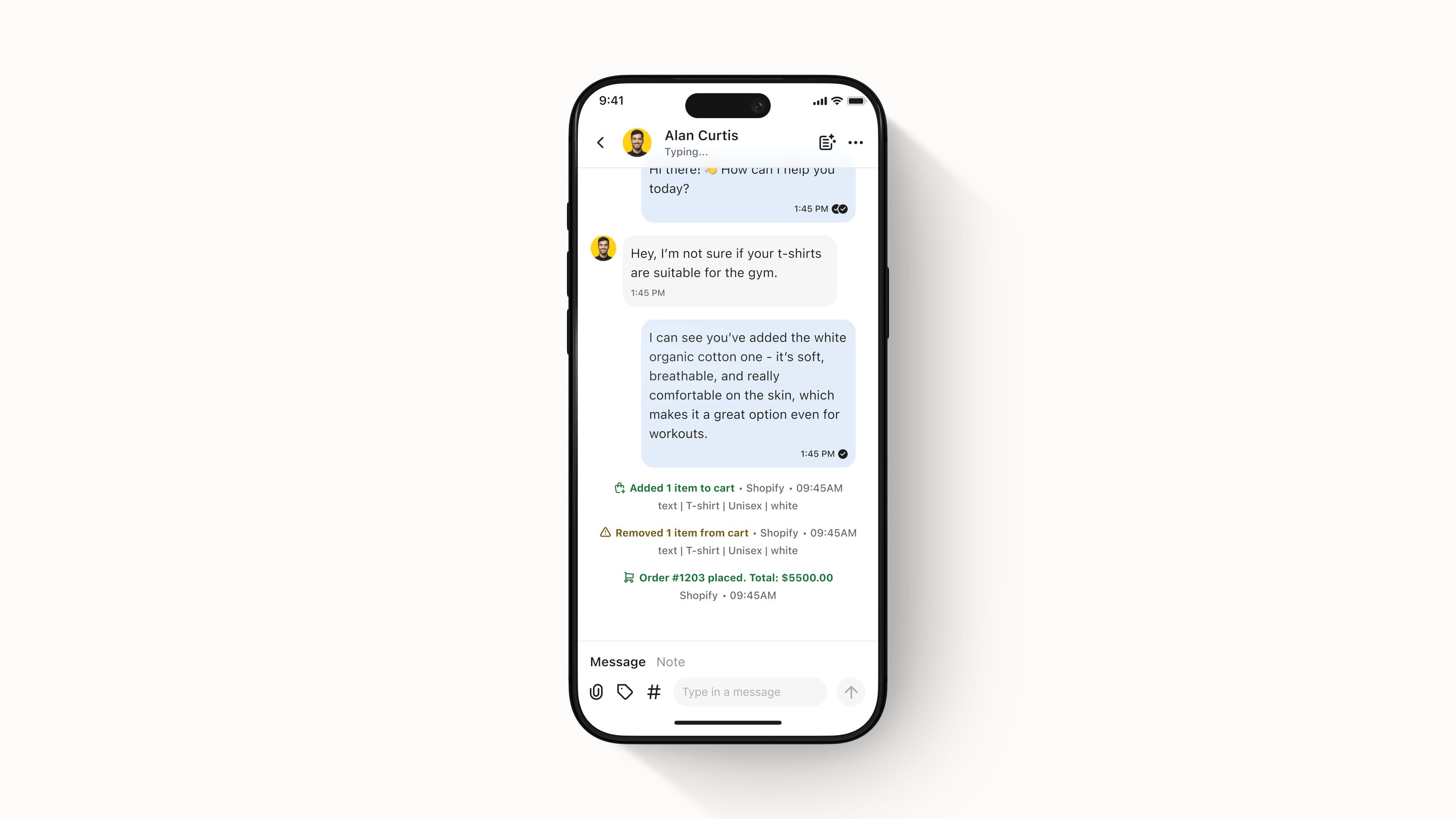
Two features that bring the mobile app closer to the full desktop experience.
Chat summaries are now available on mobile. Same functionality as the web version: tap to get a summary of any conversation without reading through the whole thread.
Purchase and order data now appears in mobile chat threads. If a customer bought something during or after a conversation, you'll see it. This is the first step toward proactive selling on mobile, with more upgrades coming soon.
Join Links: one link, new teammate
Inviting someone to your organization used to mean going through an admin flow. Now you can send a link. The recipient clicks it, creates an account, and gets added to your org automatically. If your subscription is full, a new seat gets added.
Each link is single-use and expires after 7 days.
WordPress and Webflow: Text goes where your site lives
Two new integrations shipped in April.
WordPress gets a two-way connector, available both in the WordPress marketplace and from inside Text.
Webflow gets a one-way connector. If your site runs on Webflow, you can now connect it directly from Text.
Both connectors mean fewer steps between "I want to try this" and "it's running on my site."
Also shipped for widget:
Files can start conversations. Previously, users had to send a text message before attaching a file. That limitation is gone.
Customization without a website. You can now preview and customize your chat widget even before adding your site URL. Useful for testing and for teams that want to explore the product before committing to installation.
→ Customize widget
If you set up custom skills last month, routing rules and skill visibility give you much better control over how they run. If you haven't tried the AI agent yet, the product recommendation numbers are worth a look. And if you're on Shopify, opportunity detection is already watching your traffic for signals you can act on.
Get a summary with