
Jacquelyn Dunham
Content Marketing Specialist
Jacquelyn is a content marketing author with over 7 years of experience creating engaging and compelling content for various industries.
TL;DR: A WordPress chatbot plugin answers visitors automatically, and the one that matters is the one reading your content. Some train on your pages, some hand you a key and wish you luck, and two that top most lists shouldn't be on this one.
The chatbot on my accountant's website told me the office was open on Sunday mornings. It is not open on Sunday mornings. I found that out from the car park.
Behind my accountant’s website was a WordPress chatbot plugin doing what it was built to do: producing fluent sentences with no idea whether any were true. Nobody had pointed it at the opening hours on the contact page. Keep reading to learn how to avoid a similar nightmare!
How to judge a WordPress chatbot plugin
Four things separate one WordPress chatbot plugin from another, and price is only one.
What the AI is trained on. They run on similar natural language processing; what differs is the knowledge source. Good ones crawl your pages, help docs, and product feed, so the WP chatbot answers questions from what you published. The rest improvise.
Whether you bring your own API key. Managed services bill per conversation or resolution: no code setup, but cost scales with chat volume. Framework plugins give you a field for an OpenAI API key, and you pay tokens direct: cheap on a quiet WordPress site, costly on a busy one.
Whether it reaches a human agent. An AI chatbot that can only answer FAQs, with no live chat behind it, is a dead end with a personality. You want handoff reaching your support agents with the transcript, and the ability to create support tickets when instant support isn't there.
What the numbers measure. AI chatbot vendors quote deflection and resolution as one thing. Deflection counts customer interactions no human touched; resolution counts problems solved. Pair either with user feedback: a fast wrong answer still deflects. Gartner expects agentic AI to resolve 80% of common issues autonomously by 2029, cutting costs 30%.
The best WordPress chatbot plugins share a baseline: 24/7 coverage, automating repetitive communications, collecting customer data, syncing lead-capture data to a CRM or email marketing tool, and analytics that tie chat conversations to conversions. Grand View Research puts the chatbot market at $41.2bn by 2033.
The 6 best WordPress chatbot plugins in 2026
1. Text: Best AI chatbot for support that sells
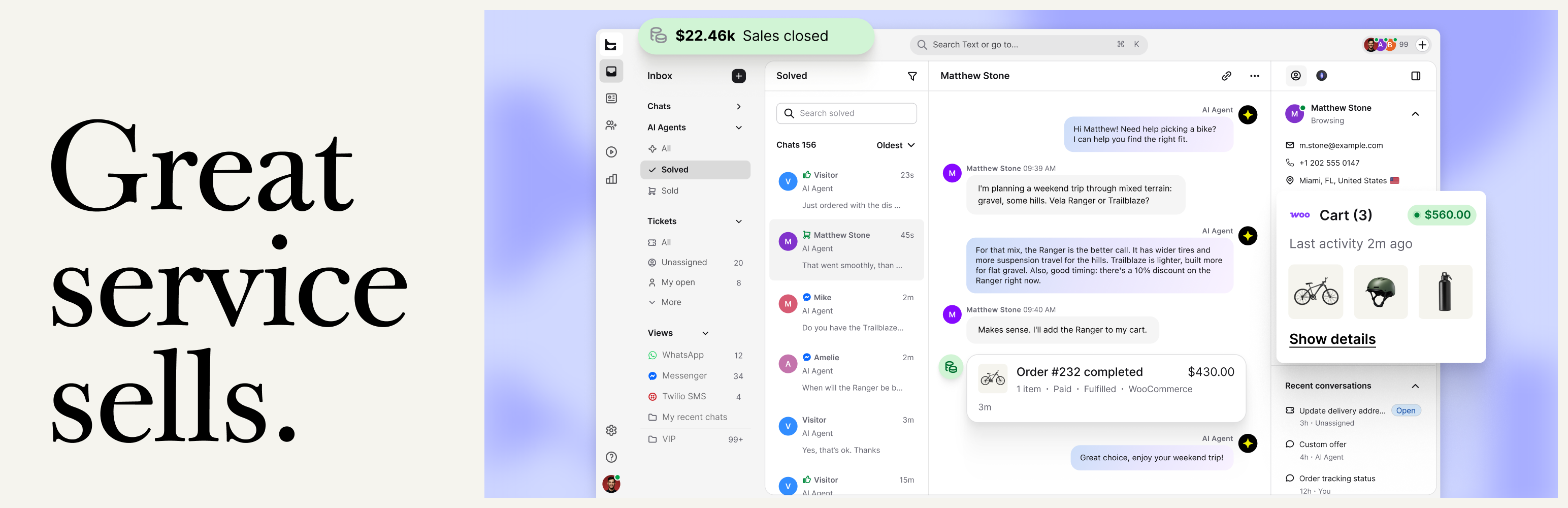 Point Text at your site URL, help articles, or product catalog, and it builds its own knowledge base. The AI Agent works from that, providing instant answers, supports multiple languages (46 of them), and escalates to a human agent with context. Live chat, email, and a ticketing system share one inbox across multiple channels — omnichannel support in practice. Best where support is meant to make money, and someone's free for the hard conversations.
Paid plans start at $25 per user monthly, $19 yearly; Growth is $99 and $79. AI is metered per resolution: 10 on Essential, 200 on Growth.
Caveat: new plugin, 5.0 stars from 14 reviews on 30+ installs, no free plan.
2. AI Engine: Best WordPress AI chatbot for your own model
 The giant here: 100,000+ installs, 4.9 stars, 846 reviews, updated within the day. A framework, not a helpdesk. You supply keys for OpenAI or Anthropic, pay no markup on tokens, and your chatbot data stays in your WordPress database. Best for a developer or agency that wants control of the model; worst for anyone handing it to a support team.
The free version covers chatbots, generators, and an editor copilot; training on your pages needs Pro, from $79/year.
Caveat: no live chat, no handoff, no tickets, and the token bill is yours.
3. Tidio: Best free AI chatbot plugin
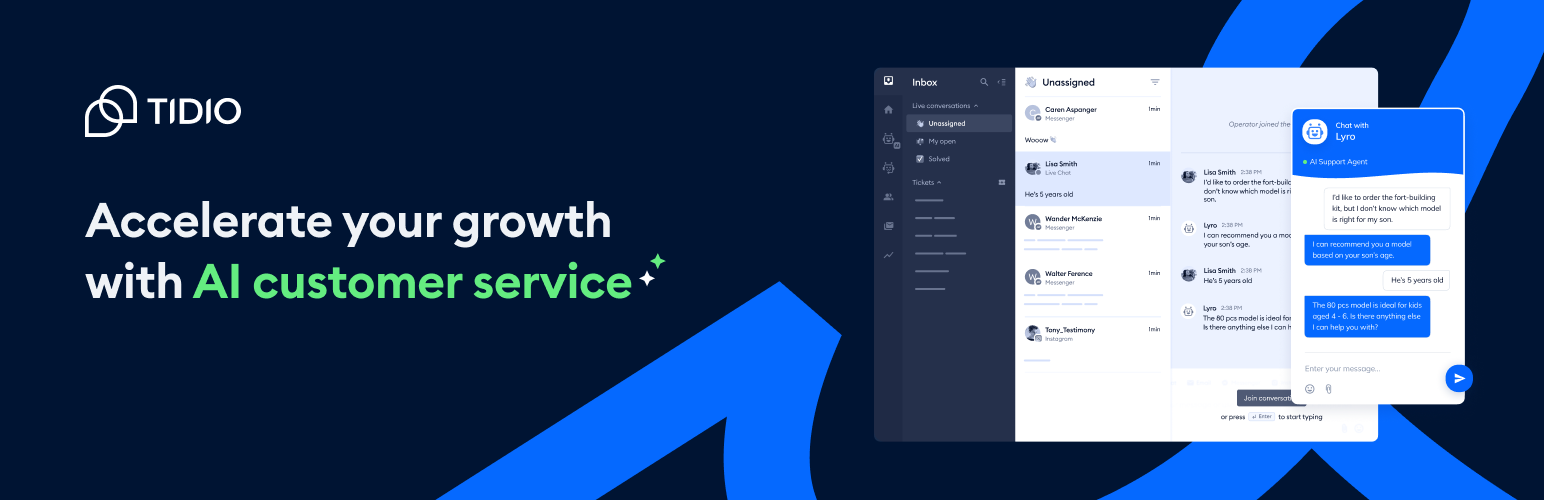 80,000+ installs, 4.7 stars, 396 reviews. Lyro, its WordPress AI chatbot, trains on your support content and resolves 67% of inquiries according to Tidio's figures, with multilingual support in 48 languages. Live chat shares the inbox, Facebook Messenger and other messaging apps land in one view, and abandoned cart recovery runs from mobile apps that also let you track visitor behavior. Best for a growing site wanting a grounded bot with no budget conversation first.
The free plan is free forever: 50 chatbot conversations a month, 10 seats. Lyro is an add-on from $32.50.
Caveat: the one-star reviews are almost all billing surprises and creeping renewals.
4. WPBot: Best one-time licence
Look at WPBot if recurring fees are the problem. Licences run $39, $99 or $189 a year, or $149 once for five sites. It connects to OpenAI, Gemini and Dialogflow, built for lead generation, with lead capture forms in the chat flow. 6,000+ installs, 4.7 stars. Best for someone happy to wire up their own provider across client sites.
A free Lite version exists, and you can capture leads and edit the chatbot responses.
Caveat: OpenAI and Dialogflow won't run together. You pay OpenAI on top, and what you want (training on your data, live chat, multiple languages, its paid ai services) sits behind the top tiers.
5. Smartsupp: Best multilingual chat widget
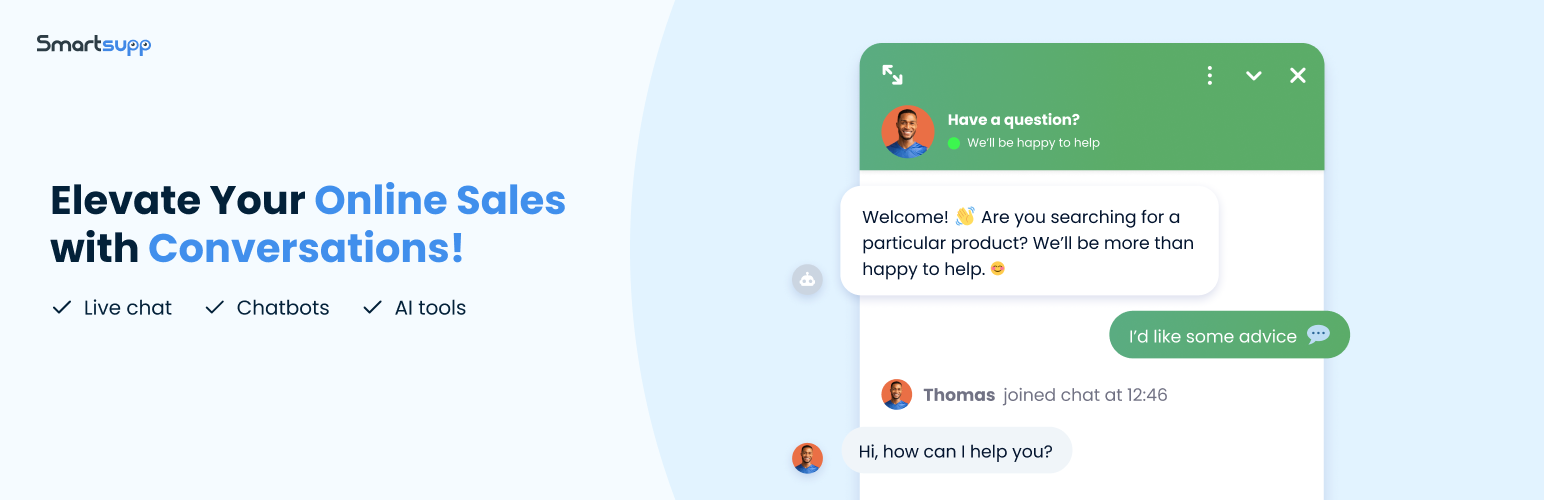 Smartsupp pairs live chat with a chat widget in 30 languages and a dashboard user interface in nine. Mira, its AI-powered chatbot, detects the visitor's own language and replies in it, trains by crawling your site or product feed, then hands to a person. 20,000+ installs, 4.7 stars. Best for a small store selling across borders without building a bot per market.
The free version allows 25 conversations a month, one operator; Solo is $17 billed annually.
Caveat: Mira crawls 20 pages max, thin for a content-heavy WordPress site, and it's untested past WordPress 6.8.
6. ProProfs Chat: Cheapest paid entry
Paid plans start lower than anything else here: $1.99 per operator per month, billed at $23.88 per year, plus a free tier that never expires for one operator. Live chat, basic bots and customization options come from the start. Its AI capabilities begin in business, where the AI trains on your website content, and handoff reaches a human.
Best for a one-person operation that wants paid features on a hobby budget.
Caveat: and it's a real one — 100+ active installs, last updated two years ago, and WordPress.org's unmaintained banner. Its 5.0 rating is 8 reviews, newest March 2023.
The best WordPress chatbot plugins compared
Plugin | WP.org rating | Active installs | Train on your content | Own API key | Free version |
|---|---|---|---|---|---|
Text | 5.0 (14) | 30+ | Yes, automatic | No | 14-day trial |
AI Engine | 4.9 (846) | 100,000+ | Pro only | Required | Yes |
Tidio | 4.7 (396) | 80,000+ | Yes, via Lyro | No | Yes |
WPBot | 4.7 (119) | 6,000+ | Top tiers only | For AI | Lite version |
Smartsupp | 4.7 (131) | 20,000+ | Yes, 20 pages | No | Yes |
ProProfs Chat | 5.0 (8) | 100+ | Business tier up | No | Yes |
Two AI chatbot plugins we left off
Zendesk. Its official WordPress plugin was last updated three years ago, sits at 2.0 stars, and carries the unmaintained warning. If a guide says buy Zendesk's Answer Bot, it's stale: that's now AI agents, and the legacy builder shuts off in December 2026.
Collect.chat. It tops most lists of free chatbot plugins, yet its own description says "chatbots without AI." You get 53 templates and fixed conversation paths: a contact bot, a feedback bot, booking flows, good for lead capture. It isn't an AI chatbot for WordPress.
How to set one up without embarrassing yourself
Installing the plugin is the easy part. Getting a bot that doesn't invent things takes an afternoon, and the steps are the same whichever one you picked. Point it at real content before you touch the design. Give it your help docs, policy pages and product pages, then check what it indexed. Crawlers have limits, so on a large site pick the pages that matter by hand.
Write the fallback before the greeting. Decide what happens when the bot doesn't know: a handoff, a form, a ticket. Most bad chatbot experiences are a missing fallback rather than a weak model.
Test it against your ten worst questions. Not the easy ones. The refund edge case, the thing two of your pages contradict, the one somebody asked angrily last week. Anything answered confidently and wrongly is a content problem on your site, and fixing the page fixes the bot.
Turn on proactive triggers last, if at all. A popup on every page irritates people. Fire it on the pricing page, or after a delay on a long article.
So what should you actually install?
Picking the right WordPress chatbot plugin comes down to who answers when the AI chatbot can't. If nobody does, Tidio's free plan is the sane start, or Smartsupp if your website traffic doesn't all speak one language. With developers, AI Engine and your own keys cost less. If a person takes the hard conversations while you want the easy ones to engage customers and generate leads, that's Text, with AI-powered responses read off your own pages.
My accountant still has the same chatbot, and it still thinks the office opens on Sunday. Nobody needed a better model to fix that. The opening hours were on the contact page the whole time, and nobody had told the bot to read them. Whichever plugin you install, that's the afternoon that decides whether it lifts customer satisfaction or dents the customer experience.
Frequently asked questions
What is the best chat app for WordPress?
For live chat with a person answering, Tidio and Smartsupp are the easiest to set up on most WordPress websites, and both offer a free plan. Text suits an inbox carrying tickets too.
Can ChatGPT help with WordPress?
Two ways, worth noting, not to confuse. Point a WordPress chatbot plugin at OpenAI and ChatGPT answers visitors, which AI Engine and WPBot both do. Or use it yourself to write code — only the first talks to customers.
Which AI is best for WordPress development?
A different question from the service. For generating code in the WordPress dashboard, AI Engine's Copilot is the strongest. For answering visitors, it's weakest, with no handoff.
How do I use a chatbot in WordPress?
Install the WordPress chatbot plugin, connect a knowledge source, set the fallback, then test your ten most common questions. A WP chatbot can be live within an hour; getting it to answer correctly takes an afternoon, and it decides whether it will improve user engagement or invent things.
What is the best AI chatbot plugin for WordPress?
The best WordPress chatbot plugins differ by job. On adoption, AI Engine. On free allowance, Tidio. On price, ProProfs Chat. The best chatbot for WordPress in the sense most businesses mean, an AI assistant that answers correctly and pulls in a person when it can't, is Text.
Keep learning
- Customer Service
Customer experience metrics: five stars and a cancellation
13 min read - Customer Service
AI in customer service: what it automates, breaks, and what customers actually want in 2026
19 min read - Customer Service
Text vs Gorgias: why e-commerce brands see the bill rise with automation
18 min read