Reliable, Intuitive, and Great Value
“Excellent value for money — a robust set of features without breaking the budget. Ticket management keeps everything organized so nothing slips through the cracks.”
C
Claudia C.Customer Experience Manager

Text turns chats into revenue, with AI up front. It spots buying intent, sells on its own, and hands off to your team when a human's needed.
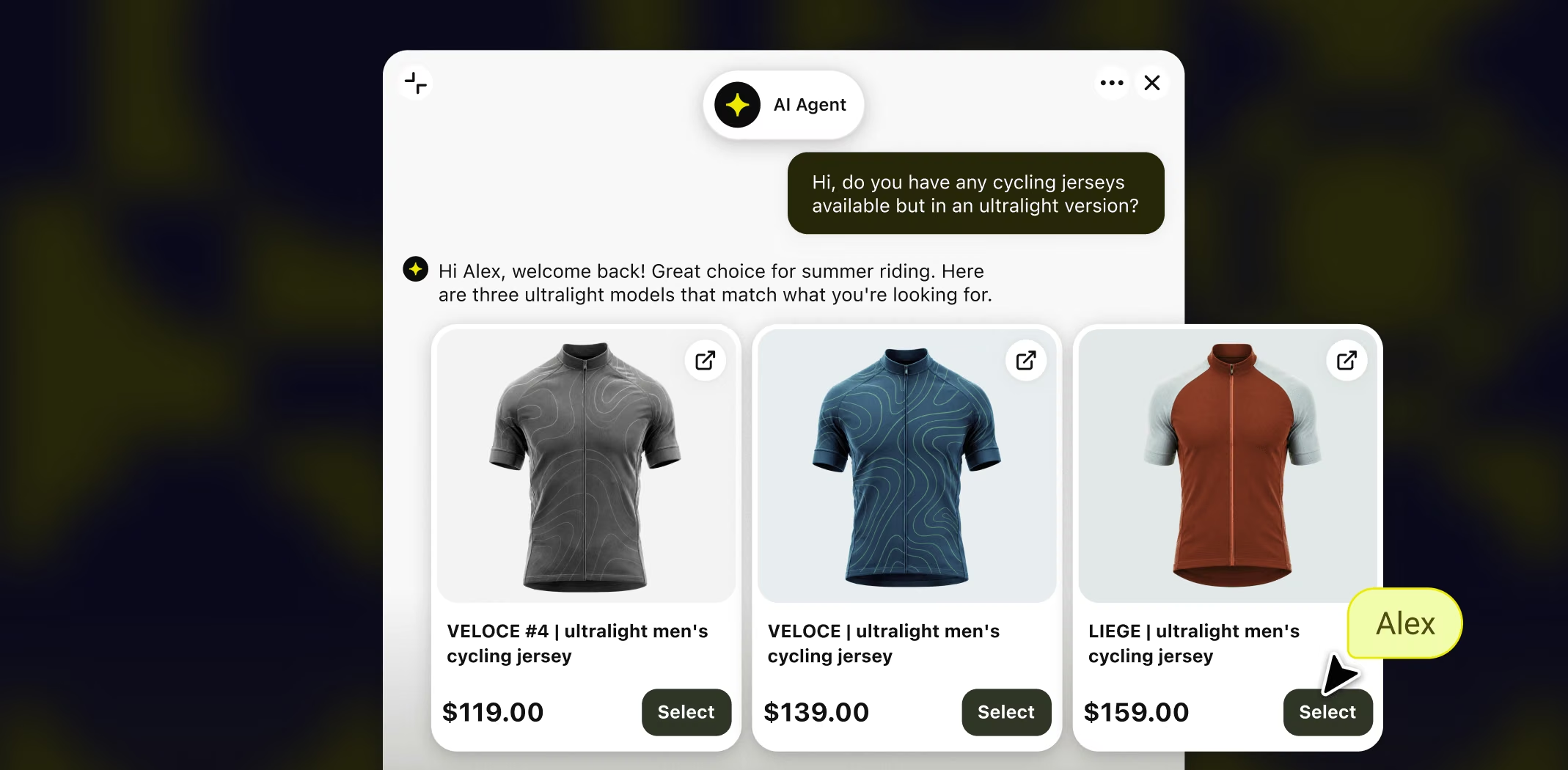
Real sales, started in a conversation.
Your chats can do the same.
485%
Conversion boost for Auto Accessories Garage
+25%
Average order value for Sephora
+$65k
per month for PlasticPrinters
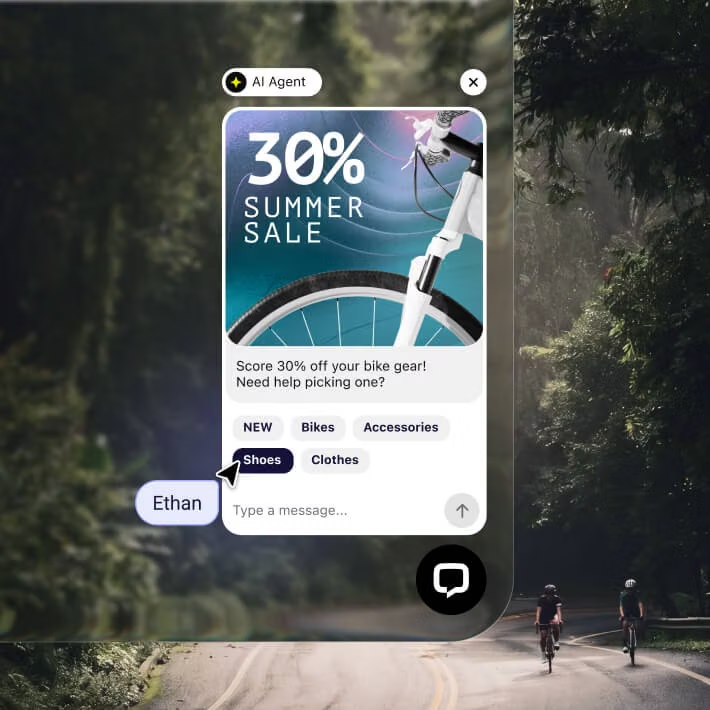
Campaigns
Text holds back while a shopper browses and steps in at the moments you set, like a saved cart on a return visit.
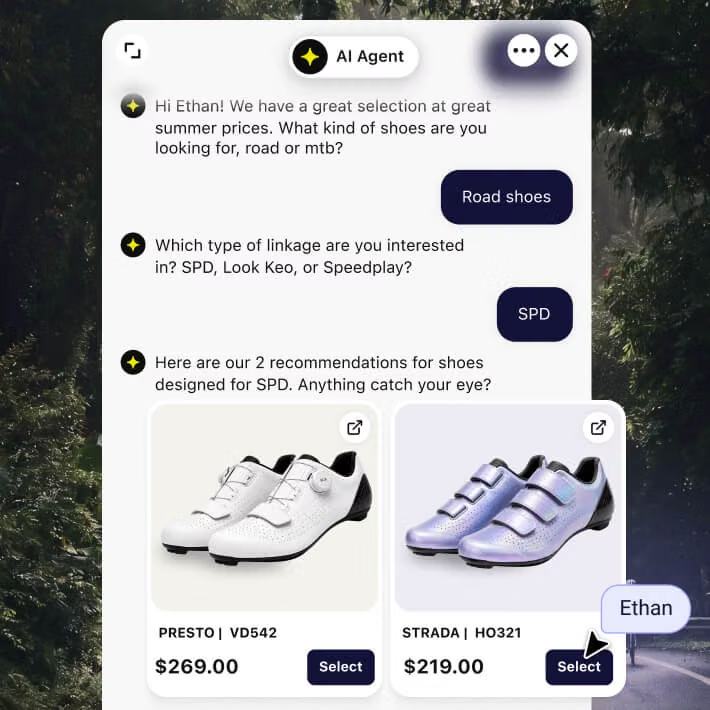
Product recommendation
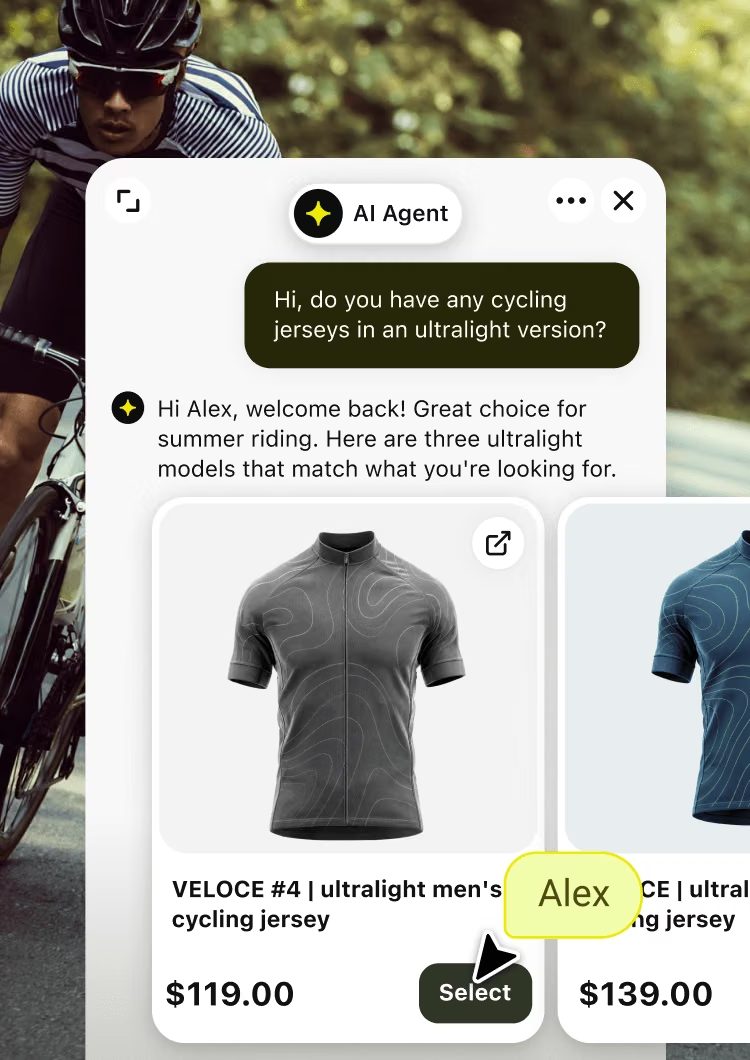
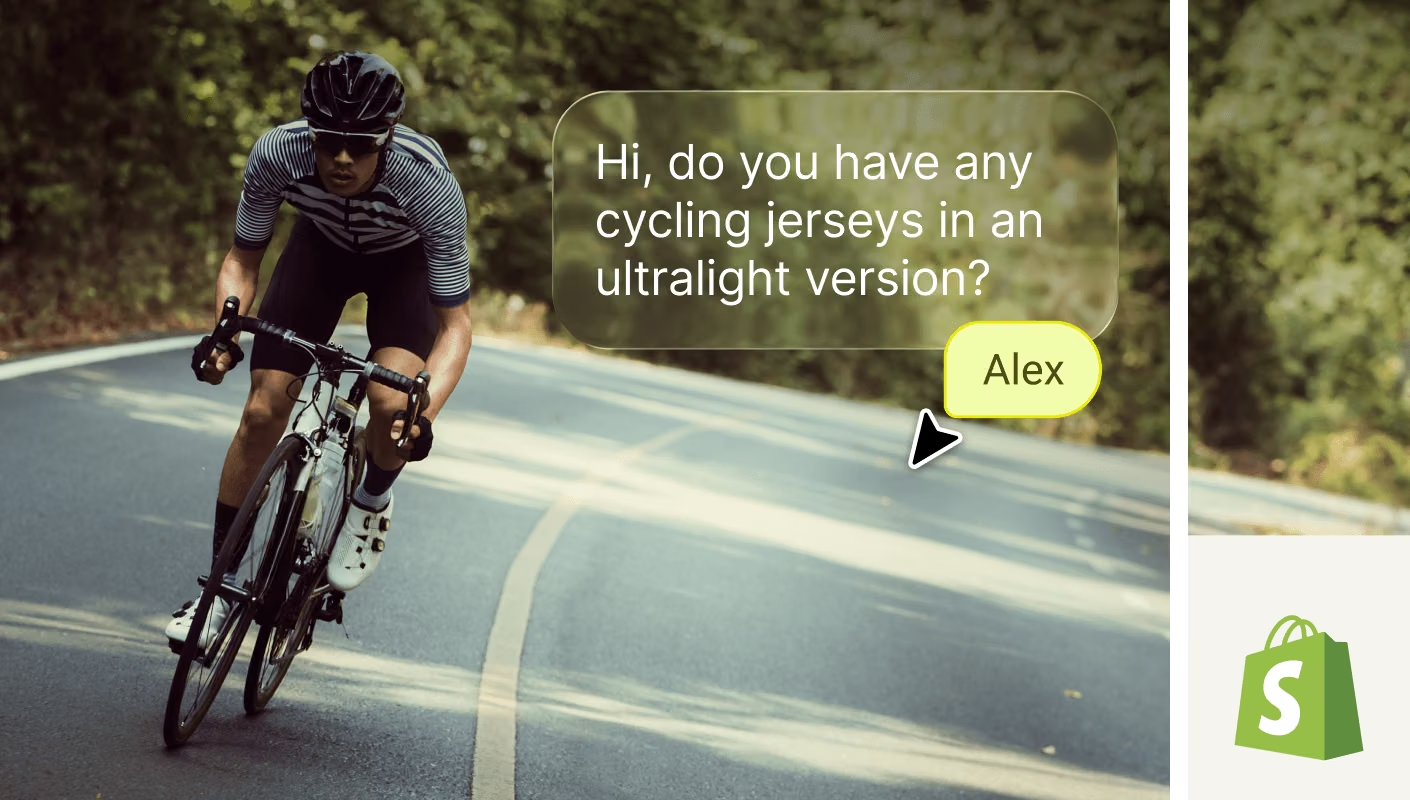
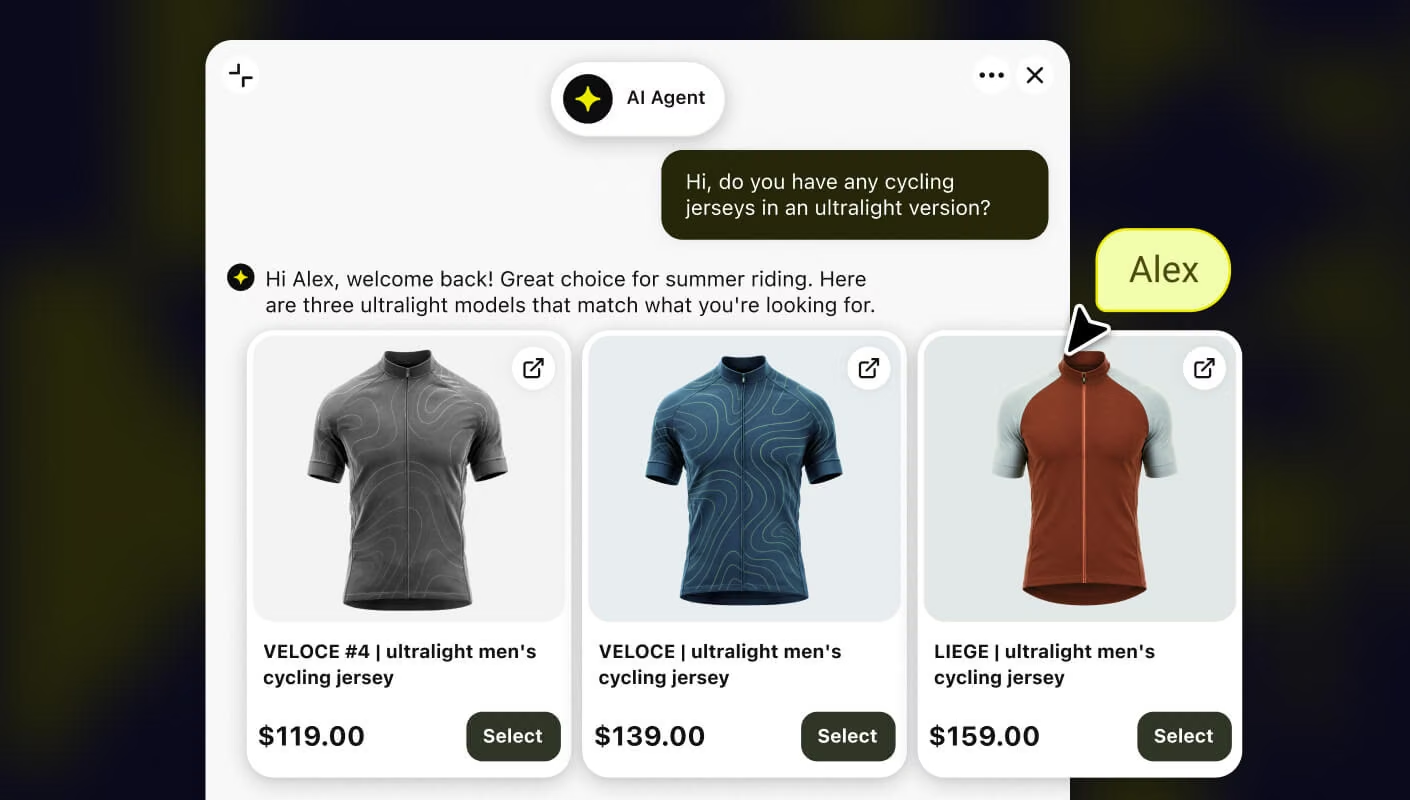
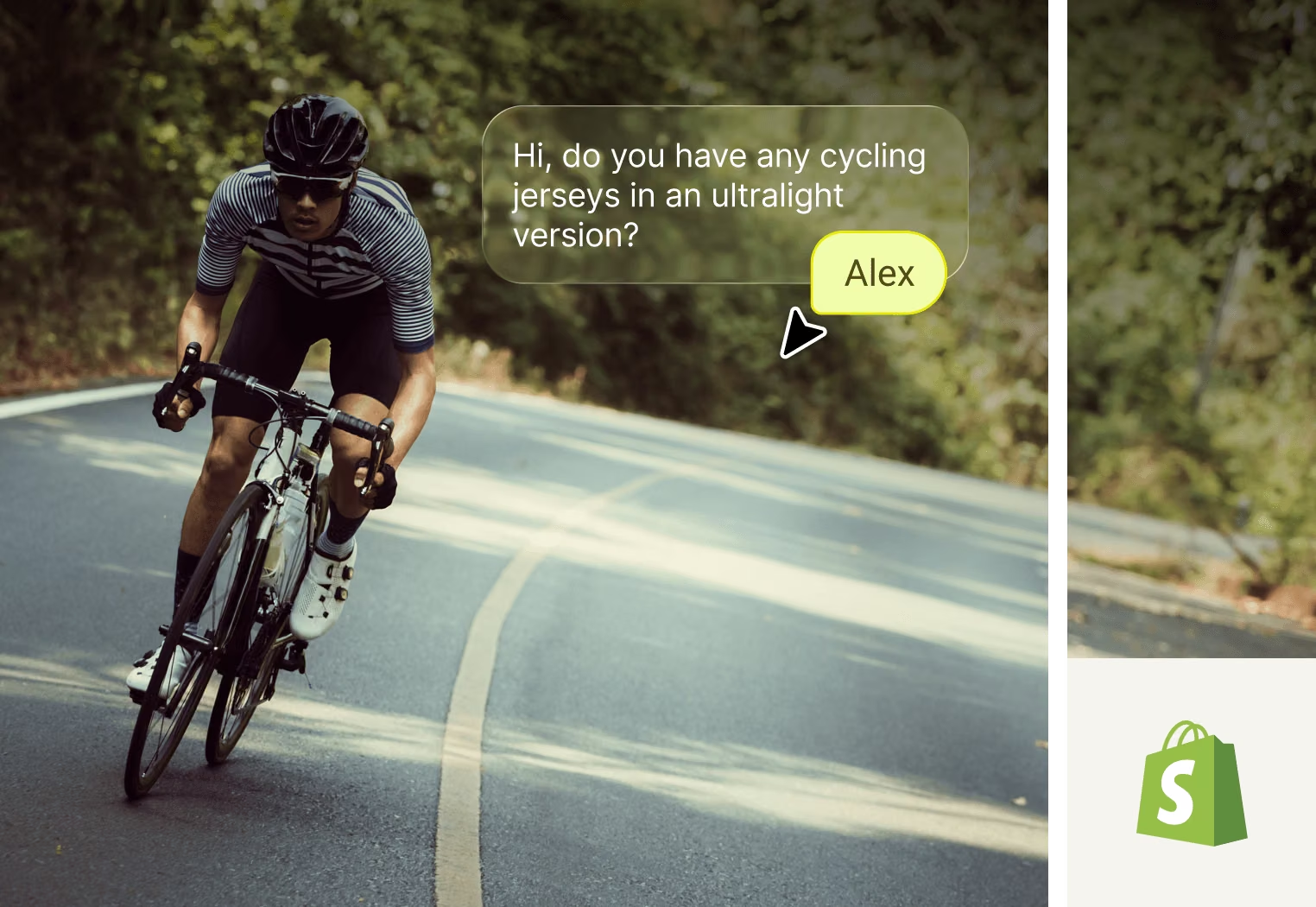
The shopper says what they're after, and the AI Agent suggests the right products, pulled live from your catalog.
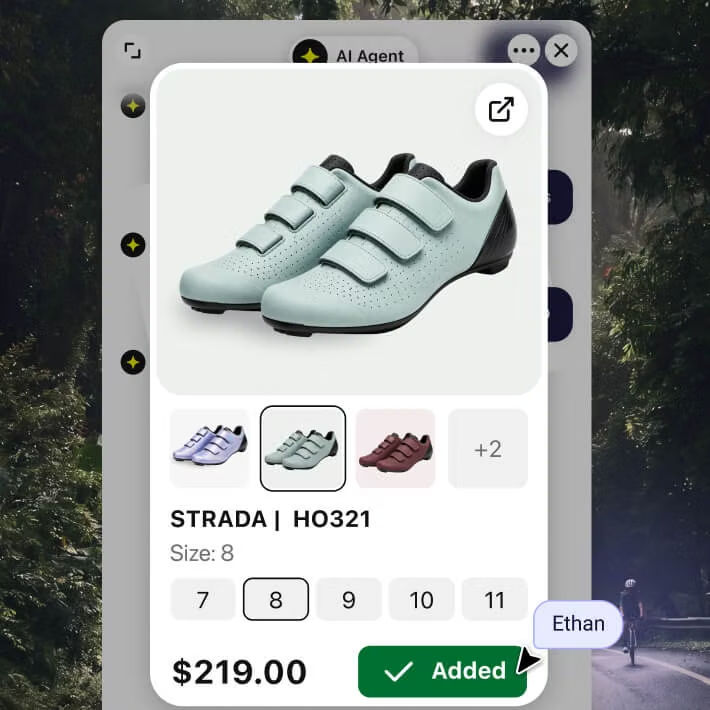
Product card
The AI sends the recommendation as a card the shopper adds to their cart, without ever leaving the chat.
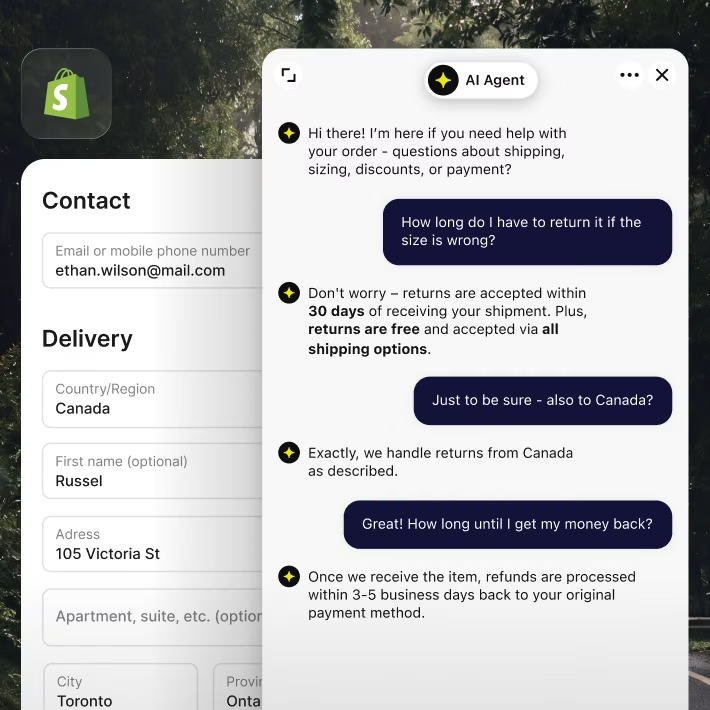
Checkout chat widget
Up to 70% of Shopify carts don’t convert. On Shopify Plus, Text steps in at checkout to answer and win the cart back.
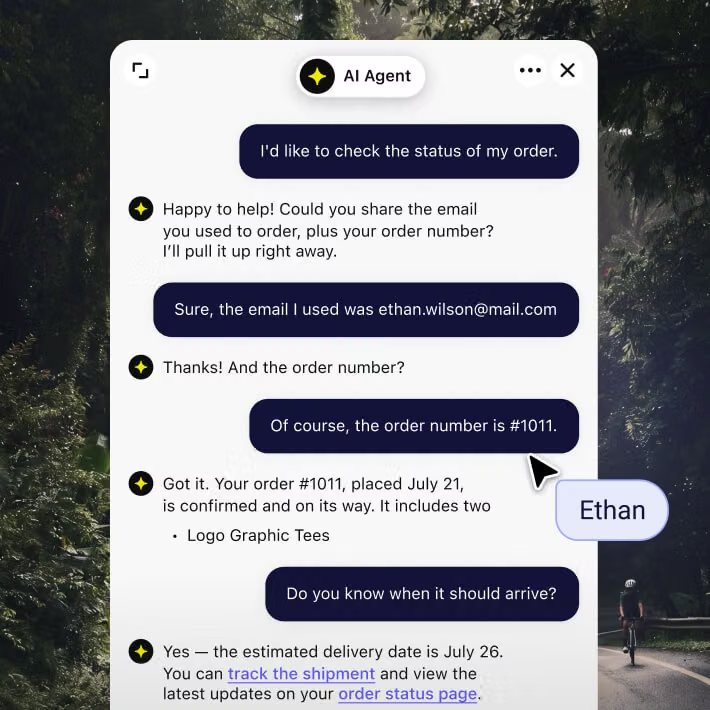
AI Agent
WISMO is up to 40% of tickets. But the AI handles it end to end, so it never lands on your team.
Everything your team needs to scale: the full picture on every shopper, and an AI that runs on your rules.
Everything your team needs to scale: the full picture on every shopper, and an AI that runs on your rules.
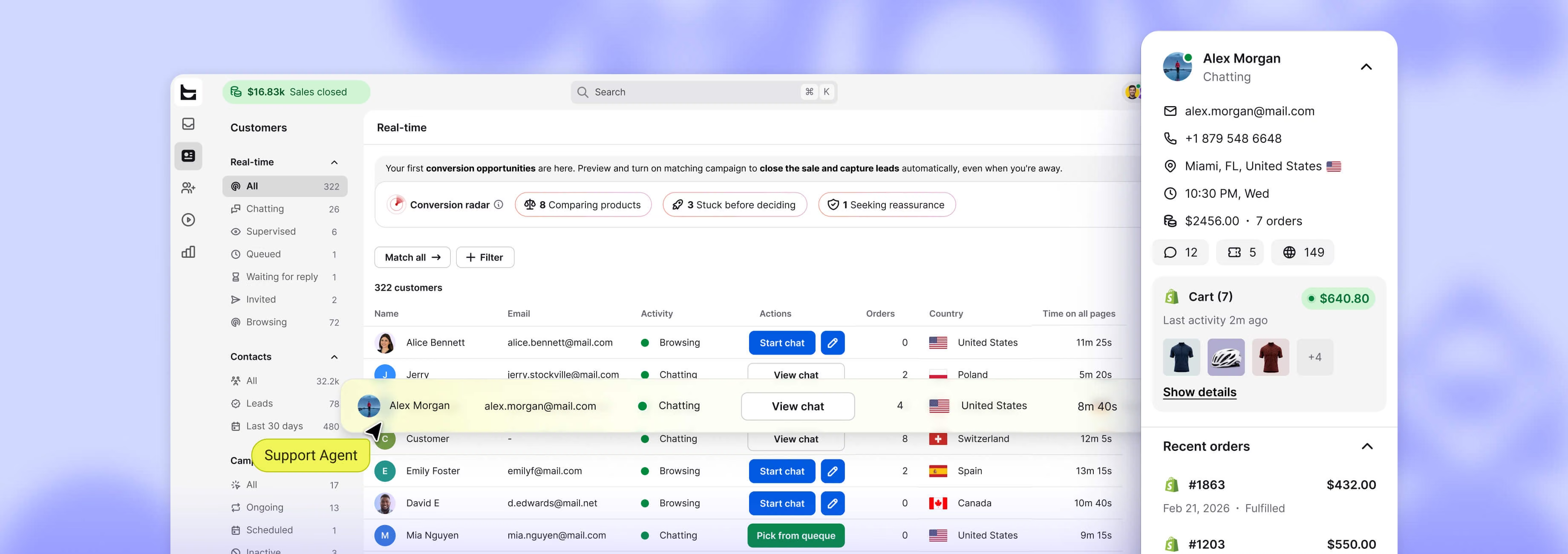
Catch shoppers as they browse, compare, or hesitate, so your team steps in the moment they're ready to buy.
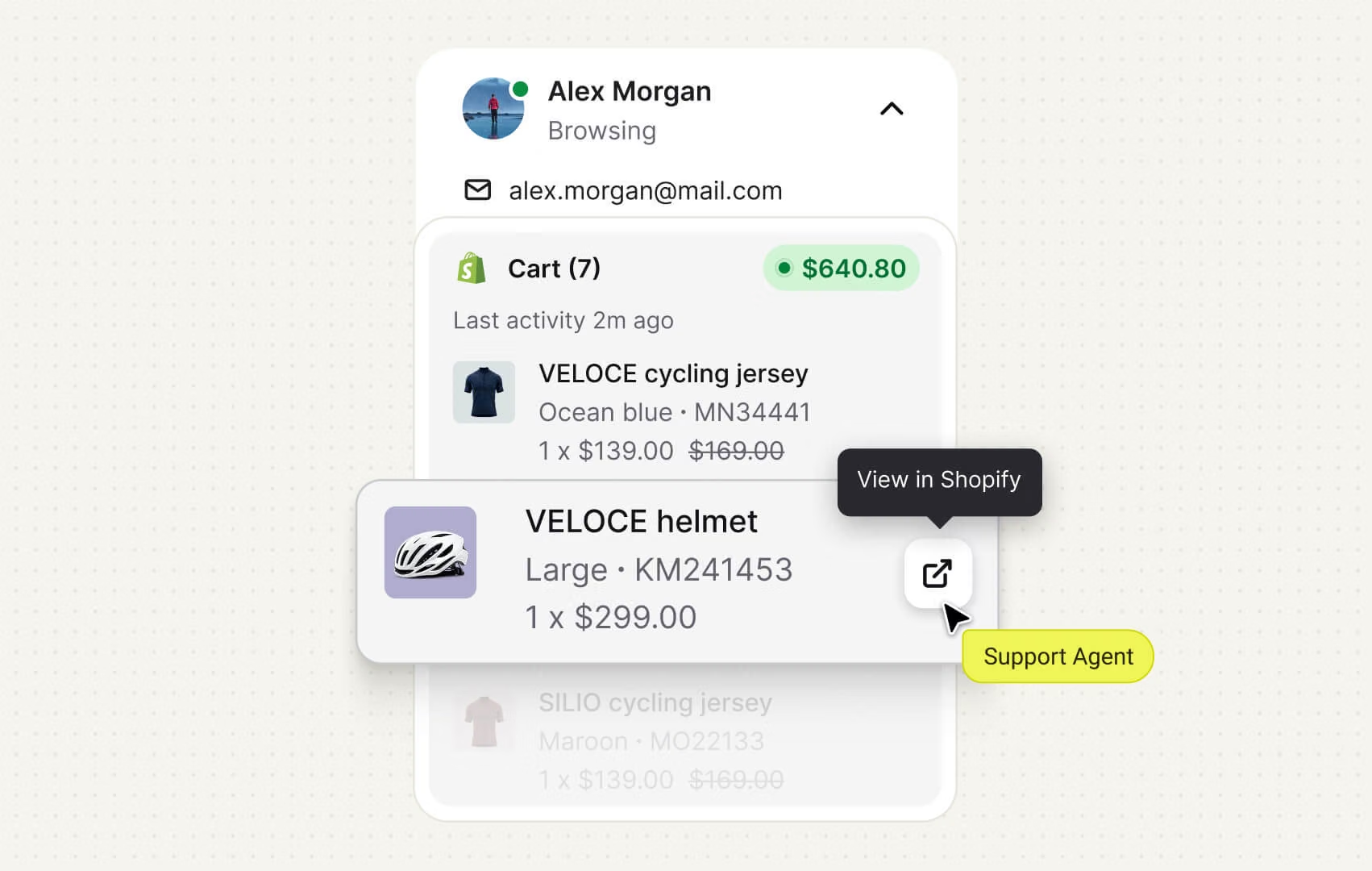
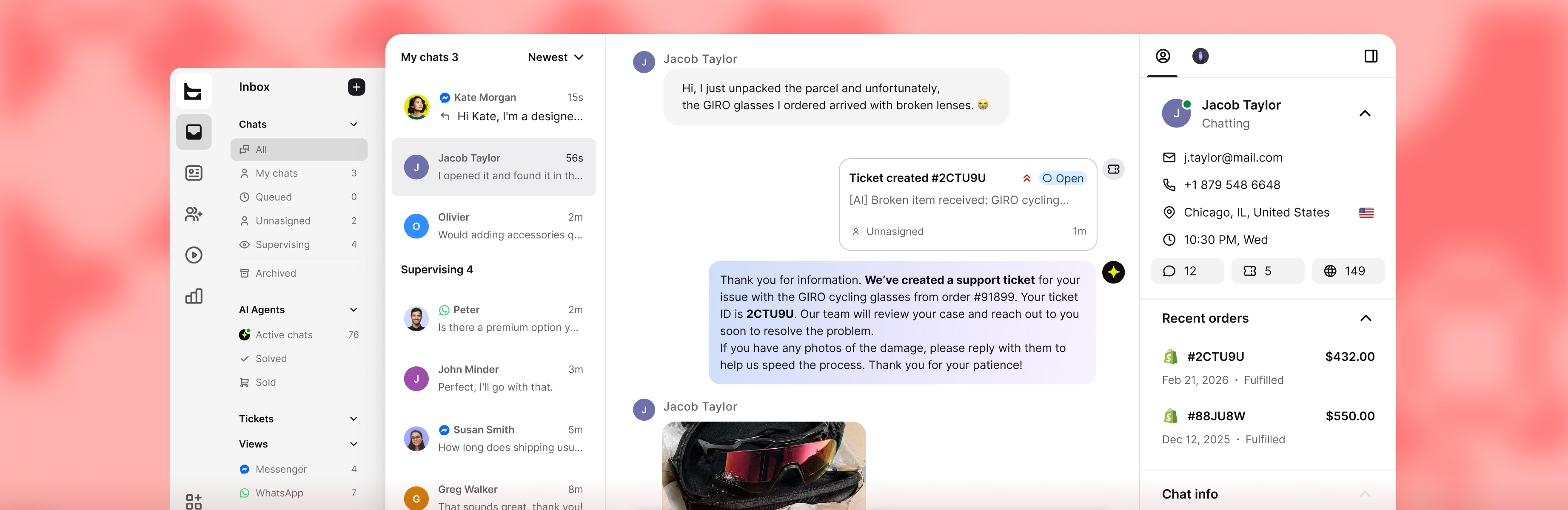
The agent sees the live cart, past orders, and total spent right in the chat, so they know exactly who they're talking to.
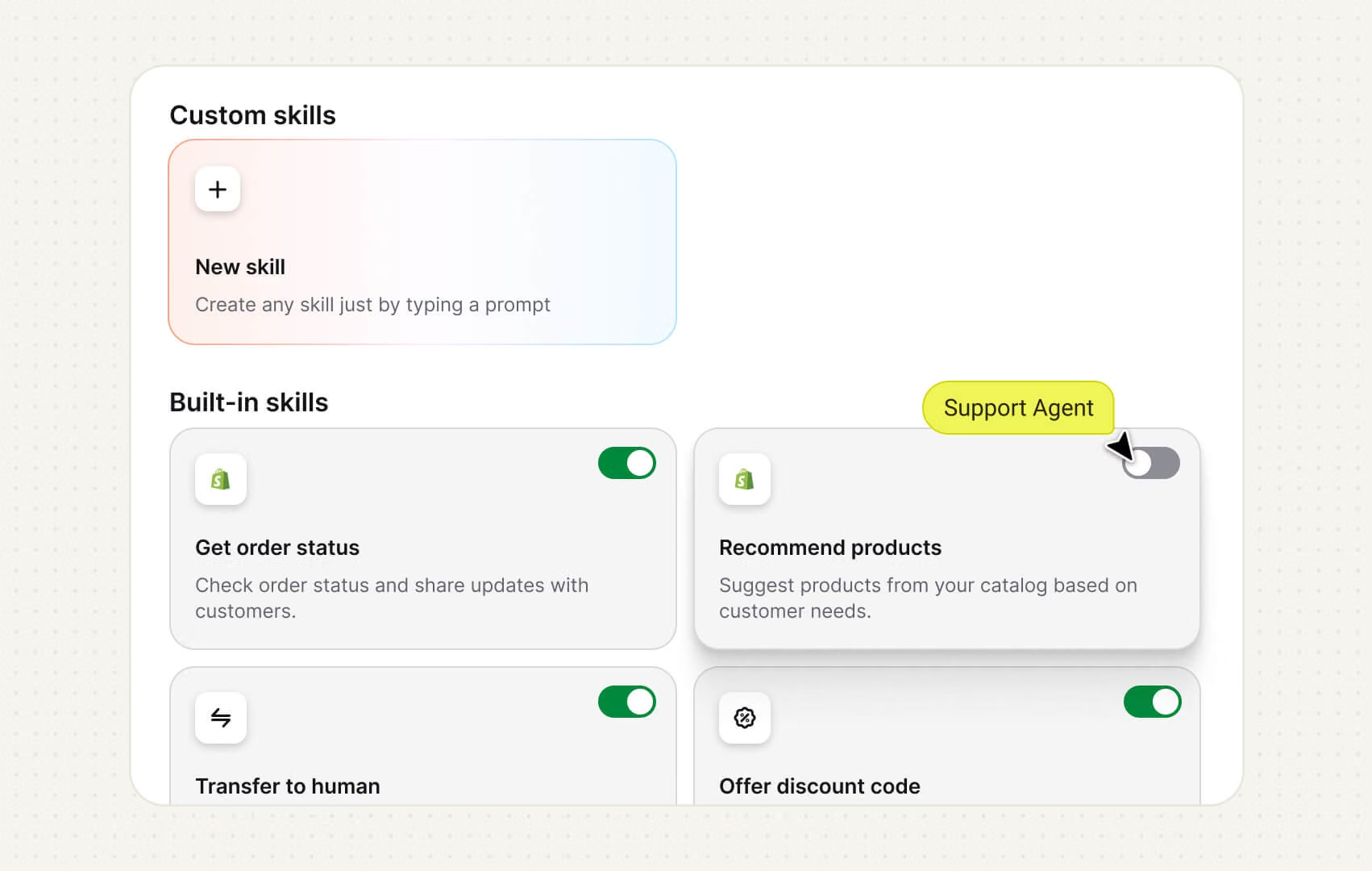
Ready-made Shopify AI skills that close sales on their own, from product picks to "where's my order?", and yours to customize.
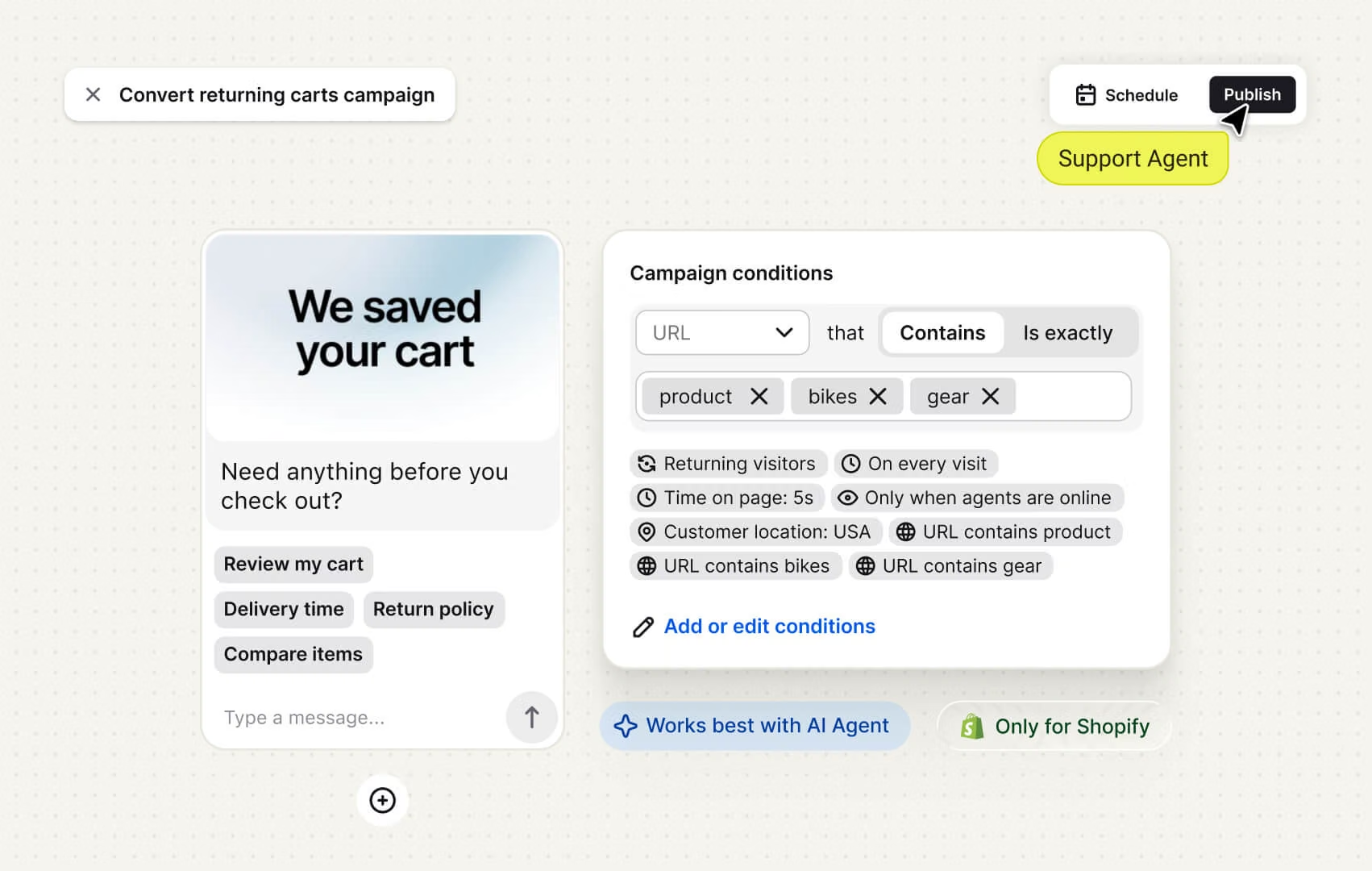
A returning shopper with an abandoned cart gets a "we saved your cart" nudge that brings the sale back, built for Shopify.
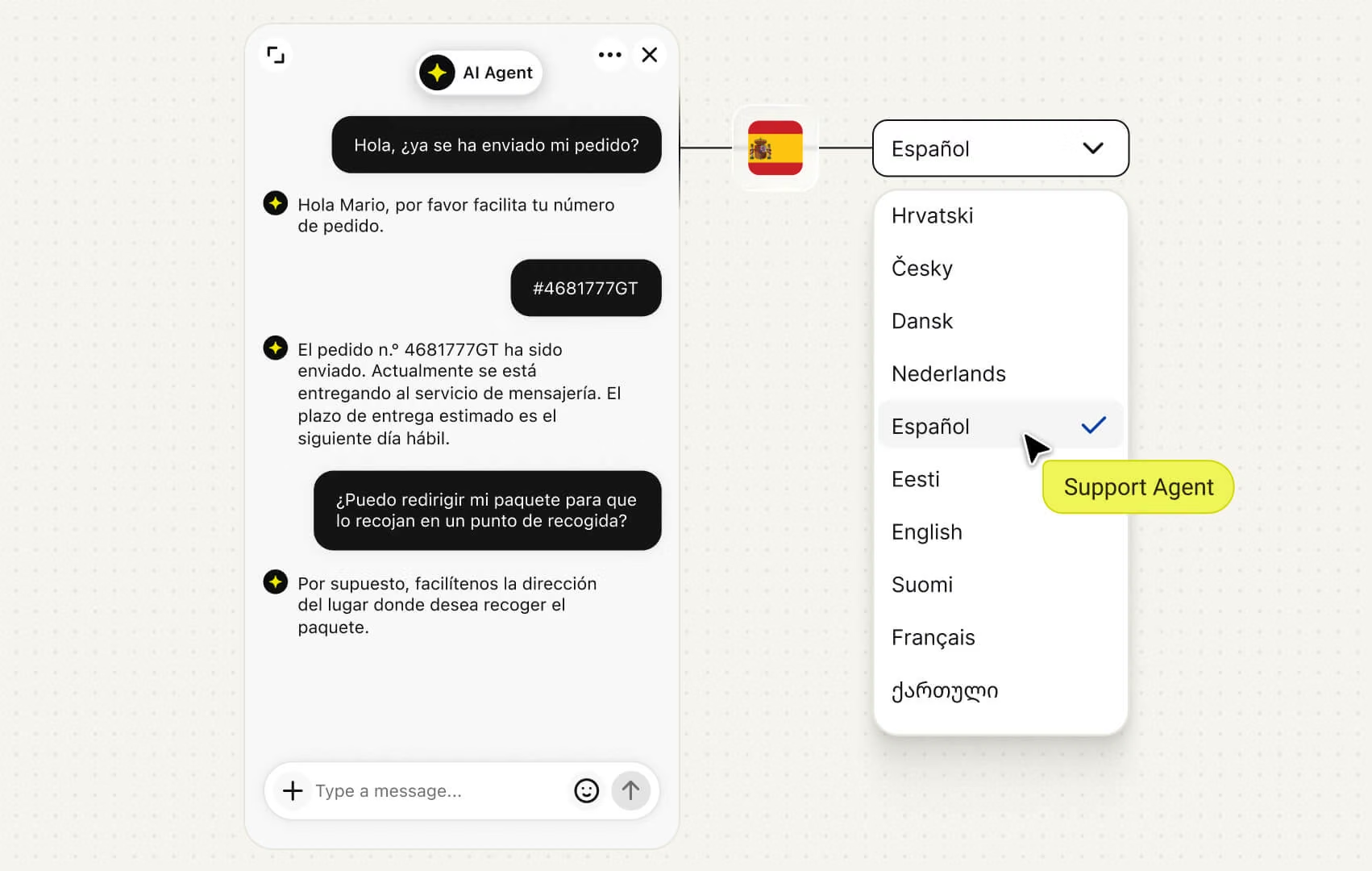
Run every Shopify store you own from one account, and let Text answer each shopper in their own language.
The agent sees the live cart, past orders, and total spent right in the chat, so they know exactly who they're talking to.
Ready-made Shopify AI skills that close sales on their own, from product picks to "where's my order?", and yours to customize.
A returning shopper with an abandoned cart gets a "we saved your cart" nudge that brings the sale back, built for Shopify.
Run every Shopify store you own from one account, and let Text answer each shopper in their own language.

Text is really great with customization and scalability. We use it on all of our 13 domains with 800K+ unique monthly visitors.
15K
monthly orders
800K
monthly unique visitors
13
localized country domains
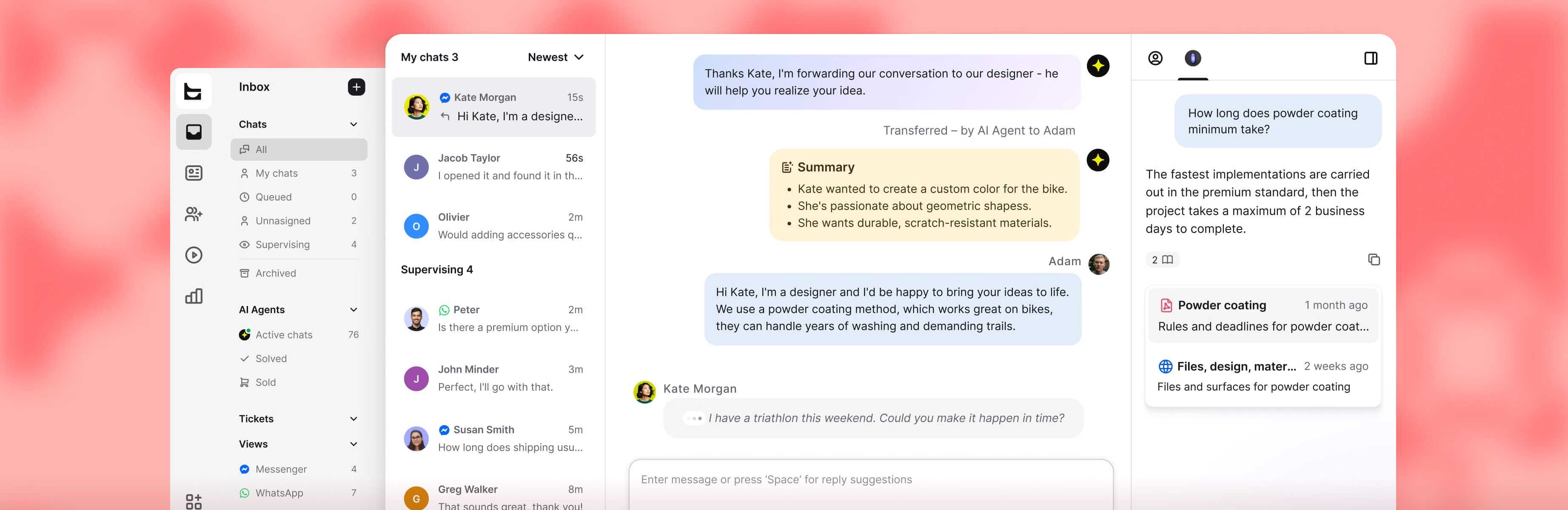
Inbox, tickets, and reports, working as one across every order.
Inbox, tickets, and reports, working as one across every order.
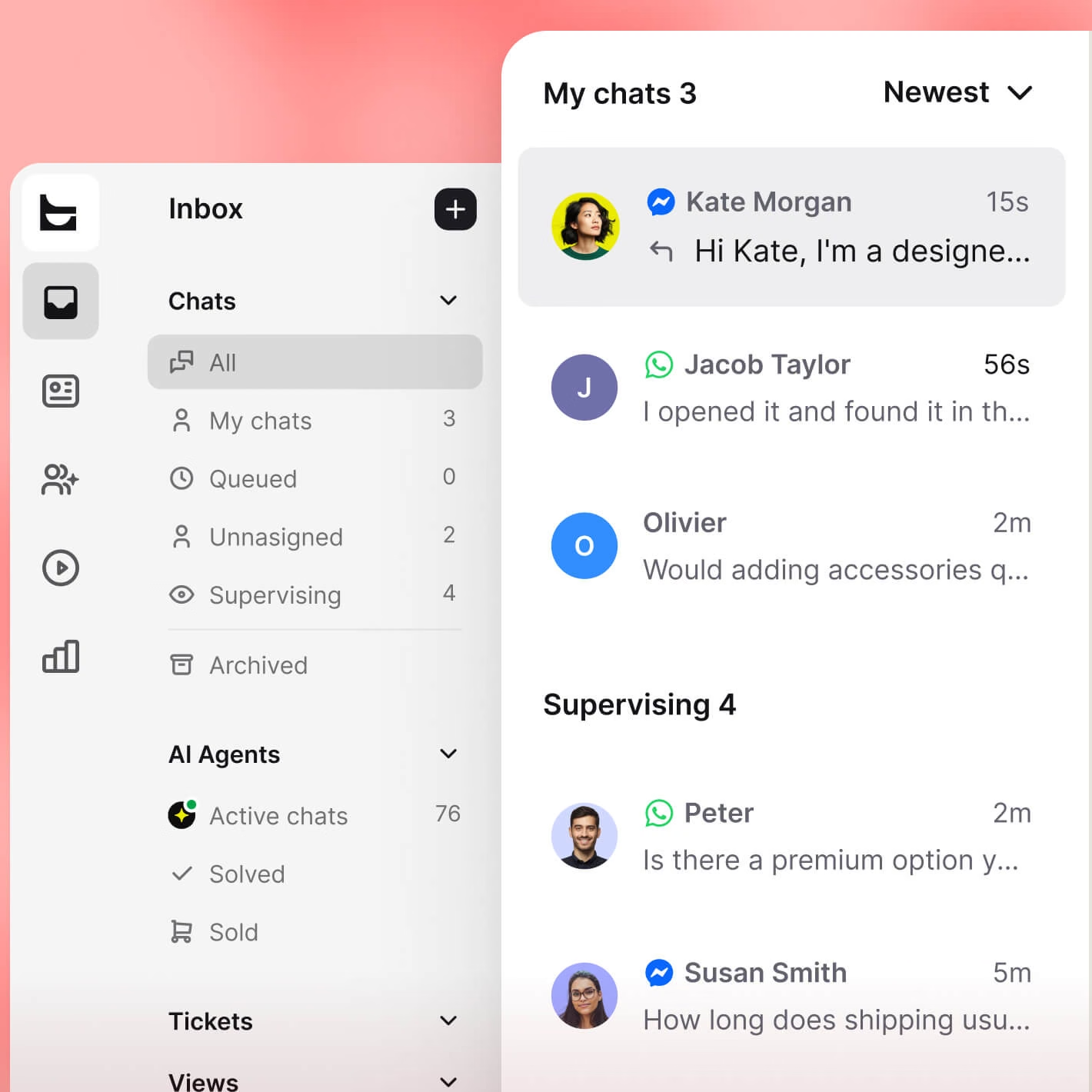
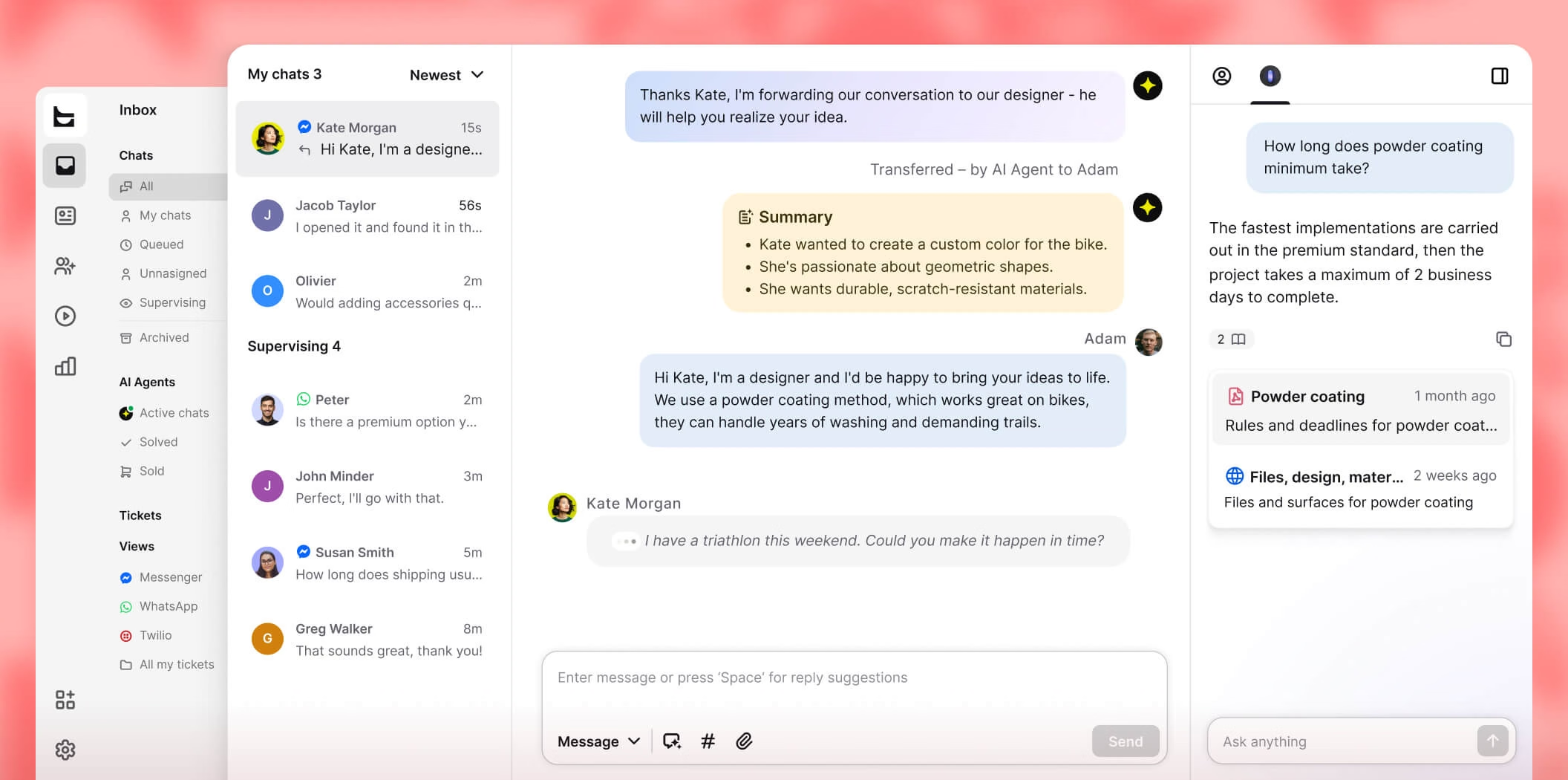
Website chat, Messenger, WhatsApp, SMS, and email, all in one place, each with the shopper's Shopify history attached.
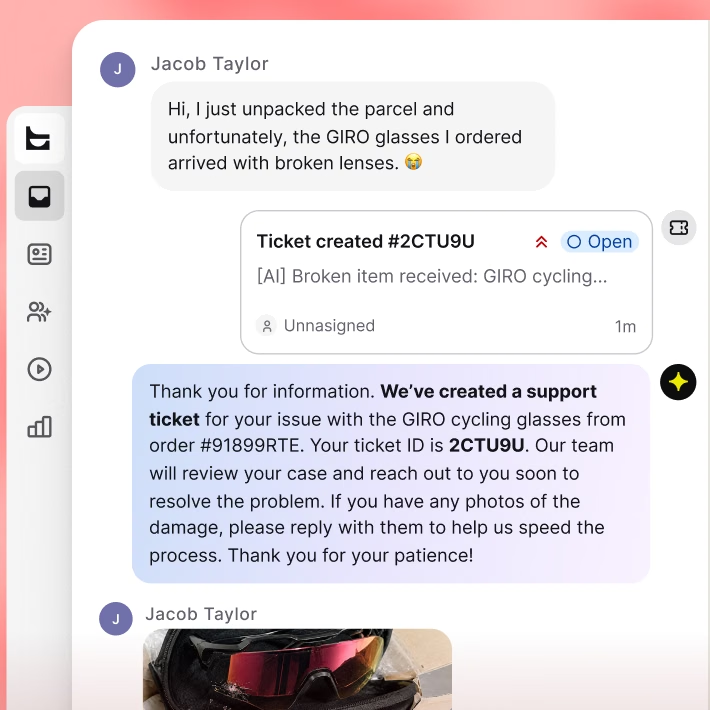

The AI opens a ticket for anything that needs follow-up, so a return never falls through the cracks.
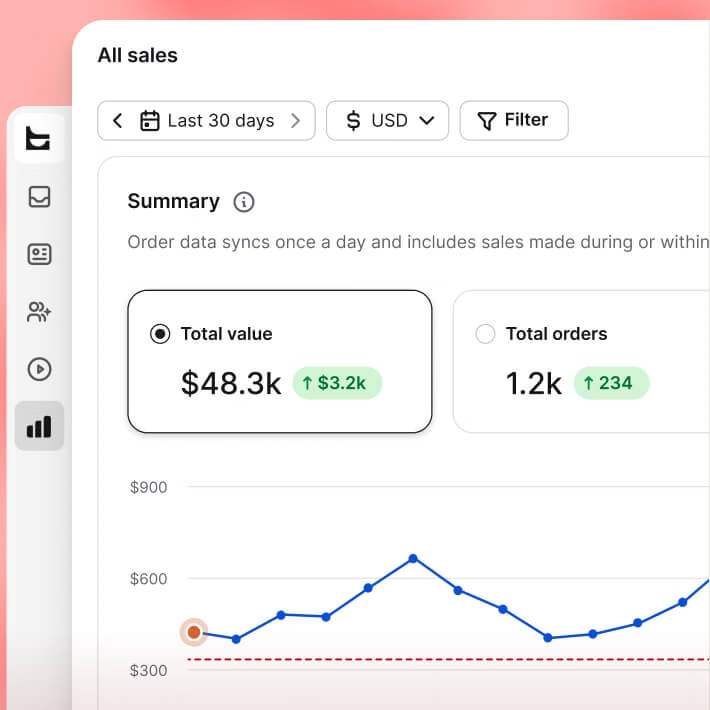
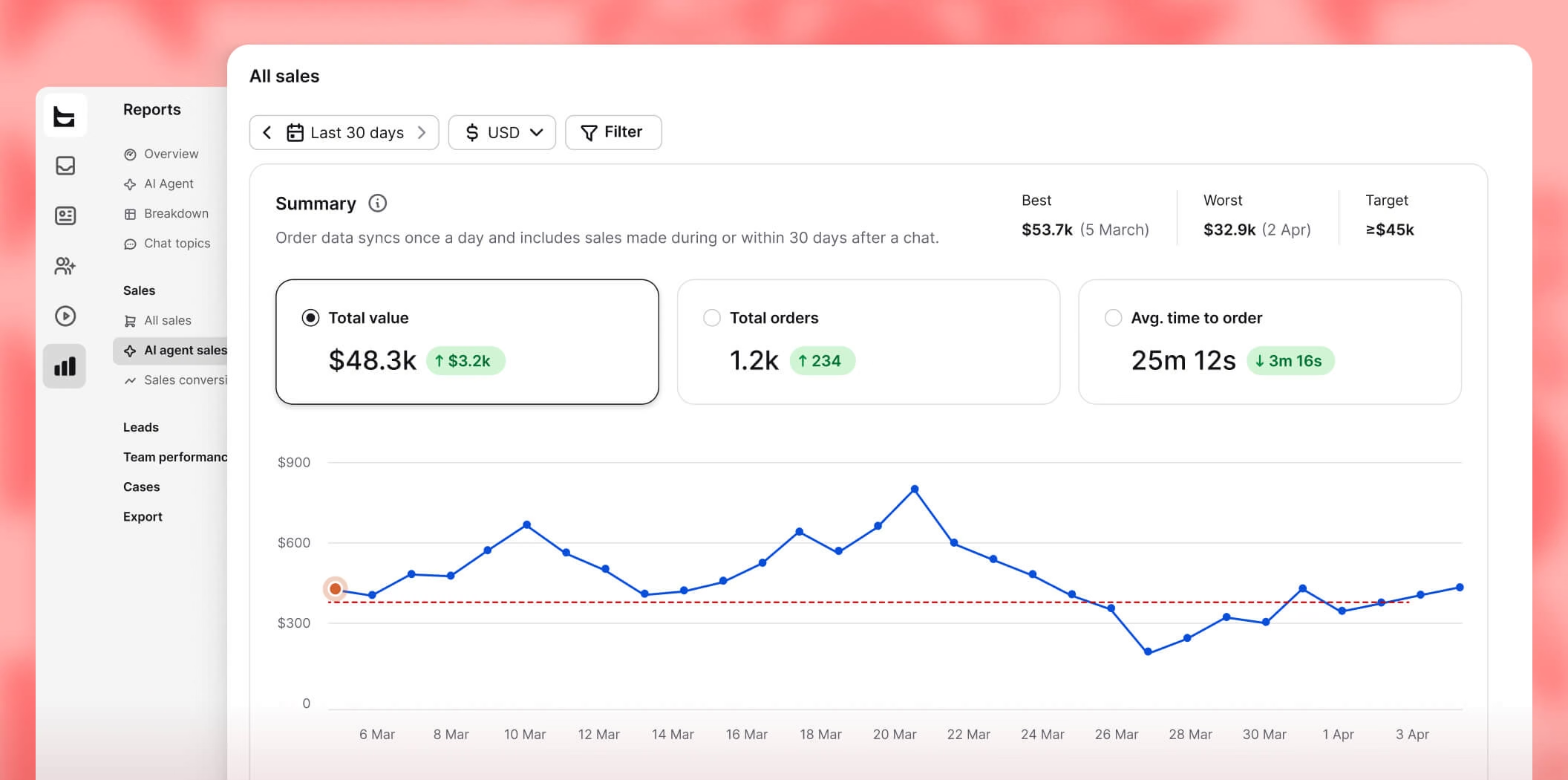
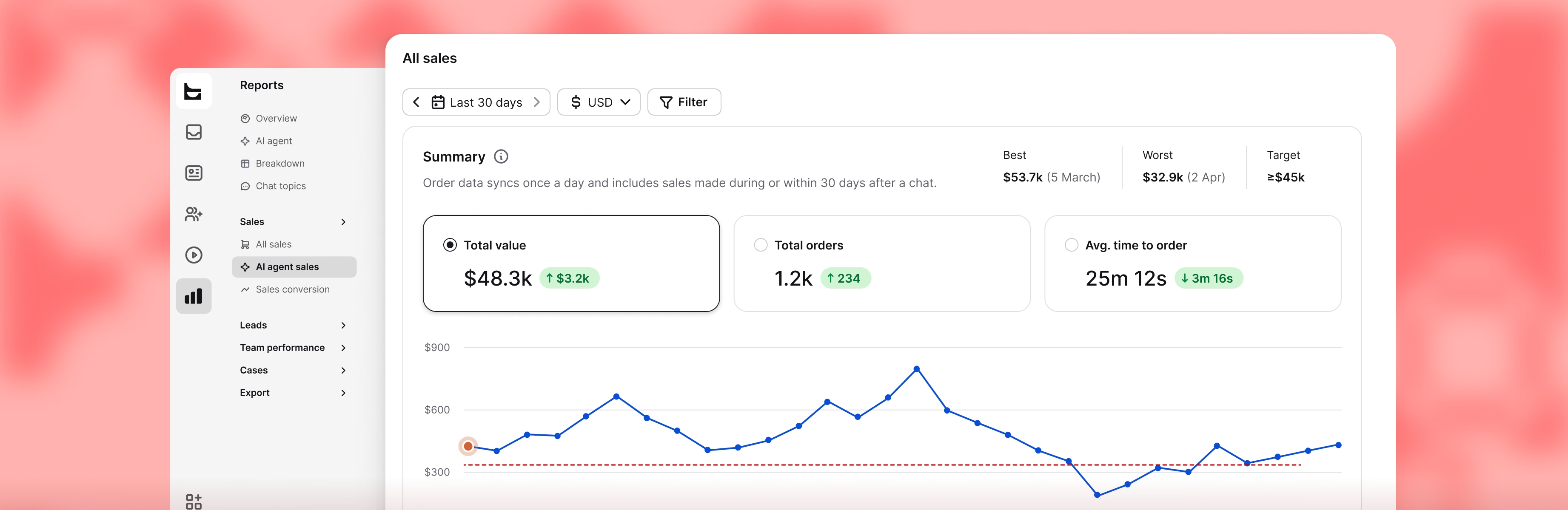
Every order ties back to the chat that drove it, so you see which conversations make money.
Create your free account
Takes a minute. No card and no commitment to start.
Add Text to Shopify
Install it yourself from the Shopify App Store, same as any Shopify app.
Start selling
Text pulls your catalog, so the AI sells right away.

Extremely well made application for customer service & sales with nice price point.
Reliable, Intuitive, and Great Value
“Excellent value for money — a robust set of features without breaking the budget. Ticket management keeps everything organized so nothing slips through the cracks.”
Great solutions with strong potential
“Strong long-term value from Text's AI chatbot tools for ecommerce. You can test your AI bot settings on the fly and tailor it to your site or specific scenarios.”
The Ultimate Engine for High-Volume Client Support
“The message automation feature allowed our team to stay organized and ensure no lead fell through the cracks. It feels purpose-built for high-volume communication.”
Support team now contributes to sales
“Text changed how we think about support. The AI recommends products, spots upsell moments, and converts them without anyone on our team lifting a finger.”
Text App is great!
“You can see what the customer's typing before they hit send, so you can better anticipate what they need and get a solution faster.”
Great experience with Text
“So many apps are available in one place, and it’s so easy to use. When a customer is chatting with us, we can see what they’re typing and start forming a reply before they hit send.”
It does, and you don't have to take our word for it. Among Shopify stores using the Text AI agent today, visitors who engage in chat place orders at 266% higher rates than visitors who only browse. Chat reaches shoppers who were already close to buying and clears the one question holding them back.
Ecommerce reports tie every chat to the revenue it earned, split by human agent, AI agent, and assisted, so you can measure it on your own store instead of trusting a benchmark.
A chatbot follows a script: you build the flows, and it answers what you saw coming. An AI agent works from your live Shopify data instead. It reads your catalog, cart contents, and order history, and it can actually do things, like recovering a cart or routing a conversation to the right person.
Both live in the same chat widget, so the difference shows up the moment a shopper asks something you never scripted for. We dig into this in chatbots vs conversational AI.
Yes. Because the agent is connected to your live store data, it handles "where is my order" without pulling in a human, along with shipping times and product availability. It builds its knowledge from your website, help center, and product catalog, and when a case genuinely needs a person, it hands the conversation over with full context.
Yes. In-chat cart recovery shows returning visitors the cart they left behind, right there in the chat window, so you win them back in the conversation instead of in an email they'll probably never open. Shoppers can pick a size, pick a color, and add to cart without ever leaving the chat.
Yes. Custom skills let it act, not just reply. It can qualify a lead, recover a cart, or route a conversation based on what it reads in the exchange. It spots buying intent from the conversation and acts on it, instead of waiting to be asked.
Your agents see the visitor's live cart, their past orders, and their lifetime spend right in the Text dashboard, no switching to Shopify admin. You're also notified when items are added, removed, or ordered mid-conversation, so you can step in while a shopper's still deciding.
Order details stay pinned to the conversation, so whoever picks it up later has the full history. More on how this plays out across ecommerce customer service.
On every plan, it works across your storefront and Thank You page. For the checkout page itself, you'll need Shopify Plus, since Shopify only allows checkout customization on Plus stores. That's a platform restriction, not a Text one.
Website chat, SMS, Messenger, WhatsApp, and email all land in a single omnichannel inbox with shared conversation history. It also connects to HubSpot, Mailchimp, and Twilio SMS.
So a customer who starts on WhatsApp and follows up by email stays one conversation, not two tickets.
Find Text in the Shopify App Store, install it, and connect your store. Three steps, no code, no theme editing. The app is reviewed by Shopify and listed in the Chat category, so you install it straight from your admin without ever leaving Shopify. See Text on the Shopify App Store.
Once the connection shows as active, your catalog and order data start flowing into conversations and the widget goes live on your storefront. Here's the full walkthrough: connecting the website widget using Shopify.
Text asks for access to customer data (name, email, phone, address), device and activity data (IP, browser, browsing behavior), your products and collections, your order history, web pixels, Online Store script tags, and your store's legal policies.
Each one maps to a feature: order history powers order-status answers, products let the agent recommend from live inventory, and script tags place the widget on your storefront. The details live in our privacy policy, and there's a separate guide on preparing your widget for GDPR.
There's no free tier, but every plan comes with a 14-day free trial and no credit card to start. Paid plans begin at $25/month on the Shopify App Store, billed in USD every 30 days through Shopify, so they show up right alongside your other app charges. Sign up directly and annual billing works out cheaper. See the full plan comparison on our pricing page.
Connecting Shopify costs nothing extra. The integration is part of every plan, never a paid add-on.