
Tomasz Ziętek
Content Creator
Experienced content and SEO specialist working with SaaS businesses since 2016. After hours, he's cycling, cooking, traveling, or digging through record crates.
A customer asks a question your AI Agent can't answer, and the chat lands in your team's queue. The new Performance tab shows your AI Agent's key metrics right next to its knowledge gaps. Gaps are ranked by how often customers ask, so the most common question sits at the top.
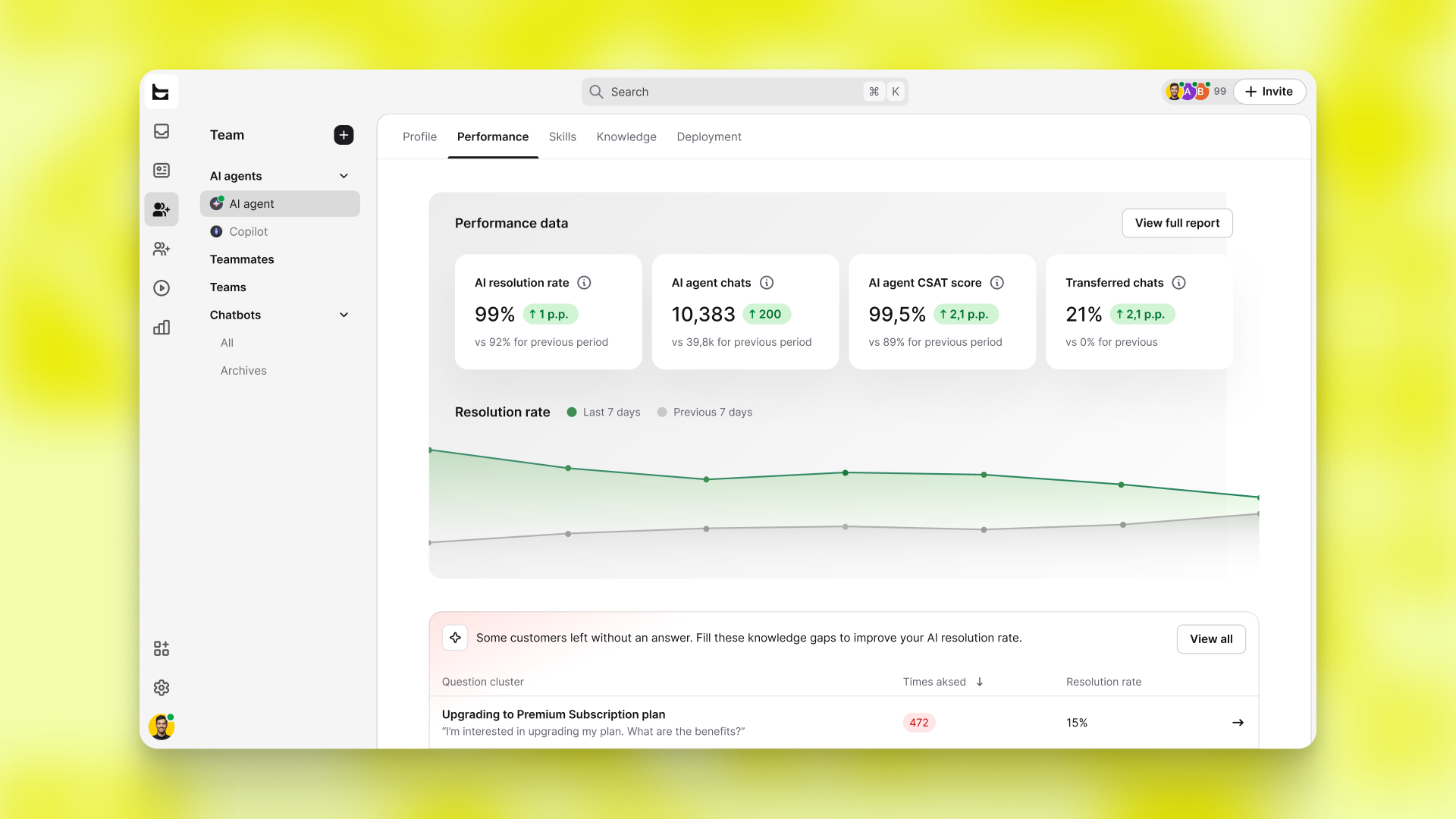
Why closing a gap pays off
Every gap you close is a question your AI Agent handles on its own next time. One answer covers every future conversation on that topic, so your agent keeps getting sharper on what customers actually ask.
Working through the gaps
Open the Needs answer tab to see questions waiting on a reply, alongside Answered and Skipped. Click into any question to read the real chats behind it, in your customers' own words. Admins write the answers, and everyone on your license can see what the agent is learning.
Available now
Live now in Text App, under your AI Agent's Performance tab in the Team section.