
Now, product cards appear right in the Preview widget, so you can test the shopping experience your customers will get, before it's the one they're getting. That means, you can plan your customer journey from scratch.
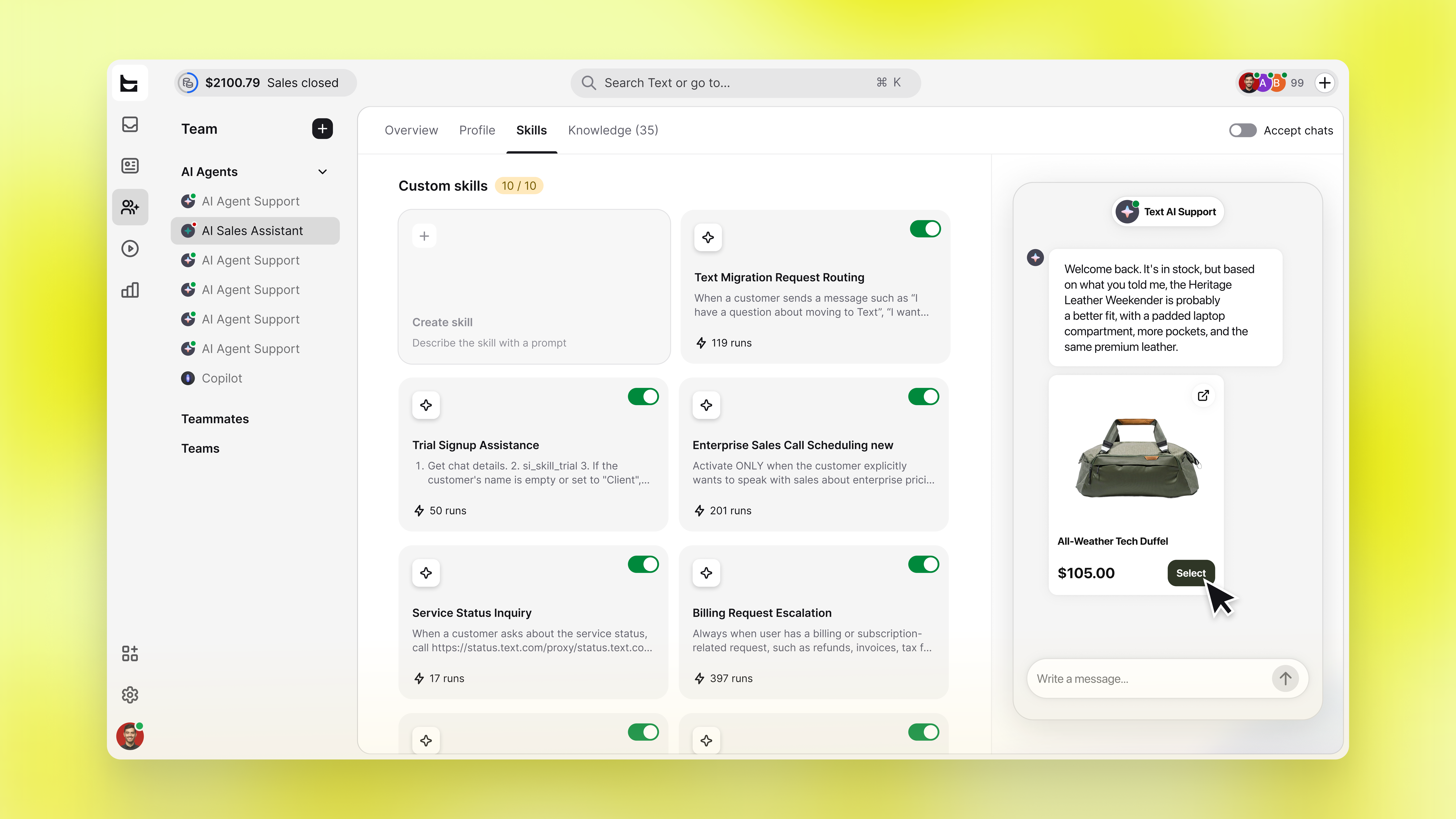
The whole purchase flow, right in setup
Ask a question the way a customer would, and watch it play out:
The AI Agent responds and shows a product card
You pick a variant
You add the product to the cart, all inside the preview
Nothing here requires going live first.
Built for testing before you commit
Walk through a real buying scenario, and you'll catch the gaps in your product data that only show up at the point of sale, like a variant the AI Agent can't resolve.
Where the preview stops short
Some skills remain inactive in preview, ticket creation, and transfers, so a test conversation won't open real tickets or pull in a teammate. The widget still marks the moment a skill would have fired, so you can see where the flow would have branched.
Available now
Find the Preview widget under Team, alongside your AI Agent's settings. Live now for every account.