
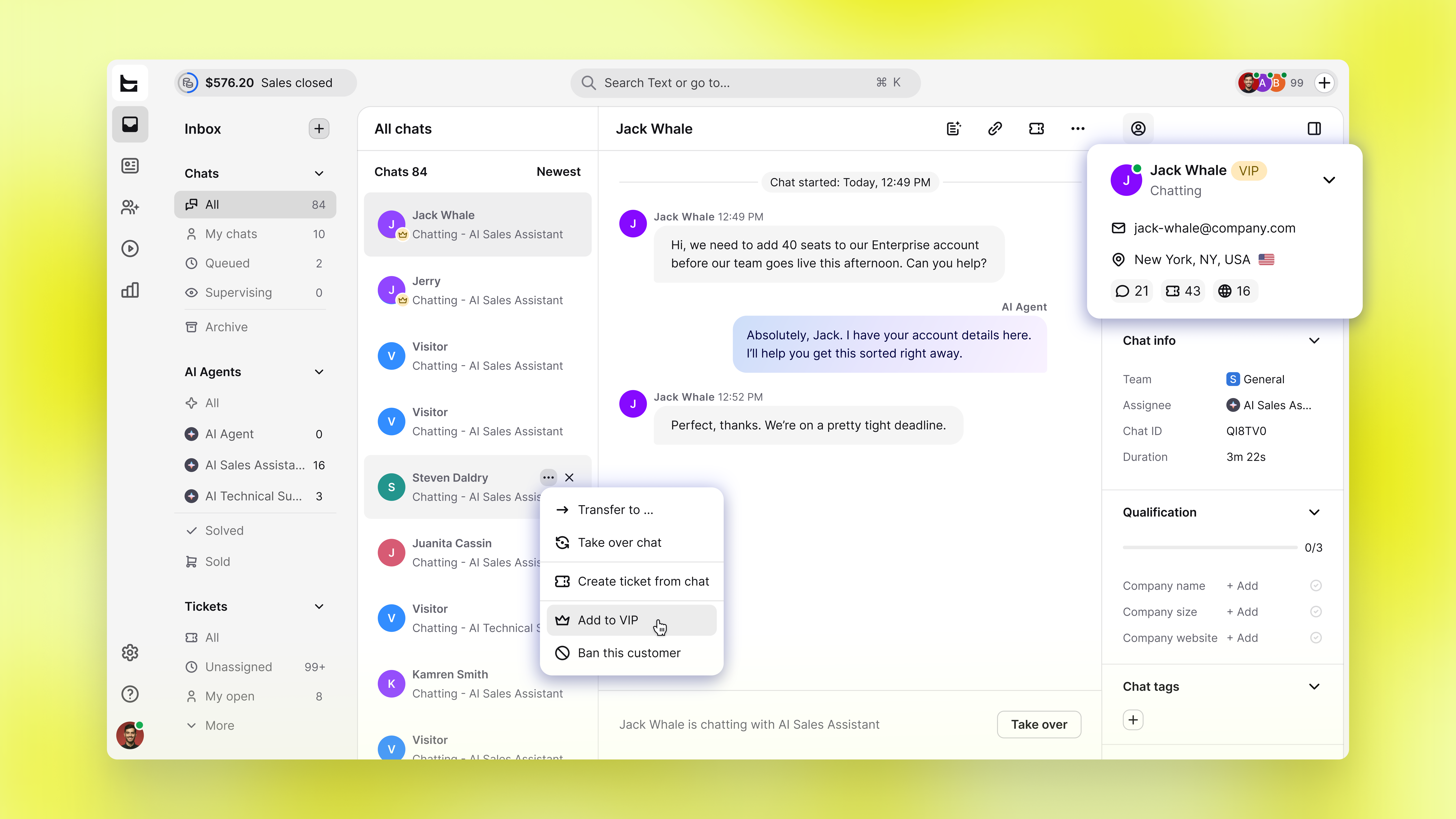
Now, marking a customer as VIP puts their chats at the front of the queue and tells everyone on your team who they're talking to.
The list tells your team who can't wait
A teammate who opens the Chats at the beginning of a shift may not be aware of which of the thirty waiting conversations belongs to your biggest account. However, a VIP chat is always prioritized at the top of whatever sorting option you have enabled. It retains this position even when the chat becomes idle, ensuring that the customer you can’t afford to keep waiting is the first one they see and open.
Context before they read a word
VIP information is linked to the customer record, allowing it to follow them across chat, email, and tickets. This way, whoever picks up the conversation is aware of the customer’s details without needing to check their order history first.
Available now
Add a customer as a VIP from the customer card, the three dots on a chat or ticket row, or the conversation header. Live now for every account.