September 1, 2026
Mark a customer VIP, and their chats come first
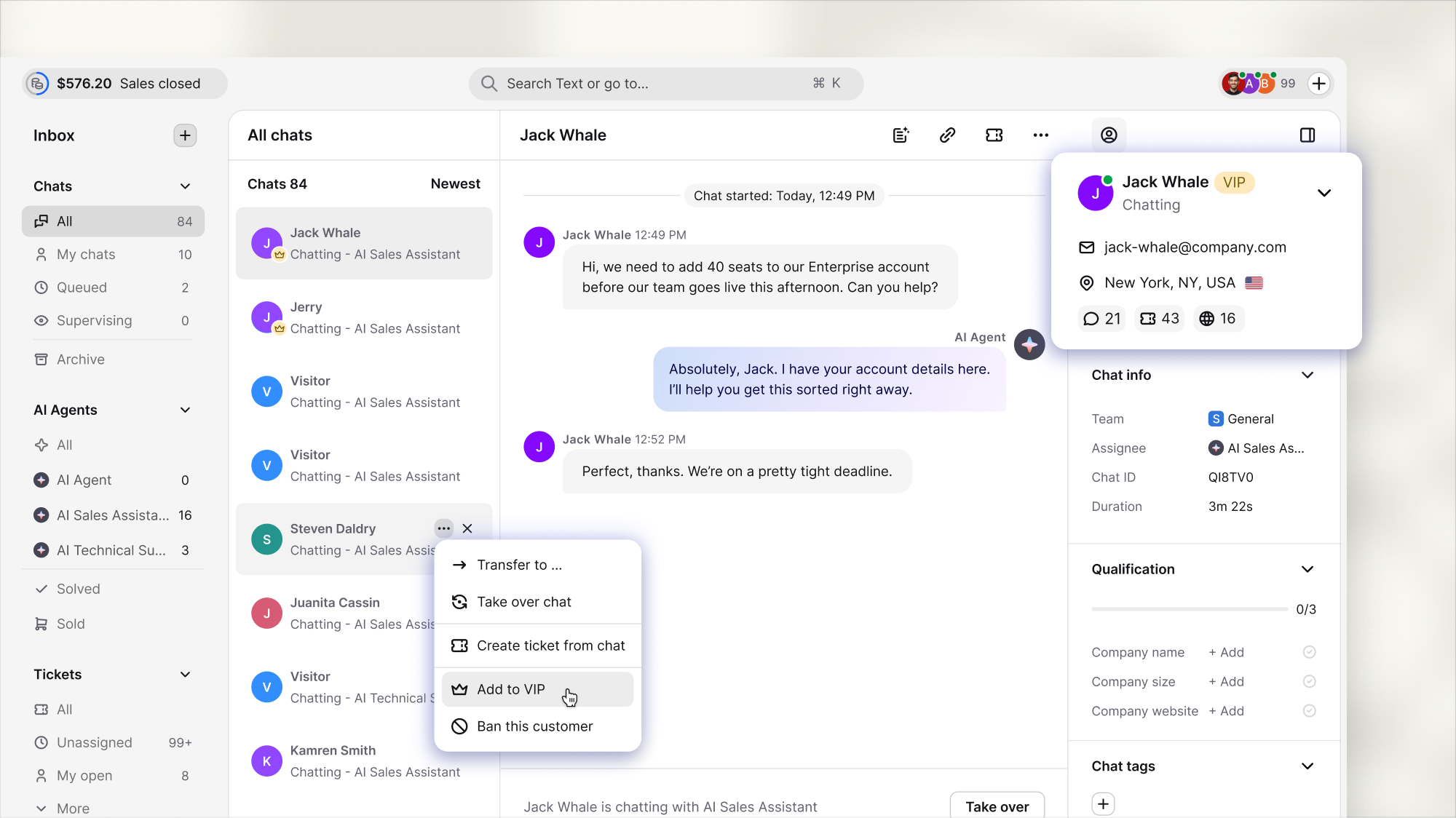
VIP chats stay at the top of Chats, so your teammates can spot priority conversations without searching through the list.
Chats from customers marked as VIP now stay at the top of the Chats list, regardless of your sorting option.
The list tells your team who can't wait
At the start of a shift, your teammate may have 30 conversations waiting. Mark a customer as VIP, and their chat stays above the rest, even if the name means nothing to the person who picks it up. The chat keeps its position when it goes idle, so a pause doesn't push it down the list.
The status lives on the customer profile
VIP status belongs to the customer, not to a single conversation, so it follows them across chat, email, and tickets. Whoever picks up the next conversation already knows this one is a priority.
Available now
Mark a customer as VIP from the customer card, the three-dot menu on a chat or ticket row, or the conversation header.
Live now for every account.