October 12, 2026
See which leads are worth your time
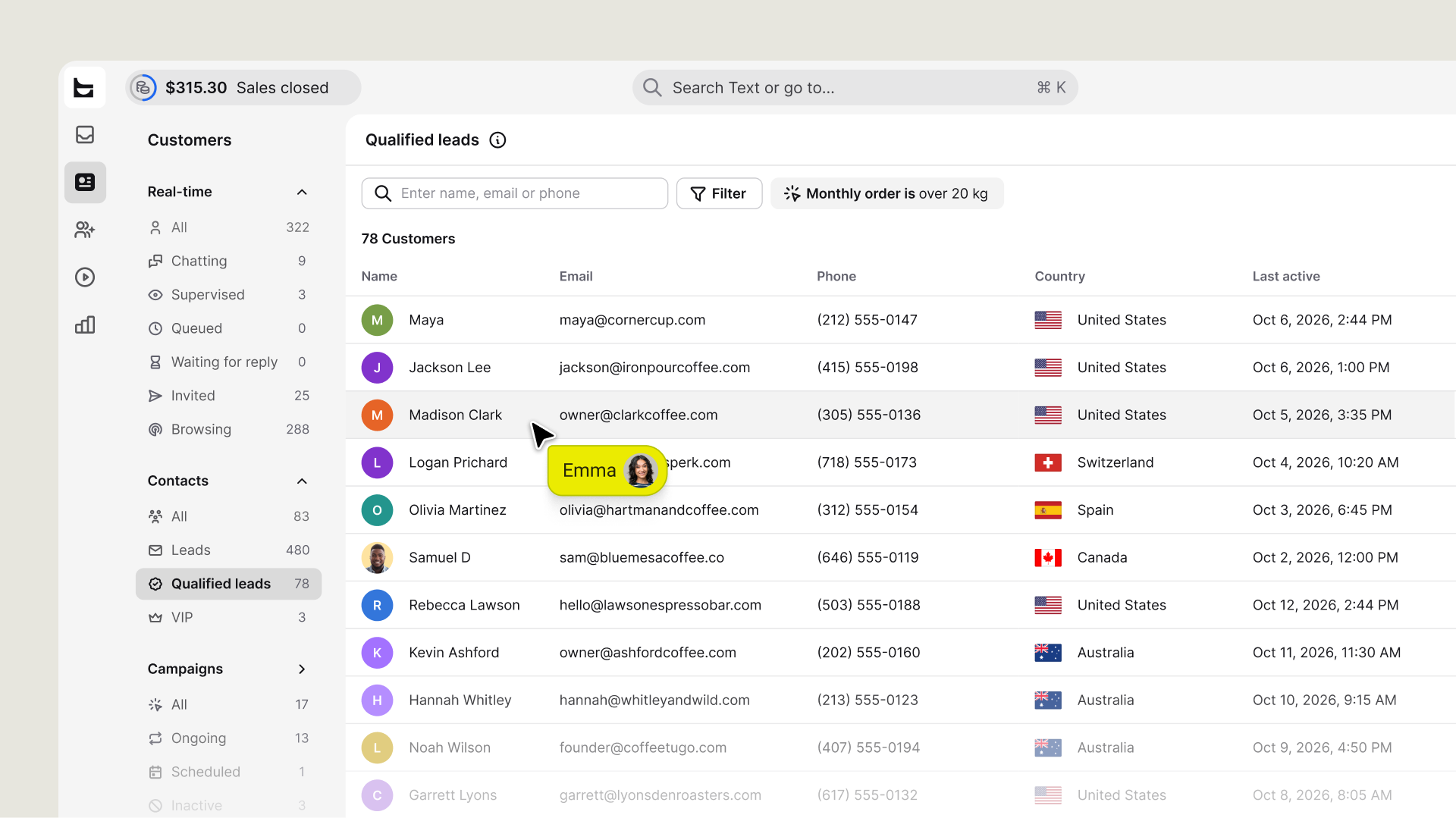
Qualified leads now have their own segment in the Customer List, so you can find the ones worth a follow-up without opening profiles.
Now, Qualified leads have their own segment in the Customer List, so you can see which leads are worth a follow-up without opening profiles one by one.
Every qualified lead lands in one place
Until now, you could only see qualification on each customer’s card. Now every lead that meets your qualification criteria lands in Qualified leads automatically, and you can filter the list like any other. For example, you can narrow it by country or by one of your customer fields, such as average order value.
Start qualifying from the Leads segment
If you haven’t set up qualification yet, you’ll see a banner on the Leads segment. Select Add qualification field to go straight to your customer fields and start qualifying. Suggested fields add with one click on the Qualification and Customer context cards, so you don’t have to build one from scratch.
Available now
Find Qualified leads in Customers > Contacts.