November 5, 2026
Contact customers in one tap on mobile
Call, text, email or WhatsApp a lead straight from their profile or chat. Customer contact shortcuts are now on iOS and Android, so you can reach anyone in one tap.
Mobile is built for quick lead contact: you can call or text a customer straight from your phone, that’s why customer profiles now include contact shortcuts, so you can reach a lead in one tap.
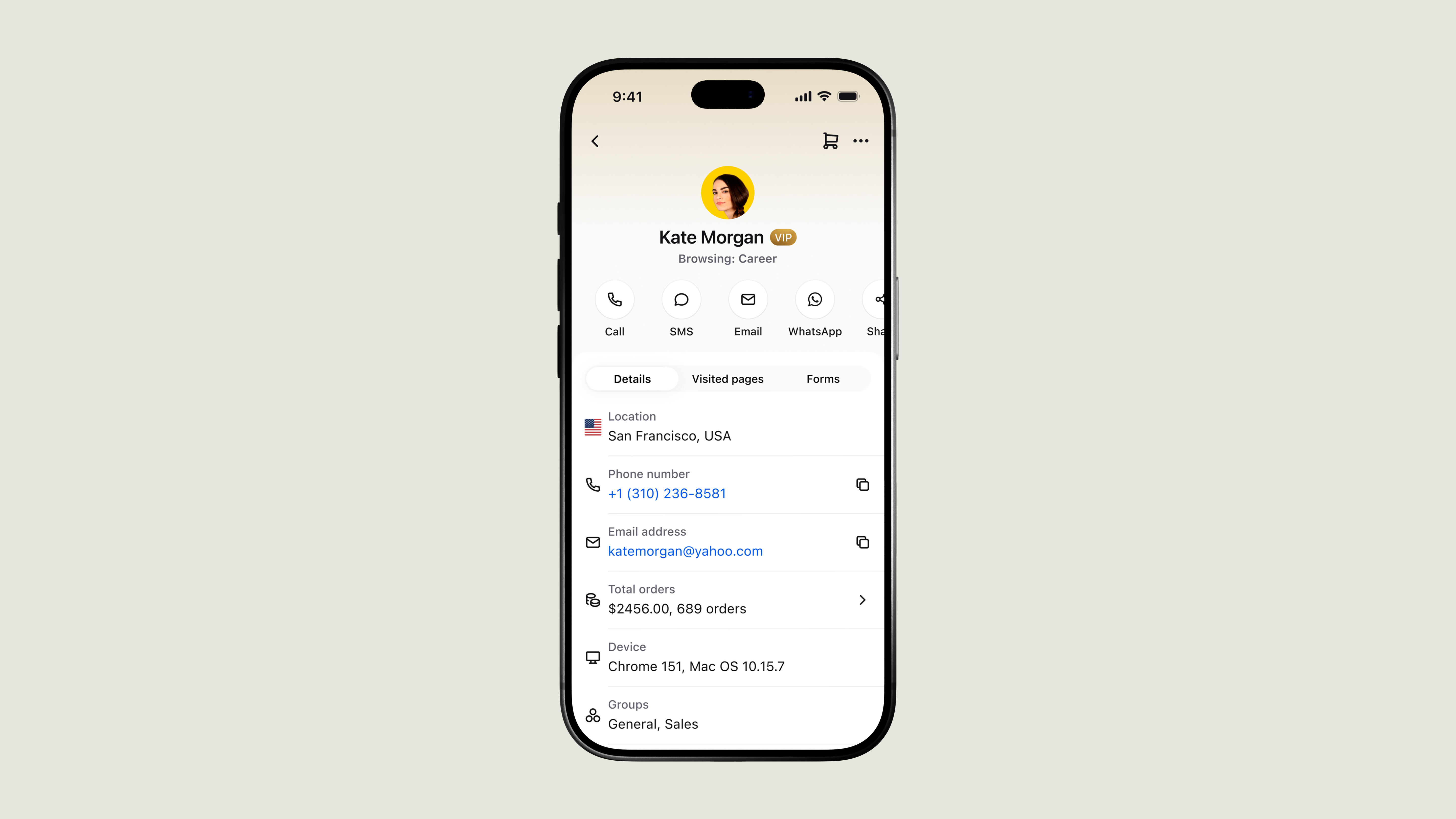
Contact customers from their profile
Open a profile and use the shortcuts under the customer’s name:
Call to phone them.
SMS to send a text.
Email to write to them.
WhatsApp to message them on WhatsApp.
Share to send their contact card to a teammate.
Shortcuts appear once the customer has a phone number or email saved.
Contact customers from the chat
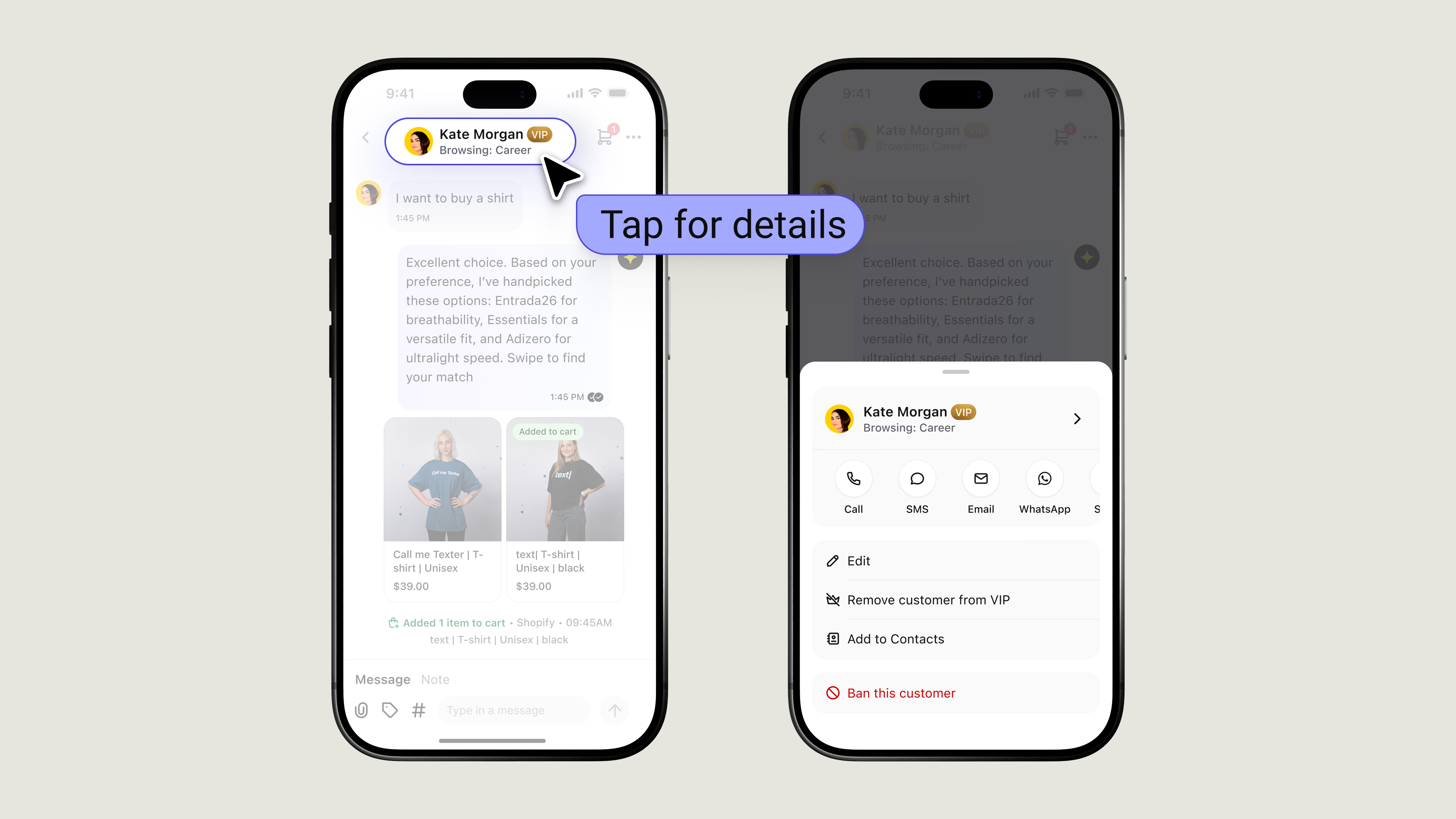
You don’t need to open the profile first. In a chat thread, tap the customer header to see the same contact options right where you’re talking to them.
Chat actions have moved to the ··· icon.
Add contact details
Open a customer’s profile, tap on + icon or select Edit, and add a phone number or email. The shortcuts appear once you save.
Contact from the profile
Use the shortcuts under the customer’s name to Call, send an SMS, write an Email, message on WhatsApp, or Share their contact card. Tap the copy icon next to a number or email to copy it.
Save and import contacts
Select Add to Contacts to save a customer to your phone’s contact book. To bring in people you already have in your Contact book, tap Edit, then Import contact.
Available now on iOS and Android.