August 31, 2026
Track more without losing your best leads
Customer fields now come in two categories, so a profile tells you both how strong the lead is and what the customer has already said.
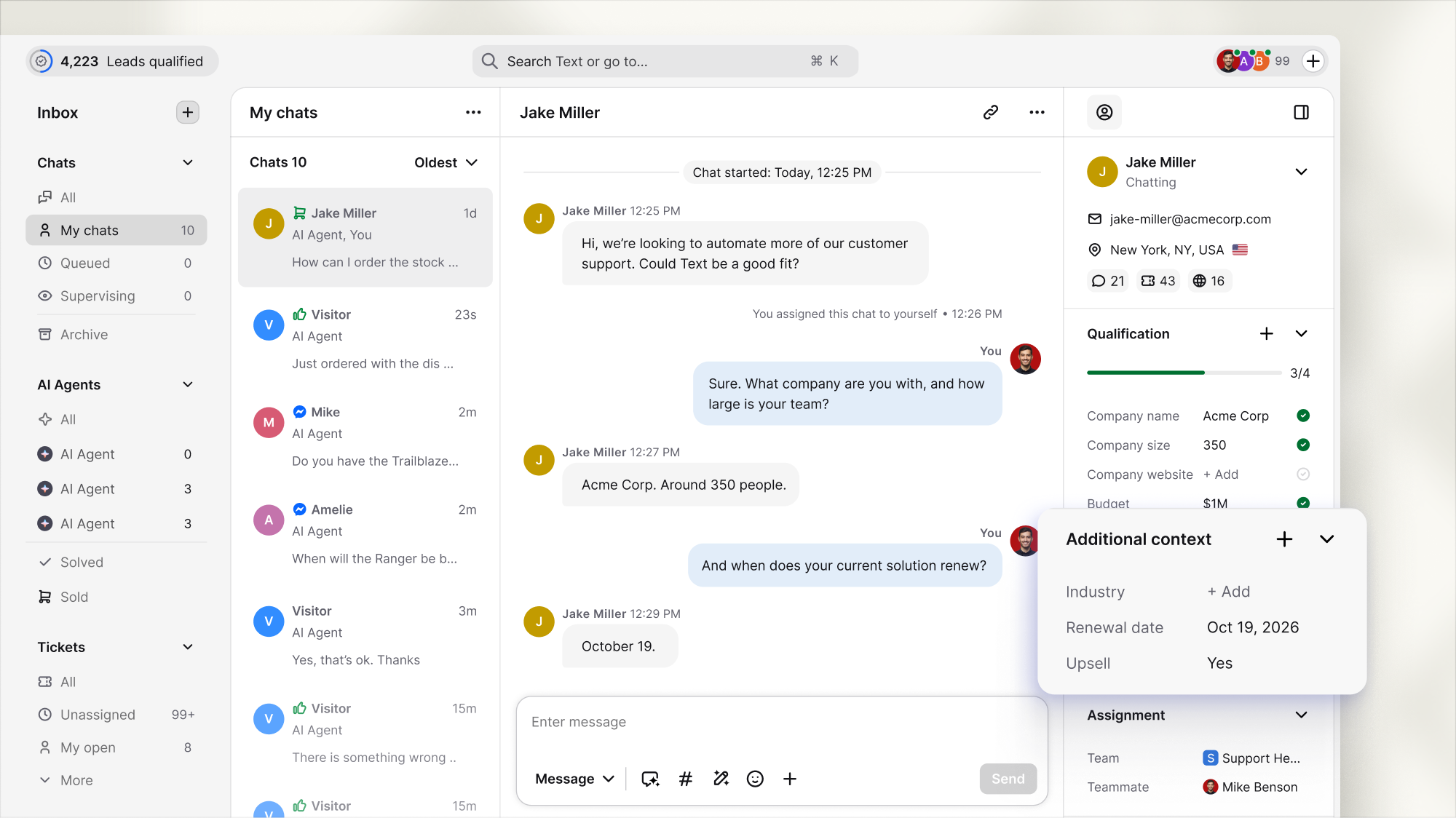
Each customer field now has a category: Qualification fields enhance the profile score, while Additional context includes the rest of the customer's information.
Pick up where the last conversation ended
A lead has mentioned that their contract will renew in three weeks and that any purchase they make must be compatible with their CRM. This information is noted as additional context.
Both individuals are waiting for the profile to be returned. Therefore, the follow-up should begin with what the customer said instead of asking them to repeat it. And this is why you need Additional context.
Trust the score enough to act on it
The Qualification progress bar counts only qualification fields. When it reads "complete," you can hand that lead to whoever closes, or work down a list of qualified leads, and know that "the score" means the same thing on every profile.
Available now
Set Field category when you create a customer field under Settings → Customers → Customer fields, or add one straight from either section on a customer profile.
Live now for every account, for all plans.