August 17, 2026
Check who you're chatting with, without leaving the list
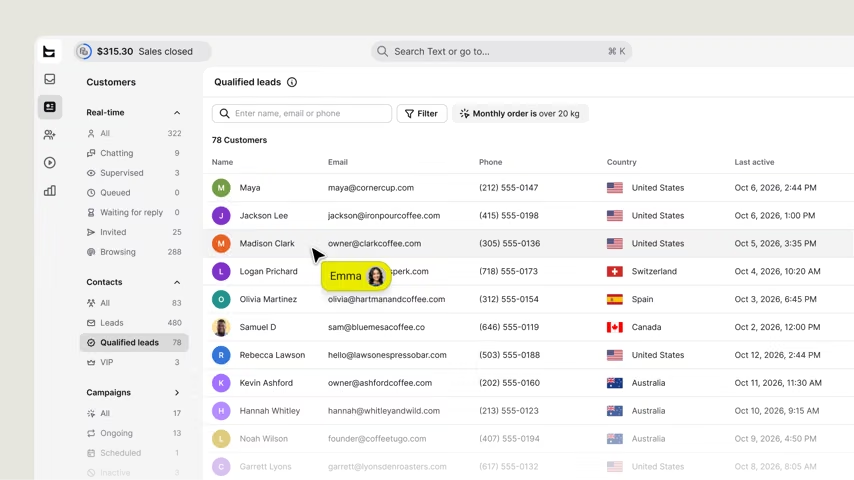
Now, a customer card opens on hover anywhere in the Inbox lists, so checking who's waiting doesn’t mean opening a chat you weren't ready to answer.
Now, a customer card opens on hover anywhere in the Inbox lists, so checking who's waiting doesn’t mean opening a chat you weren't ready to answer.
Everything you'd open the profile for
The card carries:
Name and avatar, with a quick copy option
Status, like chatting or last seen
Email and phone number, also with a quick copy
A link straight to their full profile
Built for a queue you're working through
Imagine a scenario where you have ten pending chats, and one of them is from a customer who emailed yesterday. The customer card provides you with details about that email without opening each chat. This way, copying an address from the list requires only one click, rather than the extra effort of navigating through the customer's profile.
Available now
Hover over any customer name or avatar in the Inbox lists to see it. Live now for every account.