August 11, 2026
Scan past conversations at a glance
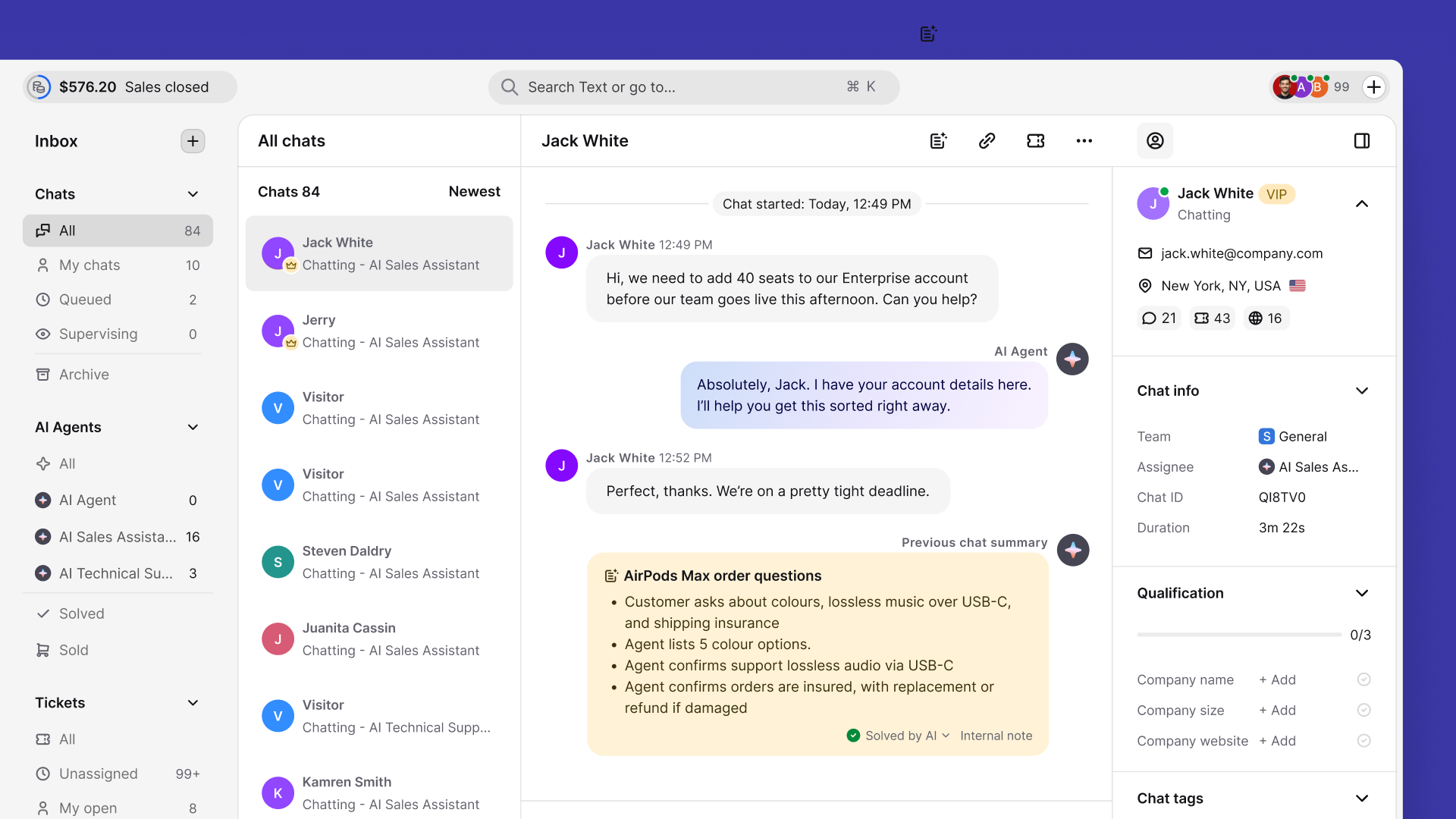
Each chat and ticket summary now opens with a two-to-three-word header, like “Order Delay Compensation,” so you can see what a conversation was about without reading it. You can also choose the language your summaries are written in.
Now, AI summary 3.0 adds a short header to chat and ticket summaries, and you can choose what language they’re written in.
Know what a conversation is about at a glance
Each summary now opens with a header of two to three words, such as “Health Check Inquiry” or “Order Delay Compensation”. Often the header alone tells you what the conversation was about, so you don’t need to read the summary. It comes with both manual and automatic summaries.
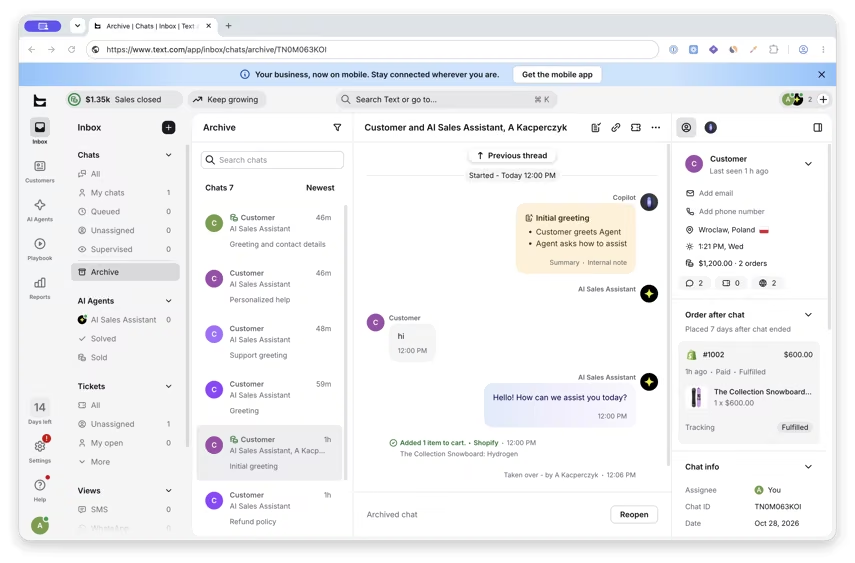
The header also appears in each row of the Archive list and in Recent conversations in the customer profile. That way you can scan a customer’s past conversations by their headers, hover over one to preview its summary, and open the chat when you need the details.
Summaries in the language you expect
Settings > Inbox > AI summary now has a language setting for all your chat and ticket summaries. Choose one of two options:
Auto detect language based on the agent language
Use one specific language for all summaries
With a specific language selected, you pick it from a list and summaries come out in that language every time. If auto detect gives you results you didn’t expect, switch to a specific language.
Chats and tickets now summarize the same way
Chat and ticket summaries now come from one improved prompt, so they’re consistent in the number of bullet points and the level of detail.
Available now
Find the language setting in Settings > Inbox > AI summary. Headers show wherever summaries appear, including the Archive list and Recent conversations, and everything works for both chats and tickets. Chat summaries and ticket summaries are available on Growth and Enterprise.