August 5, 2026
Spot your highest-value conversations without opening them
Inbox now shows each customer's cart value in the list, so the largest basket doesn't get left behind by a shipping question.
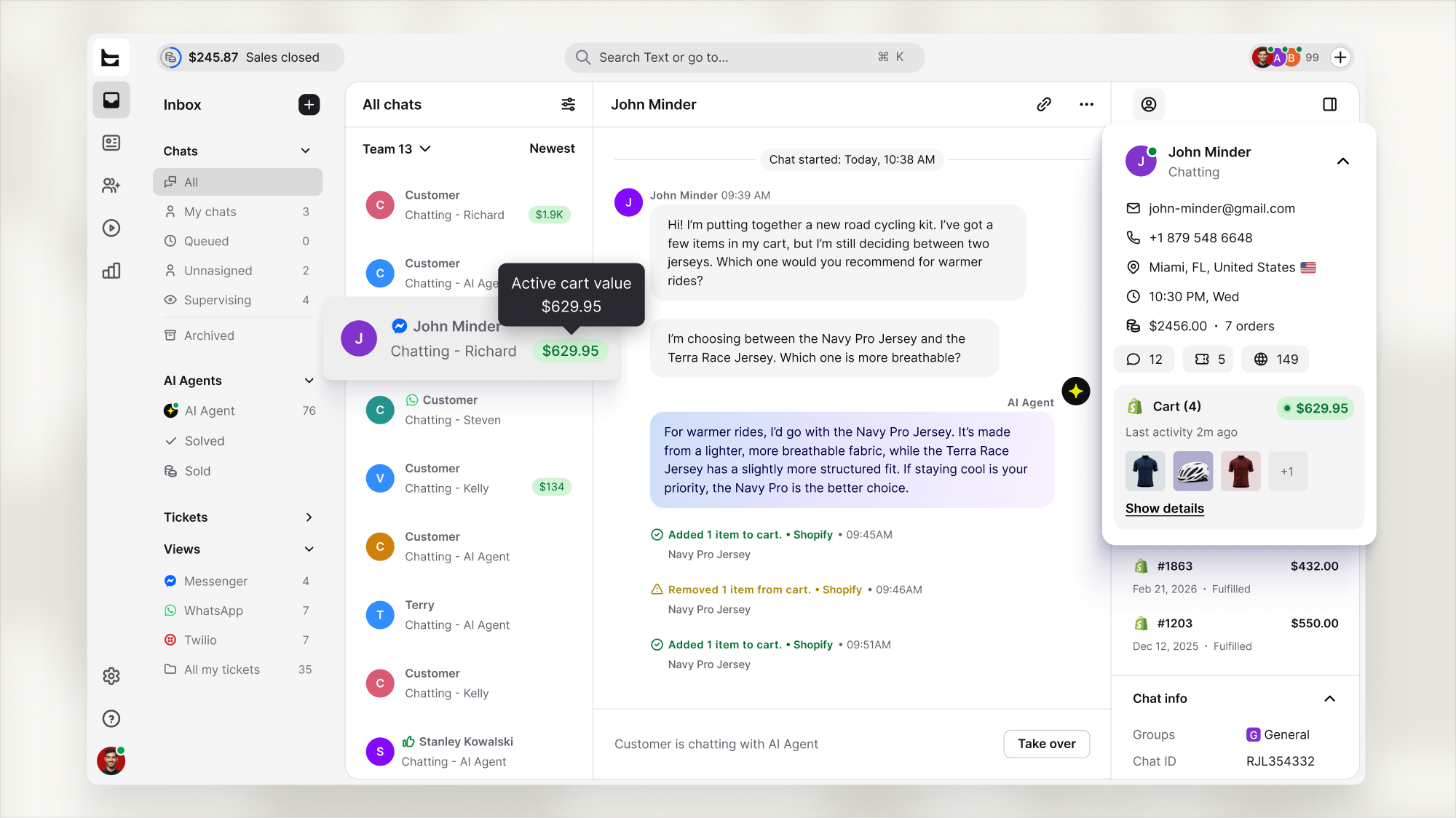
Inbox chat lists show an active cart badge with the cart value, right next to the conversation.
Visible no matter where the chat sits
The cart value shows up whether the customer is:
Chatting with the AI Agent
Waiting in the queue
Unassigned
Being supervised
You see it before you open a single chat, so high-value conversations don't get buried in the list.
 Closes the gap between views
Cart data used to live in the Customers section or the Details panel of an individual conversation. Now it's visible right where you scan your chat list, no extra clicks needed to spot who's actively shopping.
Available now
Active cart badges appear automatically in Inbox chat lists whenever a customer has at least one item in their cart. Live now for every account.