May 12, 2026
Spotlight now searches everything at once
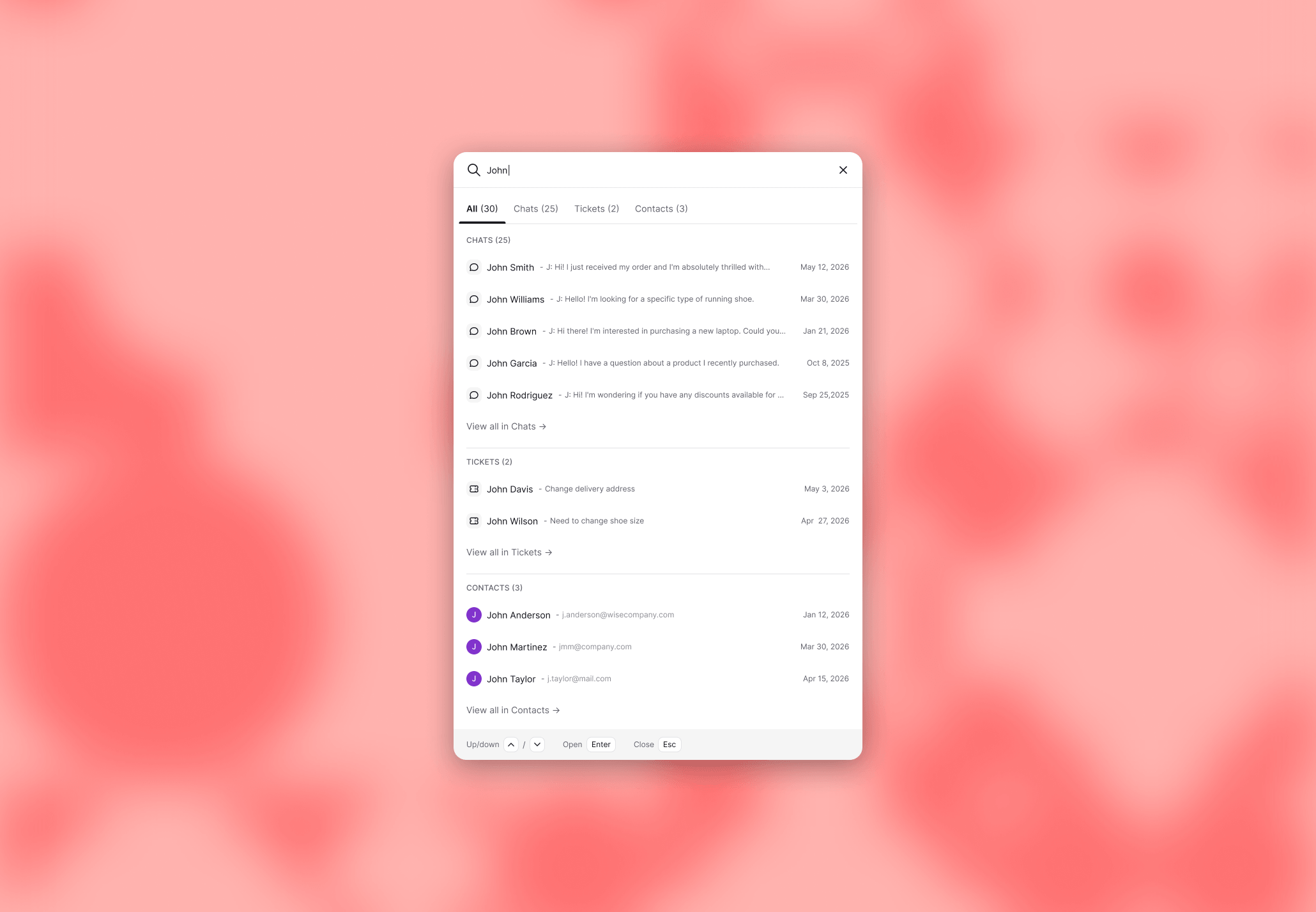
Search across chats, tickets, and contacts in one go. No scope picker, no retyping. Tabs filter the results after the fact.
Spotlight stopped asking you to pick a scope before typing. Search for a name, an order number, or any keyword, and results from chats, tickets, and contacts come back together. Tabs at the top of the results let you filter to a category without retyping your query.
Type once, see everything
Three things shipped:
Search runs across chats, tickets, and contacts at the same time.
Result tabs let you jump between categories after you've typed.
The "go to" shortcut is now more visible in the placeholder. Type
go toand you get direct links to every major section and inbox view.
Not in this release, but coming later: recent searches, an expandable modal on scroll, and a top results section.
The cost of the scope picker
The old flow asked you to know where to look before you started looking. If you weren't sure whether the thing you needed was a chat, a ticket, or a contact, you had to search twice. Or three times.
For agents handling 50+ conversations a day, those seconds add up. Less time navigating the product means more time inside the conversation, where the work actually happens.
Faster search keeps the signal hot
Search isn't a revenue feature on its own. But every conversation where the agent has to dig for context is a conversation where the buying signal cools off. Returning customers, repeat orders, prior tickets, abandoned carts: these are the threads that turn a routine reply into a sale. Faster access to that history keeps the agent in the moment when it matters.