
Jacquelyn Dunham
Content Marketing Specialist
Jacquelyn is a content marketing author with over 7 years of experience creating engaging and compelling content for various industries.
TL;DR: The best live chat for Shopify is the one that can see your store: order history, live cart, real inventory. If the live chat app is blind to all of it, you've bought a faster way to say "let me check on that." The five Shopify live chat apps below solve that differently. First, a Sunday night and a pair of boots.
Half eleven on a Sunday, and I wanted to know whether the football boots I'd ordered on Thursday had shipped. The Shopify store had a chat widget, so I asked it.
It replied in under a second, which seemed impressive. And then it didn't, because the AI behind the chat hadn't understood the question. I gave it my order number. It sent me the shipping policy. I gave it the number again. It offered to track my order, then asked for my order number.
The live chat widget was fast, it matched the look and feel of the brand. It could not see a thing, though. It didn't know who I was, what I'd bought, or that the answer sat in the Shopify admin two clicks away.
That's the whole problem with choosing a live chat app for Shopify. Check what it can see and if it can help your customers. Not if the color palette can reflect your brand.
What actually separates one Shopify chat app from another
Every live chat app in the Shopify app store puts a live chat widget on your Shopify store. The differences sit in three places:
How deep the Shopify integration goes. Many live chat apps read order history and stop. A few edit the order, refund it, or check live inventory without leaving the conversation. Fewer still pair visitor tracking with live cart contents, so you see what the shopper is holding while you type. Deep Shopify integration separates an agent who answers from one who fixes.
What the AI actually does. Every vendor ships an AI Agent now. The question is whether it acts on real customer data, pulling a live order or applying discount codes to give instant support, or just paraphrases your FAQ page and calls that relevant answers.
How you get billed. The paid plans across these chat apps run three meters: per seat, per conversation, per AI resolution, usually stacked. A $60 plan with per-ticket overage and dollar-a-pop AI resolutions is not a $60 plan.
The 5 best live chat apps for Shopify in 2026
1. Text: Best for turning chat into revenue
Text is what I'd install on a Shopify store that treats support as a sales channel. Its Shopify integration puts live carts, past orders and lifetime spend beside the conversation, and pings support agents the moment a customer adds or removes something mid-chat. That's the gap between a generic greeting and "I see you've swapped to the wide fit, want me to check stock?"
The AI Agent works from live store data rather than a scraped help center: instant answers from real inventory, order tracking in the chat window, abandoned cart recovery that shows returning website visitors the cart they left. Human agents and the AI Agent share a unified inbox, so escalation doesn't make anyone start over.
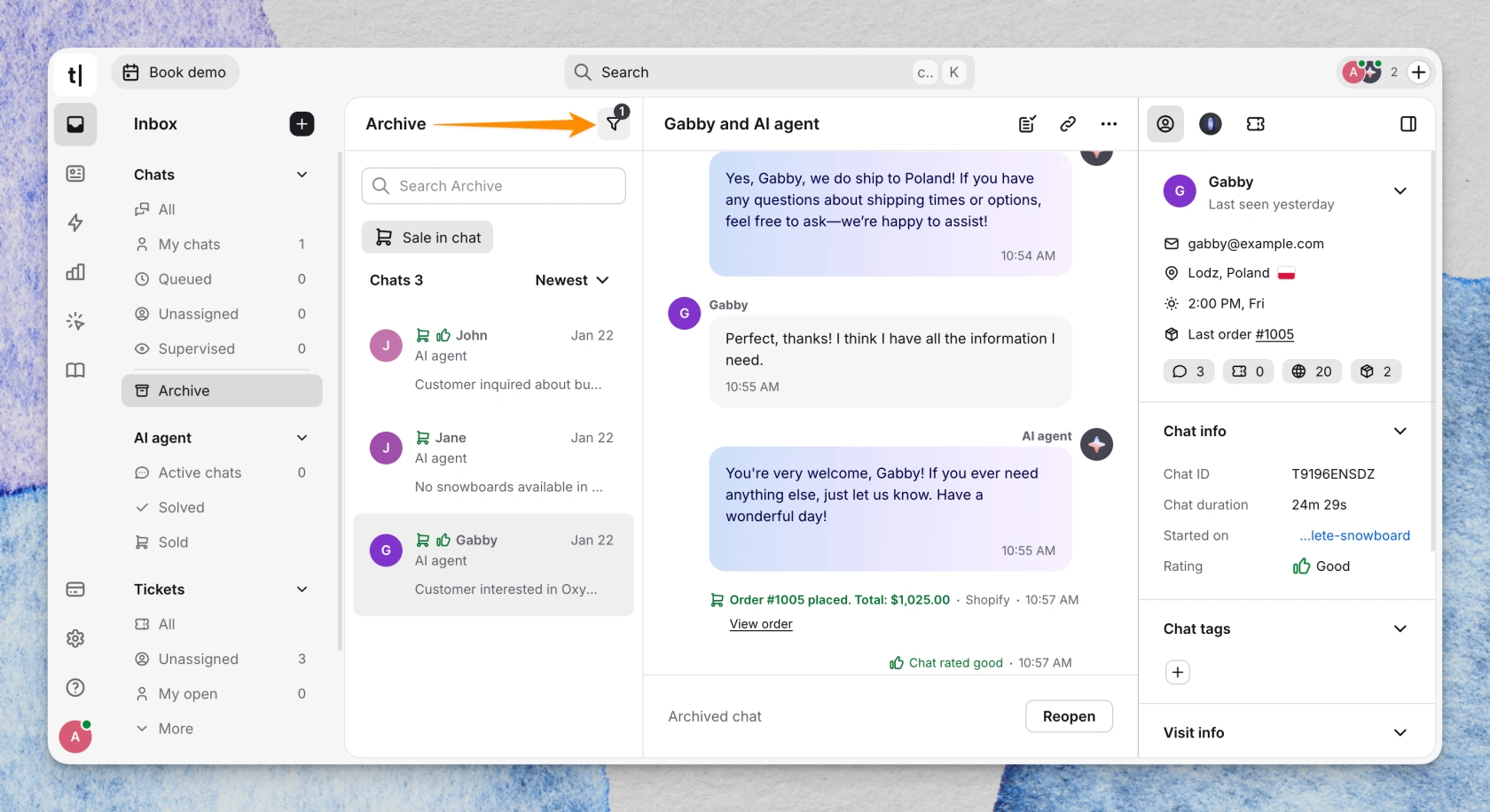 Pricing: $25 per user monthly for Essential, $99 for Growth. Growth adds unlimited chat history and customizable widgets. AI is metered per resolution, not per conversation: 10 on Essential, 200 on Growth. The Enterprise plan is available upon request as a custom offer.
Caveat: this live chat app launched in May 2026, no reviews yet. Text is also the company behind LiveChat—this app has been in the Shopify app store since 2017 and is rated 4.8, with 800+ Shopify storefronts running Text products.
2. Gorgias: Best Shopify integration for order actions
If your support team spends the day changing orders rather than answering questions, Gorgias is the best Shopify live chat option here. Support agents create, duplicate, edit, cancel and refund Shopify orders inside the ticket, apply discounts, and check live stock.
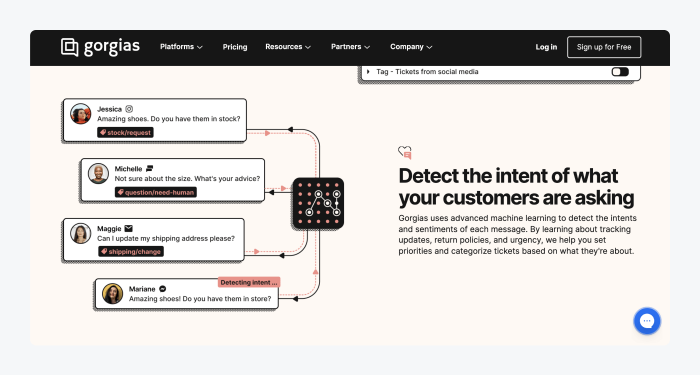 Pricing: $10, $60, $360 and $900 a month for 50, 300, 2,000 and 5,000 tickets, never per seat. AI automation adds $0.90 to $1.00 per resolved conversation.
Caveat: rated 4.2 across 613 reviews, 9% one star, almost all from Shopify store owners hit by AI overage bills nobody saw coming. One was charged $14,000 over their annual plan. Order editing skips archived orders and anything over 60 days old.
3. Shopify Inbox: Best free option for a new store
Shopify Inbox is free, it's already in your Shopify account, and setup takes minutes. It reads your catalog, inventory and policies, can answer questions about an order once the customer signs in, and drops recommended products into the cart. Messages from your Shopify store, Facebook Messenger and Instagram land in a single inbox, so your sales channels aren't separate queues.
Shopify's own number is the reason to care: 70% of Shopify Inbox conversations are with customers making a purchasing decision.
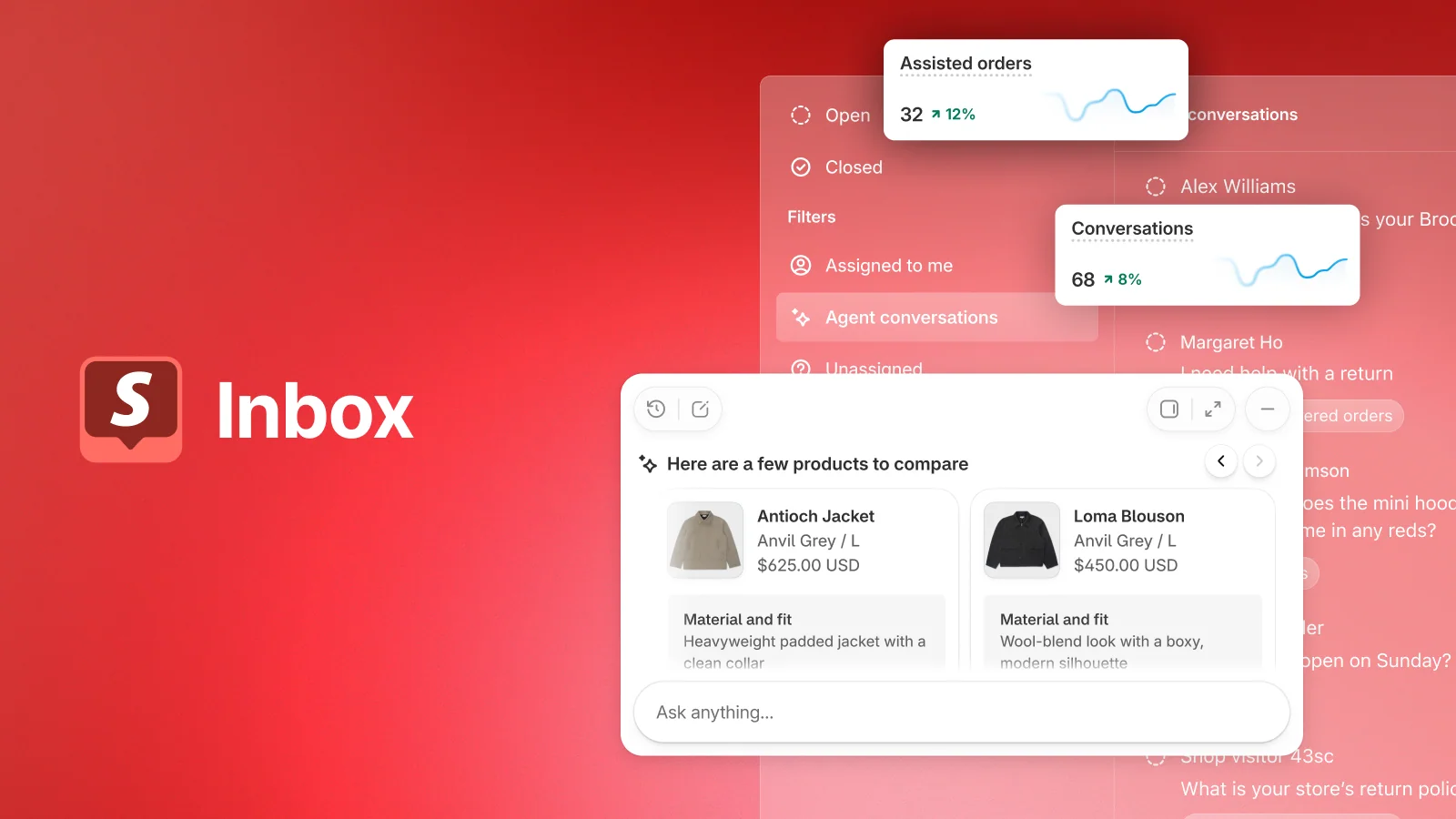 Pricing: free on any paid Shopify plan.
Caveat: you can't assign a chat, set roles or route a question, so two agents will trip over each other. Instant Answers is rule-based and built by hand. And 2026 reviews report AI suggested replies switching back on, which Shopify has acknowledged.
4. Tidio: Best free plan for a growing store
Tidio has the most generous free plan of the best live chat apps for Shopify: real-time chat for 50 users, a visual chatbot builder for basic automation features, ticketing, and a mobile app, free forever rather than 14 days. Support agents get a cart preview and customer data in the sidebar, and can cancel or refund orders from the chat widget. Lyro, its AI chatbot, resolves 67% of customer inquiries by Tidio's count.
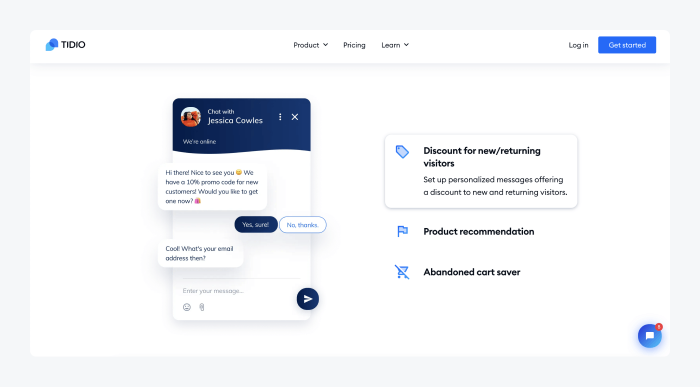 Pricing: free, then €29 a month for customer service or €39 for Lyro. Tidio's own site sells different paid plans under different names from €24.17.
Caveat: that mismatch is the commonest complaint in recent reviews, and it's fair. Cancellations and refunds need Growth, and Tidio auto-upgrades your tier at 95% usage, but never downgrades it.
5. Zendesk: Best advanced reporting for a bigger team
Zendesk earns its place when the team is big enough that reporting matters more than setup speed. It runs multichannel support across live chat, email, phone calls and social, processes refunds and cancellations from the Shopify sidebar, and its advanced reporting beats everything here: customer satisfaction, chat performance, agent workload.
Pricing: Suite Team at $55 per agent monthly on annual billing, Suite Professional at $115, Copilot another $50. No free plan.
Caveat: its Shopify live chat app is rated 3.5, with 29% one-star reviews, mostly about Zendesk's own support rather than the live chat software. AI billing changed in May 2026 to a dollar allowance that doesn't carry over, with overage on by default, and it's the most expensive way to run Shopify chat.
How the Shopify live chat tools compare
Key features of all five Shopify live chat apps, side by side.
App | Shopify App Store rating | Starts at | Free plan | Order actions | Live cart visible |
|---|---|---|---|---|---|
Text | New listing, no reviews | $25/user/mo | 14-day trial | Read orders, track in chat | Yes |
Gorgias | 4.2 (613) | $10/mo | 7-day trial | Create, edit, cancel, refund | Not documented |
Shopify Inbox | 4.6 (5,460) | Free | Yes | Order lookup only | Yes |
Tidio | 4.8 (~1,250) | Free | Yes | Cancel, refund on Growth | Yes |
Zendesk | 3.5 (77) | $55/agent/mo | 14-day trial | Refund, cancel | No |
So which live chat app should you install?
The best live chat solution depends on how many orders your online store ships and who's answering. For under 100 customer conversations a month, install Shopify Inbox and stop reading. If your agents live in the Shopify admin, editing orders, that's Gorgias, with a calendar reminder to check the AI meter.
If you want a live chat tool that sells rather than soothes, that's Text: the best Shopify live chat app for an ecommerce store where support is expected to increase sales rather than politely absorb routine queries.
One last thing about the boots
The store had my tracking number the whole time. It sat in the Shopify admin, and any of these Shopify live chat apps would have surfaced it in a second. Instead, I spent four minutes teaching a robot what an order number is.
I bought the boots elsewhere next time, not because they arrived late, but because asking a simple question was harder than it needed to be. That's the customer experience most stores still ship.
So that's the whole brief for live chat support on Shopify. Let the customer ask, and make sure the live chat app can see the answer.
Frequently asked questions
Does Shopify have built-in live chat?
Yes. Shopify Inbox is free and switches on in a few minutes. It reads your catalog and order data, but it can't assign or route conversations, so most stores outgrow it as soon as more than one person is answering.
Is there a genuinely free live chat app for Shopify?
Three. Shopify's own app is free outright, Tidio's free tier covers 50 conversations a month, and Crisp gives you two seats free forever. Everything else on this list is a 7 or 14-day trial, which is the distinction worth checking before you commit.
How do I add live chat to my Shopify store?
Install the app from the Shopify App Store, and it adds the widget to your theme for you. None of the apps here need you to paste code. After that, you set greetings, business hours, and pre-chat forms in the app's own dashboard.
Do I pay per agent or per conversation?
Both models exist, which is what makes the comparison hard. Text and Zendesk charge per seat. Gorgias charges per ticket with unlimited agents. Tidio charges per billable conversation. Then almost everyone measures the AI separately, per resolution, on top. Model the bill against next year's volume rather than this month's.
What happens to messages that arrive overnight?
Every app here supports offline messaging, turning an after-hours chat into an email or a ticket, so nothing gets dropped. AI automation goes further and answers order-status questions at 3am, which is where most overnight volume goes anyway.
Does live chat actually drive more sales?
Forrester found that visitors who use web chat are 2.8x more likely to convert than those who don't (Kate Leggett, 2018). Treat that as correlation rather than cause: people who open a chat were already closer to buying. The defensible version is that chat removes a reason to abandon, and proactive engagement on high-intent pages is where stores notice it first.
How do I tell whether it's working?
Watch first response time, resolution rate, and CSAT in the app, then push chat events into Google Analytics so you can see which conversations came before a purchase. Those customer insights are worth more than raw chat volume, which tells you nothing about whether anyone bought.
Keep learning
- Customer Service
Customer experience metrics: five stars and a cancellation
13 min read - Customer Service
AI in customer service: what it automates, breaks, and what customers actually want in 2026
19 min read - Customer Service
Text vs Gorgias: why e-commerce brands see the bill rise with automation
18 min read