
Tomasz Ziętek
Content Creator
Experienced content and SEO specialist working with SaaS businesses since 2016. After hours, he's cycling, cooking, traveling, or digging through record crates.
At 9:40 on a Sunday night I asked a record shop's chat widget whether a stylus would fit my turntable. The shop had a live chat plugin. What it didn't have was one that could see the WooCommerce cart I'd filled, so a bot sent me the shipping policy and I bought the part elsewhere. Live chat can increase sales by up to 40%, and customers say it's their preferred way to get support, ahead of email and phone calls. Shoppers are more likely to return to a site that offers live chat, and adding live chat to your WooCommerce website stops looking optional. The real question is which WooCommerce chat plugin can actually see your store data, instead of just chatting near it.
The problem is that "best live chat plugin" isn't a single answer. A live chat widget that's perfect for a two-person store selling candles is the wrong choice for a WooCommerce store processing hundreds of orders a day. Some plugins are a simple chat widget bolted onto WordPress. Others are full helpdesk platforms that combine live chat, ticketing, and automated messages in one interface — or a full livechat app with phone and social channels built in. Choosing the right WooCommerce live chat plugin means matching that range to your order volume. Budget alone won't tell you which one fits.
We compared six of the most popular live chat plugins for WooCommerce: what each one actually does well, what it costs, and how it plugs into your store. You can pick the one that fits your business instead of the one with the loudest marketing.
Why WooCommerce stores need live chat
Before the comparison, it's worth being specific about what a WooCommerce chat plugin actually changes for an online store:
It turns hesitation into sales. A visitor stuck on a fitment question or a shipping detail rarely emails about it. They close the tab, the way I did on the record shop's site. A live chat widget lets you answer before that happens, and proactive chat triggers can catch shoppers who are hesitating at checkout before they abandon their cart.
It reduces cart abandonment. Automated messages and real-time notifications mean a support agent (or an AI chatbot) can step in at the exact moment a customer stalls, which is a big reason live chat reduces cart abandonment rates significantly.
It builds trust. 63% of customers return to sites with live chat support, so a visible chat widget signals someone's actually watching the store.
AI has made "24/7" realistic for small teams. AI chatbots can handle simple questions around the clock and reduce workload by answering routine queries, escalating anything complex to a human agent instead of leaving the customer stuck.
What to look for in a WooCommerce live chat plugin
Not every WooCommerce live chat plugin is built the same, and the "best" one depends on what your store actually needs. When comparing different live chat plugins, look at:
WooCommerce integration depth — does the plugin just sit on the page, or can agents see cart contents, order history, and customer data inside the chat window?
Automation — can it send automated messages, trigger chat behavior based on visitor actions, or run an AI agent that gives quick answers without a human?
Omnichannel reach — does it connect Facebook Messenger, WhatsApp, or phone calls into the same inbox, or is it chat-only?
Pricing and free version — some tools offer unlimited chats on a free plan, others charge per agent or per conversation.
Setup time — easy setup matters more than people expect, a plugin that takes a week to configure won't get used.
The 6 best live chat plugins for WooCommerce
Plugin | Best for | Free version | Starting price | AI chatbot |
|---|---|---|---|---|
Text | Stores that want AI + live chat + WooCommerce data in one tool | 14-day trial, no card | $19/month | Yes |
ThriveDesk | Order-level actions (refunds, subscriptions) from inside a ticket | No (free trial only) | $9/month | Yes |
Olark | Simple, budget-friendly cart-aware chat triggers | Yes (1 agent, 20 chats/mo) | $29/agent/month | Add-on |
LiveAgent | Support across chat, phone, and social in one inbox | No (30-day trial) | $15/agent/month | Add-on |
Freshdesk | Stores already on Freshworks who want orders inside tickets | Yes (2 agents, 6 months) | $19/agent/month | Add-on |
Smartsupp | Stores wanting a hybrid of live agents and AI | Yes | Paid tiers | Yes (Mira) |
1. Text
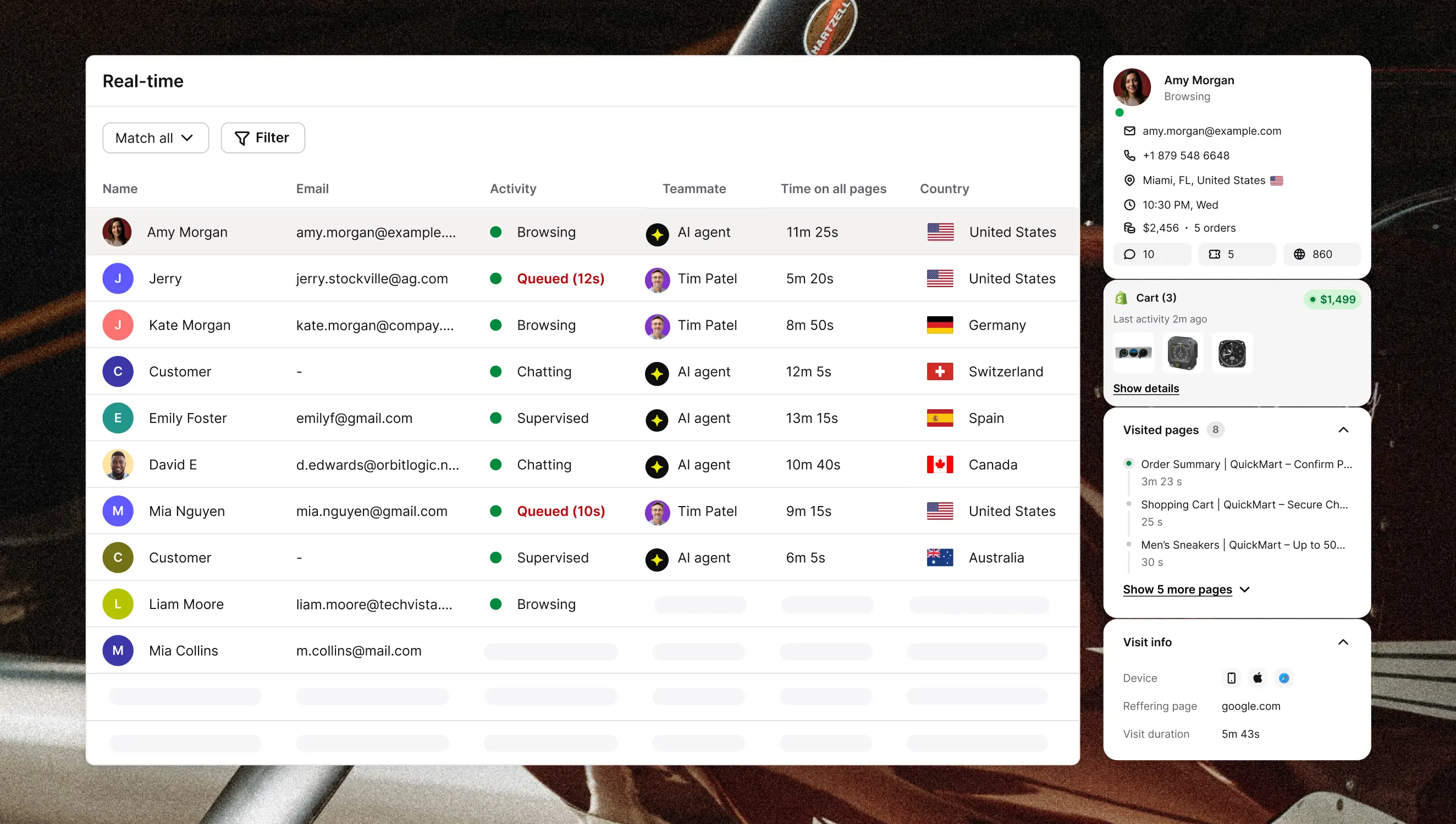
Text is ours, full disclosure. It's built for stores that don't want to stitch together a separate chatbot, a separate helpdesk, and a separate live chat widget. It combines live chat, an AI Agent, and ticketing in one place, and the AI Agent is trained on your site content and starts a conversation the moment it spots buying signals, like a shopper lingering on a product page.
 Key features:
AI Agent that starts conversations based on buying signals, not just replies to questions
Live chat with a clean handoff from bot to human agent, without the customer losing context
Omnichannel inbox that unifies live chat, email, SMS, Facebook Messenger, and WhatsApp
Custom Skills for building automated chat behavior (lead qualification, appointment booking) in plain language, no code required
Multilingual support with automatic translation across 46 languages
Proactive campaigns triggered by scroll depth, time on page, or cart abandonment
WooCommerce integration: Text pulls live cart contents, order history, and purchase data directly into the conversation, so agents aren't switching tabs to answer a "where's my order" question. It also tracks which conversations convert to sales and reports on revenue by product. Learn more.
Pricing: Plans start at $19/month (Essential, Growth, and Enterprise tiers), all of which include the AI chatbot, live chat, help desk, and ticketing. A 14-day free trial is available and doesn't require a credit card.
Best for: WooCommerce stores that want quick answers and lead generation from the same tool that handles post-sale support.
2. ThriveDesk
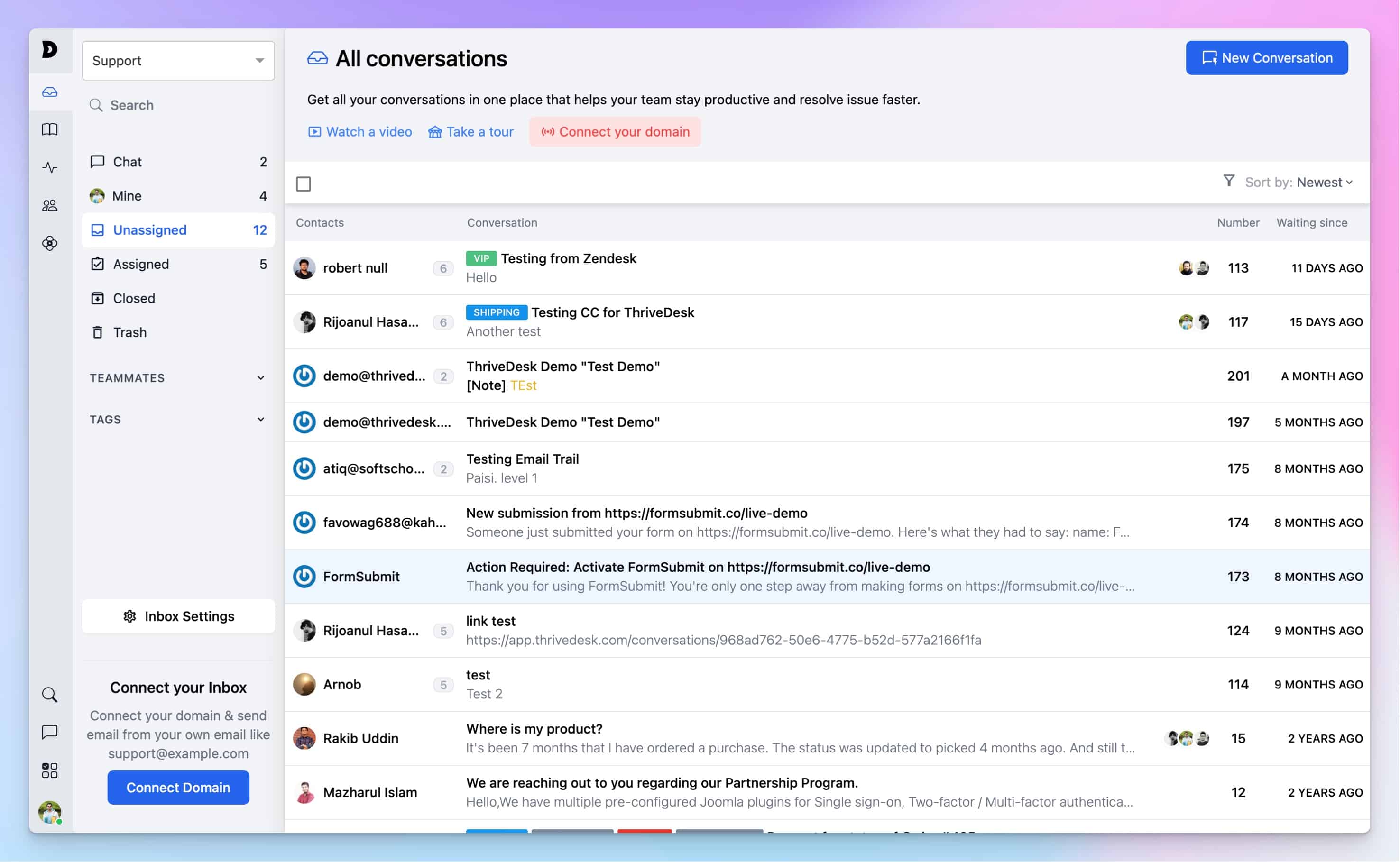
ThriveDesk leans into being a full helpdesk rather than just a chat widget — its WooCommerce integration was built in-house rather than through a third party, which is why it goes further than most: agents can view a customer's order history and shipping details, cancel or refund an order, edit line items, and manage subscriptions without ever leaving the support conversation. In short, ThriveDesk pulls the WooCommerce order into the customer support conversation, so an agent can change it while they're talking about it.
 Key features:
AI-powered chatbot alongside live chat with real-time visitor tracking
Shared inbox for email, so support requests don't get lost across accounts
Workflow automation with if/then logic for routing and follow-ups
Granular permissions controlling which agents can refund, cancel, or fulfill orders
Built-in knowledge base for self-service
Mobile app with full feature parity
WooCommerce integration: The official WooCommerce integration connects via a WooCommerce Connect button in settings, importing the customer's most recent orders and key account details straight into the conversation. There's also a dedicated WooCommerce helpdesk page with setup details.
Pricing: Plans start at $9/month, scaling to $49/month and $99/month for larger teams. There's no permanent free plan, but a free trial is available.
Best for: Stores that need agents to take action on an order, not just talk about it, without switching over to WooCommerce's own admin screen.
3. Olark
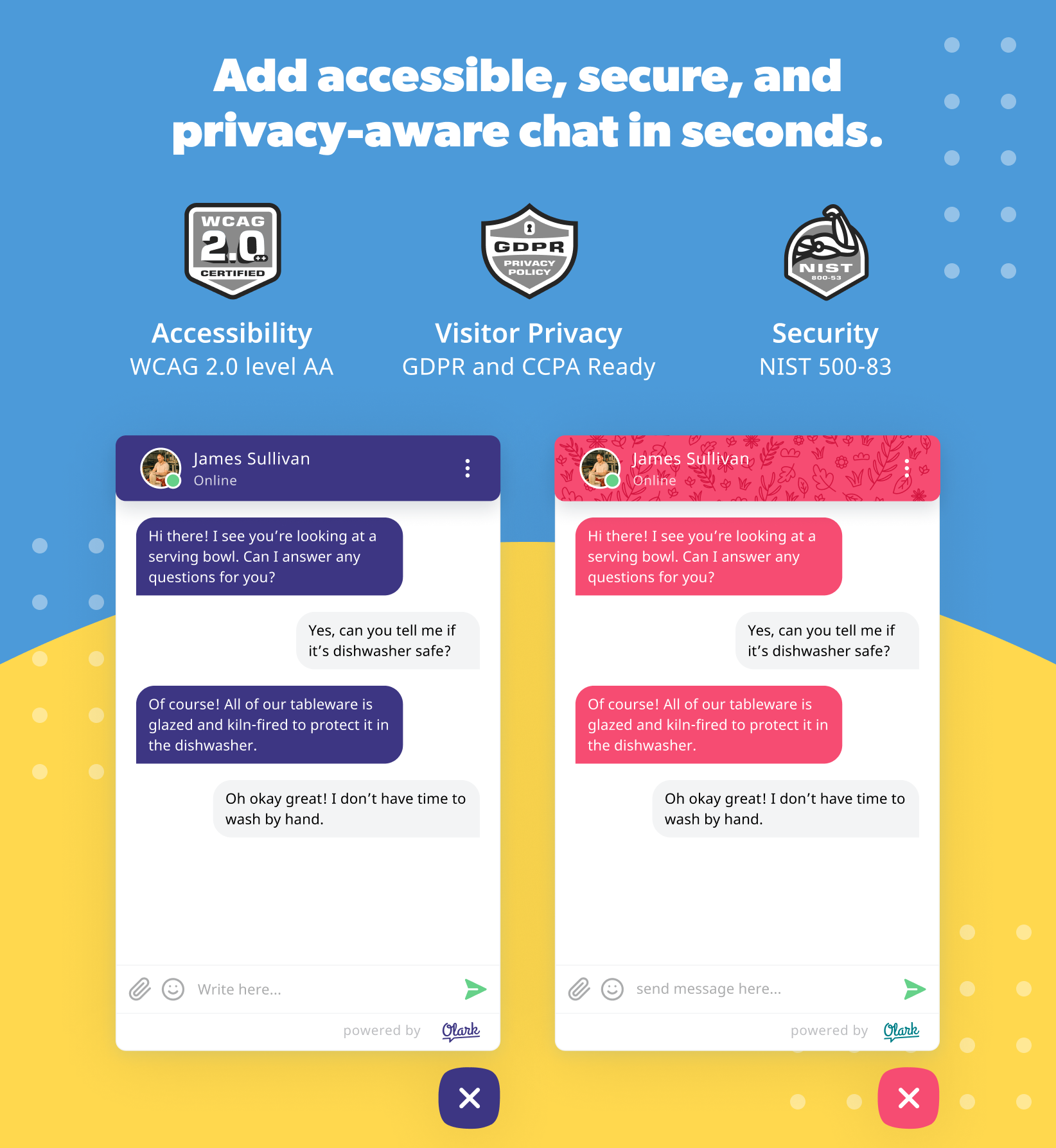
Olark keeps things simple: a small, customizable chat bubble that matches your brand, plus a feature called Cartsaver that shows agents what's sitting in a customer's cart mid-conversation. Olark skips the full helpdesk and focuses on automated chat triggers based on visitor behavior, so a proactive message can fire the moment someone hesitates on a product page or checkout screen.
 Key features:
Cartsaver for real-time cart visibility during a conversation
Customizable chat widget matching brand colors and wording
Automation and behavior-based triggers, plus custom pre-chat forms
Searchable chat transcripts and team routing rules
WooCommerce integration: The official Olark WooCommerce integration installs through Olark's WordPress plugin, with Cartsaver surfacing cart contents directly inside the chat window as agents talk to a shopper.
Pricing: A free plan covers 1 agent and 20 chats a month. The Standard plan is $29/agent/month, with a custom-priced Pro tier for larger teams that adds AI chatbots as a PowerUp add-on.
Best for: Small businesses that want a lightweight, budget-friendly widget with real cart context, without paying for a full ticketing platform.
4. LiveAgent
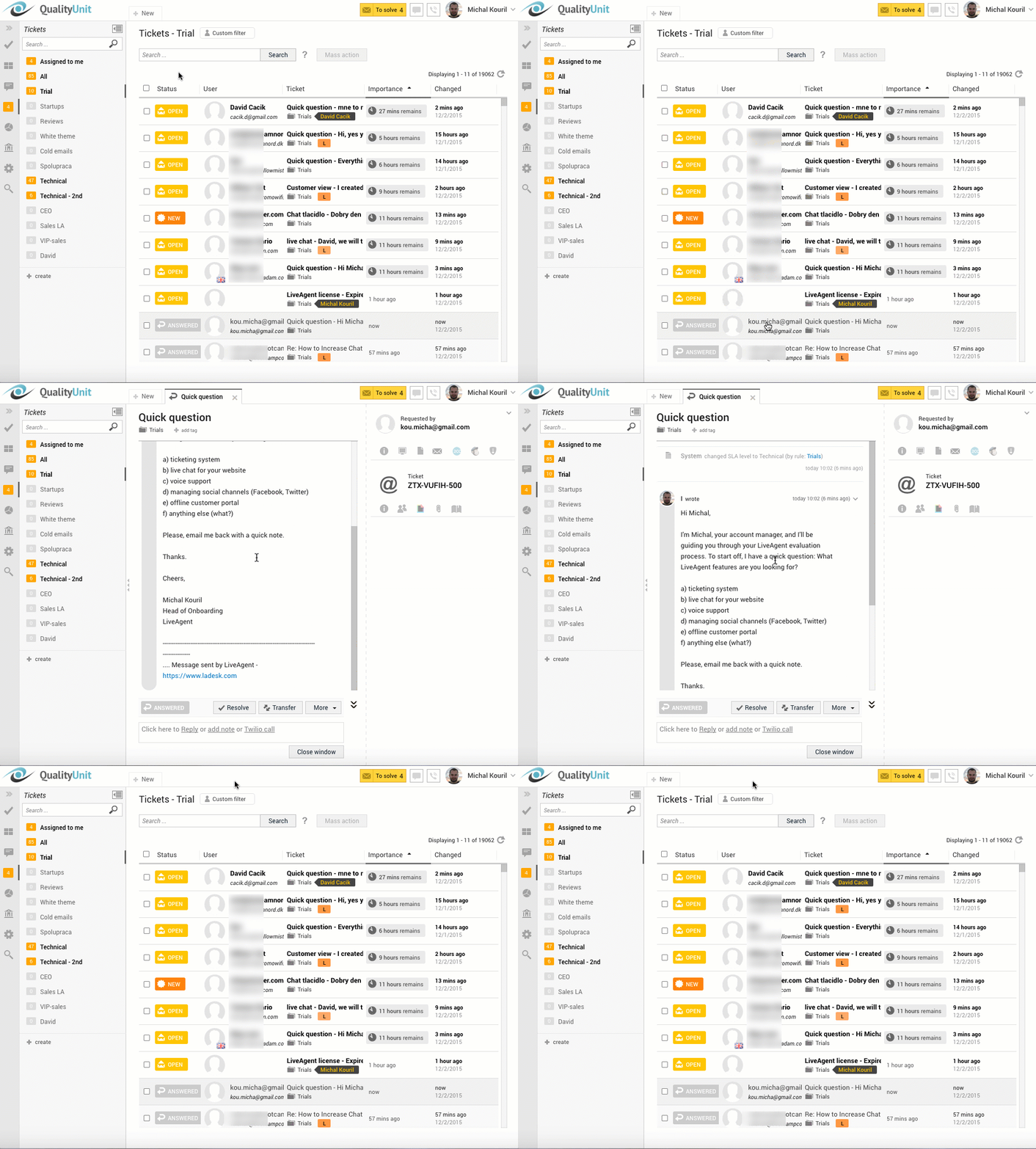
LiveAgent is built around a universal inbox — live chat, email, phone, and social messages (Facebook Messenger, Instagram, Viber, WhatsApp) all land as tickets in one dashboard. Helpdesk workflows manage customer interactions across multiple channels here, so a support team isn't logging into four different apps to cover chat, calls, and Messenger.
 Key features:
Universal inbox spanning chat, email, phone (with built-in call center), and social channels
Omnichannel sync connects site chat with social media platforms like Facebook and Instagram
Ticketing with automation rules and SLA tracking
Knowledge base and customer portal for self-service
WooCommerce integration: The official LiveAgent WooCommerce integration pulls orders, customers, products, coupons, and subscriptions into the dashboard, so clicking an order inside a ticket shows the full WooCommerce record.
Pricing: Plans start at $15/agent/month on annual billing (Small), rising to $69/agent/month for the all-inclusive Enterprise tier. Facebook Messenger support is included from the Large plan up. There's no free plan, but a 30-day free trial is available.
Best for: Stores getting support requests across chat, phone, and social media that want everything ticketed in a single system.
5. Freshdesk
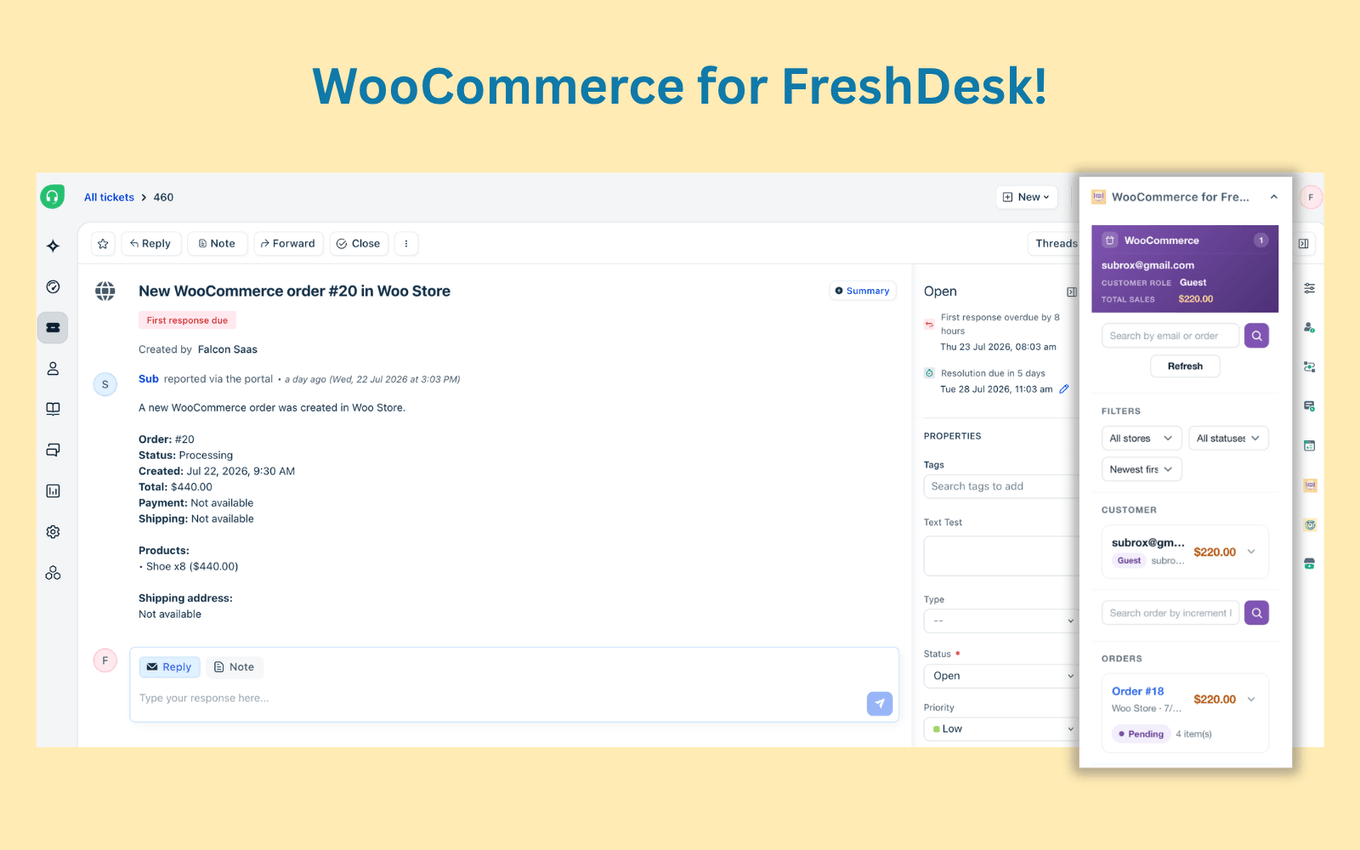
Freshdesk is ticketing-first — it comes from the Freshworks family, and live chat comes in through Freshworks' omnichannel add-ons, not as the core product. What it's genuinely strong at is customer records: integration with CRM tools enhances customer information access for agents, so support staff see a fuller picture of who they're talking to, not just the current conversation.
 Key features:
Ticketing with a shared team inbox and pre-built reports
Knowledge base and community forum for self-service
Customer portal where shoppers can view and submit tickets without leaving your store
Freshworks omnichannel add-ons for live chat and social messaging
WooCommerce integration: The official Freshdesk Integration for WooCommerce extension ($99/year) generates support tickets directly from WordPress order pages and lets customers open order-specific tickets from their account page.
Pricing: A free program covers up to 2 agents for 6 months. After that, paid plans start at $19/agent/month (Growth), billed annually, with live chat available as an add-on rather than included by default.
Best for: Stores already invested in Freshworks, or planning to be, that want WooCommerce orders showing up inside the ticketing system they already use.
6. Smartsupp
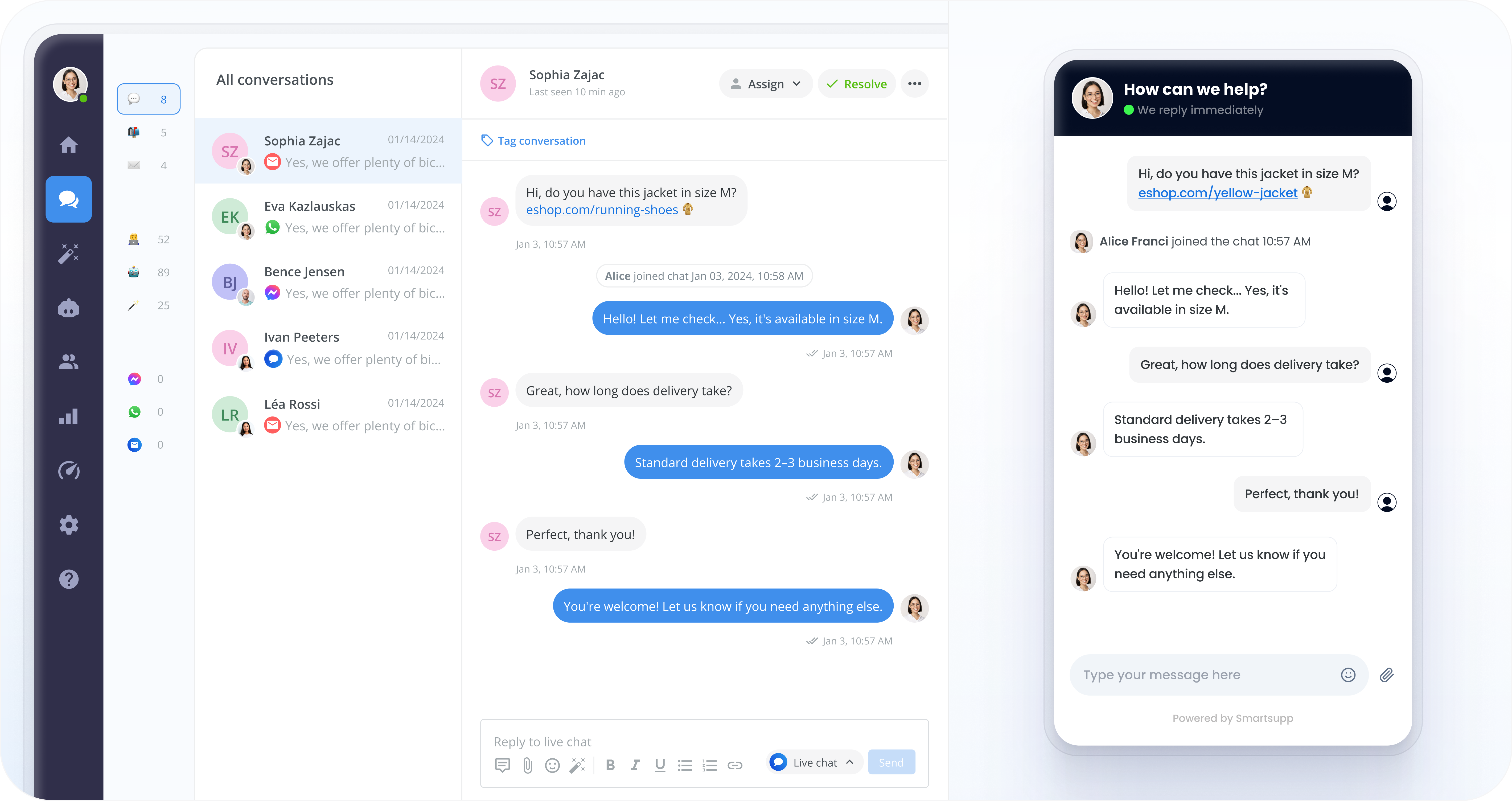
Smartsupp offers a hybrid setup — live agents and an AI shopping assistant, called Mira, working side by side. Smartsupp runs AI and human agents side by side: Mira handles first-line questions and product recommendations, agents jump in when something needs a human touch.
 Key features:
Mira AI shopping assistant for automated product recommendations
Live chat with visitor tracking
Messenger, WhatsApp, and email connected into the same conversation view
Chat widget customization to match your WooCommerce site's branding
WooCommerce integration: The Smartsupp plugin syncs order details and order history into the conversation view, so agents see a customer's purchase history alongside their message.
Pricing: Free version available. Paid tiers unlock the Mira AI assistant and additional automation.
Best for: WooCommerce stores that want AI-assisted answers without giving up a live agent option entirely.
How to choose between them
Which plugin is best comes down to how your store actually operates:
If you want one tool instead of three (chatbot, helpdesk, and live chat combined), Text is built for exactly that, and it's the only one on this list with cart-aware AI that starts conversations instead of waiting for them.
If agents need to act on orders, not just discuss them, ThriveDesk's refund-and-subscription controls inside tickets are hard to match.
If budget is the constraint and you don't need a full helpdesk, Olark's free plan and Cartsaver feature cover the basics without extra cost.
If support comes in through chat, phone, and social media all at once, LiveAgent's universal inbox is built for that spread.
If you're already running Freshworks tools, Freshdesk keeps WooCommerce orders inside the ticketing system your team knows.
If you want AI and a live agent working together by default, Smartsupp's Mira assistant is designed for exactly that handoff.
Whichever you choose, the setup itself is usually the easy part. Most of these plugins install in minutes. The harder decision is matching automated messages and AI chatbots to your actual chat volume, so customers get quick answers without losing the option to talk to a person. That stylus was a small order, and the shop that answered me has had everything I've bought since.
FAQ
Do I need a paid plugin, or is a free version enough?
For a small store just adding live chat for the first time, a free version (Olark's free tier, Freshdesk's free program, or Smartsupp's free plan) is usually enough to test whether a WooCommerce live chat plugin moves the needle before paying for automation.
Can live chat plugins connect to Facebook Messenger?
Yes — Text, LiveAgent (from the Large plan up), and Smartsupp all sync Facebook Messenger conversations into the same inbox as your website chat, so agents aren't juggling separate apps.
Will adding live chat slow down my WooCommerce site?
A well-built chat widget loads asynchronously and shouldn't meaningfully affect page speed. All six plugins above are widely used on WooCommerce sites without notable performance issues.
What's the difference between live chat and an AI chatbot?
Live chat connects a visitor to a real support agent in real time. An AI chatbot answers automatically, often 24/7, and escalates to a human agent when a question is too complex — most modern plugins, including Text, ThriveDesk, and Smartsupp, offer both in one widget.
Keep learning
- Customer Service
Customer experience metrics: five stars and a cancellation
13 min read - Customer Service
AI in customer service: what it automates, breaks, and what customers actually want in 2026
19 min read - Customer Service
Text vs Gorgias: why e-commerce brands see the bill rise with automation
18 min read