
Tomasz Ziętek
Content Creator
Experienced content and SEO specialist working with SaaS businesses since 2016. After hours, he's cycling, cooking, traveling, or digging through record crates.
A visitor has one question about delivery times. The contact form promises a reply within 24 hours. They close the tab and ask a competitor.
That question had a two-minute answer, and no one around to give it.
44% of online shoppers consider the live chat feature a must-have. Yet by Tidio's estimate, drawn from install counts and market-share data, fewer than 3% of WooCommerce stores run a chat plugin at all. Almost half of buyers want live chat support. Almost none find it.
Live chat is the fastest answer channel you own
46% of customers prefer live chat and 29% pick mail. Chat wins because it answers the question while the person still has it. Most chat plugins for WordPress install in a few clicks, but the right one covers the harder half: who replies when nobody's at a desk.
Forrester found visitors who use web chat are 2.8x more likely to convert, and that half of US online adults abandon a purchase if they can't get a quick answer.
How we evaluated these WordPress chat plugins
We didn't take vendor claims on trust. For each entry below we:
Pulled install counts and ratings from each WordPress.org listing
Compared pricing from the vendor's own page, not third-party roundups
Checked WooCommerce integration and cart visibility in official docs
Compared AI, automation, and reporting features as documented
Noted free-plan seats, agent limits, and chat history where published
Comparison: the best WordPress chat plugins at a glance
Plugin | WP.org installs / rating | Free plan seats | AI automation | Order data | Entry price |
|---|---|---|---|---|---|
Text | 30+ / 5.0 (new tool) | None (14-day trial) | AI agent, 74% resolution | Yes | $19/user/mo |
LiveChat | 10,000+ / 4.6 | None (14-day trial) | ChatBot + reply suggestions | Yes | $19/agent/mo |
Tawk.to | 100,000+ / 4.6 | Unlimited agents | AI Assist add-on | No | $0 |
Chatway | 30,000+ / 5.0 | 1 seat | $0.50 per resolved chat | Yes | $24/mo |
3CX | 100,000+ / 4.6 | 10 users | None listed | No | $0 |
Formilla | 2,000+ / 4.8 | 1 agent | ChatGPT bots, +$29.99 | No | $13.99/mo |
What separates a reliable live chat plugin from a chat bubble
Six things. Most live chat plugins nail only one — the chat interface.
Proactive chat triggers
A support widget that waits gets ignored. Proactive triggers fire on visitor behavior such as cart value, scroll depth, so proactive chat invitations engage visitors at the moment of hesitation, before site visitors bounce.
Ecommerce visibility
For online stores, WooCommerce live chat is only as useful as what the agent can see. Put cart contents and order status in the chat window, or agents will ask for an order number that the store already has.
Real-time visitor tracking
Visitors returning to your pricing page are signaling intent. Good chat software surfaces that context in the agent's view, so customer engagement is prompted by behavior rather than guesswork.
Omnichannel support
It connects chat with Facebook Messenger, WhatsApp, Instagram, and email, plus phone calls. One inbox, or your support team pays a switching tax, and customer relationships fragment.
Unlimited chat history and chat analytics
Past chat history is your objection database. Analytics and reporting turn it into chat performance data: which chat interactions generated revenue, where customer satisfaction declined, and which customer interactions closed politely without resolving anything.
Security controls
Chat data carries order numbers and addresses. Check for SOC 2 and GDPR before you install.
Before you compare prices
Those six are table stakes. These are the details that decide the bill and the daily workload:
AI pricing model: per resolution, per seat, or bundled
Conversation caps on the free tier
Agent limits and seat pricing as the team grows
Mobile app quality for agents away from a desk
Knowledge base for self-service
Set up time from install to first chat
The 6 best chat plugins for WordPress
1. Text — best AI live chat for WordPress
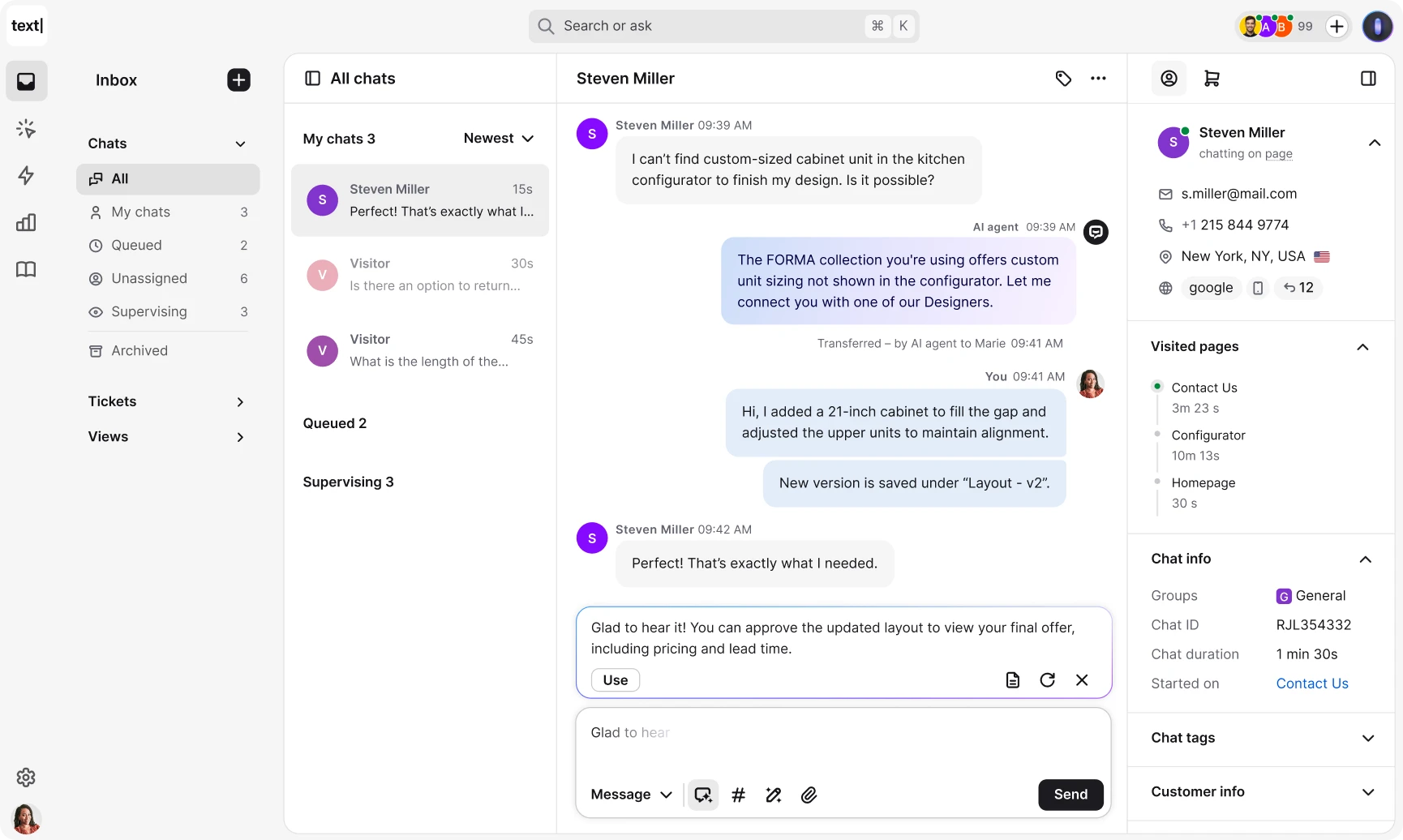
Text combines AI chat, live chat, and a ticketing system in one platform, installed on your WordPress site without code. It's built for ecommerce teams, and reports a 74% AI resolution rate against a 59% industry average.
 Key features
AI agent trained on your content, resolving end-to-end Copilot draft replies from your knowledge base
Custom Skills in plain language: qualify leads, offer discounts, and more
WooCommerce order data, cart contents, recommendations
Campaigns triggered by scroll depth and cart value
Pricing
No free version. Paid plans start at $19 per user/month (Essential, 10 AI resolutions). The Growth plan is $79 with 200. 14-day trial. See pricing.
Best for
Online stores with high support volume and a small team. Rated 5/5 on WordPress.org — on 14 reviews.
2. LiveChat — best live chat plugin for established support teams
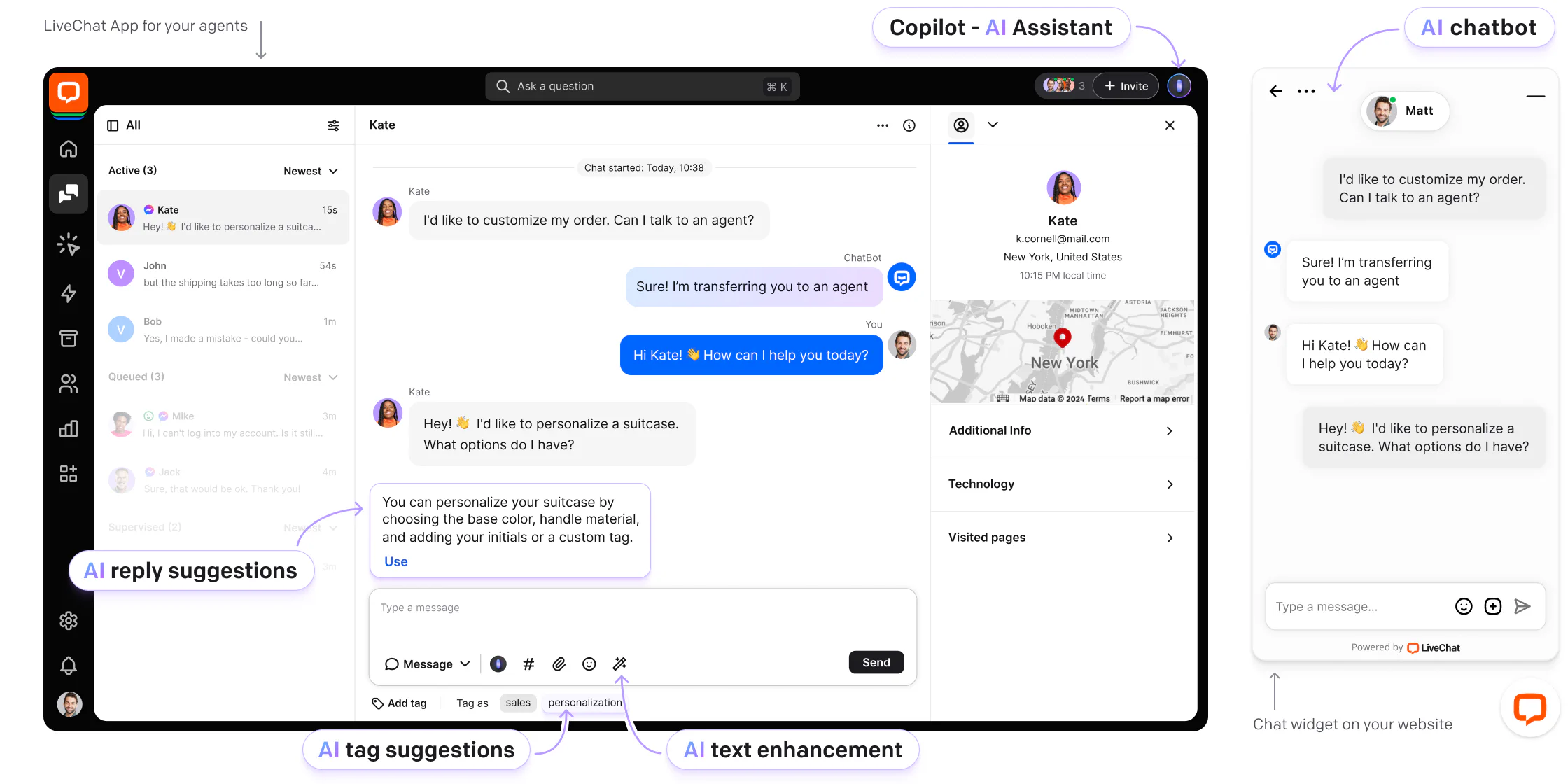
The LiveChat plugin has 10,000+ installations at 4.6 stars. One of the most established platforms in the category, with 200+ integrations across CRMs, helpdesks, and ecommerce platforms.
 Key features
Real-time visitor tracking with location and referral source
WooCommerce cart tracking and upsell prompts
Offline messaging captures leads when agents are unavailable
256-bit SSL, two-step verification, GDPR
Pricing
Starter is $19 per agent/month annually ($25 monthly) with a 60-day chat history. Team at $49 adds unlimited chat history and advanced features. 14-day free trial. See pricing.
Best for
Customer support teams needing chat routing and reporting that holds up past five agents.
3. Tawk.to — best free live chat plugin if price is your priority
Tawk.to has 100,000+ installations, a 4.6 rating, and a claim few match: 5 million companies use it. It's a forever-free account that includes unlimited agents.
 Key features
Unlimited chats, unlimited agents, unlimited chat history
Real-time visitor monitoring on the forever-free plan
Built-in ticketing system and knowledge base
Widget in multiple languages (45+), mobile app for iOS and Android
Pricing
Free, with no feature gates. Remove Branding is $39/month ($29 annually), Video + Voice $49/month, hired agents from $1/hour. See pricing.
Best for
Small businesses and side projects. You trade polish and native ecommerce depth for a bill of exactly nothing.
4. Chatway — best-rated WordPress chat widget on WordPress.org
Chatway holds 5/5 across 745 reviews at 30,000+ installations, an unusual review-to-install ratio for this category.
 Key features
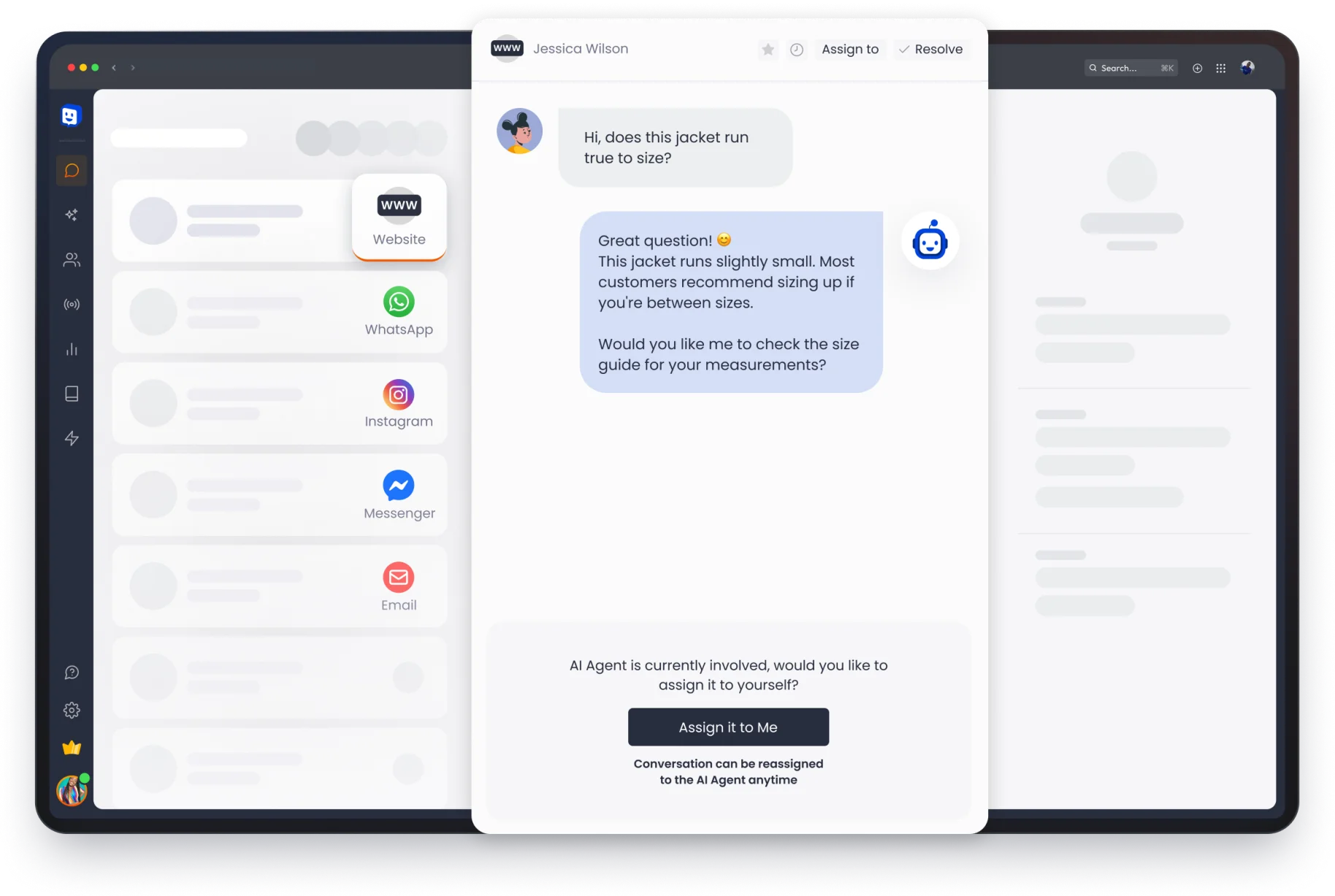
AI chatbot with human handoff
WooCommerce cart, order history, product sharing
WhatsApp, Facebook Messenger, Instagram, email in one inbox
Canned responses, FAQs, automatic messages, live translation
Pricing
The free plan gives 1 seat, unlimited conversations, and 30 days of chat history. Solo is $24/month annually ($29 monthly). Team is $65 for 4 seats. AI costs $0.50 per resolved chat. See prices.
Best for
WordPress users who want modern on-site chat and multichannel support without a per-agent contract.
5. 3CX Free Live Chat — best for chat plus actual phone calls
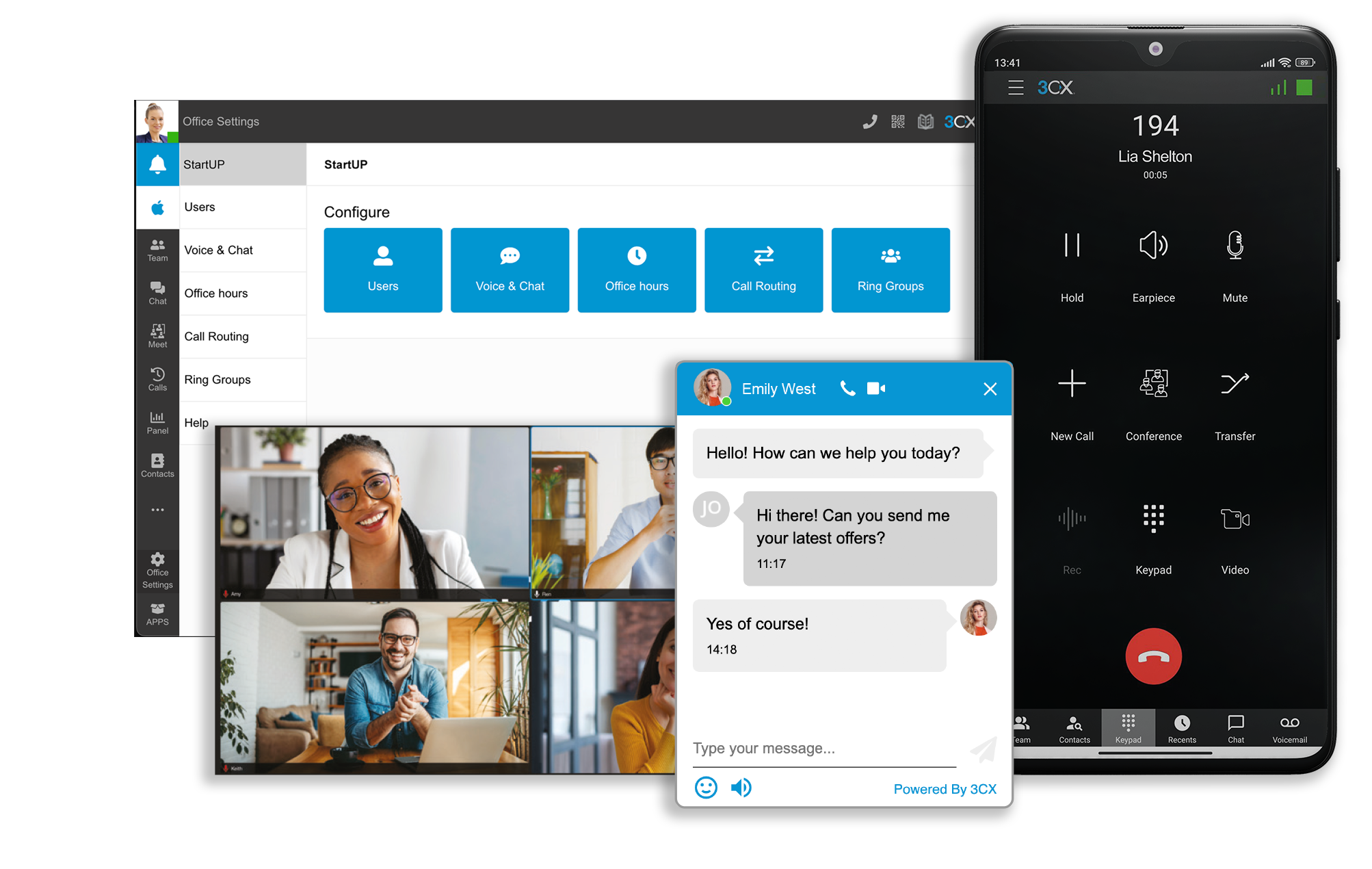
3CX (formerly WP Live Chat Support) has 100,000+ installations at 4.6 stars. The only plugin here where a visitor escalates from chat to a browser voice or video call.
 Key features
Free voice and video calls from the chat widget
WhatsApp, Facebook, and SMS in one dashboard
Ring groups, auto attendant, call queues
Desktop and mobile apps
Pricing
Free forever for up to 10 users, hosting included. Paid 3CX plans add unlimited users with live chat functionality. Note: 821 reviews include 59 one-star. See prices.
Best for
Service businesses where the hard questions need a voice, not a chat window.
6. Live Chat by Formilla — best lightweight customer support plugin for solo operators
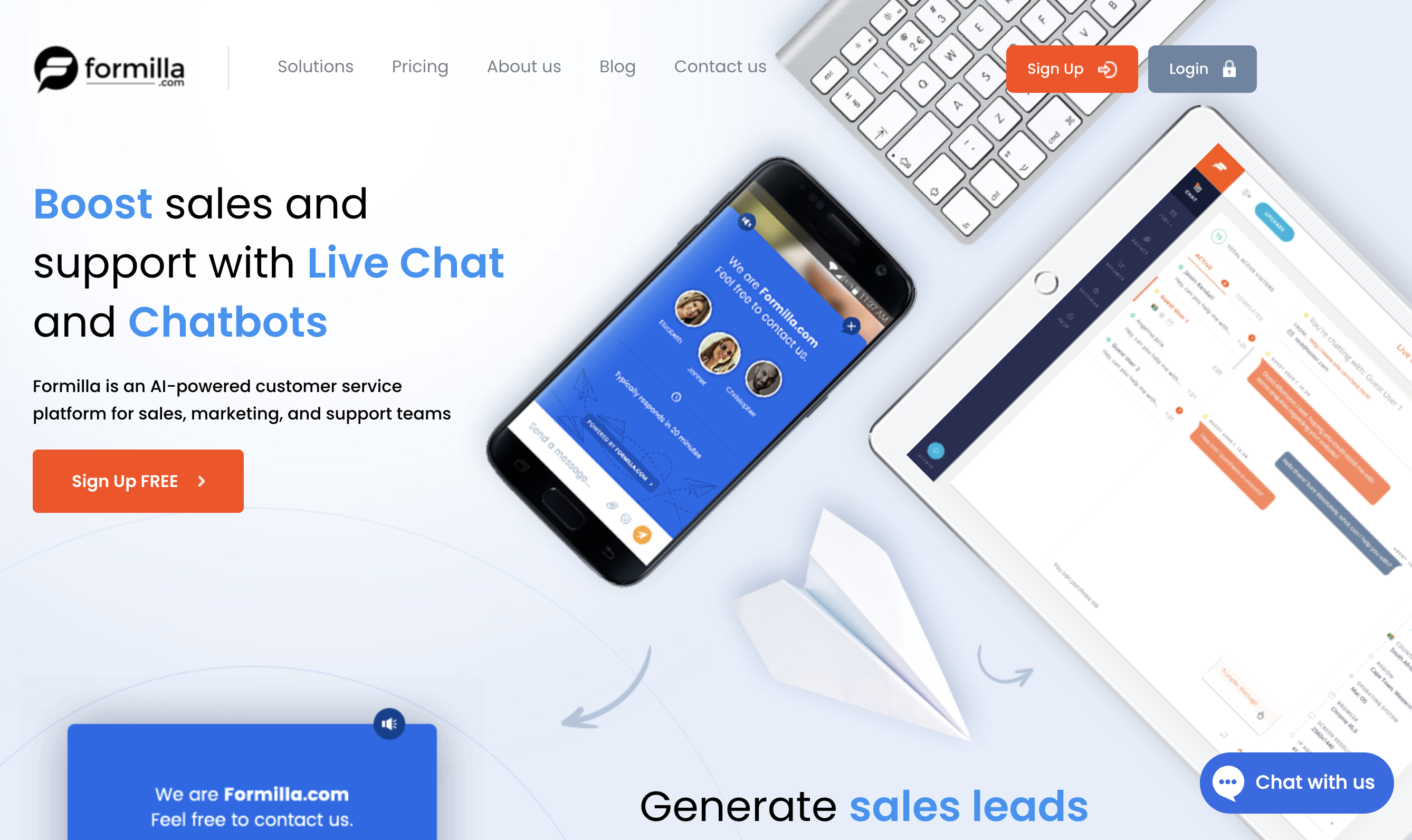
Formilla is the smallest here at 2,000+ installations, but carries the highest rating: 4.8 across 116 reviews. Unlimited chats on one agent, free.
 Key features
ChatGPT-powered and custom bots for lead qualification
Proactive chat triggers and personalized messages
Desktop notifications in Chrome, Firefox, Safari
Offline chat forwarded to email, plus Zapier and Calendly
Pricing
The free version has limited features: 1 agent, 5 canned replies. Premium is $13.99/month. The $39.99 Professional plan adds real-time visitor monitoring. ChatGPT bots cost $29.99 extra. See prices.
Best for
Solo founders who want chatbots cheap and don't need real-time data on website visitors yet.
Other WordPress chat plugins people ask about
Tidio, LiveChat, Tawk.to, and Crisp are the names that come up most often. Two of them made the six above. Here's the rest of the field.
Tidio Live Chat
80,000+ WordPress installations at 4.7 stars. Tidio claims 300,000+ businesses across all platforms. Strong AI with native WooCommerce and Shopify support. Free plan caps arrive faster than teams expect.
Crisp
20,000+ installations and, by its own count, over 30,000 WordPress customers. One-click install, chatbot included, free tier.
JivoChat
4.9/5 across 709 reviews at 20,000+ installations. Chat, email, and phone calls in one interface.
Pure Chat, Zendesk Chat, ProProfs Chat, Olark
Solid live chat solutions, none WordPress-first. Zendesk Chat earns its place if you already run its ticketing system. Olark connects to CRM, helpdesk, analytics, and other tools. Pure Chat and ProProfs Chat suit small teams wanting basic chat functionality.
How to integrate live chat on your WordPress site
Most people set this up on a Tuesday night, between packing orders, not in a planning meeting.
Install from your WordPress dashboard, activate, then connect a free vendor account. Every plugin here needs one, and none needs code.
The paths diverge after that. Only Text keeps the entire flow in WordPress: search, install, activate, connect with no API keys. Tawk.to has you log in and pick a widget under Settings. Formilla emails a Chat ID to paste into the plugin. 3CX sends you to its Web Client to create the chat, then copy a URL back.
Then configure the widget wherever that vendor keeps it: match your chat widget colors, write a welcome message that sounds like you, keep pre-chat forms to a single question, and load canned responses for your most common questions. Those shortcuts are the cheapest win here. Check your plan's cap first, since Formilla's free version allows five.
Leave the default greeting and you'll ship the same "Hi! How can I help you today?" as everyone else — the tell of a widget nobody has touched. Then turn it on and wait. The first real chat arrives faster than you expect, and a chat widget nobody answers is worse than none: it advertises that someone's home.
How to choose the right WordPress live chat plugin
Entry prices run from $0 to $24 a month, and scale to $79 a seat at the top. A pricing model should fit a one-person store and a twenty-agent team, so the size of your team matters more than the feature list.
If the budget is the constraint
Tawk.to. Unlimited agents and unlimited chat history, free, with no upgrade waiting at the end of it.
If you run an online store
Chatway or LiveChat. Cart visibility inside the chat is what separates support from selling.
If volume is the constraint
Text. When AI resolves the repetitive questions, response times hold up through peak hours and your team spends its own time on the conversations that need a human.
Be there when the question comes up
Your live chat widget sits on the page where questions actually happen, in front of people who are still deciding. Most WordPress sites make them wait 24 hours instead.
The 3% who installed a chat plugin have one edge: they're there when it counts.