
Sylwia Kocur
Content Marketing Specialist
I joined Text to help introduce our products to companies looking for a reliable and forward-thinking partner in global communication. With experience as both a Product Expert and now a Content Writer, I understand what businesses need and help them discover how Text can support their goals.
Some support conversations are simple. A shipping question, a password reset, a quick product recommendation. Then there are the other ones: a public-sector agency asking for a full audit trail before they'll even take a demo, a global retailer running support across a dozen departments and time zones, a financial services client whose legal team wants to see every compliance certification before anyone touches a keyboard.
Text is built for both. This is a walkthrough of the enterprise infrastructure underneath the platform, the security architecture, the compliance stack, and the analytics layer, so you know exactly what's already in place the next time a client's most demanding stakeholder starts asking questions.
The security architecture underneath everything
Every enterprise security review eventually asks the same three questions: how is data protected in transit, who can get into the system, and what happens if something goes wrong. Text answers all three at the infrastructure level, not as an add-on.
All data in transit runs over a secure TLS connection, so nothing between a customer's browser and Text's servers is exposed.
Login is protected with two-factor authentication, plus single sign-on through Google, Apple, or Microsoft.
Enterprise clients get custom SSO integration, dedicated security assistance, and full audit logs tracking who did what and when.
Built-in antispam protection and visitor blocking keep support channels clean, even at high volume.
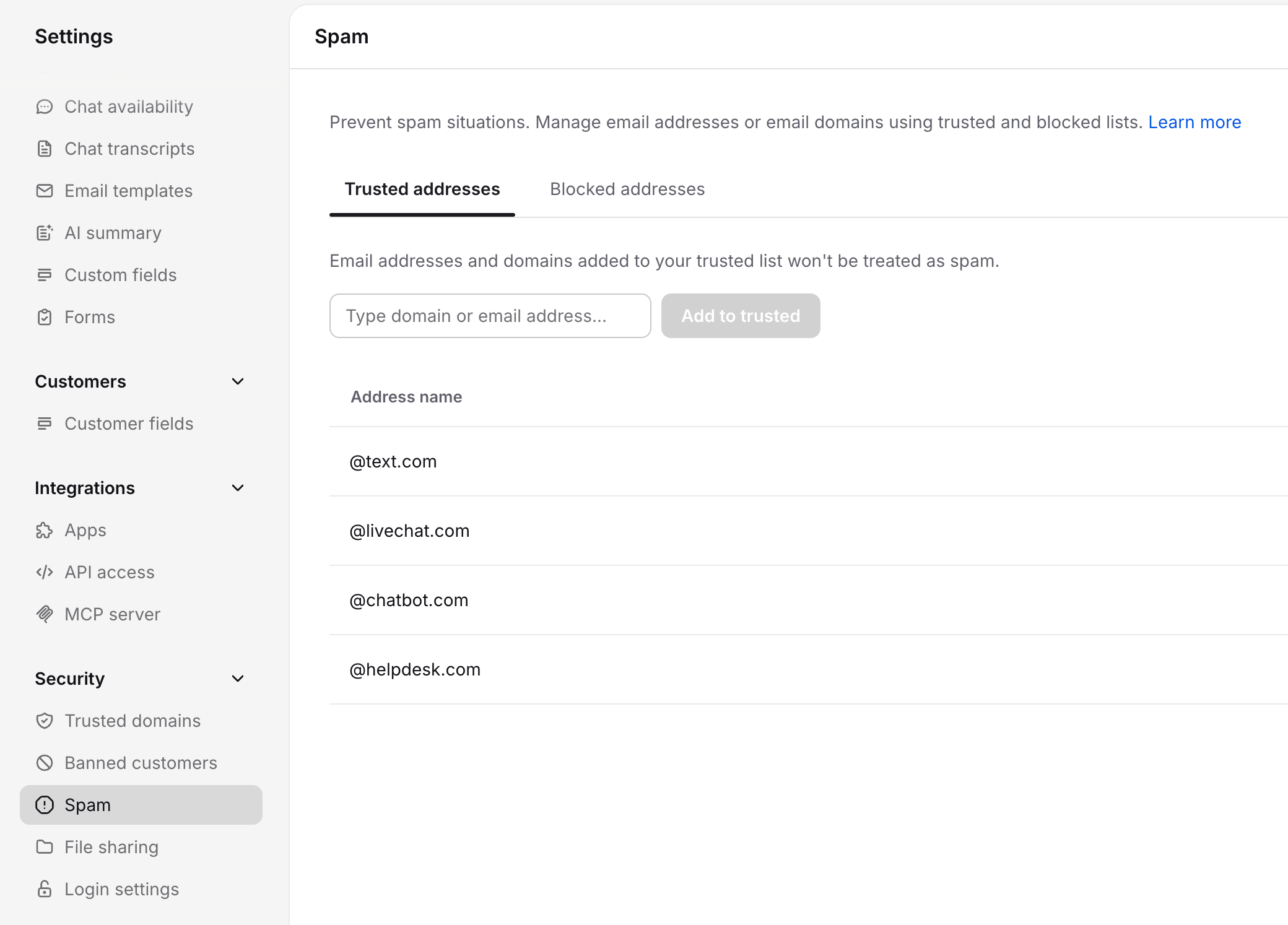
Payment details typed into a chat get automatically masked, closing off one of the most common sources of accidental data exposure in any customer service operation.
None of this is bolted on after the fact. It's part of the platform's foundation, which is exactly what a security team is checking for when they ask whether a vendor "actually" takes this seriously or just says they do.
The compliance stack, fully built and ready to show
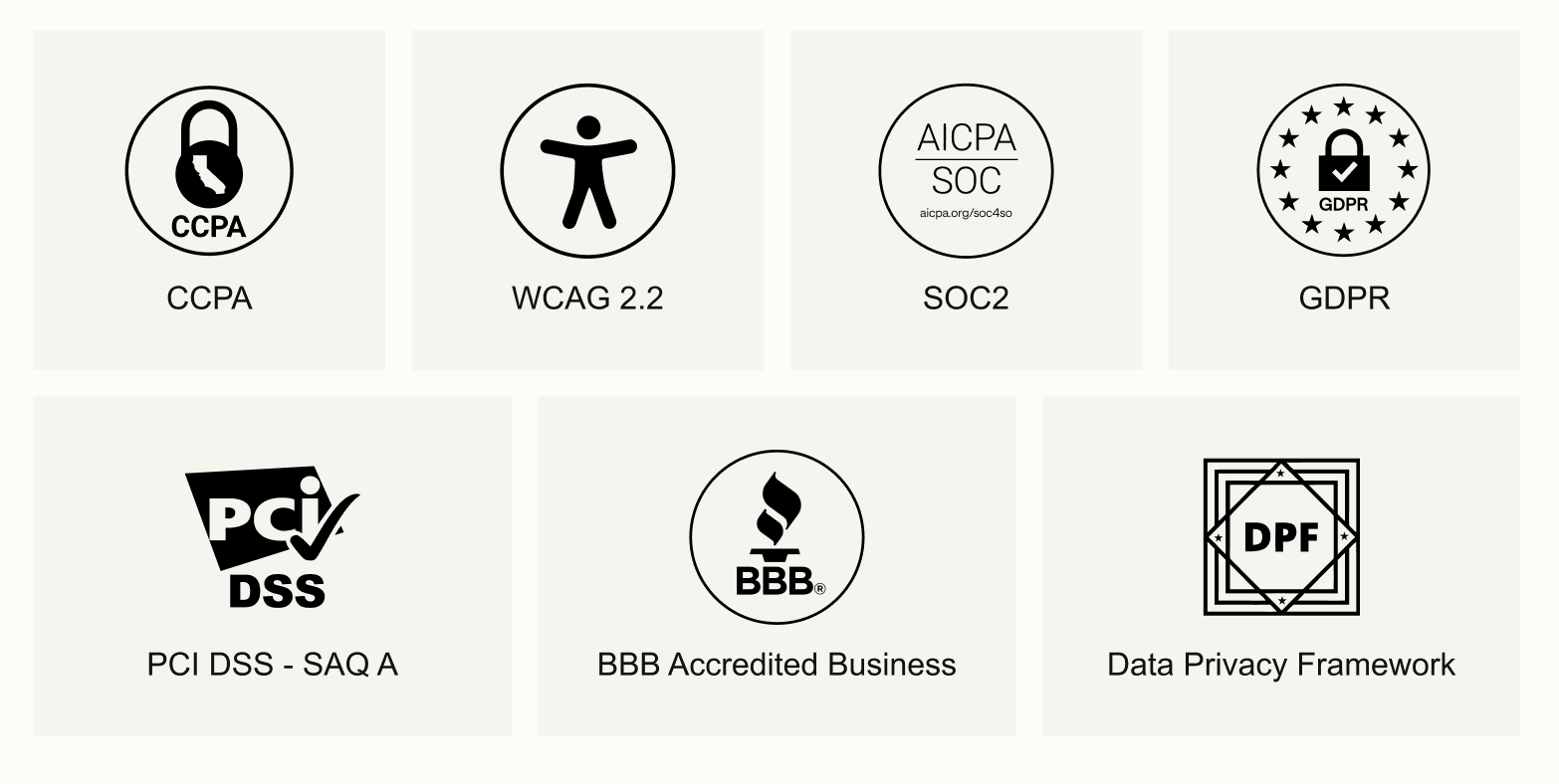
Compliance is the part of enterprise procurement that either moves fast or stalls a deal for months. Text carries SOC 2 Type 2, is compliant with GDPR and CCPA, covering both EU and California data privacy law, and holds PCI DSS at the SAQ A level for any client handling payment data inside conversations. The platform is also Data Privacy Framework certified, a BBB Accredited Business, and built to WCAG 2.2 accessibility standards.
That accessibility certification is worth sitting with for a second. WCAG 2.2 compliance is increasingly a hard requirement in public-sector and enterprise procurement, not a nice-to-have, and it's already built into every plan rather than something a client has to request as a custom addition.
The practical upshot: none of this is something a client has to take on faith, or wait on while a vendor scrambles to produce documentation. The certifications already exist, the trust center is already public, and the answers to a procurement questionnaire are already written down before the first question gets asked.
Infrastructure that holds up at real enterprise volume
Trust gets a platform into the conversation. Infrastructure is what proves it can actually carry the weight of a large, complicated support operation once it's live.
Text runs ticket management, live chat, email, and messaging channels through one unified agent workspace, so a support team spread across multiple departments isn't juggling four disconnected tools to handle what should be a single customer conversation.
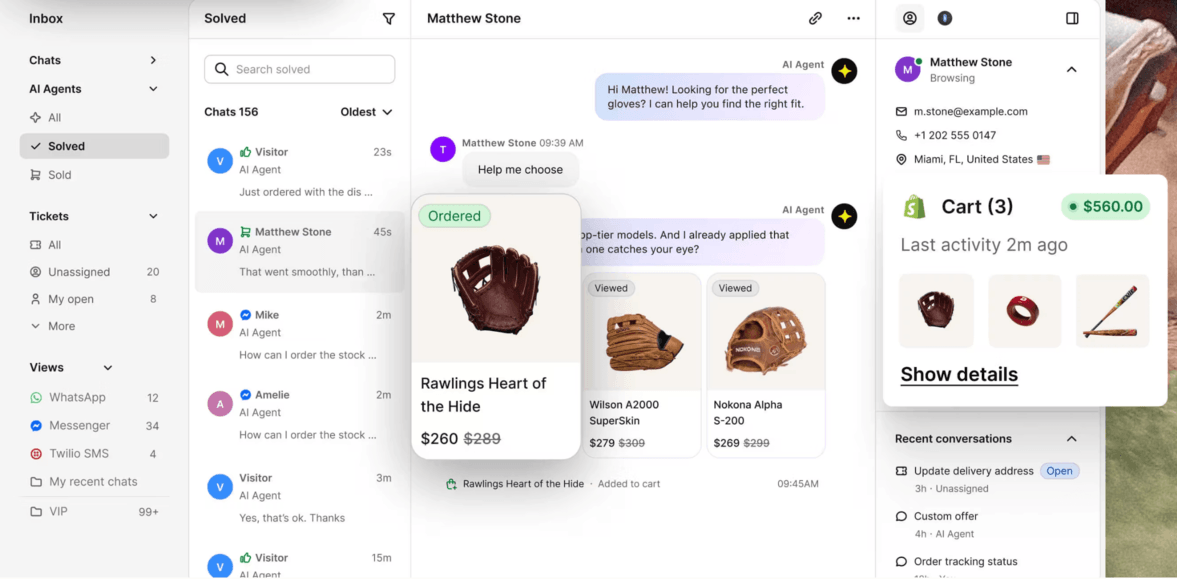
Tickets route automatically based on workload, language, and agent skill, which matters enormously once a team spans multiple departments or global teams working across time zones. Nobody wants a ticket sitting untouched for six hours because it landed with the one agent who happens to be offline.
The AI Agent is doing serious volume here, not just answering the easy stuff. It watches for intent and support signals in real time and resolves a meaningful share of cases before a ticket is even created. For an enterprise operation fielding thousands of support tickets a week, that's the difference between a queue that stays manageable and one that quietly buries a team.
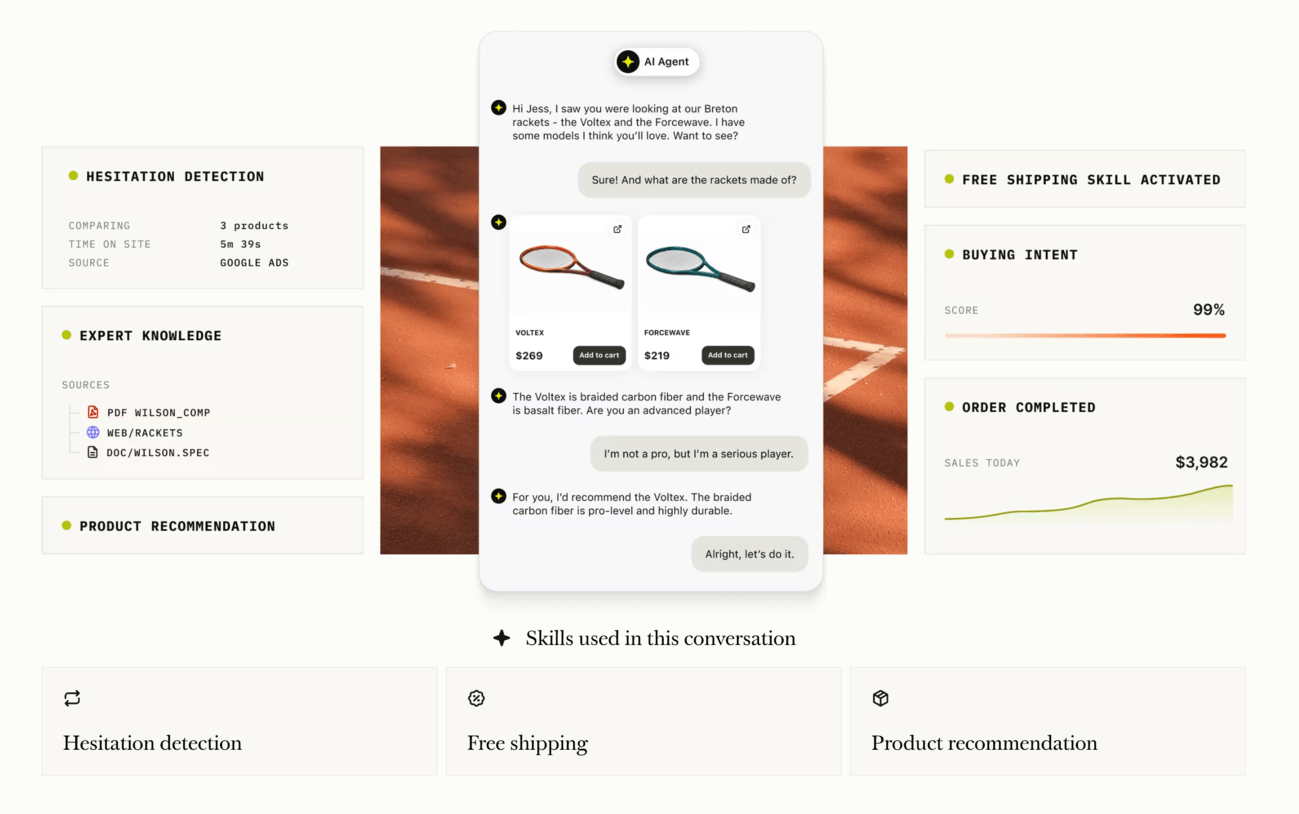
Prioritization surfaces the tickets that matter most, so SLA risks and high-impact conversations rise automatically instead of getting lost in volume. Ticket rules keep routing, escalation, and follow-up consistent without a supervisor manually enforcing it. And when a conversation does need a human, the agent walks in already knowing the full history, priority, and context, so the customer never repeats themselves.
Workflows and collaboration built for scale, not just speed
A lot of what separates enterprise help desk software from a smaller-team tool isn't one flashy feature. It's the accumulation of small automations that keep a large, multi-department operation from quietly falling apart under its own volume.
Workflow automation flags VIP customers, protects SLAs, and sends follow-ups without anyone having to remember to do it manually. Filters give every agent a workspace built around how they actually think, custom views by priority, status, or team, so nobody is scrolling through an undifferentiated queue trying to find what matters. Ticket details surface the full picture, history, ownership, escalation status, before an agent types a single word, which is exactly the kind of collaboration infrastructure that keeps large teams from stepping on each other.
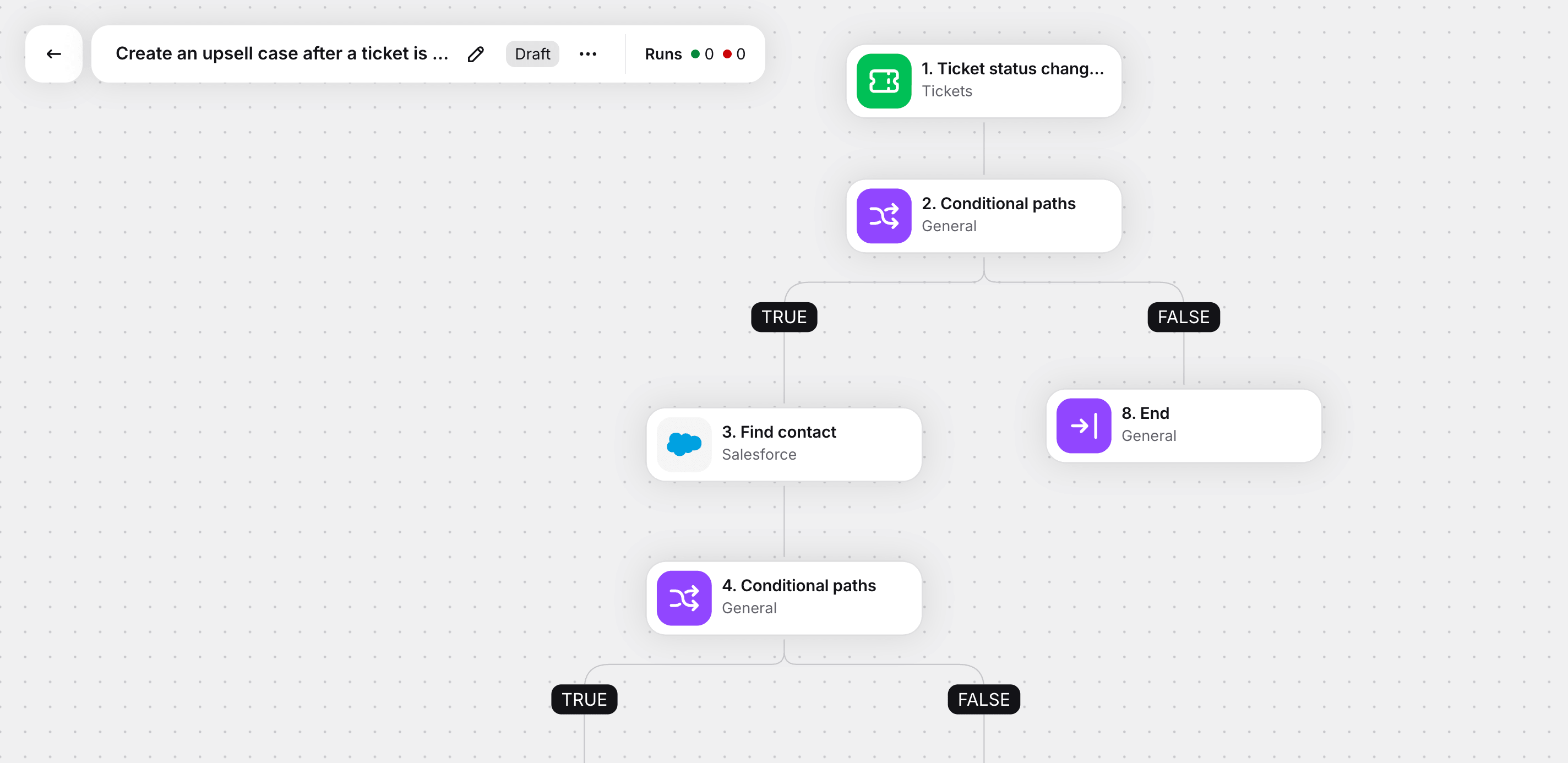
None of this looks exciting in a feature list. It becomes very important the moment a support operation crosses into hundreds of agents across multiple departments and time zones, because that's precisely when a lack of structure turns into missed SLAs, duplicated replies, and customers repeating their story to three different people.
Ticket routing, case management, and an interface built to be used all day
Ticket routing sounds like a back-office detail until you've watched an enterprise support queue running without it. Text routes based on workload, language, and agent skill, so a ticket lands with whoever is actually best placed to close it. For case management specifically, that means complex, multi-touch conversations stay with the agent who already has context, instead of bouncing between people every time it gets reassigned.
An intuitive interface matters more here than it might seem going in. A support agent handling dozens of conversations a day doesn't have patience for a clunky tool, and neither does a new hire trying to get up to speed during onboarding. A clean, single-pane workspace isn't just pleasant to look at. It's fewer clicks between a customer's question and the right answer, and that compounds into real time savings once it's running across large organizations with hundreds of agents.
Knowledge management and self-service, built to carry enterprise volume
Enterprise volume is unforgiving. A company running thousands of support tickets a week can't staff its way out of that problem, and it's exactly why over seventy percent of customers now expect some form of self-service before they'll open a ticket at all.
Text's knowledge base connects directly to a client's existing help docs, FAQs, and website content, and the AI Agent trains on all of it automatically, no manual tagging, no separate content project. That same knowledge base powers both the self-service tools customers use on their own and the reply suggestions and ticket summaries agents lean on internally. It's one set of data doing double duty: cutting ticket volume on one side, speeding up resolution on the other.
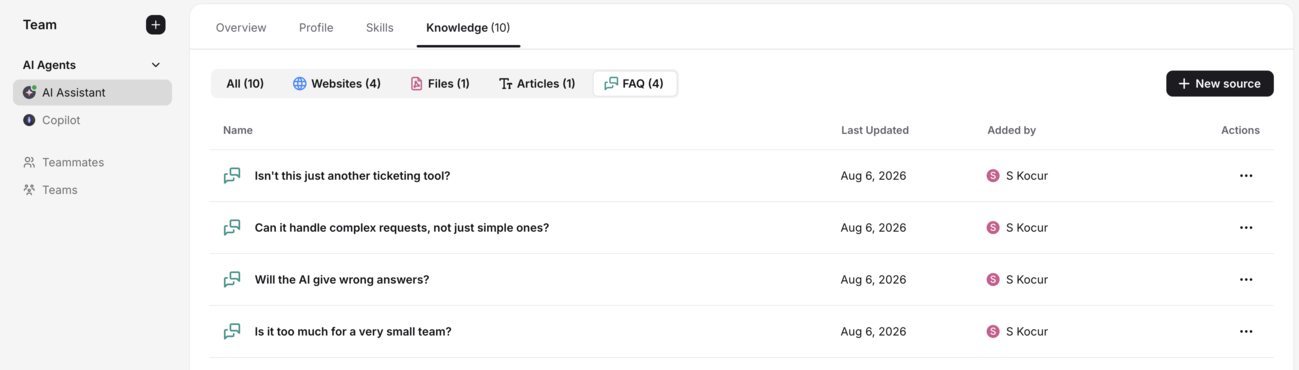
For teams spread across multiple departments, this also solves a quieter infrastructure problem: data silos. When product, billing, and shipping questions all route through separate systems, agents lose context, and customers repeat themselves. A single platform with unified customer data means an agent handling a shipping question sees the same order history, chat log, and prior tickets a colleague in billing saw yesterday.
The analytics layer, built to answer a harder question than speed
Most help desk software measures resolution time and ticket volume. That's useful, but it doesn't answer the question enterprise leadership actually asks: what is this support operation giving us beyond faster response times?
Text's analytics infrastructure ties every conversation, whether handled by AI or a human agent, to dollars earned, leads captured, and customers retained. That's revenue attribution, built into the platform rather than assembled after the fact from a handful of disconnected reports.
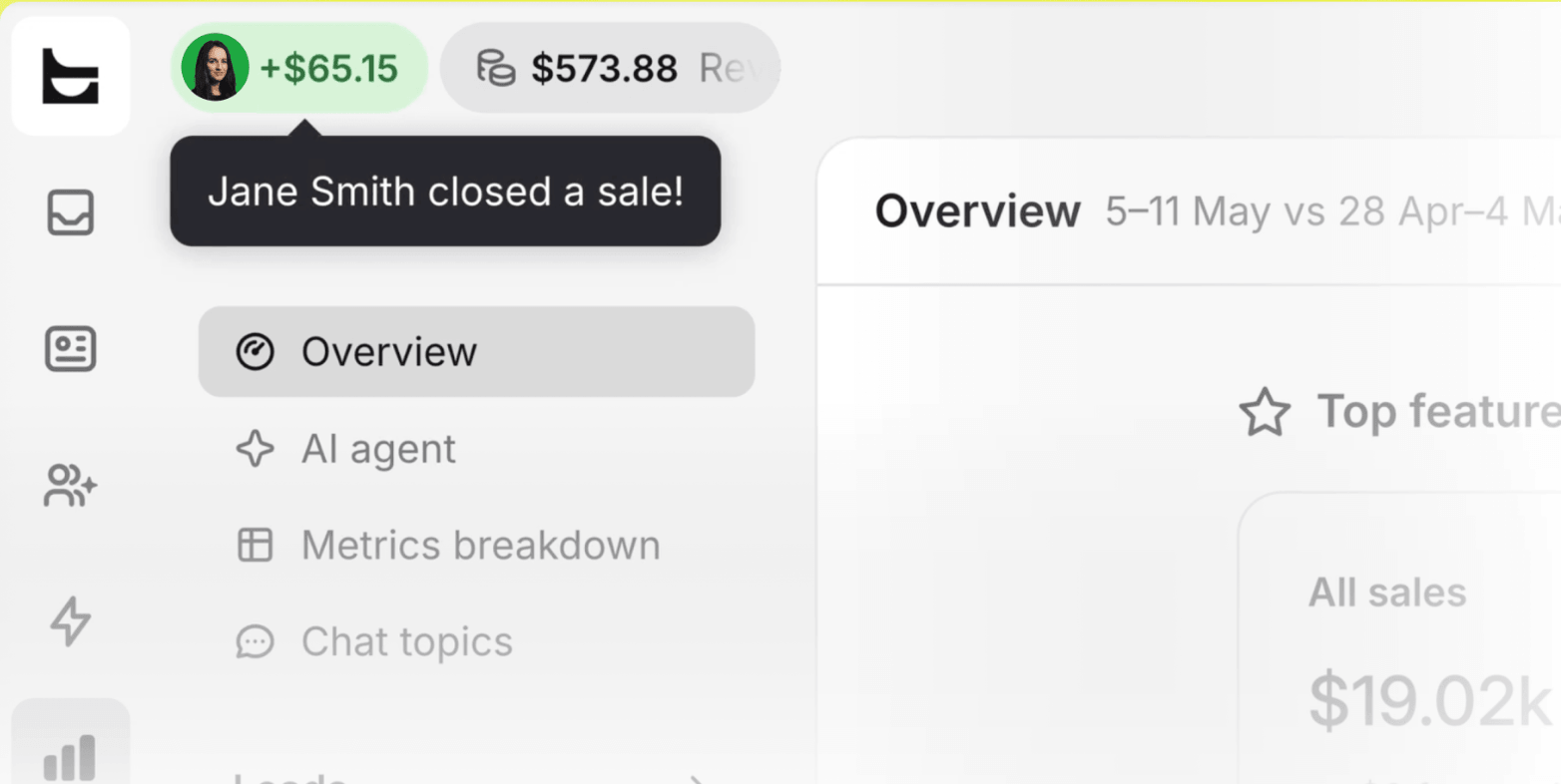
Alongside it sits an AI versus human performance breakdown, showing exactly where AI Agent is closing sales on its own and where a human agent is adding value automation can't replace yet. Over time, this data surfaces patterns that go well past a single dashboard:
Which products generate the most support-driven revenue.
Which channels convert best.
Where support data starts predicting demand before it shows up anywhere else.
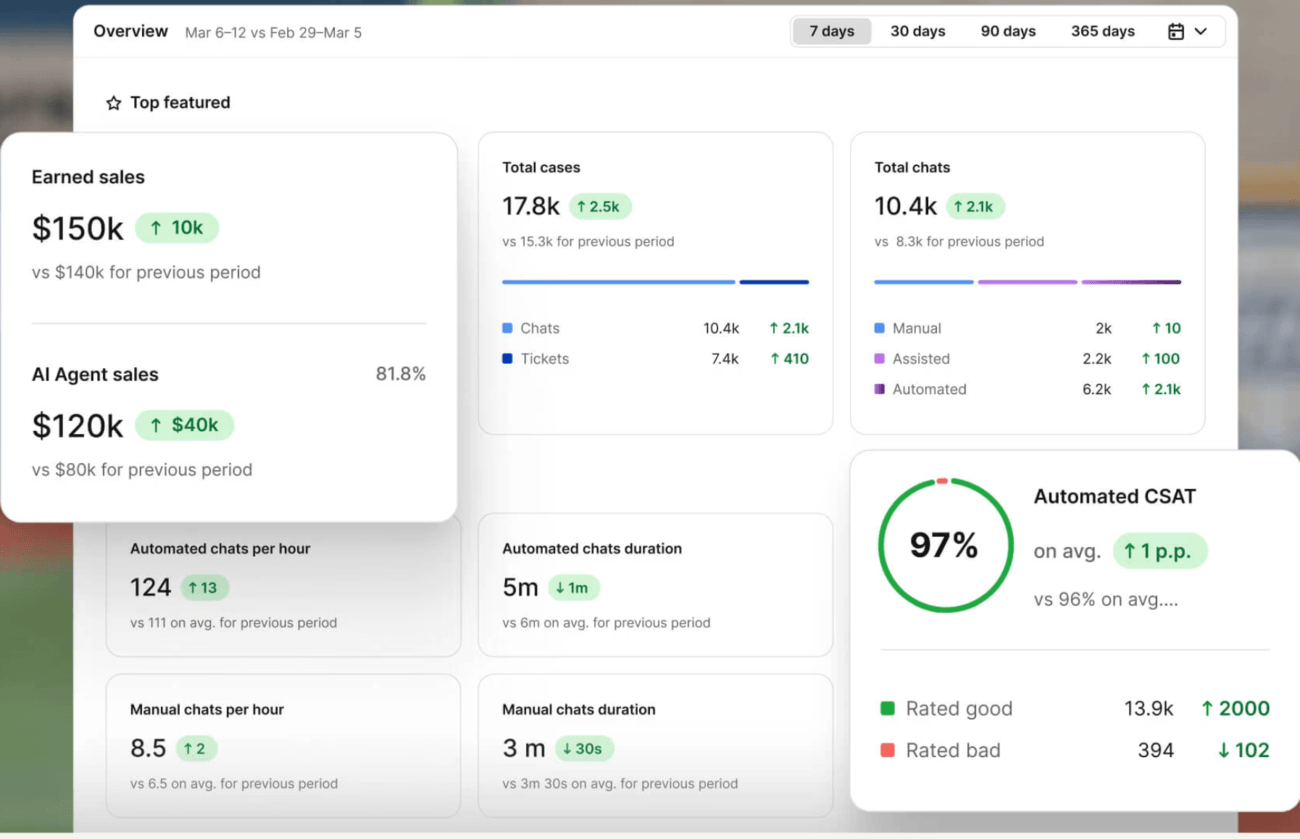
That's the kind of predictive analytics infrastructure that turns a support team's data into something the rest of the business, sales forecasting included, actually wants access to.
Customer engagement built into the whole journey, not just the ticket
It's worth stepping back from individual features for a moment, because the underlying architecture matters as much as any single capability. A lot of support software is built around the assumption that a conversation starts when something goes wrong. Text's infrastructure is built around a different assumption: that support is a checkpoint across the entire customer journey, not a separate system bolted onto the end of it.
For a large organization running a complex catalog or a long consideration cycle, that shift matters. Service quality stops being measured only by how fast a ticket closed, and starts getting measured end to end, from the first hesitation on a product page to the resolved conversation and everything the data shows happened in between.
Proof the infrastructure holds up in practice
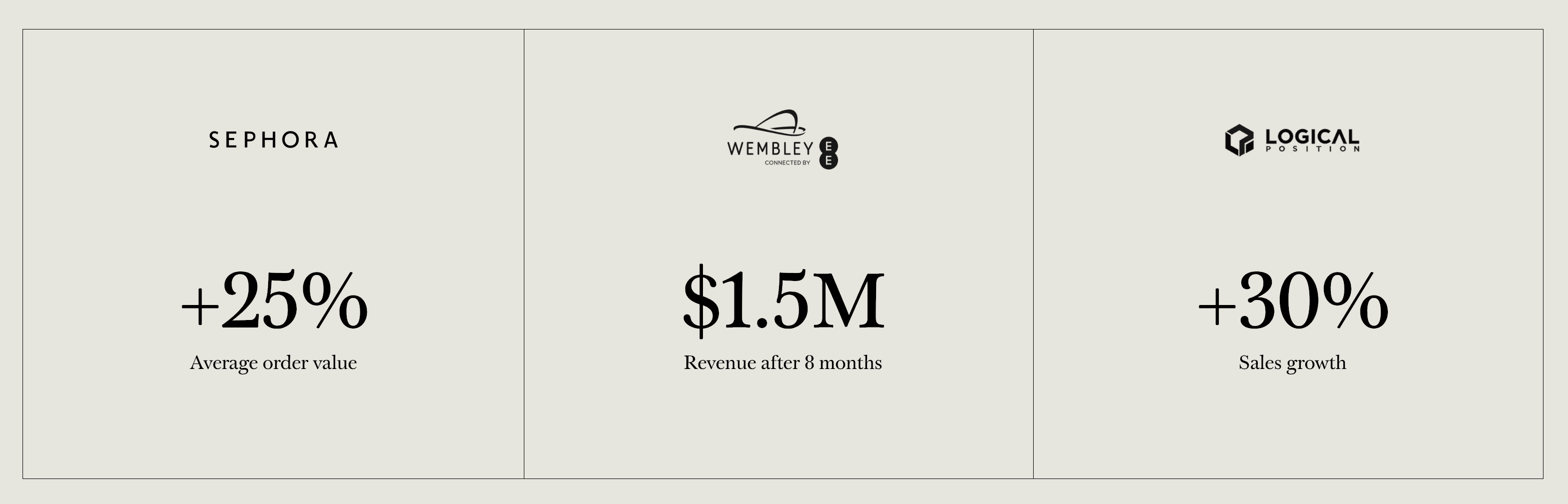
Real numbers matter more than a features list, so here's what the infrastructure has produced for actual customers. Sephora saw a twenty-five percent lift in average order value running Text-powered conversations. Logical Position reported thirty percent sales growth.
On the help desk side, teams using Text's AI Agent see real gains in practice. Fuse, a student housing provider across Eastern and Central Europe, grew its ticket volume by roughly two-thirds while expanding into new cities, and still cut resolution time by 63%, dropping from almost five days down to under two, without adding a single person to the team.

Wembley Stadium attributed over one and a half million dollars in revenue to conversations that started in chat within the first eight months.
These aren't small-account wins either. Organizations like Unilever, Atos, MIT, Stanford, and Kayak already run on the platform. When a prospect asks whether the infrastructure can actually handle their scale, that list does most of the talking.
Integration depth without a rip-and-replace
Large organizations rarely want to abandon the systems already running their business, and that's a reasonable instinct. Most already run Salesforce, HubSpot, or another established CRM, and the last thing an enterprise IT team wants to hear is that adopting new customer service software means untangling years of existing workflow.
Text connects natively to Salesforce, syncing customer data and support activity directly into the systems that a client's sales and service teams already trust. Beyond that native connection, the API and webhook layer lets a client push data into whatever CRM, marketing automation, or asset management tool sits at the center of their stack, whether that's Salesforce Service Cloud, Microsoft Dynamics, or Zoho CRM. The infrastructure is built to connect to a client's existing systems, not replace them.
There's also a newer layer to this worth knowing about: Text runs an MCP server, built on the Model Context Protocol standard, that lets AI assistants like Claude or ChatGPT connect directly to a client's Text data. Instead of building a one-off integration for every AI tool a client's team wants to use, they connect once through a single endpoint, and that assistant can search tickets, pull chat transcripts, or answer questions about support activity, all scoped to whatever permissions that user already has inside Text. For an enterprise IT team already nervous about AI tools accessing sensitive data, that permission-scoped access is often the detail that closes the conversation.
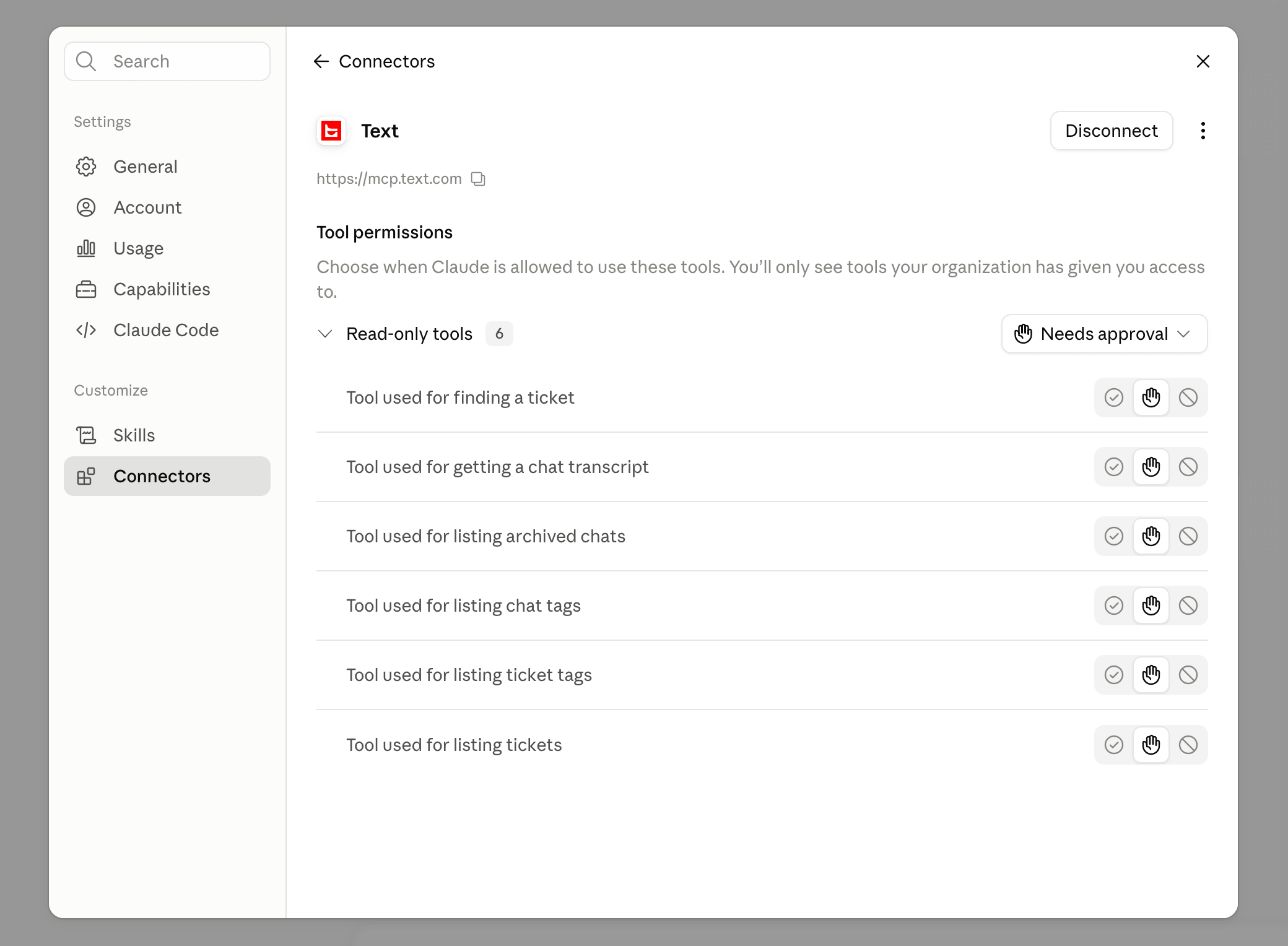
That distinction matters more than it sounds. Integration depth, how thoroughly a tool plugs into the systems a company already relies on, tends to matter far more to enterprise buyers than integration breadth, or how many logos show up on a marketing page. One deep, reliable connection to the system of record beats a dozen shallow ones.
Ready for the cases that scare everyone else off
Put it all together, and the picture is a platform that was never designed to stop at the easy accounts. The security architecture, the compliance stack, the ticket infrastructure built for multiple departments and global teams, the analytics layer that goes beyond resolution time, all of it exists so that when a partner walks into the most demanding, highest-stakes support operation a client can throw at them, the infrastructure is already there waiting.