
Sylwia Kocur
Content Marketing Specialist
I joined Text to help introduce our products to companies looking for a reliable and forward-thinking partner in global communication. With experience as both a Product Expert and now a Content Writer, I understand what businesses need and help them discover how Text can support their goals.
August brought fourteen updates to Text, and a handful of them give you real material to work with, whether you're implementing Text for clients, managing accounts, or pointing your audience toward a product worth recommending. Here's what shipped, and why each one earns you more.
Sell into any platform, no exceptions
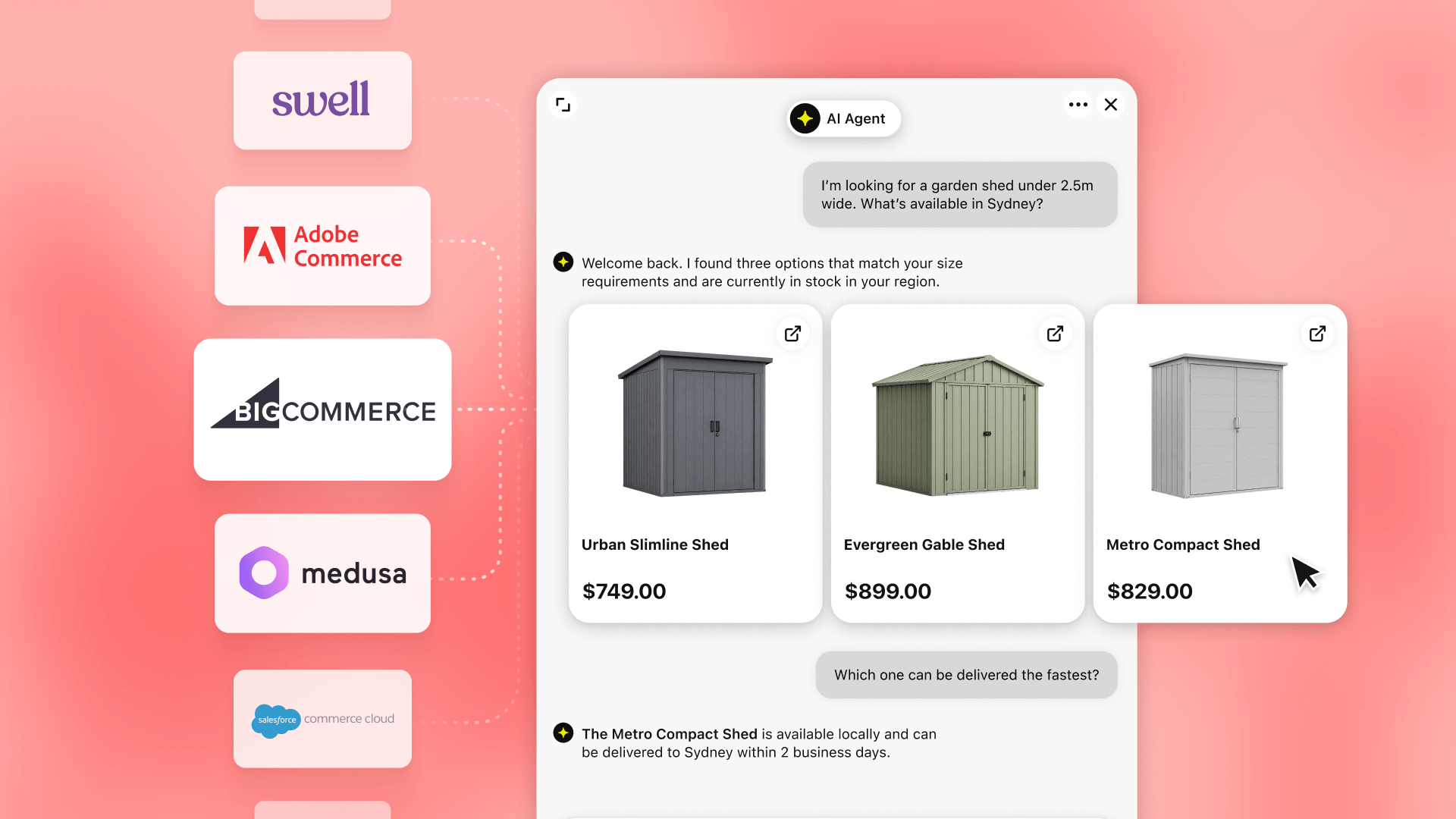
The AI Agent now recommends products from any uploaded catalog, no matter what platform a store runs on. That means fewer technical blockers during scoping, and a bigger pool of prospects you can pitch or implement Text for, whatever their stack looks like.
Get discovered inside ChatGPT itself

Text is now live on the ChatGPT marketplace. That's instant credibility, a fresh discovery channel, and a timely hook for content or outreach. Use it to show clients and prospects that Text is where the market is actually heading.
Prove ROI without extra work

One click now tracks the exact revenue every chat generates. Build it into client reviews, use it to justify renewals, or reference it in a case study. It's the proof point that turns a maybe into a signed account.
Let the data drive the decision
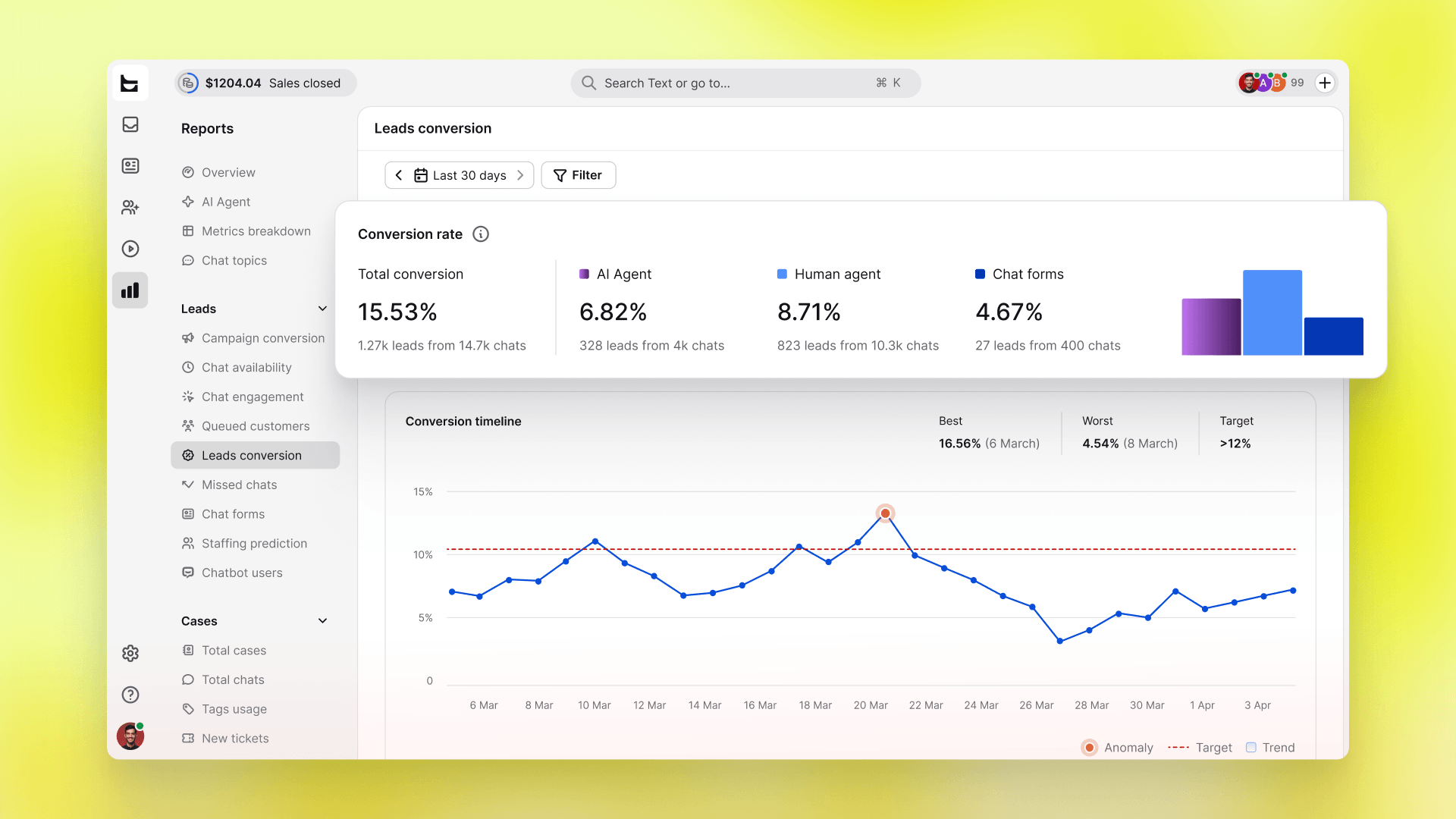
A new report shows whether AI agent, human agent, or chat form converts best. Use it to guide client strategy, prioritize the channels driving results, or back up a comparison post with real numbers instead of guesswork.
Let people try before they buy
Product cards now show in the Preview widget, so prospects can test the AI Agent before committing. Lower risk during onboarding, a demo that closes itself, and a natural fit for a walkthrough video or post.
Give clients a reason to worry less
Cart value now shows right in the Inbox list. It's a simple, visual selling point for clients worried about missing big sales, and a useful coaching tool for teams learning to prioritize conversations that matter most.
Turn offline hours into an upsell
Offline hours don't have to mean lost leads anymore. Keep the chat open or show a form instead. A practical configuration choice worth setting during every implementation, and a solid upsell angle for any client losing business overnight.
Cut the repetitive work
Qualification details now save automatically to the customer profile, so no one asks the same question twice. One less manual step for every account you manage, and an easy "AI that remembers" story for social content.
Make switching an easy case
Contact info shared in chat now saves with one click. A small fix, but it improves lead quality during every implementation and makes a strong case when a client's current tool falls short.
Bring order to complex accounts
Customer fields are now filterable across the app, making segmentation simple. A real asset for managing larger accounts, and a solid talking point for any client drowning in unsorted customer data.
Back up every recommendation with proof
A new report breaks down chat form performance question by question. Solid supporting data for account reviews, optimization recommendations, or a detailed review post that needs more than a screenshot to make its case.
Sell consistency as a feature
Three new field formats turn messy notes into usable data. A quiet win, but worth mentioning during technical onboarding, and a good supporting point for ops-minded buyers who care about clean, structured data.
Handle maintenance without the hassle
Editing customer fields now happens on one dedicated settings page. A small convenience, but it adds up across ongoing account management and shows clients that Text keeps sweating the details that others overlook.
Add polish to every workflow
A hover card now shows customer info right in the Inbox lists, so checking who's waiting doesn't mean opening a chat first. Minor detail, but it's the kind of polish that lands well in demos and onboarding walkthroughs.