
Michał Włosik
Writer
I turn complex topics around customer service, AI, and communication technology into clear, actionable content — from blog posts and whitepapers to case studies and automated content workflows.
TL;DR Meta switched WhatsApp Business API billing from per-conversation to per-message on July 1, 2025. You now pay per delivered template message, with the rate determined by the recipient's country and the message category (Marketing, Utility, Authentication). Service messages, customer-initiated and replied to within 24 hours, remain free. Your total bill is Meta's per-message rate plus whatever your software provider charges on top.
Rates change often. This guide explains the model; for current numbers, check Meta's official pricing page. Last updated: June 2026.
If you've been pricing WhatsApp Business API based on what you read 18 months ago, your forecast is wrong. Meta restructured how the API gets billed twice between November 2024 and January 2026, and most guides still describe the old model.
The short version: Meta no longer charges per 24-hour conversation window. It charges per delivered template message, with different rates for different categories of message, and the rate depends on which country your customer is in, not where your business is. Customer-initiated service conversations are still free inside their 24-hour window.
This guide breaks down the new model, the four message categories, what shapes your actual monthly bill, and how to keep it predictable.
How WhatsApp API pricing works in 2026
The current model has three moving parts.
Per-message billing on business-initiated templates. Every template message you send (Marketing, Utility, or Authentication) is charged individually. Meta dropped conversation-based pricing for utility templates on April 1, 2025, and for marketing templates on July 1, 2025. By the time 2026 began, the old model was fully retired.
Country-based rates. The price depends on where the recipient is, not where your business is registered. A marketing template to a customer in the UK costs roughly 10x more than the same template to a customer in India. If your audience is global, model each market separately.
Free service messages. When a customer messages you first, a 24-hour window opens. Every reply you send inside that window is free, no template required. Click-to-WhatsApp ads open a longer 72-hour free window. Service messaging stopped being capped at 1,000 free conversations per month in November 2024, it's now free and unlimited.
The practical implication: your bill scales primarily with how many templates you send outside the free window. Support-heavy operations pay very little. Marketing-heavy operations pay per delivered message, every time.
The four message categories
Meta sorts every WhatsApp business message into one of four buckets. The category, not the content of the message, determines the rate.
Marketing. Promotional templates: offers, product launches, abandoned cart nudges, win-back campaigns. The most expensive category in every market. These need pre-approval from Meta before you can send them.
Utility. Transactional templates tied to a specific user action or order: order confirmations, shipping updates, delivery notifications, payment reminders, appointment confirmations. Typically priced 50–80% lower than marketing in the same market. Also require Meta approval.
Authentication. OTP codes, account verification, password resets. Some countries also have a separate "Authentication-International" rate for cross-border OTPs, which tends to be higher than the domestic authentication rate.
Service. Free-form replies to a customer-initiated conversation, sent inside the 24-hour service window. No template needed and no charge. This is the only category that doesn't cost anything at the Meta layer.
The categorization matters more than most teams realize. An order confirmation accidentally classified as Marketing is the same content at a higher price. When you submit templates for approval, get the category right.
What you actually pay
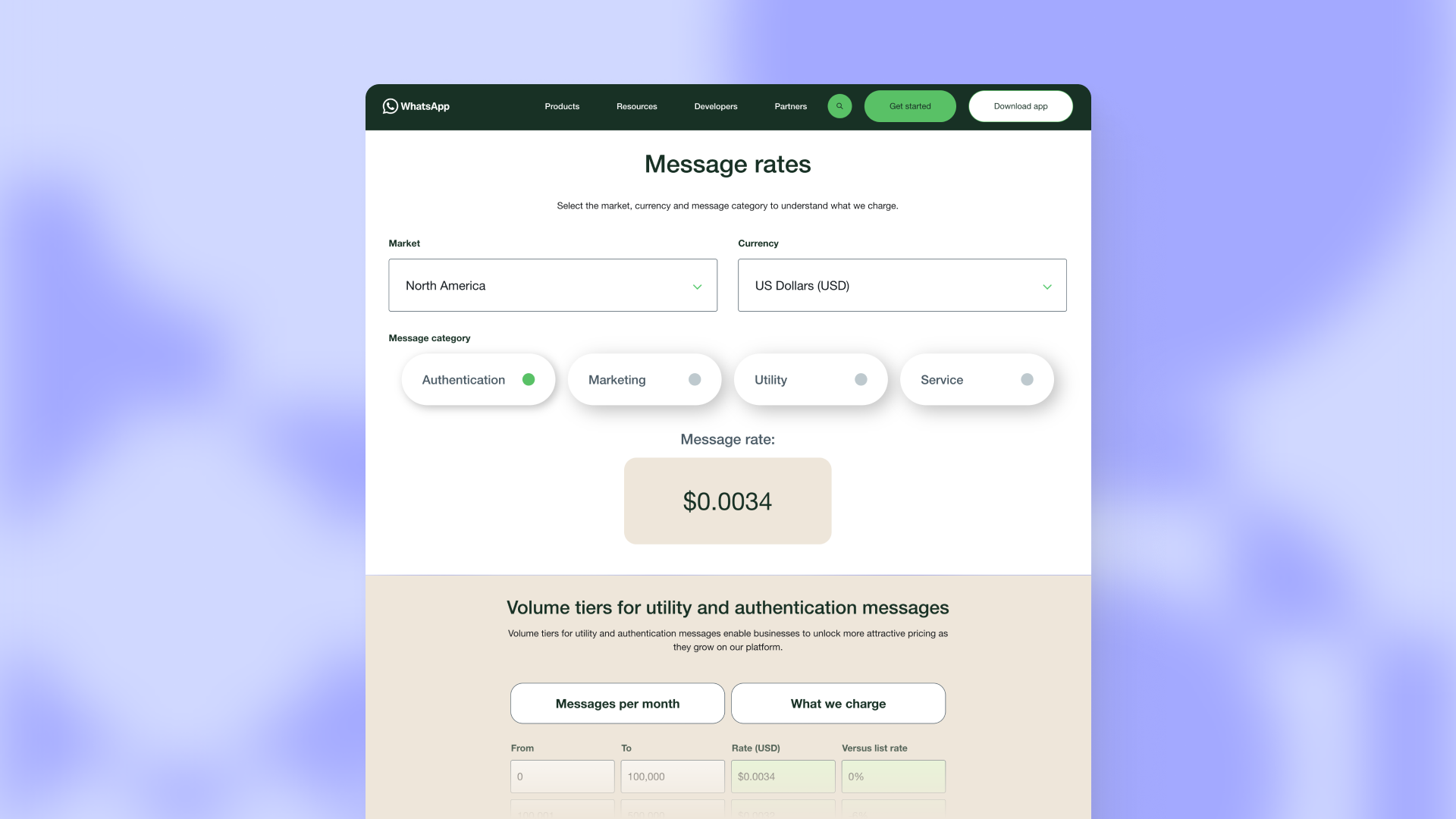
Meta publishes per-message rates by country and category. Marketing rates range from roughly $0.005 in low-cost markets like India and Brazil up to $0.10–$0.14 in Germany, the UK, and other Western European markets. Utility and Authentication sit well below the Marketing rate in each market, often 70–90% lower.
A few things shape the actual number on your invoice:
Recipient country. The rate card is set per country. Verify your destination markets against Meta's current pricing.
Category. Marketing is always the most expensive. Utility and Authentication are dramatically cheaper.
Volume tiers. Meta offers volume discounts on Utility and Authentication once you cross certain monthly thresholds. Marketing rates do not qualify for volume discounts.
Local-currency billing. As of January 2026, eligible businesses can be billed in their local currency in a growing list of markets, starting with INR for Indian customers. Brazil follows in the second half of 2026. This reduces FX exposure but the absolute rates may shift when the currency moves.
Because the rate card changes regularly (Meta announced updates effective April 1 and July 1, 2026), don't hardcode numbers into your forecasts. Pull the current rates from Meta's pricing page when you build your budget.
The free messaging windows
There are two ways to send WhatsApp messages without paying Meta a per-message fee.
The 24-hour service window. When a customer sends you a message, you have 24 hours to reply free-form. No template required, no charge. The window resets every time the customer sends another message, so an active support thread can stay free indefinitely as long as the customer keeps engaging within 24 hours of the last reply.
The 72-hour click-to-WhatsApp ad window. When a customer reaches you by clicking a WhatsApp ad on Facebook or Instagram, the free window extends to 72 hours, and inside it your business-initiated messages are also free.
Designing flows around these windows is the single biggest lever on your WhatsApp bill. A support-first business that gets customers to message in (via QR codes, click-to-WhatsApp ads, website widgets, opt-in forms) lands most of its volume inside the free tier. A marketing-first business that broadcasts cold to a list pays per message every time.
Meta's base fee vs. BSP markup
Meta sets the base per-message rate. But you can't connect to the WhatsApp Business API directly from Meta without a Business Solution Provider (BSP) or platform partner sitting in between. That provider either passes Meta's rates through at cost or adds a markup on top.
Common BSP markup patterns:
No markup, platform fee only. You pay the provider a monthly subscription for the software and inbox, and Meta's exact rates pass through. Most predictable for high-volume senders.
Per-message markup. The provider adds a fixed amount (often $0.003–$0.010 per message, sometimes a percentage of Meta's rate) on top of Meta's base. Compounds quickly at volume.
Markup + subscription. Both layers. Common with WhatsApp-only specialist tools.
The markup is the cost most pricing comparisons skip. A "cheap" platform at $29/month can be more expensive in total than a $79/month platform if the cheaper one applies a 20% markup on every Meta message. Model your projected volume against both layers before you choose.
Cost scenarios
Two profiles to ground the numbers, both based on Meta's current rate card. These illustrate Meta's message fees for different usage patterns; the tooling you use to send them is a separate choice.
Support-heavy business. A 10-agent support team in the UK, handling 5,000 customer-initiated WhatsApp conversations per month. Customers message in first, replies happen inside the 24-hour window. Outbound utility templates (shipping notifications, delivery updates) go to roughly 2,000 customers per month.
Service messages: free
Utility templates to UK customers (~$0.0146 each): ~$29/month
Meta layer total: ~$30/month
Plus platform subscription (varies by tool)
Marketing-heavy business. A DTC brand sending a weekly marketing broadcast to 25,000 EU customers, plus utility templates for order confirmations on roughly 4,000 orders per month.
Marketing templates to Germany (~$0.1131 each), 25,000 per week × 4 weeks: ~$11,310/month
Utility templates for orders (~$0.034 each): ~$136/month
Meta layer total: ~$11,500/month
Plus platform subscription
Plus any BSP markup
The gap between the two scenarios is the point. WhatsApp is almost free as a support channel and expensive as a broadcast channel. Most businesses overestimate the support cost and underestimate the marketing cost.
How to lower your WhatsApp bill
Per-message billing creates clean optimization levers that per-conversation pricing didn't.
Maximize the service window. Design acquisition flows that get customers to message you first: QR codes on the site, click-to-WhatsApp ads, post-purchase prompts, opt-in checkboxes at checkout. The more inbound, the more of your volume sits inside the free window.
Categorize templates correctly. Order confirmations, shipping alerts, and appointment reminders are Utility, not Marketing. Make sure your templates are submitted under the right category. A misclassified utility template can cost 5–10x what it should.
Use Click-to-WhatsApp ads strategically. The 72-hour free window after a click is a long runway. If you run paid acquisition, structure your follow-up to land within that window before any template messaging is needed.
Watch volume tiers on Utility and Authentication. These categories qualify for volume discounts once you cross Meta's monthly thresholds. If you're close to a tier, consolidating volume in one Business Account rather than splitting across two can drop the per-message rate.
Verify the BSP markup. Before signing with a provider, ask explicitly: do you pass Meta rates through at cost, or do you add a markup? If yes, how much? At 10,000 messages a month, a 20% markup is real money.
How Text handles WhatsApp pricing
Text is a customer service tool, so this is about the support and utility side of WhatsApp, not marketing broadcasts.
Text passes through Meta's exact per-message rates. There's no markup on WhatsApp messages and no per-number fee on top of your Text license. Your bill is Meta's published rate for the country and category you're sending to, plus your existing Text subscription (plans from $19/month per user).
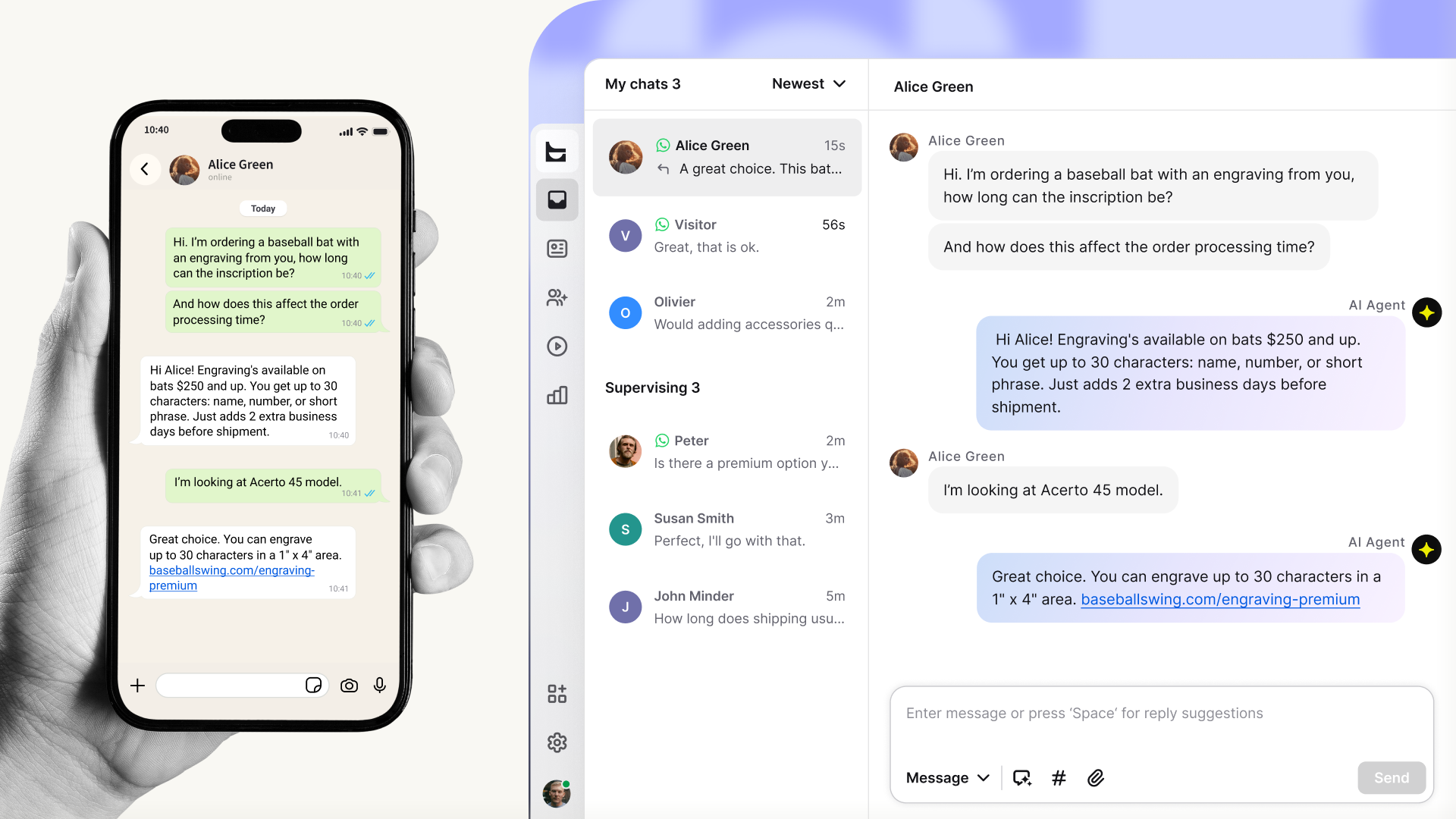
The AI Agent on WhatsApp doesn't add a per-resolution fee either. It runs on the standard license, trained on the same knowledge as your web chat. That matters because the support-heavy scenario above (where most of your WhatsApp volume sits inside the free service window) is exactly where AI Agent coverage drives the most value: messages get answered inside the 24-hour window, no template required, no per-message charge.
Connect WhatsApp to Text in minutes
WhatsApp is already on every Text license. Open settings, connect your number, and start running it through the same inbox as the rest of your support.
FAQ
Quick answers to the questions teams ask most often before budgeting WhatsApp.
Is the WhatsApp Business API free?
The API itself has no direct access fee from Meta. You pay per delivered template message at the rate for the recipient's country and category, plus whatever your software provider charges. Customer-initiated service messages within the 24-hour window are free at the Meta layer.
How much does WhatsApp charge per message?
It depends on the recipient's country and the message category. Marketing templates range from roughly $0.005 to $0.14 per message across major markets. Utility and Authentication are typically 50–80% cheaper than Marketing in the same market. Service messages inside the 24-hour window cost nothing. Always check Meta's pricing page for current rates.
Are customer service messages free?
Yes. When a customer messages your business first, a 24-hour window opens, and every reply you send inside that window is free with no template required. The window resets each time the customer messages again. The 1,000 free service conversations per month cap was removed in November 2024.
Cloud API vs. On-Premises: does pricing differ?
No. Meta's per-message rates apply the same way regardless of whether you're on the Cloud API or the older On-Premises API. The difference is in hosting and infrastructure costs, not Meta's message fees. The Cloud API is hosted by Meta and is what most new integrations use; On-Premises is being phased out.
Who bills me, Meta or the BSP?
Both, indirectly. Meta charges your Business Solution Provider for the message fees. The BSP then charges you, either passing Meta's rates through at cost or adding a markup. Your monthly invoice from the BSP includes both layers, plus any platform subscription. Always ask a prospective BSP whether they mark up Meta's rates and by how much.
Stop guessing what WhatsApp will cost you.
Connect WhatsApp to Text and pay Meta's exact rates with no markup, plus an AI Agent that handles the free service window automatically.