
Sylwia Kocur
Content Marketing Specialist
I joined Text to help introduce our products to companies looking for a reliable and forward-thinking partner in global communication. With experience as both a Product Expert and now a Content Writer, I understand what businesses need and help them discover how Text can support their goals.
Somewhere on your client's site, there's a corner doing nothing. Bottom right, usually, just above the footer. That's where a chat widget goes, and it's worth more than most agencies give it credit for.
"Can you add a chat widget to our website?" sounds like a small ask. It isn't. It's the opening line of a much bigger conversation about how that client talks to their customers, captures leads, and keeps support agents from drowning in the same five questions all day. If you're a Text partner, this is one of the easiest doors into a client relationship that pays you every month, not just once.
Here's how to actually do it, and how to turn a single line of code into a real service line.
The question behind the question
When a client asks for a chat widget, they're rarely picturing the code snippet. They're picturing fewer abandoned carts, faster answers, and a support team that isn't buried by 2 PM. A basic live chat box can technically check the box. It won't fix the problem underneath it.
That gap is where your margin lives. Anyone can paste a script tag. Fewer people can walk a client through business hours, routing, lead qualification, and the handoff between an AI agent and a real person. That's the part worth billing for.
What a chat widget is now
A chat widget used to mean one thing: a small box in the bottom corner of a page where a visitor typed a message and waited for a support agent to type back. That's still the baseline, but it's not the whole story anymore.
Today's website chat widget usually includes:
Real-time messaging between website visitors and your client's support team.
Automated responses and AI Agents that answer common questions instantly, day or night.
Omnichannel messaging, so the same conversation can start on the website and continue on Facebook Messenger, WhatsApp, or SMS.
Lead capture forms that collect a visitor's contact details before or during the chat.
Analytics that show where visitors drop off and which questions come up most.
Text sits in the middle of a crowded field, and that's exactly where the opportunity is. On one end, tools like Tidio, HubSpot Chat, and Elfsight compete purely on being free and basic. Elfsight alone reports serving more than 2.5 million website owners with its no-code widget library, which tells you how commoditized that end of the market already is. On the other end, tools like Drift compete on being expensive and sales-only, with published pricing starting around $2,500 a month for its entry-level plan, aimed squarely at sales teams running a pipeline, not small teams just trying to answer questions.
That price gap matters for you. It means there's real room for a partner to install, configure, and manage something genuinely useful, without handing a client either a toy or a six-figure sales tool. That's the space Text lives in, and it's the space your services live in, too.
Pasting the code snippet is the easy part
Technically, adding a chat widget to a website takes one step: paste a snippet of code into the site's HTML, right before the closing body tag, or drop it in through Google Tag Manager if the client already uses that. No coding required beyond copy and paste. This works on basically any platform that lets you touch the source code, whether that's a custom-built site, WordPress, Shopify, or a page builder with an embed block.
For most sites, this takes less than a minute. If a client can access their website's HTML or their Tag Manager account, you can have a chat widget live before the call ends.
That speed is exactly why it's not the service. If installing a widget were the hard part, there'd be no partner program worth joining. The value shows up in what happens next.
Configuring the widget so it actually works
A chat widget that's live but unconfigured is just a decoration. Here's what separates a working setup from a placeholder:
Placement and first impression
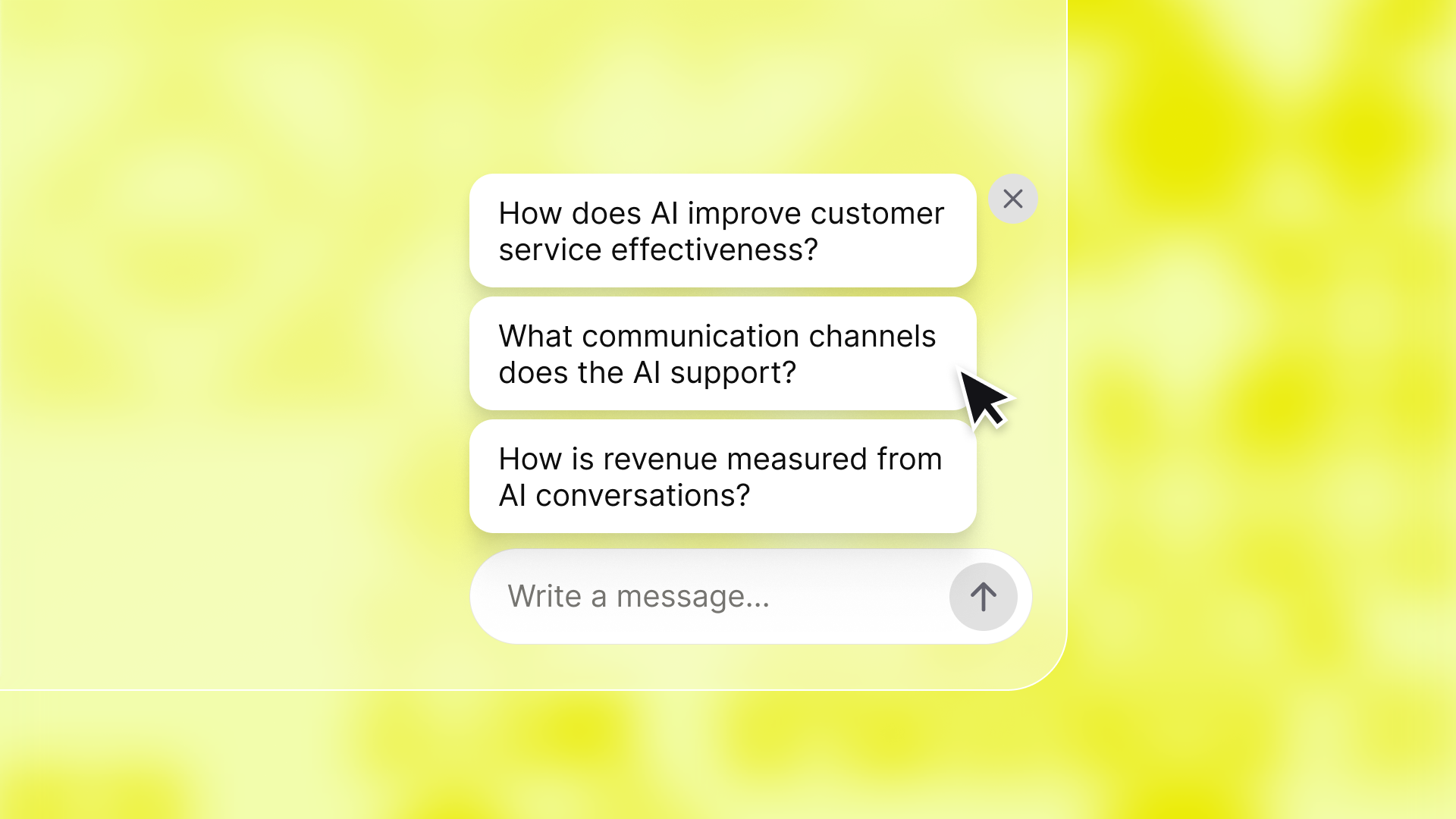
The widget should sit in the bottom corner where visitors expect it, load fast, and not fight with other pop-ups for attention. A slow-loading widget can drag down page speed, which undoes the whole point of adding one.
Business hours and honest availability
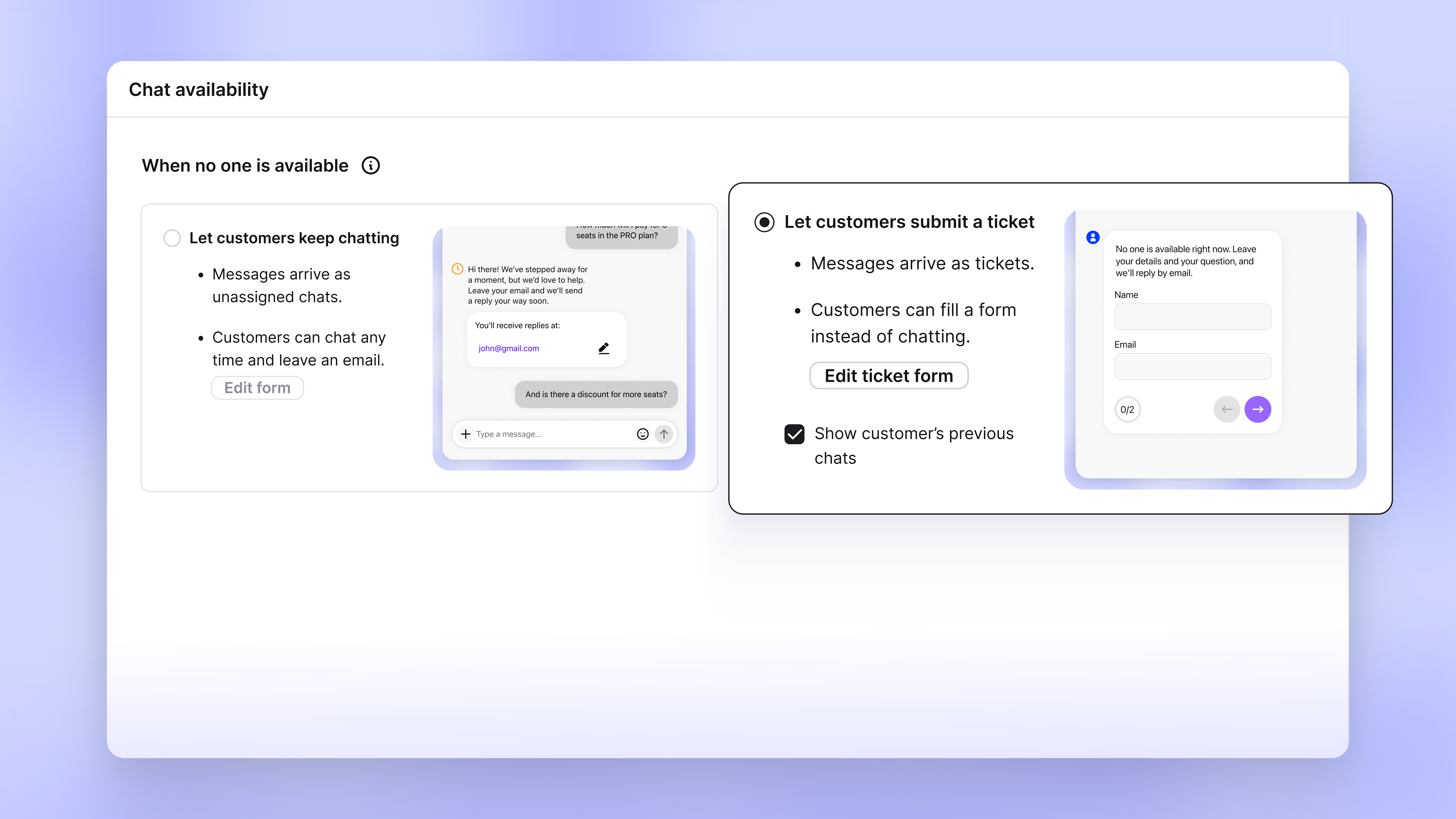
Visibility into whether a real person is available, right now, changes how a visitor behaves. If the support team is offline, the widget should say so and offer another way to leave a message, rather than leaving visitors staring at a chat bubble that never responds.
A greeting that isn't generic
A contextual opening line, one that references the page a visitor is on or something they've shown interest in, gets more engagement than "Hi, how can I help?" This is a small detail with an outsized effect on whether someone starts chatting at all.
A clear path from bot to human
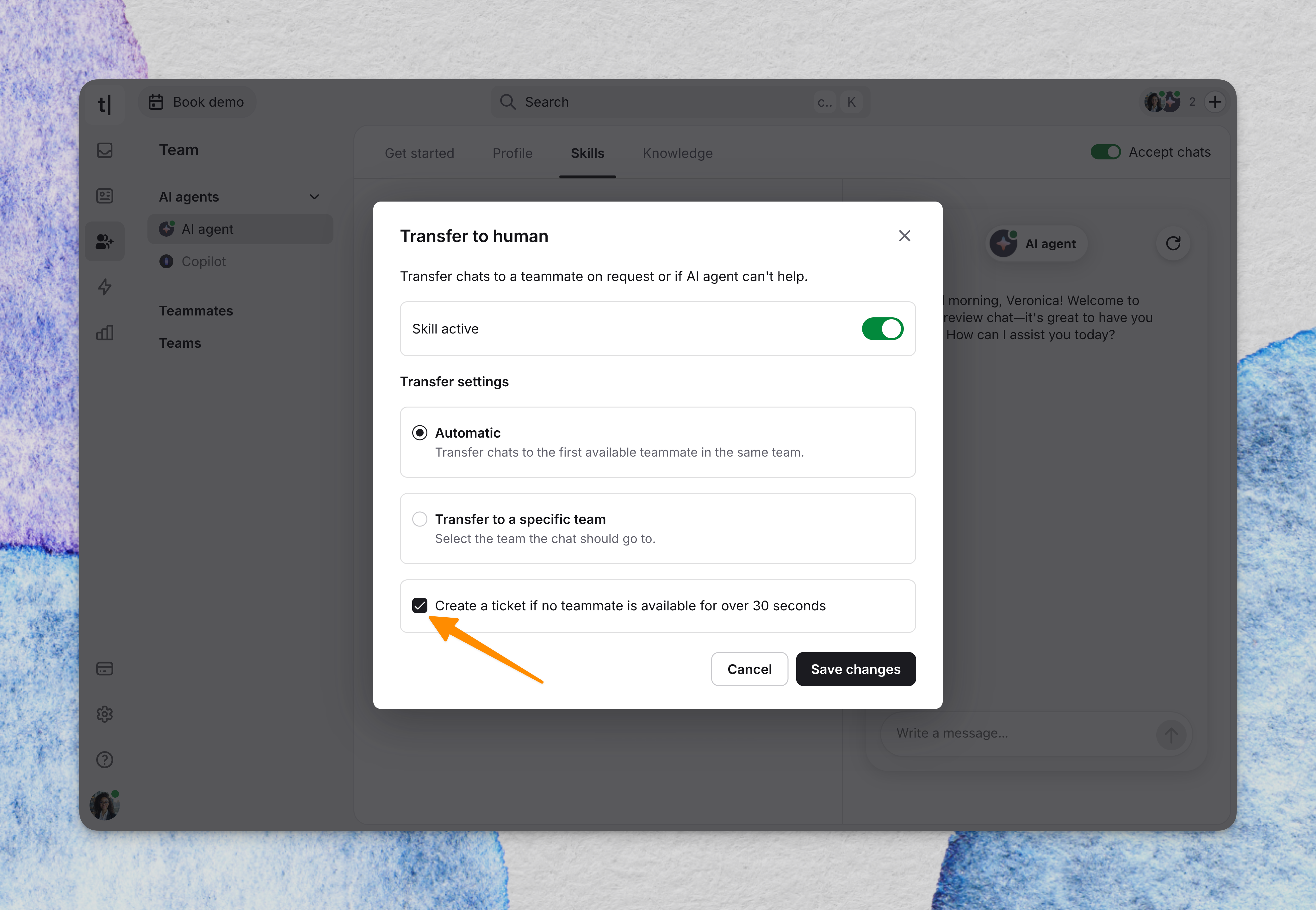
The best setups let an AI agent handle FAQs, order status, and routine questions, then hand off cleanly to a human agent when the conversation needs judgment a bot doesn't have. Visitors should always know whether they're talking to an AI agent or a real person, and there should always be an obvious way to end chat and get to someone else if needed.
Data handling
Chat transcripts often contain names, emails, and sometimes payment or account details. Whoever configures the widget needs to consider where the data lives and who can access it, especially for clients in regulated industries.
Lead qualification, not just lead capture
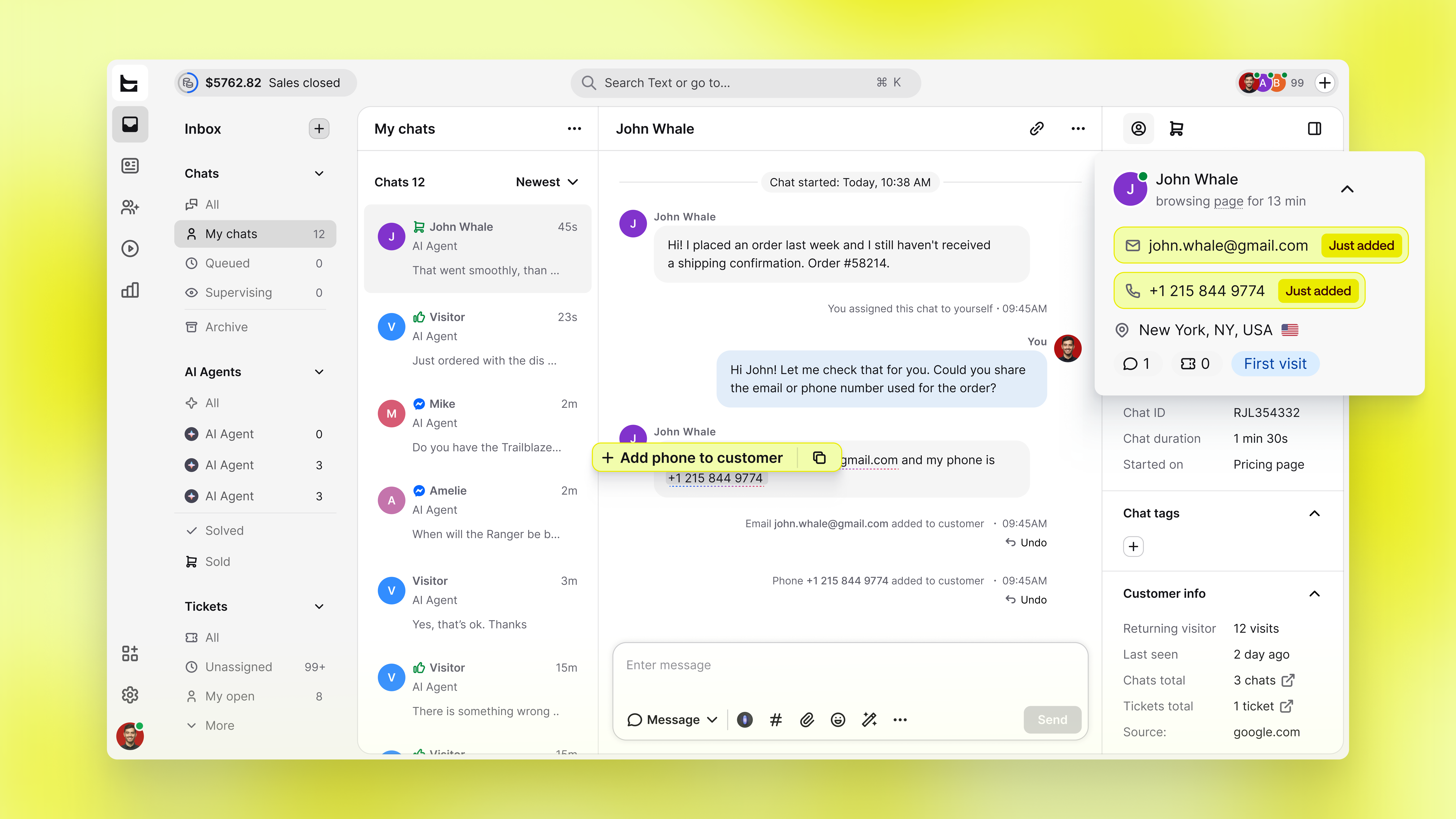
Collecting a name and email is step one. A well-built flow asks a couple of qualifying questions inside the chat itself, so by the time a support agent or a salesperson jumps in, they already know what the visitor wants.
Small details that make visitors stick around
A few configuration choices sound minor until you see the difference they make in practice.
Recognizing a returning visitor and adjusting the greeting accordingly (something closer to "welcome back" than a cold open) tends to keep conversations going longer than a script that treats every visitor as a stranger. The same goes for triggering a message based on behavior on the site: someone who's spent three minutes on a pricing page is a different visitor than someone who just landed on the homepage, and the widget should treat them that way.
Here's how those details break down when you're actually configuring the widget:
Detail | What it looks like in practice | Why it matters |
|---|---|---|
Returning visitor greeting | Widget recognizes a past visitor and opens with something closer to "welcome back" than a cold greeting | Visitors who feel remembered tend to stay in the conversation longer |
Behavior-based triggers | A message fires when someone lingers on a pricing page, not on the homepage | Treats high-intent visitors differently from someone who just landed |
Status visibility | Clear indicator for real person online, AI agent responding, or chat ended | Sets honest expectations instead of leaving visitors guessing |
Keyboard navigation | Widget can be opened, typed in, and closed without a mouse | Reaches visitors who rely on a keyboard to browse |
Screen reader support | Widget elements are labeled so assistive tech can read them aloud | Makes the widget usable for visitors with visual impairments |
Non-color status cues | Status shown with text or icons, not just a colored dot | Keeps status clear for visitors who can't distinguish color differences |
Basic live chat vs an AI Agent that actually works
Here's the split that matters when you're pricing this for a client.
A basic live chat widget is a messaging window. It needs a human on the other end, every single time, or it's just a box that says "leave a message." Fine for a two-person shop. Not fine for a client who wants coverage outside business hours or who gets more traffic than their team can handle live.
An AI agent changes the math. It answers questions instantly, pulled from the client's own content and knowledge base, around the clock, without waiting for a support agent to be logged in. It can qualify a lead, recommend a product, and know when to step aside for a person. That's the difference between installing a chat widget and installing a system that keeps working while everyone else is asleep.
This is exactly the pitch behind Text's positioning: everyone has AI, but not everyone's AI actually does anything. A widget that only forwards messages to an empty inbox isn't solving the problem a client hired you to solve. One that resolves real questions, captures real leads, and only escalates what genuinely needs a human is a different product entirely, and a different price point.
Why does this become a service, not a setup fee
If you only ever charge for the install, you've priced yourself into a one-time job. Partners who build a real practice around this treat the widget as the entry point to an ongoing relationship: initial setup, conversation design, monthly optimization, and reporting on what's actually converting.
That's the model behind the Text Partner Program. Partners don't just point clients toward a signup link. They implement the widget, configure the automated responses, connect it to WhatsApp or Messenger, tie it into the client's CRM, and stick around to tune it as the business changes.
That framing shows up in how partners themselves describe the arrangement, too. As Peter Gavrilos, Partner Director at Americaneagle.com, put it, the partnership lets his team give customers "the best options in the current communication landscape".

Turning the snippet into recurring revenue
Once the widget is live, the real work starts, and it isn't really about the widget anymore. It's about what you build around it.
The install gets you in the door. What keeps you there is the service wrapped around it, the strategy conversation about which channels a client's customers actually use, the work of making an AI agent sound like their brand instead of a generic bot, the monthly check-in where you walk them through what changed.
A few ways partners build that into an ongoing service:
Own the conversation design. A generic AI agent answers questions. One tuned to a client's tone and actual FAQs feels like part of their team, and that's billable work, not a checkbox Text ships for free.
Bring the next channel to them. Once the widget is working, suggest connecting Messenger or WhatsApp rather than waiting for the client to ask.
Show up with numbers, not just the widget. A short monthly review of what visitors asked and what the AI agent resolved keeps you positioned as a strategist, not a vendor who disappears after setup.
Catch problems before the client does. Flagging a routing issue or a stale greeting first turns a vendor relationship into one they don't want to end.
Text backs this up, trusted by more than 35,000 businesses, which gives you a credible answer the first time a client asks, "Why this one, and not the free option."
It's also a shortcut for the objection you'll hear most: "Why not just grab a free widget and skip the agency fee?" Free and cheap widgets are exactly what they sound like: message forwarders with a nicer color picker. What a client is really paying for isn't the platform; it's someone who knows their business well enough to keep tuning it. That relationship is what turns a setup fee into a monthly line item.
If you're a partner and this is the first widget conversation you're having with a client this quarter, it won't be the last. Get the install right, configure it properly, and the rest of the relationship tends to follow on its own.
FAQs
Does the widget slow down the website?
It shouldn't, if it's configured properly. Chat performance should never come at the cost of page load speed, and a well-built widget loads asynchronously so it doesn't block the rest of the page.
Do I need to touch the client's source code every time I make a change?
No. After the initial embed, most day-to-day configuration (business hours, greetings, routing, automated responses) happens inside the platform dashboard, not the website's HTML.
What if the client already uses HubSpot Chat, Zendesk Support, or something inside the Zendesk ecosystem?
Migrations happen constantly in this space. Part of your value as a partner is helping a client see what they're missing (deeper automation, better channel coverage, a lower total cost) without making the switch feel disruptive.
Is this only for small businesses?
No. Small teams benefit from the basic setup, but mid sized businesses and larger operations are usually where the AI agent, multi channel messaging, and advanced analytics start paying for themselves fastest, simply because their support agents are handling more volume.
How is pricing usually structured?
Text doesn't force custom pricing on partners chasing this kind of deal. There's a standard structure, transparent margins, and clear ROI that let you model exactly what a given client is worth to you before you ever propose anything.