
Sylwia Kocur
Content Marketing Specialist
I joined Text to help introduce our products to companies looking for a reliable and forward-thinking partner in global communication. With experience as both a Product Expert and now a Content Writer, I understand what businesses need and help them discover how Text can support their goals.
Support teams don't have time to sort tickets by hand. Someone has to read every request, guess who's free, and hope the urgent one doesn't sit behind ten routine ones. That's the exact problem ticketing functionality exists to solve, and it's the third module in this series for a reason. Get this one right with a client, and you've got a story that sells itself.
This article is going deeper into how Text actually handles tickets, because the more you understand about the functionality, the easier it is to walk a client through it, and the easier it is to justify your own margin on top.
What Text's ticketing functionality does differently
A shared inbox feels fine until it doesn't. Once a support team passes a handful of requests a day, nobody remembers who's handling what. Someone answers the same question twice. Someone else never answers it at all. That's the moment a business needs proper ticketing instead of a crowded inbox.
Text takes every support request, no matter which channel it came from, and turns it into a single ticket with a status, an owner, and a history. That's the whole idea behind a single point of contact. The customer doesn't need to know which agent is handling their case or which department it landed in. They just need an answer, and the ticket makes sure someone is accountable for giving it to them.
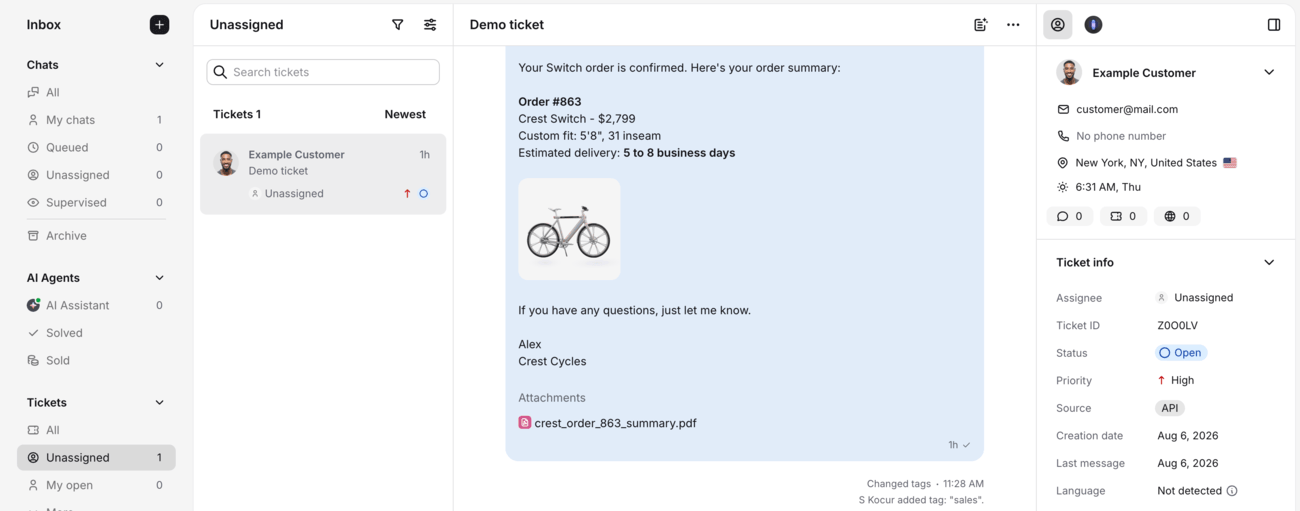
Text pulls requests from email, live chat, Messenger, contact forms, and SMS into one dashboard, so a conversation that starts on Messenger and continues by email stays a single thread instead of turning into two disconnected tickets. That's the difference between a real service desk and a folder full of unread messages. For a client with support requests scattered across five inboxes, that alone is worth the conversation, and it's the same inbox their live chat and AI Agent conversations already live in.
Where the queue actually breaks
Here's the part worth walking a client through slowly, because it's the part they feel every day without naming it. A ticket comes in. Someone has to read it, figure out what it's about, decide who should handle it, and assign it. Multiply that by a hundred tickets a day, and you've got a job that eats hours before a single customer gets helped.
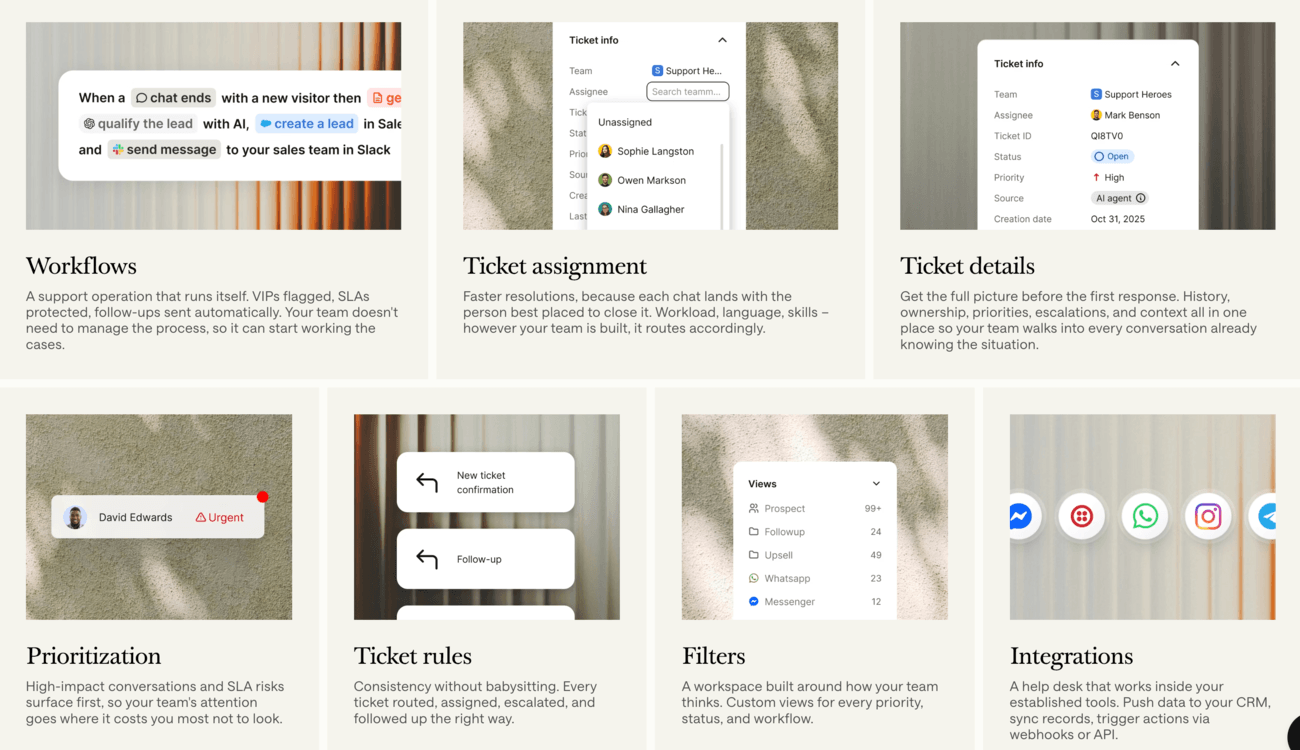
This is where ticket routing and ticket assignment stop being nice-to-haves and become the actual product. Text's AI Agent resolves up to 74% of routine questions before they ever become a ticket, and hands off to a human with full context when a case needs one. The tickets that do land in the queue get automated assignment based on workload, language, and skill, so nobody's guessing who's free, and nothing sits untouched because no one claimed it.
Language detection automatically routes a ticket to the right agent, which matters more than it sounds like it should, the first time a client gets a support request in a language nobody on shift actually speaks. And because Text flags high-impact conversations and SLA risk automatically, the ticket that's about to breach a deadline doesn't sit quietly behind twenty routine password resets. Teams using this kind of prioritization and tagging have handled over 100 tickets in 4 hours purely because the system sorted the queue for them, rather than a person doing it manually.
None of this is about replacing a support team. It's about making sure the hours a team does spend go toward the requests that actually need a human, not the ones the system could have caught on its own.
The ticket management features worth giving every client
You don't need to demo every screen. But there's a set of ticket management features that consistently move a client from curious to convinced, because each one answers a specific complaint you'll already be hearing from them.
Statuses, priorities, and custom fields. Every ticket carries a status and a priority, and a client can add up to twenty custom fields on the Growth plan to capture whatever detail matters to their business, from order numbers to account tier. This is the foundation of ticket management, and it's the reason reporting further down the line actually means something.
Collision detection. Two agents working the same ticket at once is how customers get two conflicting answers. A collision detector flags when a teammate is already on a case, so nobody duplicates the work or contradicts each other.
Teams for multiple departments. A client running support across multiple departments, say billing, technical, and onboarding, can group agents into teams by department, language, or skill set, and each team gets its own view of relevant tickets. This is the piece that makes the ticketing functionality scale from a very small team to a mid-sized business without a rebuild.
A knowledge base grounded in the client's own content. Reply suggestions and the AI Agent draft from the client's actual help center, product docs, and site content, not generic web data, so a brand-new hire answers like a three-year veteran on day one. That's the answer to "will the AI make things up," and it's worth saying clearly, because it's the objection you'll hear most.
Tag suggestions and ticket summaries. AI suggests the right tag as a ticket arrives and gives a one-click summary of the issue, the stage, and the next step, so nobody has to read a full thread just to understand where a case stands.
Similar ticket suggestions. Text surfaces past cases that match the one an agent is working on, so proven answers get reused instead of reinvented every time.
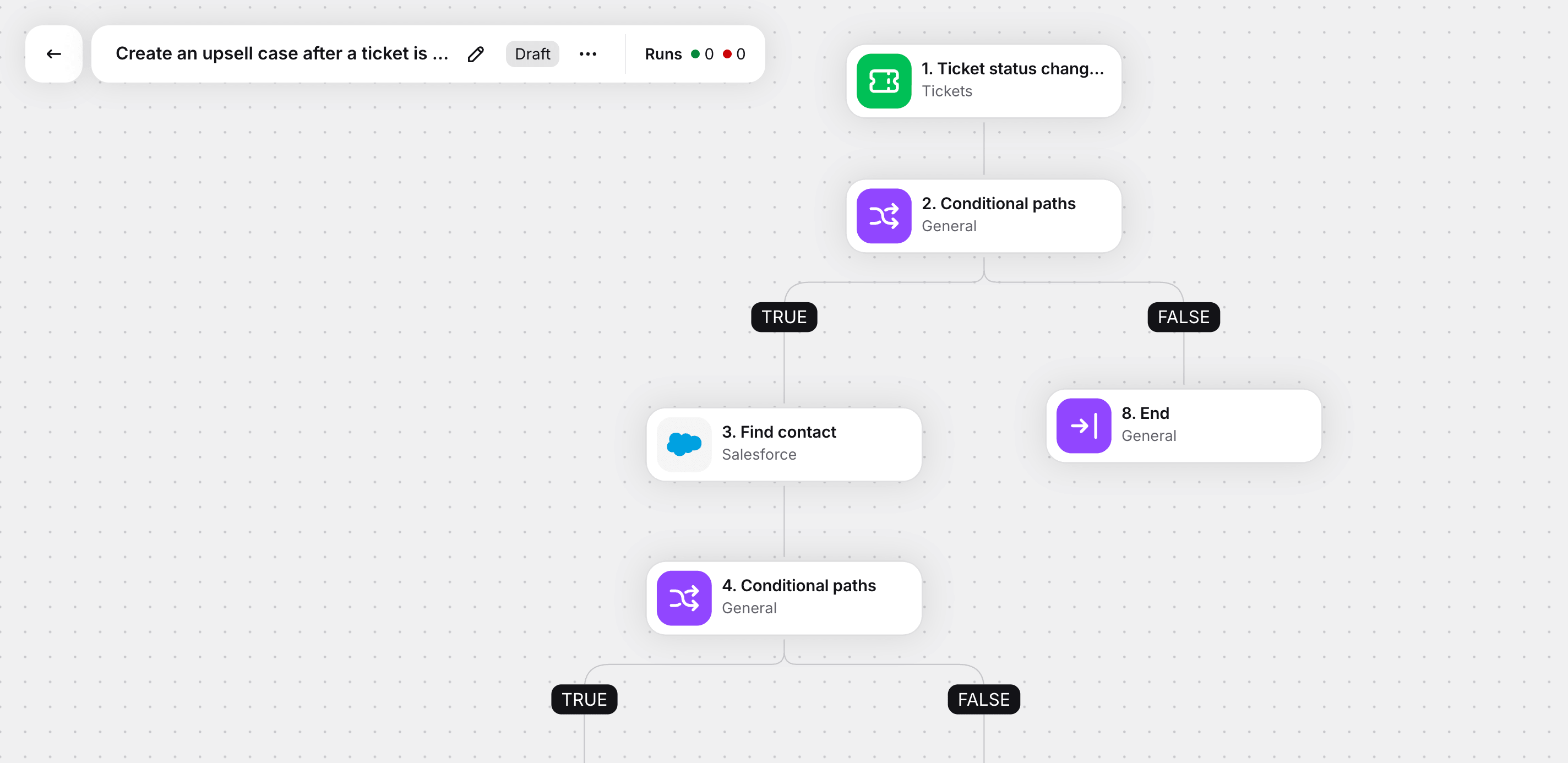
Automation rules and workflows. Ticketing rules and no-code workflows handle assignment, escalation, and follow-ups automatically, and they connect out to tools like Shopify, Salesforce, and HubSpot, or to anything else through webhooks and the API.
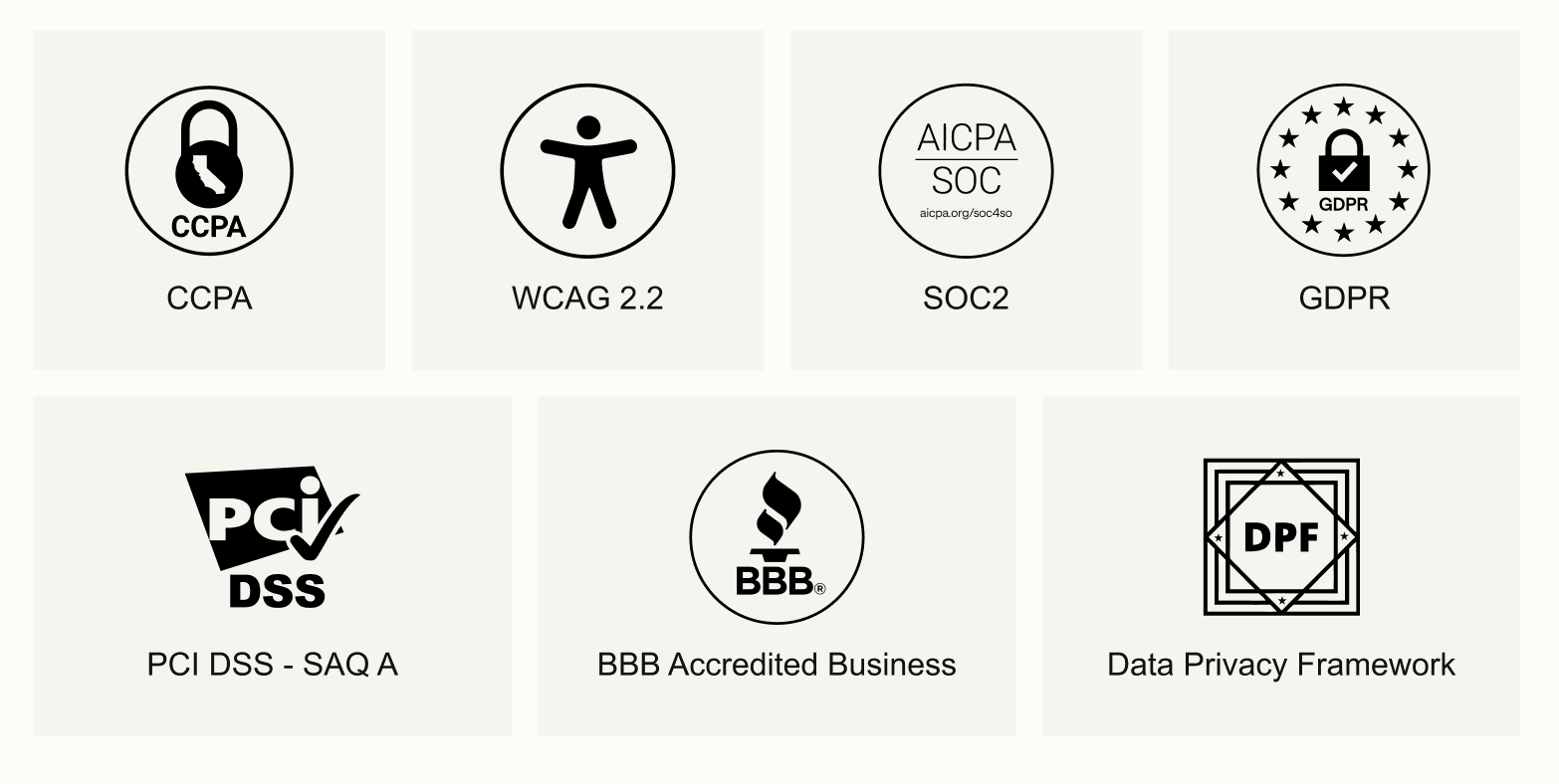
Security that doesn't need a separate conversation. SOC 2, GDPR, and PCI DSS SAQ A compliance include role-based access, encryption, and built-in audit logs, which matter when customer data is part of the conversation.
That's a lot of ground, and you don't have to cover it all in one meeting. Pick the two or three that map to what a specific client is already complaining about, and let those carry the pitch.
Self-service cuts the queue before it forms
Not every support request needs a human, and not every customer wants to wait for one. A knowledge base full of clear articles lets a customer solve their own problem at two in the morning, which is exactly why self-service keeps showing up as the first line of defense in any modern service desk.
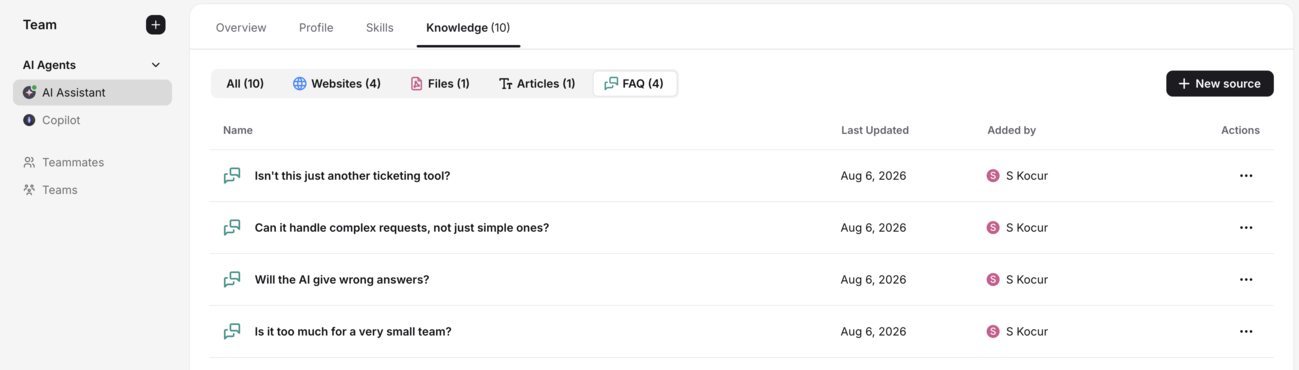
The same AI Agent that runs Text's ticketing draws its answers straight from that knowledge base, so a customer typing a question into a chat widget gets an answer sourced from the client's real documentation instead of a generic script. When that same knowledge base powers a customer portal, the customer can track requests, see where a ticket stands, and read through knowledge base articles without ever opening a new email thread.
This matters more than it sounds like it should for customer satisfaction. A customer who finds the answer themselves in ninety seconds rates that experience higher than one who waits four hours for a reply that says the same thing. And every question answered by self service is one less ticket sitting in an agent's queue, which loops right back into the routing and workload numbers from earlier in this piece.
Reporting that actually changes how a team works
A support system without reporting is a black box. Nobody can tell you if Tuesday was actually busier than Monday, or which agent is quietly carrying half the ticket volume while another one coasts.
Text's reports track performance across resolution time, ticket volume, and satisfaction, broken down by agent, team, or channel. Agent performance data turns a vague coaching conversation into a specific one. Instead of telling someone they seem slower this month, a manager can point to the exact number and the exact tickets behind it.
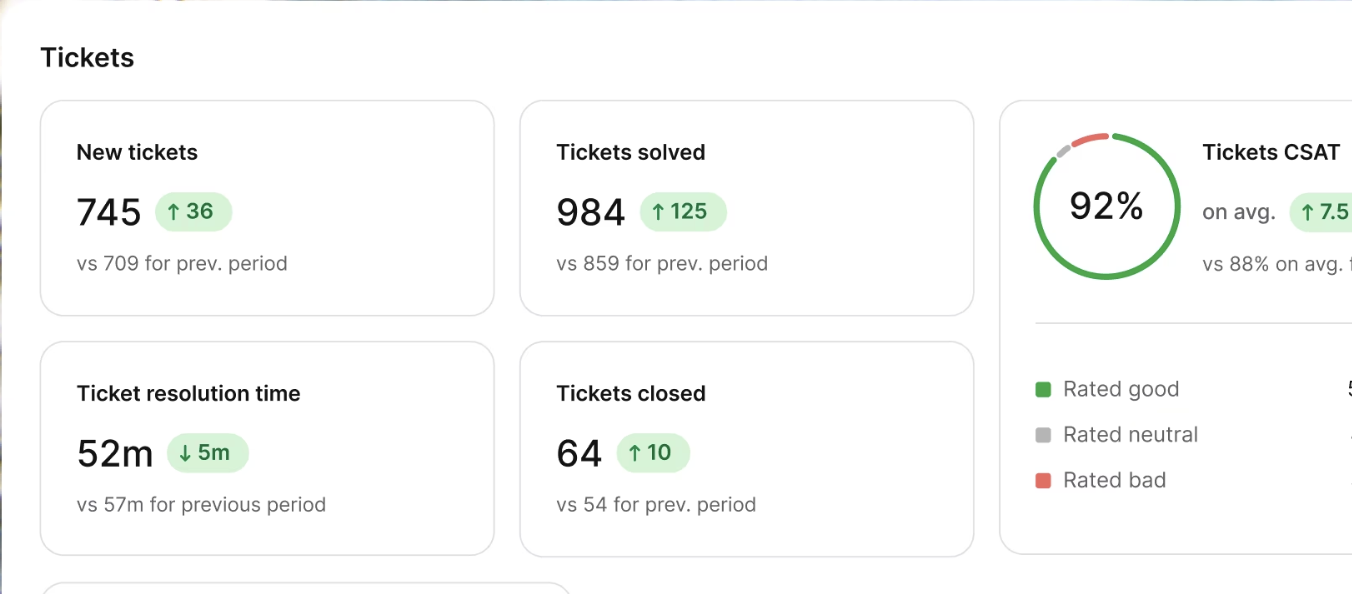
Because ticketing sits inside the same platform as Text's revenue tools, these reports don't stop at resolution time. The same dashboard that tracks tickets solved can also show which support conversations turned into a sale or a saved account, a kind of number that gets a support team's budget defended in a way pure efficiency metrics rarely do.
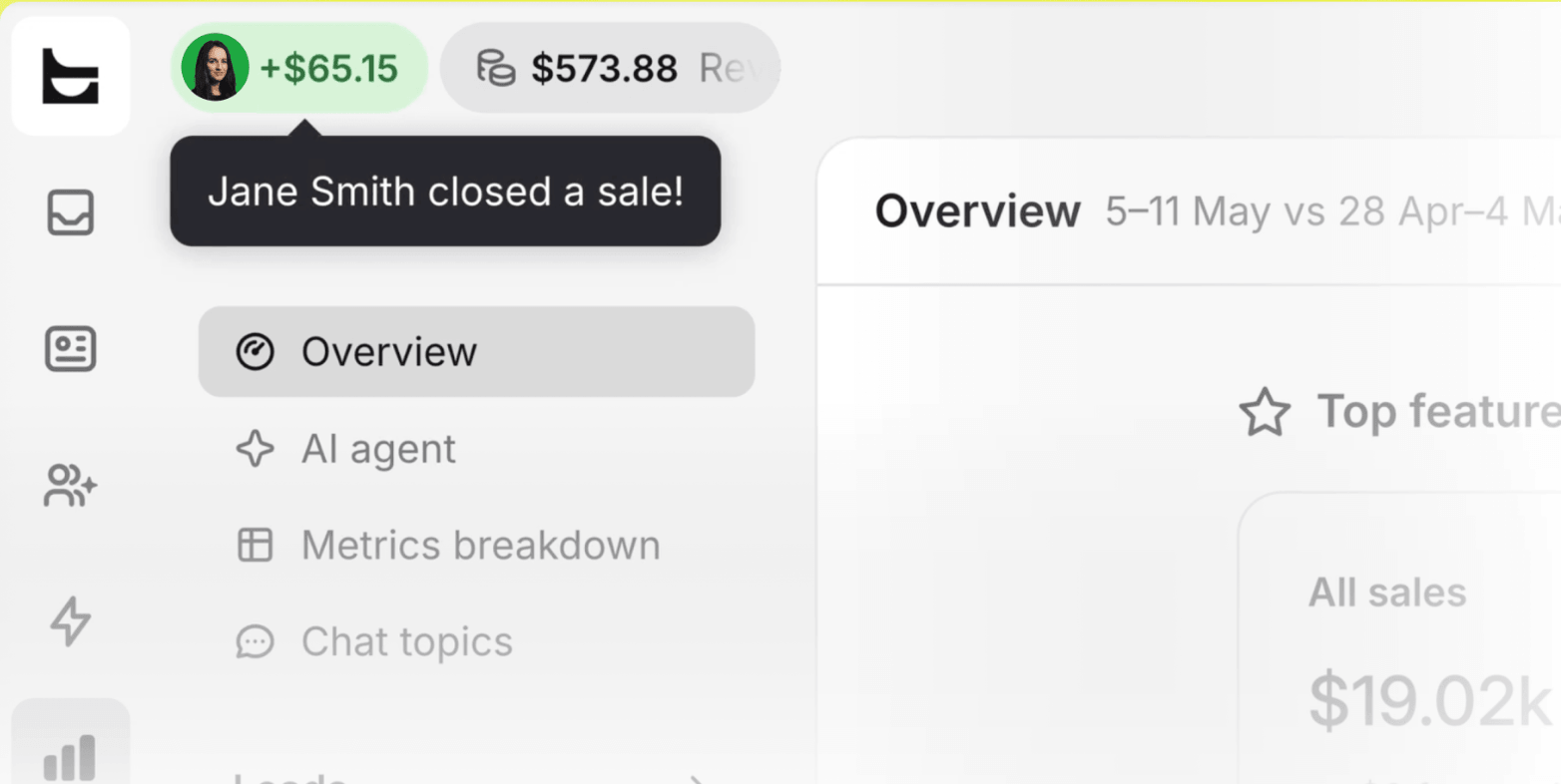
This is also where the earning story gets easier to make concrete for a client. If a team's average resolution time drops by even a few minutes per ticket, and that team handles a few hundred support tickets a week, the hours saved add up to a real dollar figure fast. It's the same math behind the Fuse numbers further down this article, just run against a client's own ticket volume instead of someone else's.
Built for whatever size team is actually asking
Not every client needs the same shape of ticketing setup, and that's worth saying out loud before a pitch instead of after.
A very small team running its first real support operation just needs the basics done well: a shared inbox, clear statuses, and automated assignment so nothing falls through. That's the Essential plan, and it's enough to replace a crowded shared inbox without asking a small business to learn a complicated system on day one.
A mid-sized business juggling multiple departments, higher ticket volume, and a team that's outgrown manual sorting is the sweet spot for the Growth plan, with its extra AI Agents, custom fields, and up to ten teams for organizing agents by department or skill.
And for business software companies running complex, high-touch accounts, Enterprise adds dedicated onboarding, custom AI Agents, and compliance coverage like SOC 2 Type 2 and HIPAA, for the clients whose procurement team won't sign off without it.
Knowing which of these a client actually is before you pitch saves you from overselling automation to a two-person team or underselling depth to an IT department managing complex requests across a dozen internal tools.
How Text's ticketing stacks up against free and standalone tools
Every client has looked at a free plan before they talked to you. That's not a problem, it's an opening.
Free plans exist, and they're genuinely useful for the very small teams they're built for. But the pattern across all of them is the same: basic ticketing and not much else. The moment automation, SLA management, AI features, or advanced reporting come up, the conversation moves to paid plans, full stop.
Tool | Free plan includes | Where it hits a wall | Paid plans start at |
|---|---|---|---|
Text ticketing | 14-day free trial | Nothing held back during the trial, and the paid plan already includes what free tiers charge extra for | $19/user/mo |
Zoho Desk | Up to 3 agents, email ticketing, basic help center | No real-time collaboration, SLAs, or automation | $7/agent/mo |
HubSpot Service Hub | Unlimited users, basic ticketing | Limited to one shared inbox | Paid tiers vary by hub |
Jira Service Management | Up to 3 agents, unlimited customers | Real setup complexity, built for internal IT more than customer support | ~$20/agent/mo |
Freshdesk | 1 to 2 agents for 6 months | Free access expires, not the old "10 agents forever" plan some articles still cite | ~$19/agent/mo |
Spiceworks | Unlimited agents, ad-supported | Built for bare bones internal IT, no revenue tools | Free (ads) |
SolarWinds Service Desk | No free tier | Strong on asset management and ITSM depth, built for enterprise IT tracking hardware alongside tickets, not customer support | Custom / quote-based |
Most of the tools on that list, free or paid, only ever do ticketing. There's no live chat, no AI Agent, and no path from a support conversation to a sale sitting in the same dashboard. Where Text earns the upgrade conversation is that its starting price already includes the AI Agent, ticket routing, automated assignment, and workflows, the exact things free tiers hold back, on top of the rest of the platform, a standalone ticketing tool simply doesn't have.
You're not selling a client on "pay more for the same thing." You're selling them past the wall every free tool eventually puts up, and past the ceiling every single-purpose ticketing tool hits by design.
It plugs into the tools a client already runs on
A client rarely wants one more disconnected tab. They want their ticketing functionality talking to whatever they already run their business on, and this is where an intuitive interface only gets you halfway to a sale.
Text's Playbook connects to Shopify, Salesforce, and HubSpot through predefined actions, and to anything else, including project management tools, through webhooks and its open API. That covers the CRM-ticketing link most clients ask about first, since customer data flowing between a CRM and a ticket is what makes an agent's reply feel personal instead of generic.
For collaboration tools, agents can loop in a colleague through internal notes and chat transfer without leaving a ticket, and workflows can push updates out to channels like Slack when a case needs eyes from outside the support team. A client already running Microsoft Teams for internal chatter isn't asked to abandon it. The webhook layer means a ticket update can land there just as easily as anywhere else.
The interface itself stays deliberately simple. Text is browser-based with desktop apps for Mac and Windows, and a client can be live the same day they sign up, connecting email, chat, WhatsApp, Messenger, and SMS without a drawn-out setup process. A user-friendly interface isn't a nice bonus feature here. It's the reason a team actually adopts the tool instead of quietly going back to their old inbox within a month.
It plugs into the tools a client already runs on
A client rarely wants one more disconnected tab. They want their ticketing functionality talking to whatever they already run their business on, and this is where an intuitive interface only gets you halfway to a sale.
Text's Playbook connects to Shopify, Salesforce, and HubSpot through predefined actions, and to anything else, including project management tools, through webhooks and its open API. That covers the CRM-ticketing link most clients ask about first, since customer data flowing between a CRM and a ticket is what makes an agent's reply feel personal instead of generic.
For collaboration tools, agents can loop in a colleague through internal notes and chat transfer without leaving a ticket, and workflows can push updates out to channels like Slack when a case needs eyes from outside the support team. A client already running Microsoft Teams for internal chatter isn't asked to abandon it. The webhook layer means a ticket update can land there just as easily as anywhere else.
The interface itself stays deliberately simple. Text is browser-based with desktop apps for Mac and Windows, and a client can be live the same day they sign up, connecting email, chat, WhatsApp, Messenger, and SMS without a drawn-out setup process. A user friendly interface isn't a nice bonus feature here. It's the reason a team actually adopts the tool instead of quietly going back to their old inbox within a month.
Proof from a team already running on it
Numbers convince some clients. Fuse runs student housing across Eastern and Central Europe, and before switching to Text, support relied on Gmail and WhatsApp with no dedicated team, no process, and no tracking. Maintenance requests and support tickets fell through the gaps, and tenants paid for it in silence.

After moving ticketing into one inbox, where every maintenance and support request could be tracked, owned, and closed, Fuse grew ticket volume by roughly two-thirds while keeping the exact same team size. Resolution time dropped from almost five days to under two, and the share of tenants rating their support positively climbed from under a third to more than half.
"When I started at Fuse, a tenant with a serious issue could wait weeks for a response. After onboarding Text, even as ticket volume grew, we got that down to a day. In our line of business, that's huge," said Kamelia Kasakova, Head of Operations at Fuse.

That's not a hypothetical company. It's a real team that moved off Gmail and WhatsApp chaos and into ticketing functionality that handles the tracking and routing on its own, growing volume without growing headcount. That's the story you're telling a client, minus the guesswork.
The earning angle for you as the partner
Here's a way to think about it that has nothing to do with features. Every hour Text's ticketing automates away from a client's team is an hour you can put a price on, and every gap in their current setup is a service you can bill for before you even get to the license.
The hiring argument
Start with the hiring argument, because it's the one that reframes the whole budget conversation. A client scaling support without growing payroll has more room to spend on tooling, not less. Fuse grew ticket volume by roughly two-thirds without adding a single person to their support team, the kind of growth that would otherwise mean a headcount request sitting on someone's desk. Bring that number into a pricing conversation and the software stops looking like a cost and starts looking like the thing that made the hire unnecessary.
The audit as a billable service
Then there's the work around the software, which is where a lot of partners leave money on the table. A support process audit, mapping ticket volume, busiest hours, and where requests actually get stuck, is a separate advisory service you can bill independently of the license. Most clients have never looked at that data before, because they've never had a system that tracked it. Doing that audit is real, billable work, and it's the difference between being seen as a reseller and being seen as the person who fixed something.
Arguments That Move a Client to Sign
Beyond the audit, there are a handful of arguments worth having ready, because they're the ones that actually move a client from "let me think about it" to signing.
The land-and-expand argument works because a client almost never starts big. They come in with a small team and a handful of paid seats, which means the pitch doesn't need to win the whole account on day one. It just needs to win the first department. Once ticket volume grows or a second department wants in, that's a natural upgrade conversation, not a new sales cycle, and it's one you're already positioned to have because you did the first deployment.
The consolidation argument works on clients juggling a separate ticketing tool, a separate live chat widget, and a separate reporting dashboard, each with its own bill. Point out that they're paying three vendors to solve one problem, and that every one of those tools loses context the moment a conversation moves from chat to email to a ticket. Bringing it under one roof isn't just simpler, it's usually cheaper than the sum of what they're already paying.
The risk-reversal argument matters more than either of those with a hesitant client. A 14-day free trial means nobody has to commit budget before seeing their own ticket queue actually get sorted automatically. That's an easier ask than "sign a year contract and trust me," and it's the argument that gets a skeptical client to say yes to a first conversation at all.
None of these arguments requires you to oversell. They just require you to know which one fits the client sitting across from you, and to bring the number or the trial offer that makes it concrete instead of theoretical.
A quick framework for the client conversation
Walking into a pitch cold rarely lands. Here's a simple order that tends to work.
Start with the pain, not the product. Ask how support requests get sorted today. Most answers involve someone manually reading and assigning tickets, which is the exact gap Text's ticketing closes.
Show the routing before the AI. Clients trust "your ticket goes to the right person automatically" faster than they trust "AI resolves your tickets." Lead with the boring, reliable part.
Bring one number and one quote. Don't recite every stat in this article. Pick the one that matches the client's industry and pair it with a real quote, like Kamelia Kasakova's above.
Price the audit separately. Don't fold the process audit into the license quote. Naming it as its own line item is what makes it feel like expertise instead of a sales tactic.
Close on the budget reframe. The conversation that wins isn't "this software is cheaper." It's "this is what you'd otherwise spend on another hire," which is the frame that gets budget approved faster than any feature list.
Leave the door open for a second conversation. Not every client commits on the first call, and that's fine. A short follow-up two weeks later, once they've had time to look at their own ticket volume with fresh eyes, closes more deals than a single hard pitch ever does. Support teams that were on the fence about automated workflows tend to come around once they've sat with the actual numbers from their own queue for a few days.
Objections you'll actually hear
A few questions come up in nearly every pitch, so it helps to have the answer ready instead of looking it up mid-conversation.
Is it too much for a very small team?
No. The Essential plan is priced and built for exactly that stage, and a client can start on it without paying for capacity they don't need yet.
Will the AI give wrong answers?
It only answers from the client's own knowledge base and documentation, which is a meaningfully different risk profile than a general-purpose chatbot pulling from the open internet.
Can it handle complex requests, not just simple ones?
Automation handles the repetitive tasks so a human agent has more time for the complex requests that actually need judgment. That's the trade being made here, not full replacement of a person's judgment.
Isn't this just another ticketing tool?
No, and that's worth saying plainly to a client. It's ticketing functionality inside a platform that also runs live chat and AI-driven sales, so the same customer data and the same reports carry across every conversation a client has, support or otherwise.
Where this leaves you
Text's ticketing isn't trying to win by being one more standalone help desk in a crowded category. It's one part of a platform built to handle support requests, ticket management, and automation well, and to hand off to a human exactly when a case actually needs one, while everything stays connected to the same chat and revenue tools a client is already running.
You've now got the functionality, the proof, and the framework. The next conversation with a client doesn't have to start from a feature list. It can start from the number they're already losing sleep over.