
Paweł Hałabuda
Content marketing and SEO expert
Paweł writes about support content, turning real customer feedback into resources that answer what people actually ask.
TL;DR Zendesk is still the benchmark, but newer AI-first tools are pulling ahead. Text leads with automation at the core, Intercom focuses on engagement, Freshdesk wins on affordability, Kustomer on personalization, and Tidio on SMB simplicity. The choice comes down to scale, budget, and whether you want AI as an add-on or the foundation.
Zendesk has long been the default helpdesk. Reliable, enterprise-ready, and packed with features — but also complex, expensive, and not always built for today’s AI-driven expectations.
If you’re exploring alternatives, you’re not alone.
This guide lays out what Zendesk does best, where it falls short, and which contenders — from Text to Intercom, Freshdesk, Kustomer, and Tidio — might fit your team better.
Why Zendesk is the benchmark
When people think “customer support software,” they usually think of Zendesk. For more than a decade, it has been the gold standard for high-volume support.
Comprehensive ticketing: Zendesk’s strength is its mature ticketing system, designed to handle massive volumes with custom fields, triggers, SLAs, and workflow rules.
Omnichannel coverage: Agents can manage email, live chat, social messages, and phone calls in one place. This makes it appealing for global teams where customers reach out from every angle.
Scale and integrations: With 100,000+ customers, including Uber, Airbnb, and Shopify, Zendesk has earned its reputation as the safe, enterprise-ready choice. Its marketplace offers 1,300+ integrations.
Pricing: The Suite starts at $55/agent/month, with enterprise plans easily topping $150/agent. For growing teams, this adds up quickly.
Where it struggles: Zendesk isn’t known for speed or simplicity. The interface can feel clunky, setup takes time, and its AI features — while present — are bolted on rather than built in. Many support leaders note the learning curve and ongoing admin effort.
Zendesk remains a strong choice for enterprises with compliance needs or complex workflows. But for teams who want AI-first design, simpler setup, or better value, it’s often the benchmark you’re looking to replace.
Alternatives to Zendesk
Tool | Best for | Key strength |
Text | Teams wanting AI-first, unified support | AI agent trained on your data, scalable simplicity |
Intercom | SaaS and product-led companies | Conversational support + proactive engagement |
Freshdesk | SMBs/startups on a budget | Affordable plans + quick setup |
Kustomer | Brands needing deep personalization | Unified customer timeline + CRM-style context |
Tidio | Small businesses and ecommerce shops | Easy live chat + strong AI chatbot (Lyro) |
Text
If Zendesk feels like driving a semi-truck when you just need a fast, modern ride, Text is the leaner alternative. It was built from the ground up with AI at its core, not as an add-on.
One workspace for everything: Live chat, ticketing, email, and social messages flow into a single inbox. No juggling between modules or plugging in extra tools.
AI-first support: Text’s AI agent doesn’t just suggest replies — it acts. It can resolve common issues, issue refunds, or answer FAQs instantly, while handing off nuanced cases to humans when it matters.
Trained on your data: Instead of generic scripts, Text’s AI learns from your knowledge base, CRM, and past conversations. That means accurate answers and fewer escalations.
Omnichannel by default: Whether a customer reaches out on your site, via email, Messenger, or WhatsApp, it’s all tracked in one conversation.
Scales without extra headcount: During busy periods, AI agents absorb spikes so your team doesn’t burn out.
Unlike Zendesk, which grew by layering AI on top of an old ticketing system, Text was designed AI-first. That makes it simpler to use, quicker to deploy, and often more cost-effective — especially for growing teams who don’t have the bandwidth for heavy admin.
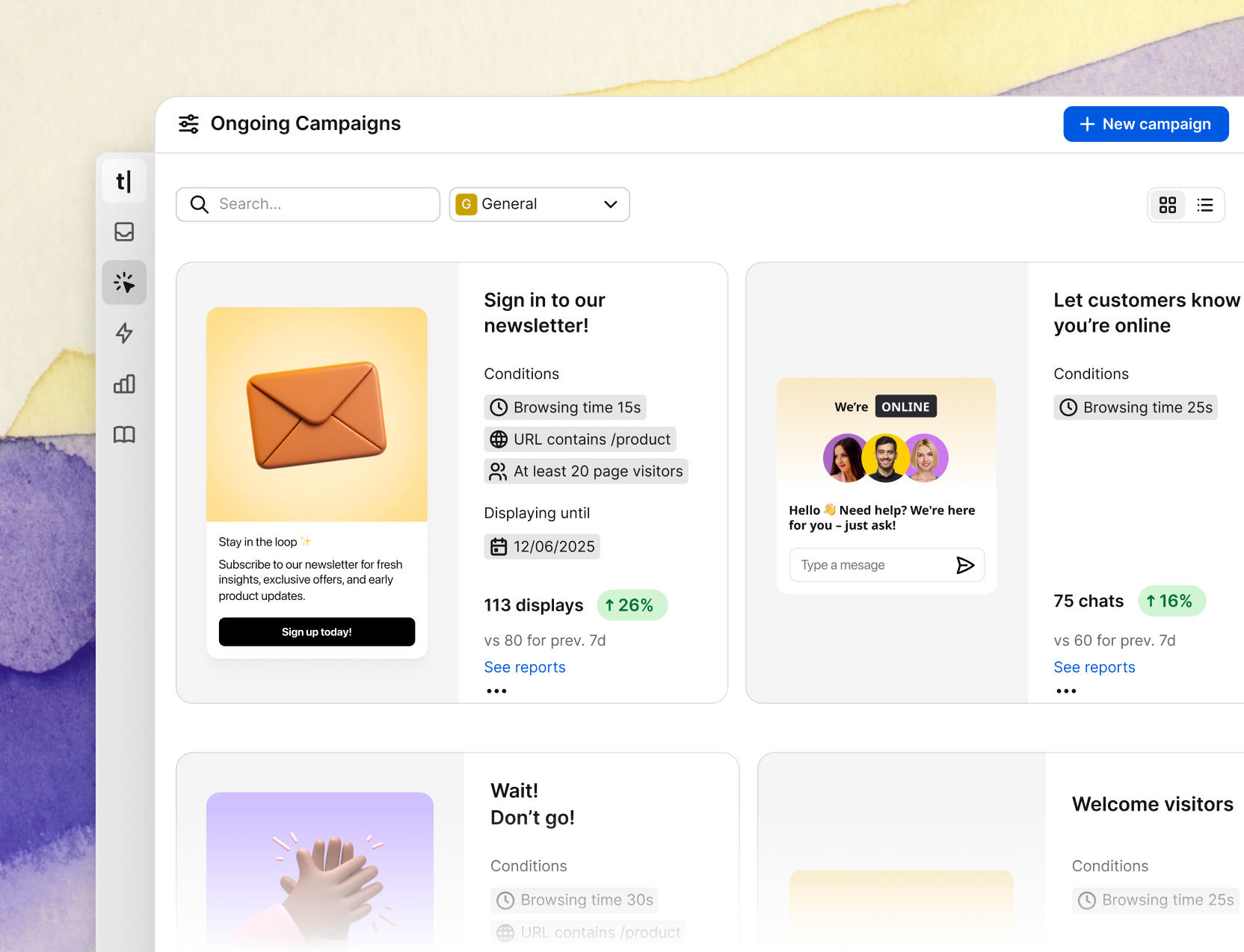
For support leaders who want to modernize without inheriting Zendesk’s complexity, Text is often the obvious first stop.
Zendesk vs Text: side by side
It’s easier to see the trade-offs when you put Zendesk and Text next to each other. Zendesk is the heavyweight with deep ticketing and enterprise structure.
Text, by contrast, is AI-first and designed for speed, simplicity, and scale.
Here’s how they compare:
Feature | Zendesk | Text |
Core design | Ticket-first system with AI layered on later | AI-first, built around automation + human handoff |
Omnichannel | Email, chat, phone, social, voice — unified in Suite | Email, chat, social, voice/video — native in one workspace |
AI capabilities | Answer Bot, triage, knowledge base suggestions | AI agents trained on your data, can resolve tasks autonomously |
Integrations | 1,300+ app marketplace, enterprise-grade | Integrates with major CRMs, ecommerce, and workflows |
Ease of use | Powerful but complex; steep learning curve | Simple setup, unified UI, less admin overhead |
Pricing | Starts ~$55/agent/month, enterprise $150+ | Starts ~$19/agent/month with free trial |
Intercom
If Zendesk is built for structured ticketing, Intercom flips the model. It started as a messenger widget for SaaS apps and websites — think of it as chat-first support — and has since grown into a full support suite.
Conversational by design: Intercom is built for real-time messaging, not tickets. The agent inbox feels more like a chat app than a helpdesk.
AI agent Fin: Their AI, called Fin, ranks among the most advanced in the category. It learns from your knowledge base and can resolve customer questions in a conversational tone 24/7.
Proactive tools: Beyond support, Intercom lets teams launch product tours, in-app campaigns, or onboarding flows. It blurs the line between customer support and customer success.
Adoption: Trusted by 25,000+ brands, including Amazon, Microsoft, and Atlassian.
Pricing: Seat-based plans starting around $39–99 per agent, plus usage-based pricing for AI resolutions (Fin costs ~$0.99 per conversation).
Where Zendesk excels at control and Text at AI-first simplicity, Intercom shines at engagement. It’s best for product-led companies that want to turn every customer chat into an opportunity to support, retain, or even sell. The trade-off? Costs rise fast as you scale, and ticket management isn’t as mature as Zendesk.
Text vs Intercom: side by side
Both Text and Intercom lean into AI, but they serve slightly different mindsets. Text is built for support leaders who want a unified, AI-first help desk. Intercom is built for companies that see every conversation as part support, part growth.
Here’s how they compare:
Feature | Text | Intercom |
Core design | AI-first support: live chat, tickets, automation in one workspace | Chat-first, conversational design with light ticketing added later |
AI capabilities | AI agents trained on your data, can act (refunds, workflows, escalations) | Fin AI chatbot, resolves queries with natural tone, usage-based pricing |
Proactive tools | Focus on fast, accurate support; automation built in | Strong outbound messaging, product tours, campaigns |
Omnichannel | Email, chat, social, voice/video integrated natively | Web/app chat, email, SMS, voice (via integrations) |
Ease of use | Simple setup, support-focused UI | Modern chat-style UI, highly engaging but less robust for ticketing |
Pricing | Starts ~$19/agent/month, flat-rate AI included | ~$39–99/agent/month + ~$0.99 per AI resolution |
Best fit | Teams wanting AI-first helpdesk that scales simply | SaaS and product-led companies prioritizing real-time engagement |
Freshdesk
Freshdesk often comes up when teams say, “Zendesk feels too heavy, is there something simpler?” Built by Freshworks, it’s designed to be the approachable, budget-friendly alternative.
Unified inbox: Email, chat, phone, and social queries all land in one place, just like Zendesk or Text.
Freddy AI: Freshdesk’s AI assistant helps with ticket routing, automated answers, and knowledge base suggestions — a solid option for deflecting repetitive questions.
Ease of use: Known for its quick setup and clean UI, Freshdesk doesn’t overwhelm new teams.
Pricing: A big differentiator. There’s a free tier for small teams, and paid plans start at just $18/agent/month. Even the Enterprise plan ($95/agent) is cheaper than Zendesk equivalents.
Adoption: Over 100,000 companies use it, including Bridgestone and Honda, reflecting strong SMB and mid-market traction.
Freshdesk’s sweet spot is clear: teams who want 80–90% of Zendesk’s functionality at a fraction of the cost. The trade-off? Its AI (Freddy) feels more like an add-on than a core design. Compared to Text’s AI-first approach, Freshdesk is simpler but less ambitious.
Text vs Freshdesk: side by side
Both tools aim to simplify support, but they’re built for different needs. Freshdesk wins on affordability and quick setup, while Text focuses on AI-first depth and scale.
Feature | Text | Freshdesk |
Core design | AI-first platform: live chat, ticketing, automation unified | Traditional helpdesk with AI (Freddy) layered in |
AI capabilities | AI agents act autonomously (resolves tasks, escalates when needed) | Freddy AI for routing, canned responses, knowledge suggestions |
Omnichannel | Email, chat, social, voice/video in one view | Email, chat, phone, social unified in inbox |
Ease of use | Clean, modern UI, built AI-first | Very easy to adopt, especially for smaller teams |
Scalability | Handles SMB to enterprise, designed for growth | Strong in SMB and mid-market; may feel limited at enterprise scale |
Pricing | Starts ~$19/agent/month | Free plan; paid from $18/agent/month, Enterprise $95/agent |
Best fit | Teams needing AI-driven automation at scale | SMBs/startups seeking affordable Zendesk-like features |
Kustomer
Where Zendesk organizes everything around tickets, Kustomer organizes around the customer. Every interaction — chat, email, SMS, WhatsApp, even purchase history — appears on a single timeline, giving agents a 360° view.
Customer-first design: Instead of switching between tickets, agents scroll through a customer’s entire history, from orders to past conversations.
AI + automation: Kustomer uses AI to auto-tag, route, and even summarize conversations. Its “Agent Assist” suggests replies much like Text’s AI, though Kustomer emphasizes CRM-style workflows.
Omnichannel built in: Supports email, chat, phone (via integrations), SMS, and social — all tied back to the same customer record.
Pricing: Premium. Starts at $89/agent/month (Enterprise) and $139 for Ultimate, with a 14-day trial.
Adoption: Favored by ecommerce and subscription brands like Everlane, Glossier, and Bulletproof — companies that value personalization at scale.
The upside of Kustomer is context: agents never have to guess who they’re talking to. The downside is cost and complexity — it’s priced and designed for mid-market or enterprise teams. Compared to Text, which delivers similar AI and omnichannel depth in a lighter package, Kustomer leans heavier toward CRM-style customization.
Text vs Kustomer: side by side
Both platforms embrace AI and omnichannel, but their philosophies differ. Text is built to keep things simple — one workspace, AI-first design. Kustomer tilts toward being a mini-CRM, giving agents a deep historical view of each customer.
Feature | Text | Kustomer |
Core design | AI-first support: live chat, tickets, automation unified | Customer-first CRM: unified timeline of all interactions |
AI capabilities | AI agents resolve tasks autonomously, escalate when needed | AI assists with tagging, routing, summaries, and suggested replies |
Omnichannel | Email, chat, social, voice/video natively integrated | Email, chat, phone, SMS, WhatsApp, social tied to customer record |
Ease of use | Simple, unified UI designed for quick adoption | Highly customizable but more complex to set up |
Pricing | Starts ~$19/agent/month, free trial included | Premium: $89–139/agent/month |
Best fit | Teams seeking AI-powered scale without enterprise complexity | Teams needing deep personalization and CRM-like workflows |
Tidio
Tidio is what small teams often pick when they want live chat and AI without enterprise pricing or complexity. It started as a simple chat widget and has grown into an all-in-one support tool with lightweight ticketing and automation.
Chat-first focus: A modern widget that handles live conversations across website, email, Messenger, Instagram, and WhatsApp — all from one dashboard.
Lyro AI chatbot: Learns from your FAQs and knowledge base, automatically resolving up to 64% of customer queries in natural language.
Ease of use: Setup is quick — copy a script and you’re live. The chatbot builder is visual and no-code, making automation accessible for non-technical users.
Pricing: Free plan for basic chat, with paid plans starting at $29/month. Lyro AI is an add-on (~$39/month for 50 AI conversations).
Adoption: Used by over 300,000 businesses globally, with strong traction among ecommerce shops and small startups.
Tidio isn’t trying to be Zendesk — and that’s its appeal. It’s simple, affordable, and effective for small businesses. Compared to Text, it’s less robust for ticketing or enterprise workflows, but for many SMBs it covers 80% of the job with minimal effort.
Text vs Tidio: side by side
Tidio wins on simplicity and price, while Text delivers more depth and scalability. Both lean into AI, but they serve different audiences.
Feature | Text | Tidio |
Core design | AI-first helpdesk: live chat, tickets, automation in one workspace | Chat-first tool with lightweight ticketing added |
AI capabilities | AI agents resolve tasks, escalate seamlessly | Lyro AI chatbot, resolves up to 64% of FAQs |
Omnichannel | Email, chat, social, voice/video in one view | Website chat, email, Messenger, Instagram, WhatsApp |
Ease of use | Unified UI, scalable from SMB to enterprise | Very fast setup, no-code chatbot builder |
Pricing | Starts ~$19/agent/month | Free plan; paid from $29/month + Lyro AI add-on ~$39/month |
Best fit | Teams wanting AI-driven support that grows with them | Small businesses needing fast, affordable live chat + AI |
How to choose the right Zendesk alternative
The best choice isn’t about who has the longest feature list. It’s about the shape of your support workload.
If your team faces a flood of repetitive questions, platforms like Text, Intercom, or Freshdesk shine. Their AI agents take the edge off ticket volume so your team doesn’t drown in the queue. On the other hand, if you deal with fewer conversations but each one is complex, Zendesk or Kustomer may be a better fit. Both were built with advanced ticketing and CRM-style workflows in mind, giving you more control over nuanced cases.

Budget plays its role too. Freshdesk and Tidio appeal to smaller teams who want something quick and affordable without the overhead of an enterprise platform. Zendesk and Kustomer sit at the other end of the spectrum — premium, highly customizable, and designed for organizations with large-scale operations.
Then there’s the AI question. If you want automation baked into the core of your support, Text and Intercom stand out. They were designed AI-first, which means smoother workflows and less admin work. Zendesk and Freshdesk, by contrast, layer AI on top of legacy systems. The features are there, but they don’t always feel as seamless.
Finally, consider what support means to you. For teams that see every conversation as a growth opportunity, Intercom’s proactive tools and messaging campaigns make sense. For teams who simply want to deliver fast, reliable service without burning out their agents, Text often wins. It blends automation and human handoff in a way that scales with your business, rather than adding friction.
Conclusion
Zendesk built the foundation for modern customer support, but the market has moved. AI-first challengers like Text are proving that you don’t need enterprise baggage to deliver enterprise results. Intercom is pushing real-time engagement, Freshdesk is carving out the budget-conscious crowd, Kustomer is doubling down on personalization, and Tidio is making AI accessible to even the smallest shops.
The decision isn’t whether Zendesk still works — it does. The real question is whether you want a tool that was designed for yesterday’s ticket queues or one that’s built for today’s AI-driven support. If speed, scale, and simplicity matter, Text is hard to ignore.
FAQ
Is Text a good Zendesk alternative for enterprises?
Yes. Text combines AI live chat, ticketing, and AI agents in one workspace, making it powerful enough for enterprise teams. Unlike Zendesk, it’s AI-first and easier to scale without heavy admin.
What’s the main difference between Zendesk and Intercom?
Zendesk is ticket-first, built for structured workflows. Intercom is chat-first, built for real-time engagement. Intercom shines in proactive messaging, while Zendesk excels at compliance and workflow depth.
Which Zendesk alternative is best for small businesses?
Text is often the best fit for small businesses because it combines affordability with AI-first support in one workspace. Unlike Zendesk, you don’t need extra modules to handle chat, email, or automation — it all works out of the box.
How do AI-first platforms like Text differ from legacy helpdesks?
AI customer service platforms like Text and Intercom build automation into their core. They resolve tasks and scale seamlessly. Legacy tools like Zendesk or Freshdesk add AI later — useful, but less integrated.