
Lead submission: how to refer enterprise clients to Text
Lead submission lets Solution partners refer enterprise clients to Text and earn a reward when the deal closes. See the criteria, steps, and statuses.
 Sylwia KocurUpdated 4 min read
Lead submission lets you refer an enterprise client to the Text team, track the referral in the Partner app, and earn a reward after our team closes the deal. You choose how involved you stay.
What is lead submission?
Lead submission is a feature of the Solution program that lets you refer a potential customer to the Text team instead of closing the deal yourself. You fill out a short form in the Partner app, our team handles the sales process, and you earn a reward once the deal closes.
A “lead” refers to a potential customer who has expressed interest in the products recommended by our partner (which is you). These individuals or organizations may not have committed yet but are in the early stages of considering a purchase.
For many reasons, you may want to avoid being involved in the sales process. This is when our form submission comes in handy.
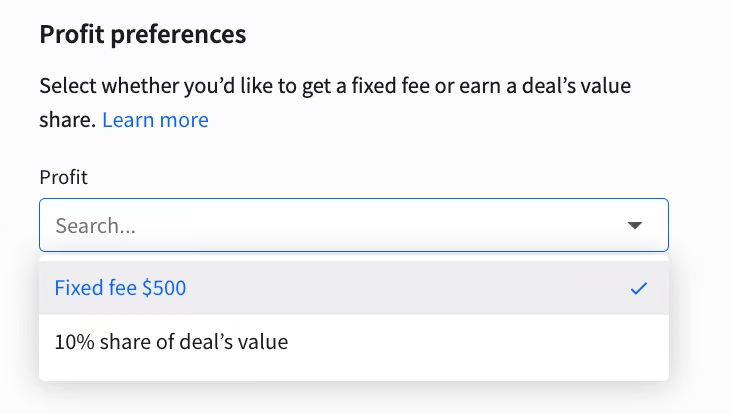
You can fill out the lead submission form and pass along the closing of the deal to our experts. Once the deal is closed, you’ll be rewarded: a $500 fixed fee or 10% share of deal’s annual value.
Which clients qualify as Text Enterprise leads?
A client qualifies as a Text Enterprise lead when their needs go beyond the Essential and Growth plans. Enterprise is a custom offer listed on the Text pricing page, so there is no fixed seat or price threshold. Look for one or more of these signals:
Large teams or high volume. The client needs more than Growth includes: 10 AI Agents, 10 teams, or 200 AI resolutions per month.
Security and compliance requirements. Their security or legal team asks for SOC 2 Type 2, SSO, audit logs, or a legal and compliance review.
Custom AI and integrations. They want custom AI Agents, resolution logic, data pipelines, or workflow automation built with Text engineers.
Contract and billing needs. They need service level agreements (SLAs) or alternative payment terms.
Branding and reporting needs. They want a white-label widget or on-demand reporting.
A lead doesn’t need to show every signal. Our team assesses each submission and decides whether it qualifies.
What’s the difference between license creation and submitting a lead?
You can create a license for your client whenever you want, whatever the company’s size. In the Partner app, you can:
Create a license and customize it
Add agents
Make the payments
Transfer the ownership to your customer
Learn more about creating licenses for your clients.
With large organizations, the sales process often involves more stages and more teams, usually legal and security. Signing all agreements and closing the deal can take weeks or months.
If you don’t have the time or resources to close the deal, pass the lead to our team. Once the deal is closed and the customer is satisfied, you’ll be rewarded.
What are the recommendations for lead submission?
Our team focuses on large organizations that match the signals above.
How to fill out the form
To submit a lead, follow these steps in the Partner app:
Go to Solution > Leads > Submit a lead.
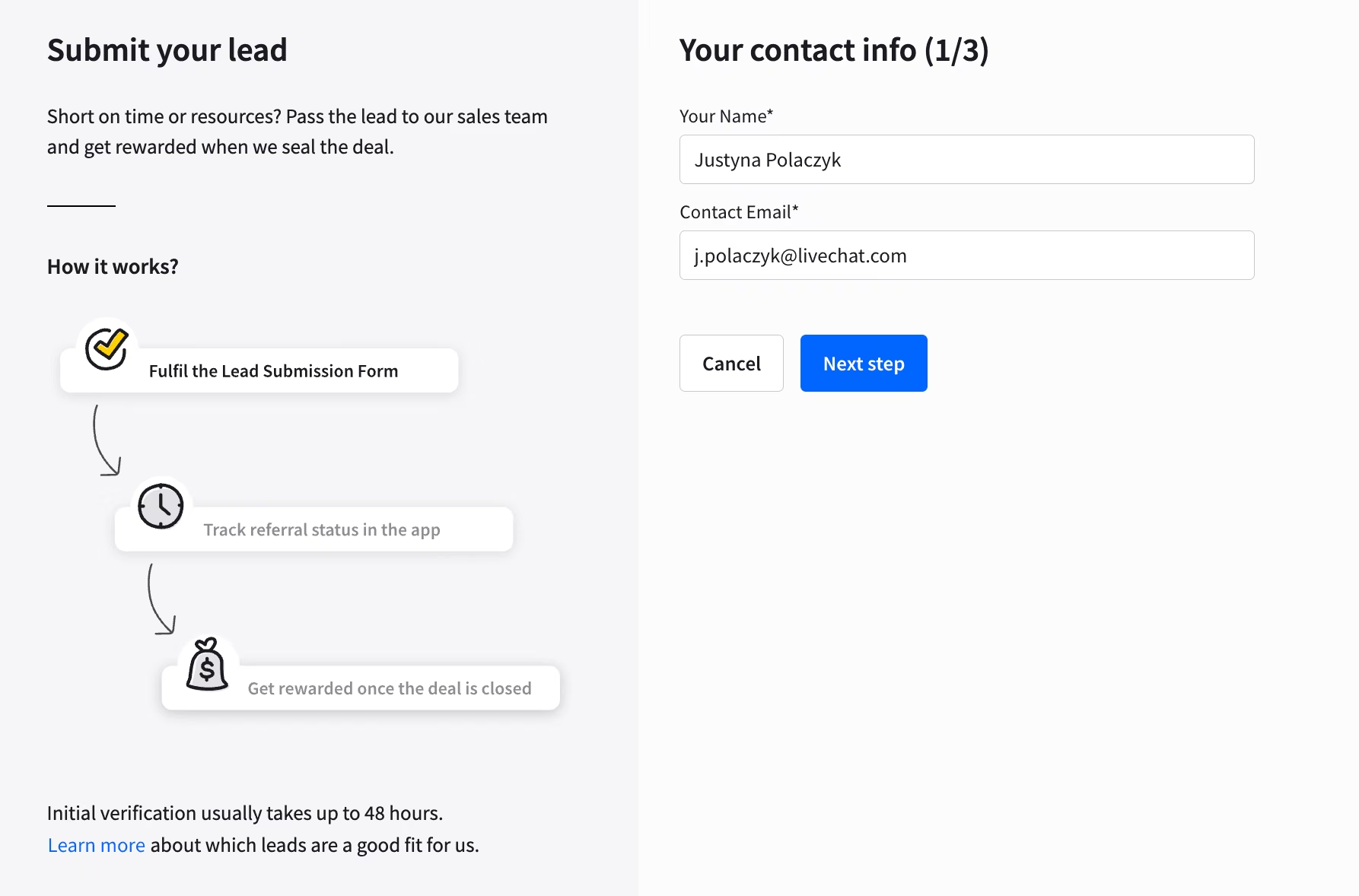
Enter the lead’s contact details on the first page and double-check them. Add anything that could help us close the deal in the Additional information field.
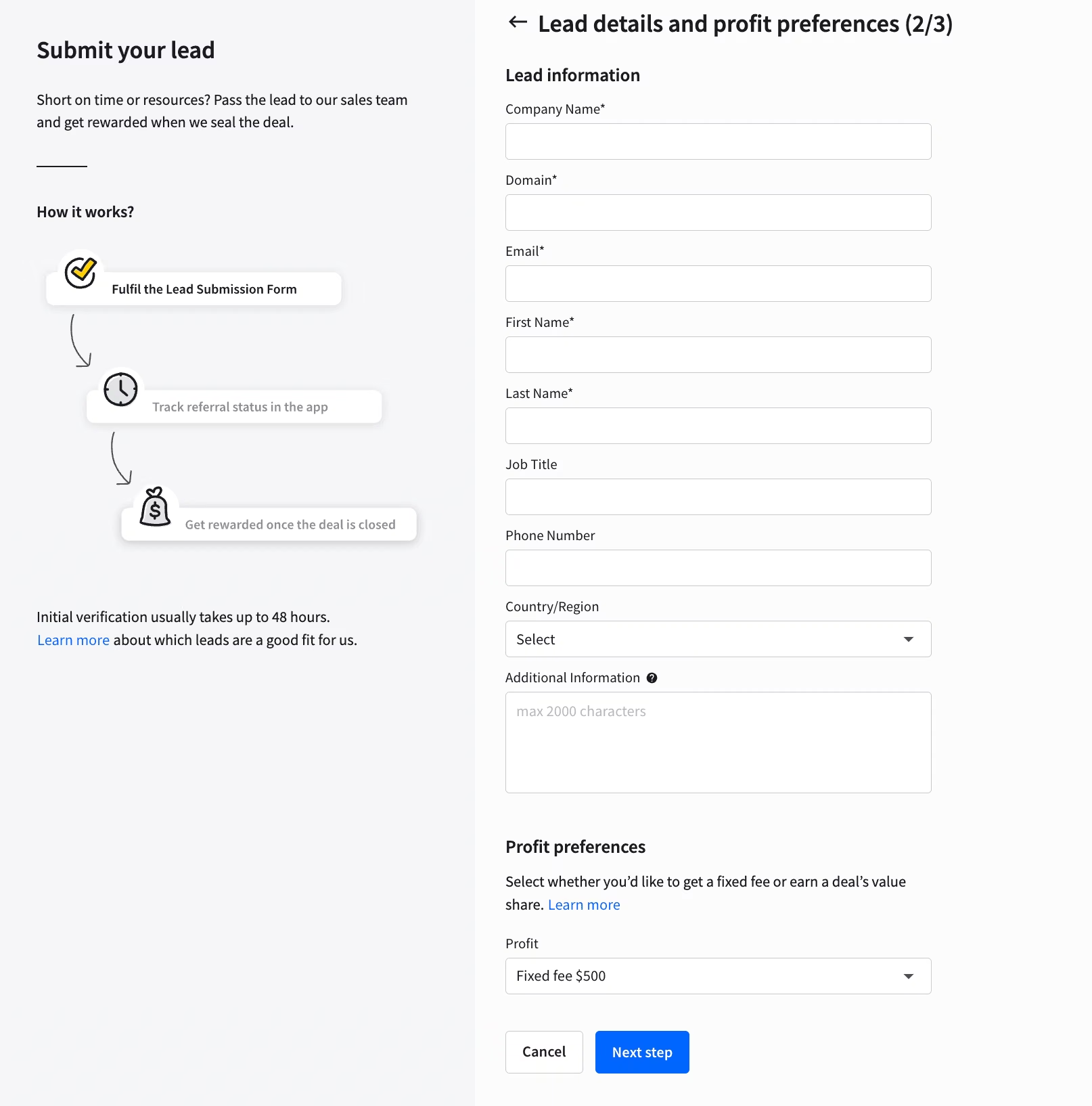
On the second page, select the commission type: the $500 fixed fee or the 10% share of the deal’s annual value. Make sure you choose the right one.
On the third page, choose how involved you want to be in the communication between our team and your lead. You can be included in the email communication, be present at all meetings, only make an introduction, or stay out of it.
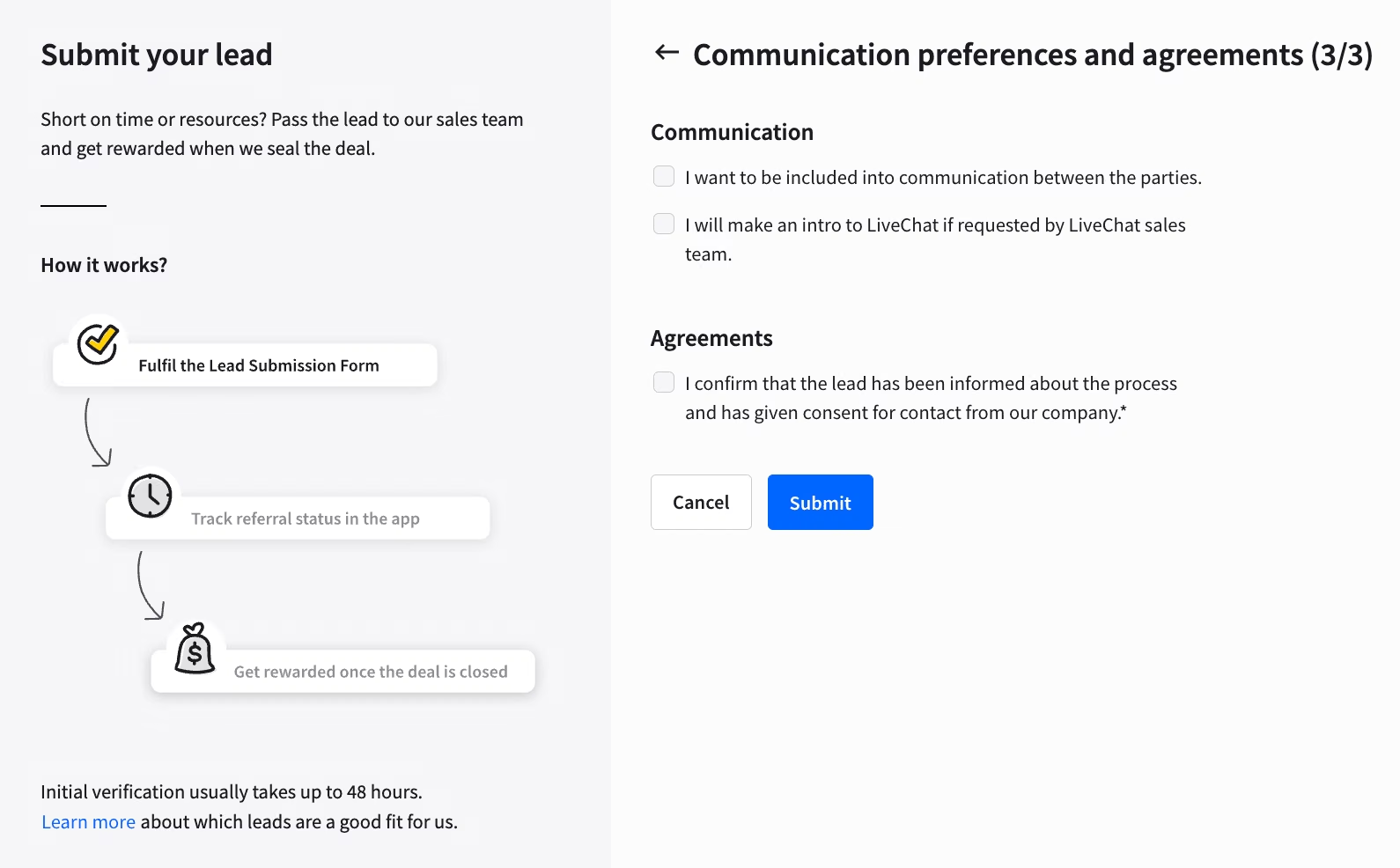
Confirm that the lead knows our team will contact them.
Click Submit.
After you submit the lead, monitor its status in the Leads tab.
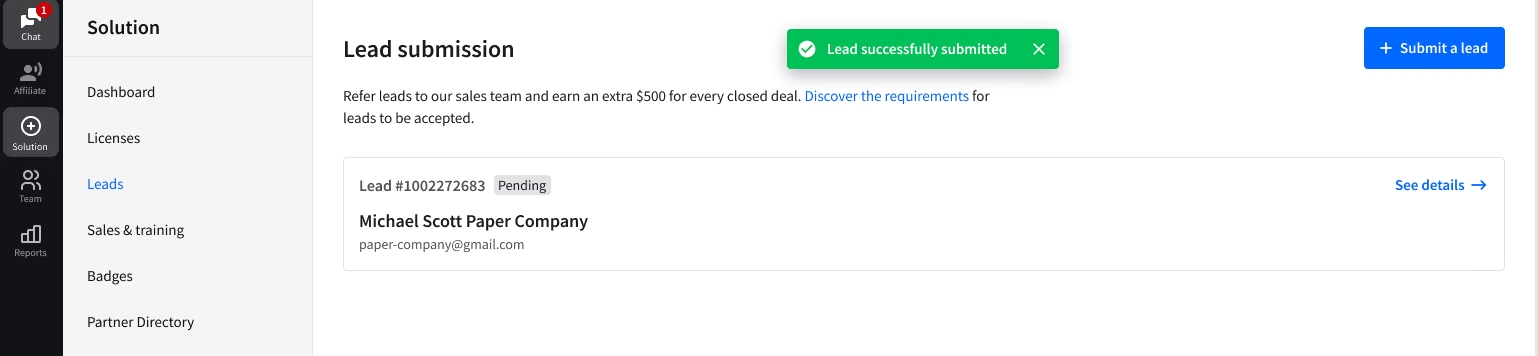
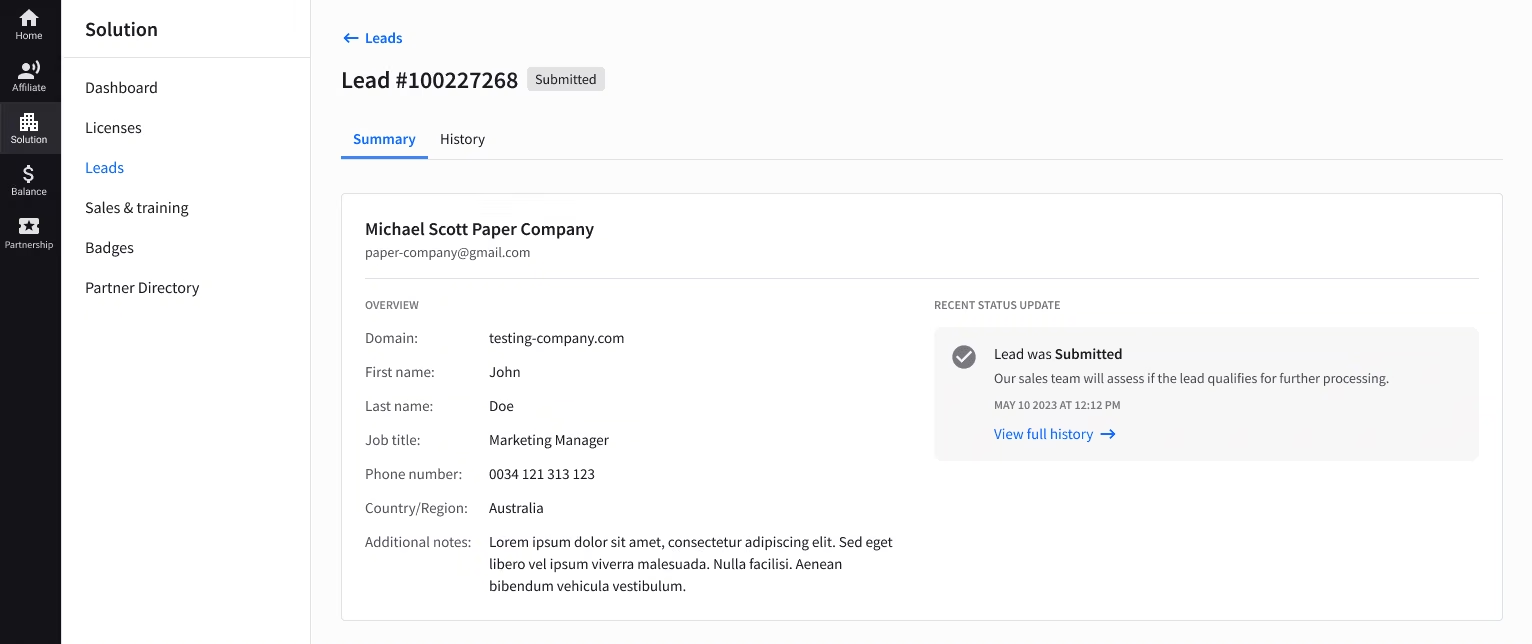
Open a lead to see its details. The Partner app is your single source of information about your leads.
Lead statuses
Here’s a list of statuses your leads can get:
Submitted. Our team will assess if the lead qualifies for further processing.
Rejected. The submitted lead didn’t meet our requirements.
Approved for further review. Our team has accepted the lead and will now work on closing the deal.
Won. The deal was successfully closed. Your account will now be credited with $500.
Lost. This deal was not finalized. If you’d like more information about this case, let us know at partners@text.com.