
Bulk actions
Use Bulk Actions in Text App to mass-update, tag, move, or delete conversations—saving time and keeping your team’s inbox efficient.
 Wiktoria SmołaUpdated 1 min read
Bulk actions let you perform tasks on multiple tickets at once, making it easier and faster to manage responsibilities.
You can use bulk actions in any ticket view.
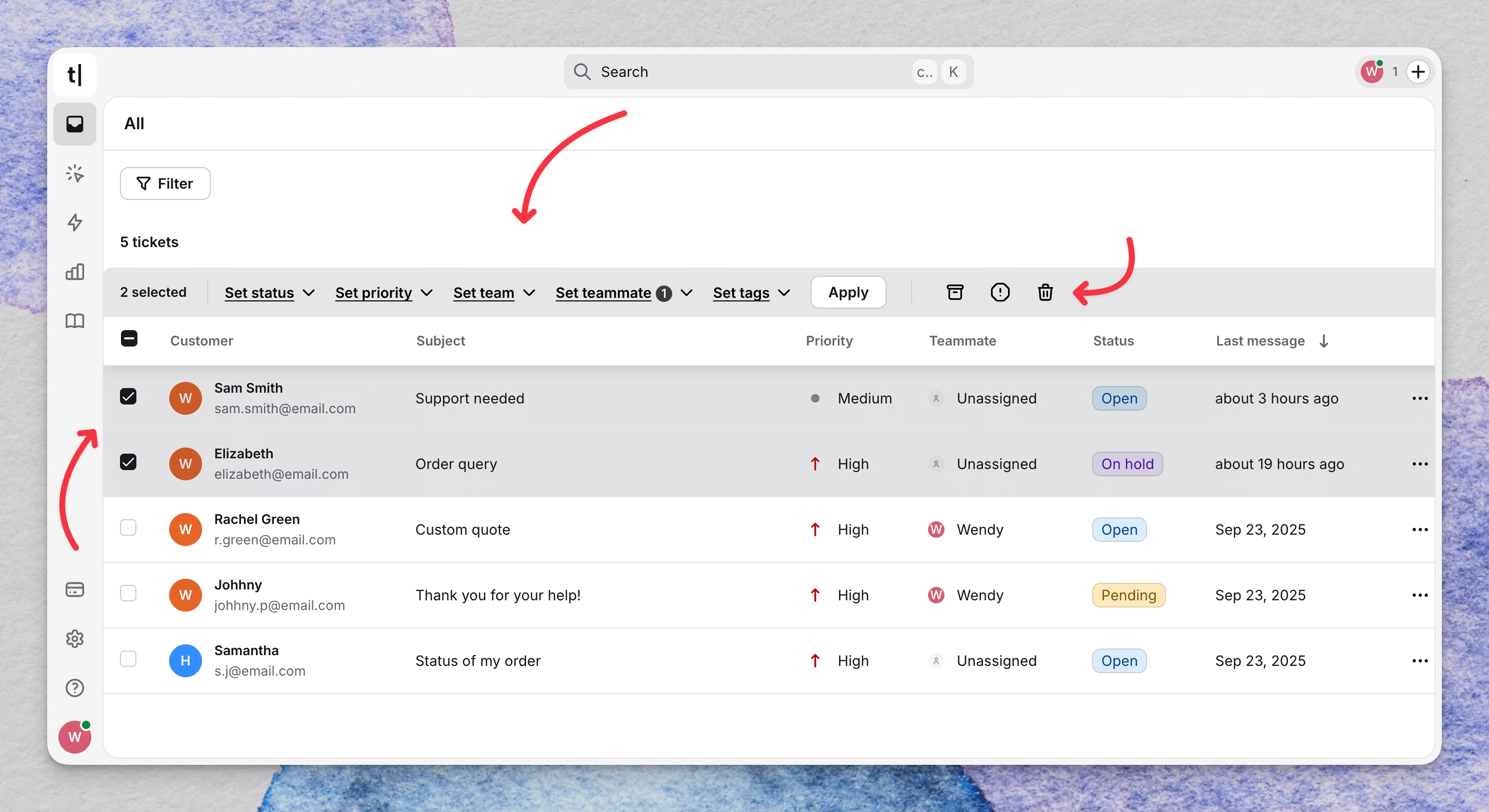
To create and apply a bulk action:
Select all or specific tickets from the list.
At the top, choose the actions you want to apply to the selected tickets.
Available actions include:
Set status
Set priority
Set team
Set teammate
Set tags
Once you’ve chosen the actions, click Apply to finalize the changes.
Additionally, using the options on the right-hand side, you can bulk move tickets to Archive, Spam, or Trash.
Questions?
If you have any questions about this article, feel free to start a chat with one of our Support Heroes. They are available 24/7 and always ready to provide additional information on adjusting your Text App license.