
Text for partners: AI customer service software overview
Text is AI customer service software that unifies chats, tickets, and AI Agents. See how clients use it and how affiliate and solution partners earn. Join free.
 Sylwia KocurUpdated 4 min read
Text is AI customer service software that brings chats, tickets, and AI Agents into one workspace, so your clients can support customers without switching tools or adding extra hours. It also helps turn those conversations into sales.
What is Text?
Text is an AI customer service platform that combines live chat, a help desk, and AI Agents in one workspace. It allows your clients to answer customers faster, resolve issues around the clock, and turn support conversations into sales, without hiring at the same pace as demand grows.
How does Text scale support while staying personal?
Text helps teams respond faster, stay organized, and handle growing demand without losing the human touch.
AI Agents for every department
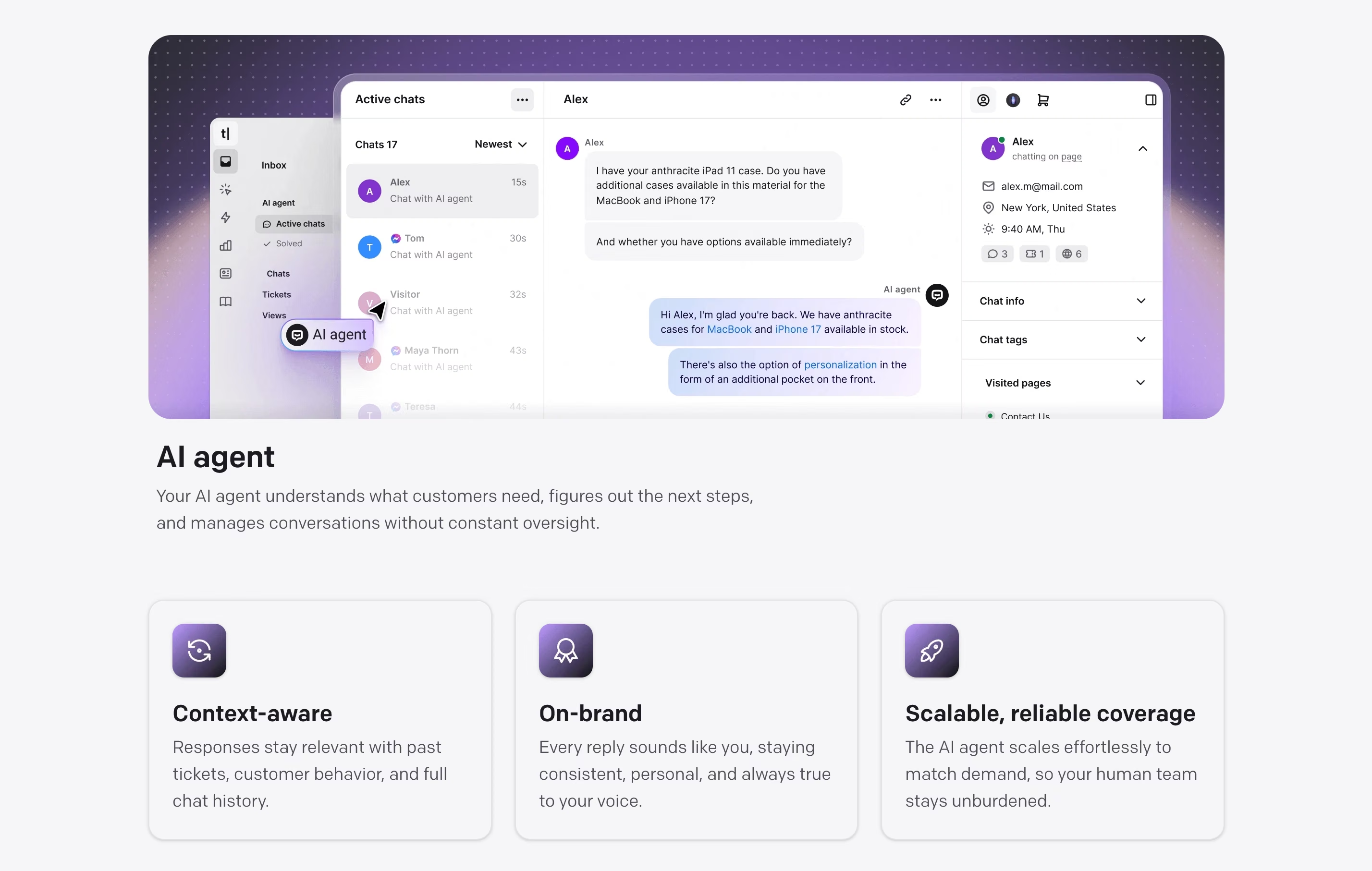
Your clients can create AI Agents in minutes. Each agent can focus on sales, support, product questions, or industry-specific tasks. There’s no training dataset to prepare and no technical setup. Agents work out of the box and stay in the brand’s voice.
Growth without extra overhead
As volume grows, AI and automation take care of repetitive work, so human agents can focus on the conversations that need a personal touch. Businesses can expand into new markets or channels without hiring at the same pace.
Full customer context
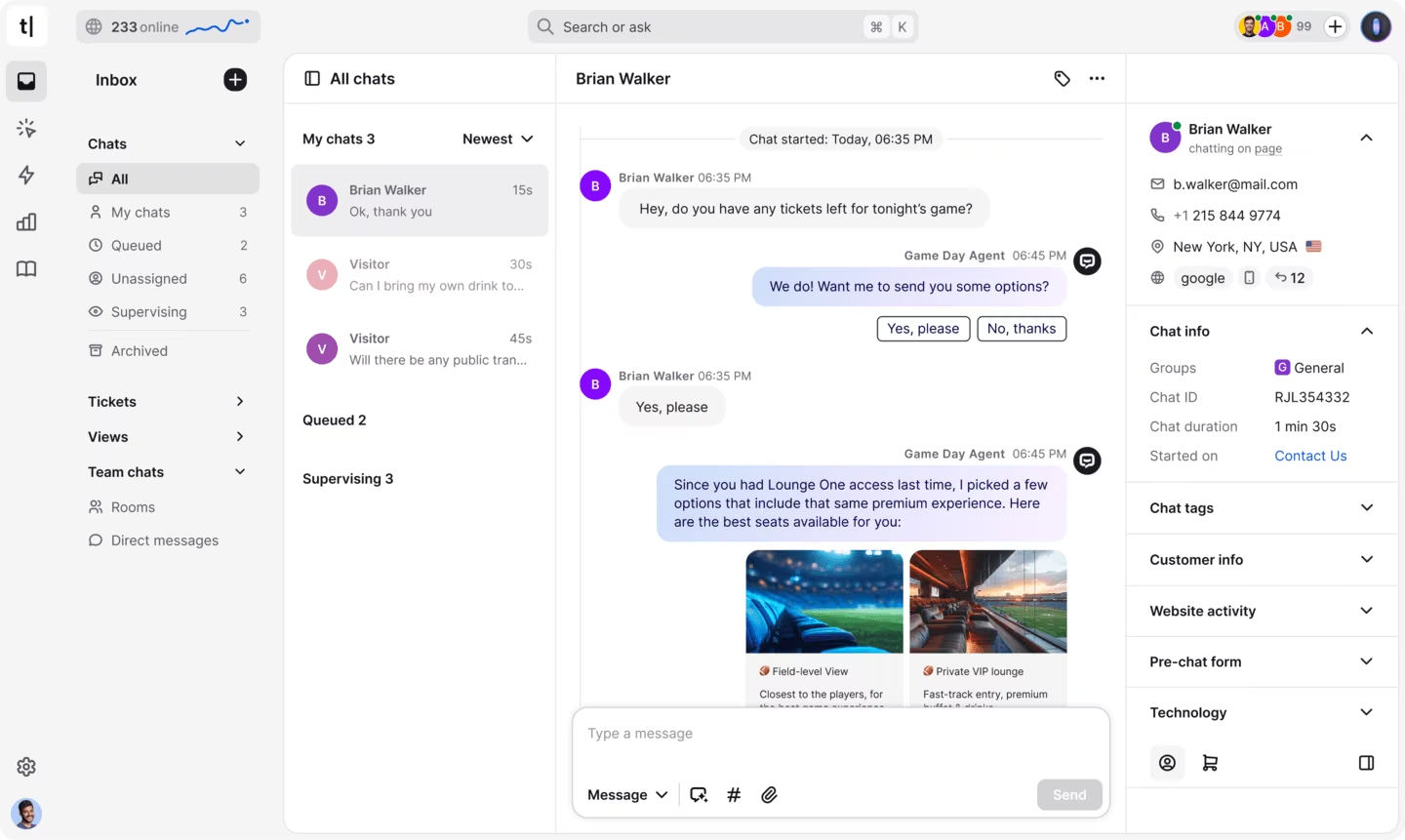
Every conversation shows the customer’s full history in one place: past purchases, open tickets, earlier chats, and browsing behavior. Agents don’t have to repeat questions, and customers don’t have to retell their story.
Automation that fits your stack
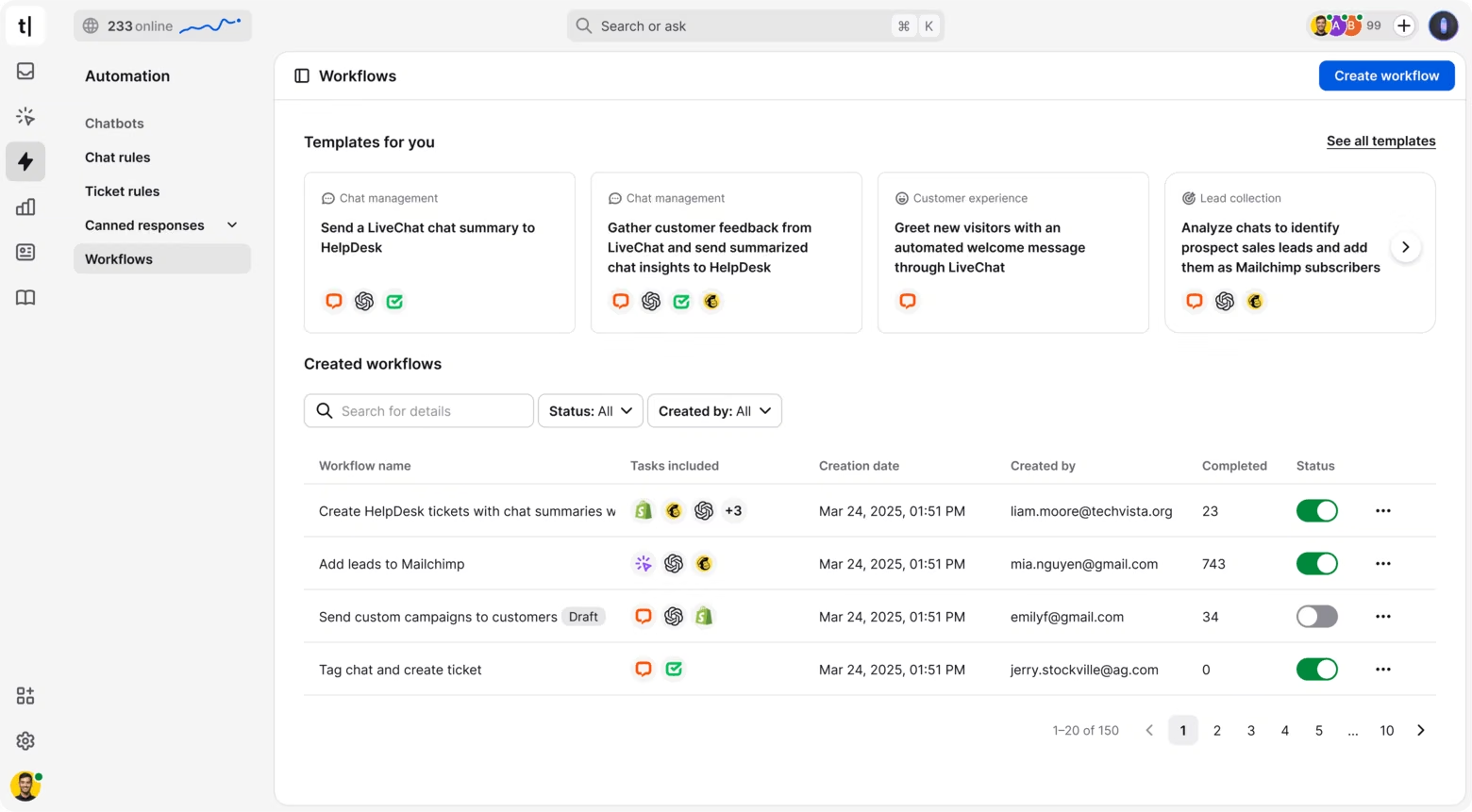
Conditional workflows connect Text with the tools clients already use. Actions can start from customer behavior, status changes, or conversation outcomes, so whole processes can run on their own.
How does Text bring every support channel into one workspace?
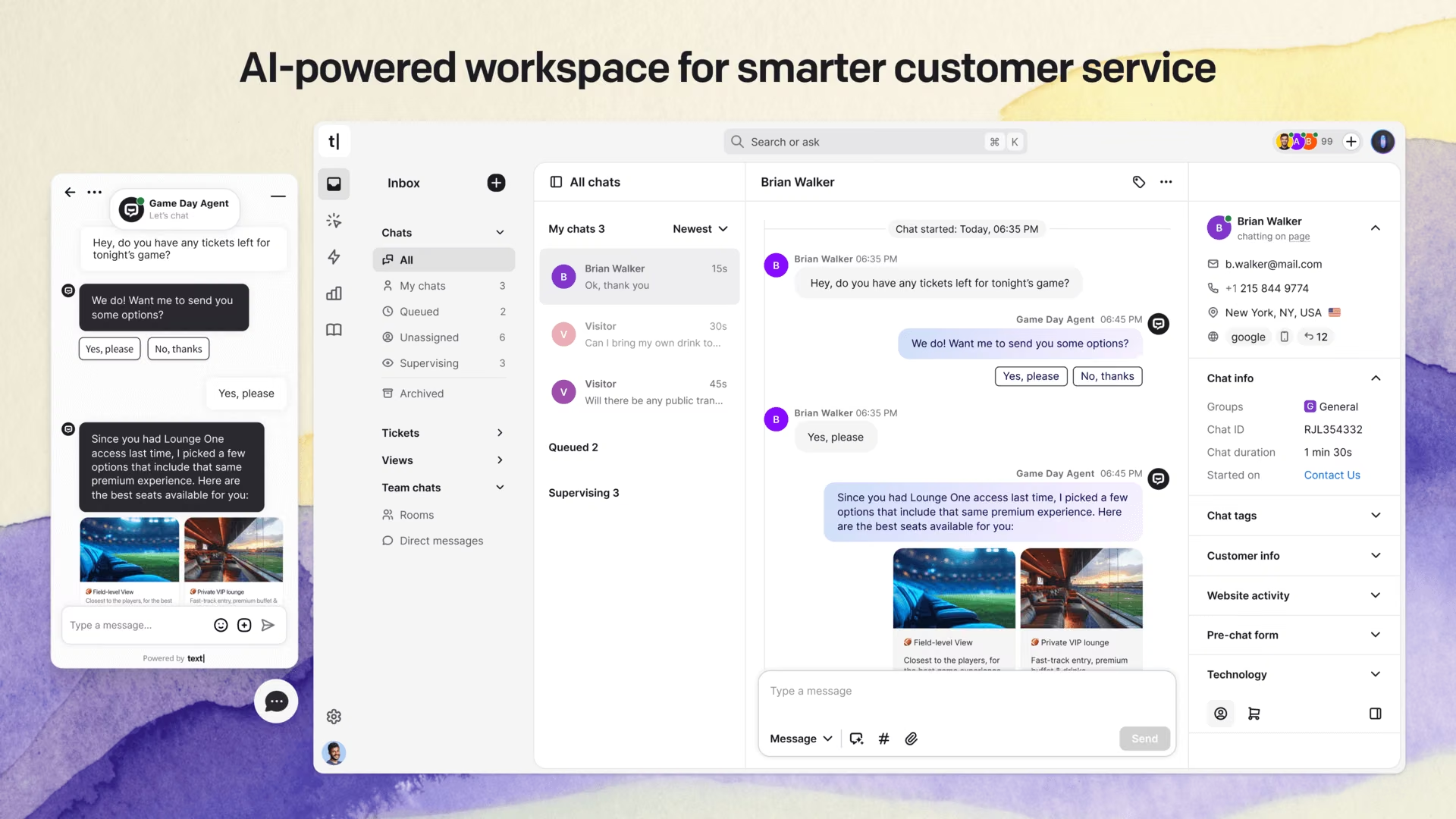
Text brings daily customer communication into one view, so teams stop jumping between tabs.
Live chat across channels
Connect website chat, Messenger, Twilio, email, and more. Every conversation lands in a single inbox with full context.
AI Agents that work around the clock
AI Agents answer common questions instantly, hand over to a human when needed, and learn from the knowledge base to stay accurate at any hour. That makes them ideal for after-hours support and global audiences.
Ticketing built for speed
Any message can become a ticket. Teams can assign, prioritize, and organize issues, so cases get closed quickly.
AI live chat that closes deals
During live chats, agents get AI-suggested replies based on context. They can adjust the tone or rewrite a message with one click. Automatic tagging keeps conversations organized, so agents can stay focused.
AI help desk that scales support
AI-generated help desk summaries make handoffs easier. Tickets are sorted by language and routed to the right team, and tagging happens in the background to remove manual busywork.
How does AI improve customer service in Text?
Text uses context-aware AI to help customers and agents at the right moment.
Smart conversation handling
AI Agents use live website behavior, past ticket history, customer details, and integrations to give the right answers. They handle multi-turn conversations and escalate to a human when needed.
Instant knowledge retrieval
AI Agents pull information from knowledge bases and the web using hybrid, vector, and on-demand search. They show their reasoning and cite sources, so answers stay transparent and accurate.
Built-in performance tracking
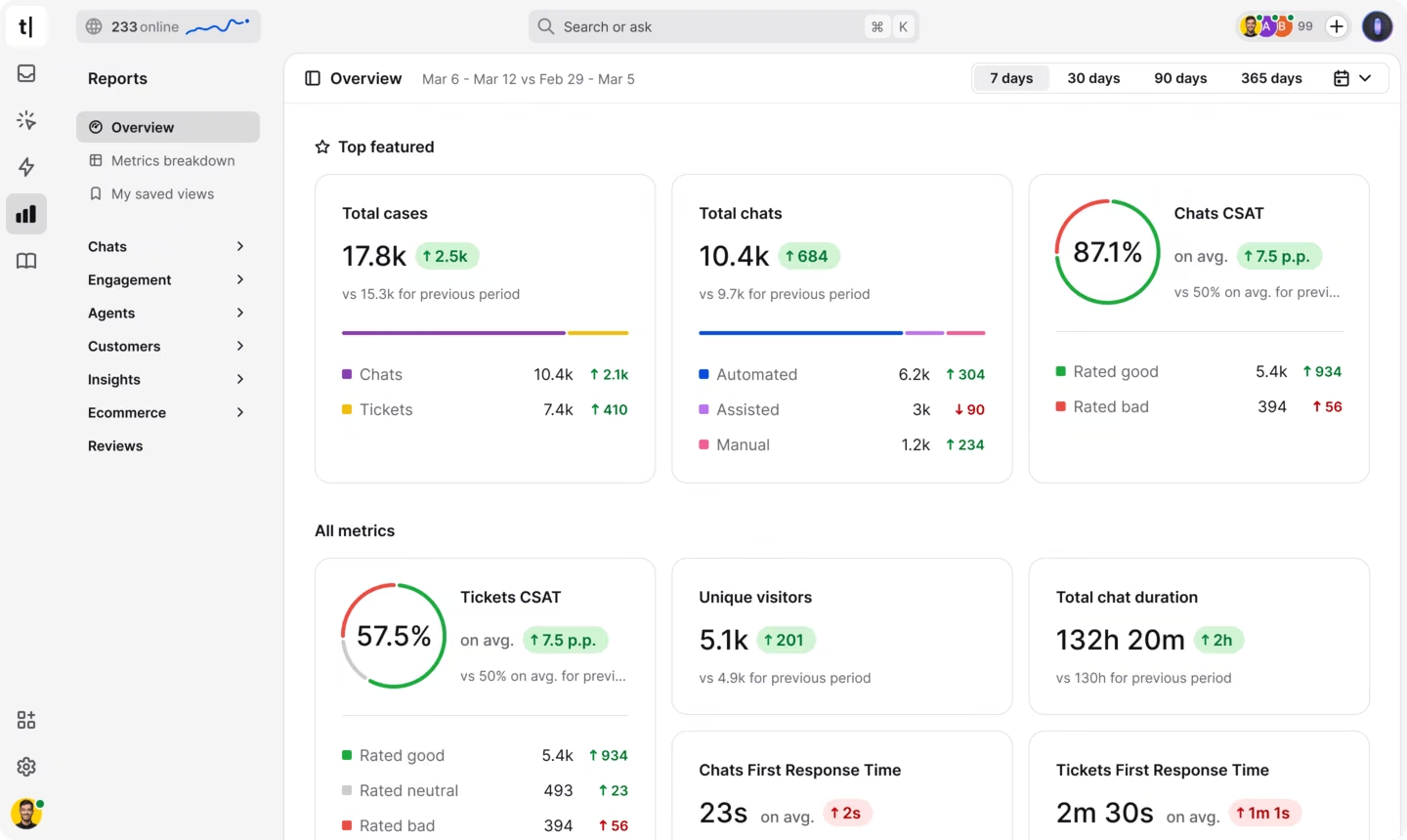
Clients can monitor AI performance, including resolution rates, response times, and satisfaction scores. They can also see how much revenue their conversations bring in. Post-chat surveys show where AI works well and where a human should step in.
Why is Text a good fit for partners?
Text is easy to recommend because it solves a problem most businesses have: more customers than hours in the day. Plans start at $19 per user per month on annual billing, and clients can try it free for 14 days with no credit card required.
What results do Text customers see?
Here are real results from teams using Text:
Wembley Stadium generated $1.5M in additional revenue in eight months, and now handles up to 12,000 chats a month.
Nuvoo grew AI Agent sales by 432%. AI Agent now drives about 70% of its chat sales, with a 98% resolution rate.
Fuse cut resolution time from almost five days to under two, while handling about two-thirds more tickets with the same team.
How do you earn as an affiliate partner?
In the Affiliate program, you share Text with your audience and earn up to 22% commission for life on every paying customer. Joining is free.
How do you earn as a solution partner?
In the Solution program, you work directly with clients, earn up to 25% recurring commission or a reseller discount, and build your own services around Text, like implementation, optimization, and training. Those services can add a lot to what you earn.
Frequently asked questions
How long does the affiliate cookie last, and how do I get paid?
Affiliate referrals count when a customer signs up within 120 days of clicking your link. Commission recurs for as long as the customer stays subscribed. You track clicks, trials, and conversions in real time in the Partner app, and once your earnings reach $50, you can withdraw them through PayPal.
How do Solution program commission rates work?
Solution program rates depend on your annual recurring revenue (ARR). You start at 20% when you join, move to 22% from $5,000 ARR, and reach 25% from $20,000 ARR. Commissions recur, so you earn on the deals you close and on the client accounts you grow over time.
How do I add a client as a solution partner?
Open the Partner app, go to the Solution section, and click Add client. When you create the client account, you choose the billing model: the client pays Text directly and you earn a recurring commission, or you handle payments and receive a reseller discount. Then customize the setup in the client’s dashboard.
Can I join both programs?
Yes. You can join the Affiliate program, the Solution program, or both from one Text account. Joining is free, with no upfront fees or sales quotas. Affiliate partners start right away, while Solution program partners must be accepted first. You track earnings and performance in the Partner app.